
USGS Earthquakes MCP. Get real-time, global seismic data from USGS.
 Gemini
 Works with every AI agent you already use
…and any MCP-compatible client









Just plug in your AI agents and start using Vinkius.
USGS Earthquakes MCP Server connects your AI client directly to the United States Geological Survey's real-time seismic data feed. It lets you query global earthquake activity, filter events by magnitude and date range, or count total occurrences against specific criteria.
Use it to monitor everything from micro-tremors to major tectonic shifts instantly.
What your AI agents can do
Count earthquakes
Counts the total number of earthquakes that meet defined magnitude and location criteria.
Get significant 30 days
Retrieves a list of highly notable global earthquakes that occurred within the last 30 days, regardless of specific search parameters.
Query earthquakes
Searches for detailed seismic events using flexible parameters like start/end times and precise geographic coordinates.
You can get a single number representing how many earthquakes match a set of criteria.
The tool pulls a list of highly notable global earthquakes that occurred within the last 30 days.
You search for specific earthquake events by defining start/end times, minimum magnitude, and geographic coordinates.
Ask AI about this MCP
Supported MCP Clients
Gemini Waiting for input…
USGS Earthquakes MCP Server: 3 Tools for Seismic Data
Use these three specialized tools to get total counts, track recent major events, or run highly specific historical queries on global seismic data.
019d761acount earthquakes
Counts the total number of earthquakes that meet defined magnitude and location criteria.
019d761aget significant 30 days
Retrieves a list of highly notable global earthquakes that occurred within the last 30 days, regardless of specific search parameters.
019d761aquery earthquakes
Searches for detailed seismic events using flexible parameters like start/end times and precise geographic coordinates.
Choose How to Get Started
Build a custom MCP for your own tools, or connect a ready-made integration from our catalog.
Build Your Own
Turn any API into an MCP. Import a spec, define Agent Skills, or deploy with MCPFusion.
- Import from OpenAPI, Swagger, or YAML specs
- Create Agent Skills with progressive disclosure
- Deploy to edge with MCPFusion framework
- Built in DLP, auth, and compliance on every call
- Real time usage dashboard and cost metering
- Publish to catalog or keep private
Make Your AI Do More
Start with USGS Earthquakes, then connect any of our 4,700+ other servers whenever your AI needs more. One click, no limits.
- Use this MCP plus 4,700+ others, all in one place
- Add new capabilities to your AI anytime you want
- Every connection is secured and compliant automatically
- Track usage and costs across all your servers
- Works with Claude, ChatGPT, Cursor, and more
- New servers added to the catalog every week
What you can do with this MCP connector
Forget reading textbooks about plate tectonics. This USGS Earthquakes MCP Server hooks up your agent directly to the United States Geological Survey's real-time seismic data feed. You get global earthquake data—everything from little shakes to major tectonic shifts—instantly. It lets you query activity across the entire planet, giving you actionable intelligence without needing any credentials or keys.
When you need to perform deep historical analysis on a fault line, you'll use query_earthquakes. This tool searches for specific seismic events by letting you define precise time windows using start and end times. You can also set minimum magnitude requirements or narrow your focus down to exact geographic coordinates.
It handles complex filtering so you pull up only the data you need.
If all you need is a headcount, count_earthquakes gives it to you. You establish criteria—you pick a location and define a minimum magnitude threshold—and the function returns one single number showing how many events match your parameters.
Need to know what shook up the globe recently? Use get_significant_30_days. This tool pulls a list of highly notable global earthquakes that occurred within the last 30 days. You don't have to bother setting specific search parameters; it automatically delivers the most significant activity from that timeframe.
It’s designed for anyone who needs to monitor seismic patterns, whether you're running an environmental response bot or just trying to track historical activity over a decade. The server processes raw, real-time and archived records straight from USGS. You can check total event counts based on defined criteria, pull comprehensive lists of recent major events, or run deep queries using specific geographic boundaries like radial points or bounding boxes.
It’s the fastest way to get your hands on the world's seismic pulse.
How USGS Earthquakes MCP Works
- 1 First, tell your AI client what you need: a count, the last 30 days' significant list, or a custom search window.
- 2 Your agent sends the necessary parameters (e.g.,
minmagnitude,endtime) to one of the three tools on the server. - 3 The USGS Earthquakes MCP Server executes the query and returns structured data—either an aggregate number or a list of detailed seismic events.
The bottom line is: it lets your AI client ask complex questions about global seismic history, getting back precise lists or counts from the USGS database.
Who Is USGS Earthquakes MCP For?
Geophysicists, disaster response coordinators, and environmental data analysts need this. If you're tired of manually cross-referencing multiple government APIs for seismic activity—the kind of work that keeps people up at 2 a.m.—this server gets the raw data to your agent in one call.
Runs historical analyses, using query_earthquakes to trace tectonic shifts across decades or comparing event clusters over different time periods.
Monitors immediate threats. They use get_significant_30_days and check for tsunami warnings to inform immediate resource deployment plans.
Needs quick metrics, using count_earthquakes to provide clients with aggregate risk assessments based on specific geographic boundaries (e.g., a state or fault line).
What Changes When You Connect
- Immediate access to raw, planet-scale telemetry. You stop writing custom scripts to hit multiple government endpoints; everything is centralized through the server's tools.
- Focus your search with precision. Instead of general searches, you use
query_earthquakesto narrow results by bounding box or radial point—say, just off the coast of Tokyo. - Track major events without manual effort. Running
get_significant_30_daysimmediately pulls a curated list of notable activity, bypassing the need to filter thousands of low-magnitude readings yourself. - Quantify risk quickly. You use
count_earthquakeswhen you just need an aggregate number—like 'How many magnitude 2.5+ quakes hit California in Q3?' No complex data joining required. - Support for advanced diagnostics. The server handles checks for immediate tsunami warnings and detailed human-curated significance ratings, which is critical for field operations.
Real-World Use Cases
Assessing regional risk after a tremor
A consultant needs to know the total seismic background activity in an area. They ask their agent to use count_earthquakes specifying the coordinates and magnitude range for the last year. The agent returns a precise count, allowing the consultant to quickly assess if current activity is unusual or part of normal geological drift.
Rapid incident response
An emergency team needs to know about recent high-impact events globally. They prompt their AI client with 'Show me the most significant earthquakes.' The agent immediately runs get_significant_30_days and reports on M 7+ quakes and any current tsunami warnings, saving hours of manual API browsing.
Historical research on fault lines
A geophysicist needs to study seismic activity specifically along the San Andreas Fault over a decade. They use query_earthquakes, inputting start/end times and setting a narrow geographic boundary, pulling only the relevant records for deep analysis.
Validating data reports
A developer builds an environmental report that requires an annual total of specific quakes. Instead of writing complex SQL joins, they simply call count_earthquakes with the precise date range and criteria to ensure their reported metrics are accurate.
The Tradeoffs
Over-relying on general search
Asking 'Give me all earthquakes in California from 2023.' This is too broad and might return millions of records, bogging down the agent or hitting API limits.
→
Instead, use query_earthquakes and specify a minimum magnitude (e.g., minmagnitude=2.5) and define precise time windows (starttime/endtime) to get actionable data without the noise.
Assuming 'significant' is enough
Just asking for 'the biggest quakes.' The agent might use get_significant_30_days, but if the user actually needed a specific magnitude (say, >5.0), they'll miss it.
→
Check the 30-day list first with get_significant_30_days. If you need to filter that list further—for example, only M 4+ events—you must run a specific query using query_earthquakes.
Trying to count without boundaries
Simply asking 'How many quakes happened?' This lacks the necessary geographic constraints and will return an unmanageable, meaningless global total.
→
You must define a search area. Use count_earthquakes and provide valid latitude/longitude coordinates along with the desired time range to get a meaningful count.
When It Fits, When It Doesn't
Use this server if your core need is accessing structured, real-time seismic data from USGS—period. The key decision is whether you need an aggregate number, a list of recent highlights, or a detailed historical dump.
Use it when: You need to know the total count of events (use count_earthquakes), you want quick visibility into high-impact activity over the last month (use get_significant_30_days), or you require precise data slicing by time and location (use query_earthquakes).
Don't use it when: Your problem involves correlating earthquake data with non-seismic inputs, like local building codes or population density. This tool only handles the raw seismic events. If your goal is to build a predictive model that requires external variables (e.g., historical rainfall), you need to combine this server's output with other data sources in your agent workflow.
The strongest boundary check: Never rely on one tool alone. Always cross-reference the scope of get_significant_30_days against a targeted search using query_earthquakes if you suspect the 'significance' criteria might be outdated or too narrow.
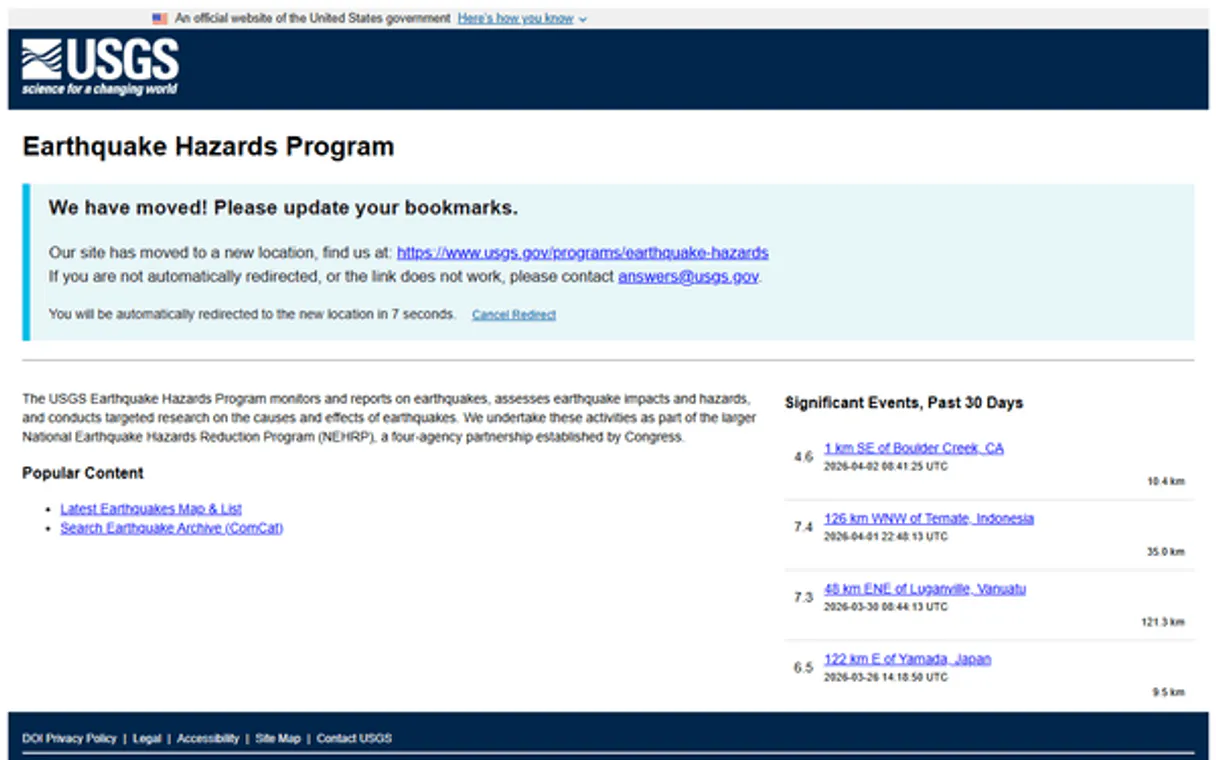
Independent Platform Disclaimer: Vinkius is an independent platform and is not affiliated with, endorsed by, sponsored by, verified by, or otherwise authorized by USGS. All third-party trademarks, logos, and brand names are the property of their respective owners. Their use on this website is strictly for informational purposes to identify service compatibility and interoperability.
VINKIUS INFRASTRUCTURE
Cloud Hosted
Managed infra
V8 Isolated
Sandboxed per request
Zero-Trust Proxy
No stored credentials
DLP Enforced
Policy on every call
GDPR Compliant
EU data residency
Token Compression
~60% cost reduction
Works with Claude, ChatGPT, Cursor, and more
The Model Context Protocol standardizes how applications expose capabilities to LLMs. Instead of operating in isolation, your AI gains direct access to external platforms, live data, and real-world actions through secure, standardized connections.
This server provides 3 capabilities that interface natively with Claude, ChatGPT, Cursor, and any MCP client. No middleware. No custom integration required.
Available Capabilities
Tracking seismic activity used to mean opening three different government portals.
Before this, tracking global quakes meant clicking through multiple dashboards: checking NOAA for alerts, then visiting USGS for raw data points. You'd spend time cross-referencing date ranges and manually filtering out background noise just to get a clear picture of the magnitude shifts.
With this MCP server, you tell your agent what you need—say, 'all events over M 4.0 in the Pacific Rim last month.' Your agent runs the query instantly, returning only the clean data points you need. It cuts out every manual click and the headache of mismatched APIs.
USGS Earthquakes MCP Server: Getting action-ready seismic metrics.
Manual analysis forces you to run three separate queries just to check basic risk. You'd get a count from one place, the 'significant' list from another, and then have to write a third query manually just to validate the dates. It’s slow and prone to data discrepancies.
Now, your AI agent handles the orchestration. You ask for a comprehensive view, and it uses `query_earthquakes` or `get_significant_30_days` to deliver one single source of truth. The complexity is managed by the server; you just get the answer.
Common Questions About USGS Earthquakes MCP
How do I use the USGS Earthquakes MCP Server to check for tsunami warnings? +
You can prompt your agent to specifically check for current tsunami warnings. The tool checks the latest sensor data and returns an immediate alert status, telling you if any event currently triggers a warning.
Can I use count_earthquakes to find quakes in California? +
Yes. When calling count_earthquakes, you must provide the specific latitude and longitude coordinates for California's boundaries, along with your minimum magnitude and time range.
What is the best way to check recent global activity? Should I use query_earthquakes or get_significant_30_days? +
For a quick overview of high-impact events, run get_significant_30_days. If you need to apply specific filters—like only M 5.0+ quakes in a limited area—you must use the more detailed query_earthquakes tool.
How does query_earthquakes handle date ranges? +
The query_earthquakes function accepts explicit starttime and endtime parameters. You can set these to define any arbitrary window, allowing you to analyze data from specific historical periods.
Does the USGS Earthquakes MCP Server require API keys? +
No. This integration is zero-auth, meaning your AI client connects directly without needing you to manage or supply any secret keys or credentials.
If I use query_earthquakes multiple times in a row, are there any rate limits or performance considerations? +
The USGS API manages high volumes of requests, but excessive calling may trigger temporary throttling. For large-scale data pulls, batch your queries into single calls rather than rapid succession.
When I run count_earthquakes with specific coordinates, how precise are the resulting boundaries? +
The boundary searches are highly accurate, using standard latitude/longitude pairs. The system calculates counts strictly within the defined bounding box or radius you provide.
What time zone format does query_earthquakes return its timestamp data in? +
All seismic event timestamps returned by query_earthquakes adhere to UTC (Coordinated Universal Time). This standardized format ensures your AI client interprets the times correctly, regardless of location.
Is an API key required? +
No! The USGS FDSNWS Event API is completely open and requires zero authentication, making this one of the most accessible and powerful real-time data sources available.
What is the query limit? +
The maximum number of events returned per single API query is 20,000. If your time range or boundaries are too wide, the API will fail. Use the count tool first on large searches.
How fast is the data updated? +
The USGS typically updates its earthquake data within minutes of an event occurring, making it one of the most reliable sources for near real-time seismic alerts.
Use it with your favorite AI tools
Connect this server to Cursor, Claude, VS Code, and more.
More in this category

NREL Energy Data
Access renewable energy and fuel data via NREL — track fuel stations, solar resources, and utility rates directly from your AI agent.

FRED Series — U.S. Economic Time Series
Search and retrieve data from 816,000+ official U.S. economic time series: GDP, inflation, unemployment, interest rates, money supply — with built-in transformations, frequency aggregation, and vintage analysis.

NOAA Forecast — US Weather Predictions
Official NWS weather forecasts for any US location: 7-day daily forecasts, 156-hour hourly forecasts, raw grid data, and meteorologist forecast discussions from 122 Weather Forecast Offices.
You might also like

PaperQuotes
Access a vast library of quotes, search by author or tags, and get the quote of the day directly in your AI agent.

Actionstep
Run your law practice smarter with case management, document tracking, and client billing all connected to your AI workflow.

Adikteev
App retargeting and churn prediction — manage audience segments and track campaign performance via AI.