
Chargeblast MCP. Manage disputes and refunds entirely through chat.
 Gemini
 Works with every AI agent you already use
…and any MCP-compatible client









Just plug in your AI agents and start using Vinkius.
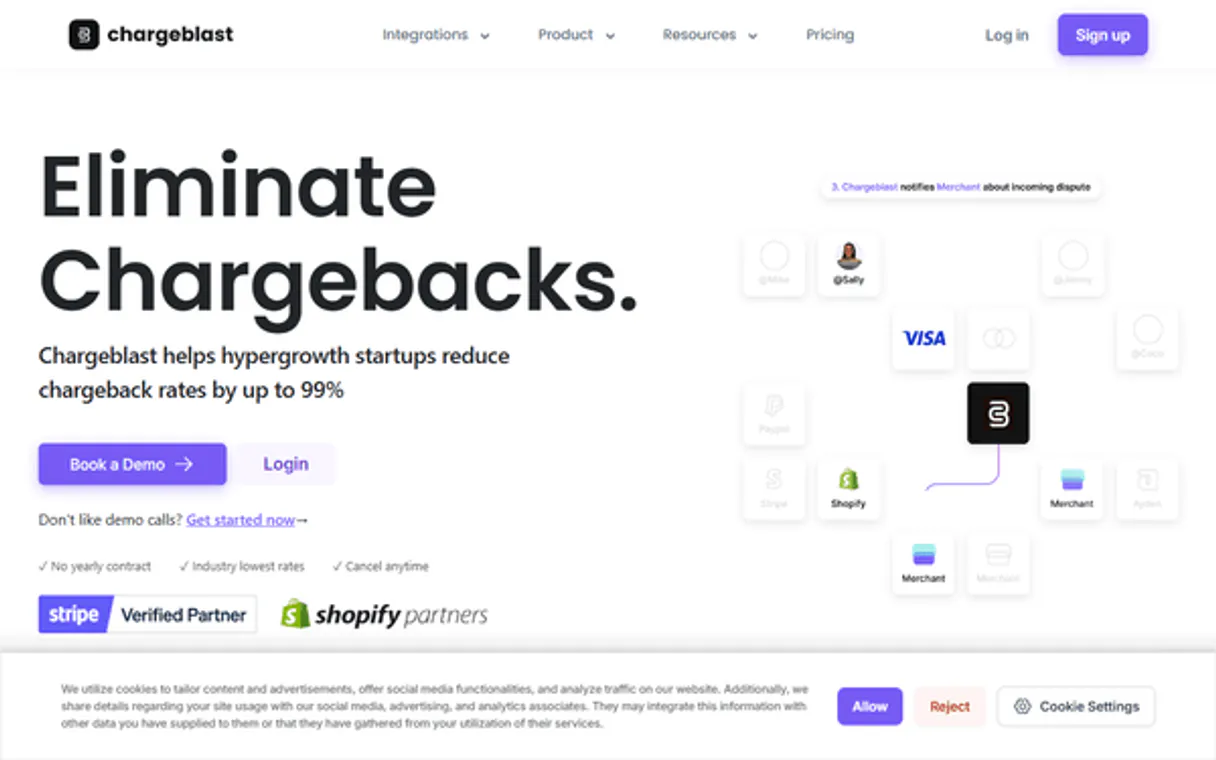
Chargeblast manages your entire dispute lifecycle. Intercept disputes, automate refunds, and audit chargeback deflection logs directly from any AI client.
Use Chargeblast to view all alerts, update statuses, process refunds, and track blocked chargeback attempts without opening the dashboard.
What your AI agents can do
Get dispute alert details
Retrieves specific data points for a single dispute alert ID.
List deflection logs
Shows logs of chargeback attempts that were successfully blocked.
List dispute alerts
Gets a list of all chargeback alerts associated with your account.
The agent pulls specific data points for any dispute alert using the get_dispute_alert_details tool.
The agent retrieves a full list of all intercepted dispute alerts from your account using list_dispute_alerts.
The agent changes the status of a dispute alert, marking it as resolved or awaiting action via update_alert_status.
The agent marks a dispute as refunded instantly using update_alert_status or initiates a credit request via request_dispute_credit.
The agent generates a list of logs showing chargeback attempts that were successfully blocked using list_deflection_logs.
The agent accepts and uploads order data to generate digital receipts and enable automatic fraud deflections using upload_order_data.
Ask AI about this MCP
Supported MCP Clients
Gemini Waiting for input…
Chargeblast MCP Server: 8 Tools for Dispute & Fraud Management
These tools let your AI agent interact with your Chargeblast account to manage alerts, process refunds, audit fraud logs, and upload necessary order data.
019d756cget dispute alert details
Retrieves specific data points for a single dispute alert ID.
019d756clist deflection logs
Shows logs of chargeback attempts that were successfully blocked.
019d756clist dispute alerts
Gets a list of all chargeback alerts associated with your account.
019d756clist enrolled merchants
Lists all merchants currently enrolled under your account.
019d756clist uploaded orders
Retrieves order history previously uploaded for fraud deflection purposes.
019d756crequest dispute credit
Submits a formal request for a credit against a specific dispute alert.
019d756cupdate alert status
Changes the status of a specified dispute alert (e.g., Pending to Resolved).
019d756cupload order data
Accepts and processes order data to generate digital receipts and enable fraud deflections.
Choose How to Get Started
Build a custom MCP for your own tools, or connect a ready-made integration from our catalog.
Build Your Own
Turn any API into an MCP. Import a spec, define Agent Skills, or deploy with MCPFusion.
- Import from OpenAPI, Swagger, or YAML specs
- Create Agent Skills with progressive disclosure
- Deploy to edge with MCPFusion framework
- Built in DLP, auth, and compliance on every call
- Real time usage dashboard and cost metering
- Publish to catalog or keep private
Make Your AI Do More
Start with Chargeblast, then connect any of our 4,700+ other servers whenever your AI needs more. One click, no limits.
- Use this MCP plus 4,700+ others, all in one place
- Add new capabilities to your AI anytime you want
- Every connection is secured and compliant automatically
- Track usage and costs across all your servers
- Works with Claude, ChatGPT, Cursor, and more
- New servers added to the catalog every week
What you can do with this MCP connector
Chargeblast manages your whole dispute lifecycle. Your AI client intercepts disputes, automates refunds, and lets you audit chargeback deflection logs without ever opening a dashboard. You'll use it to see all alerts, change statuses, process refunds, and track blocked chargeback attempts straight up.
Your agent can pull all specific data points for any dispute alert ID using get_dispute_alert_details. It'll also get you a full list of every intercepted dispute alert on your account with list_dispute_alerts. You can change the status of an alert—marking it resolved or pending action—with update_alert_status. You'll automate refund processing by marking a dispute as refunded using update_alert_status or by submitting a formal credit request for a specific dispute alert via request_dispute_credit.
You'll audit blocked chargeback attempts by generating a list of logs showing every chargeback attempt that was successfully blocked using list_deflection_logs. You can upload order data to generate digital receipts and enable automatic fraud deflections by running upload_order_data. Your agent will also list all merchants enrolled under your account with list_enrolled_merchants and retrieve order history you've uploaded for fraud deflection purposes using list_uploaded_orders.
How Chargeblast MCP Works
- 1 Subscribe to the Chargeblast server and provide your API Key.
- 2 Your AI client calls the necessary tool (e.g.,
list_dispute_alerts) to gather raw data. - 3 The agent processes the data and returns a summary or next action (e.g., 'Alert #123 is Pending. Run
update_alert_statusto change it to Resolved?').
The bottom line is that your AI agent talks to Chargeblast and acts on the data, without you ever touching the main web dashboard.
Who Is Chargeblast MCP For?
This is for the fraud managers and e-commerce ops teams who spend too much time clicking through complex dashboards. If you're tired of manually checking alert statuses, generating reports on blocked fraud, or initiating refunds via a clunky web portal, this server gives you direct action in your chat.
Monitors intercepted alerts and reviews deflection history using natural language prompts, getting instant summaries of risk.
Automates refund processes for active alerts. Instead of logging into the portal, they ask the agent to refund the dispute, getting confirmation instantly.
Audits chargeback prevention success and triggers credit requests straight from their chat interface, maintaining a clear paper trail.
Manages multiple merchant enrollments and tracks their alert statuses across various accounts using simple commands.
What Changes When You Connect
- Audit fraud success instantly. Use
list_deflection_logsto see exactly how many chargebacks were blocked today and the total value saved. - Process refunds without logging in. You can mark disputes as refunded or request credits using
update_alert_statusorrequest_dispute_creditdirectly from your AI agent. - Keep track of every dispute.
list_dispute_alertsgives you a complete, real-time overview of all intercepted alerts, regardless of their current status. - Deflect fraud proactively. Upload order data using
upload_order_datato create digital receipts, allowing the system to automatically block potential chargebacks. - Manage your network. Use
list_enrolled_merchantsto check the status and details of all merchants under your account at a glance.
Real-World Use Cases
Need to check the status of a specific dispute alert.
An operations specialist needs to know if Alert #777 is still pending. They ask the agent to run get_dispute_alert_details on the ID. The agent returns the current status (e.g., 'Awaiting Refund'), and the specialist can immediately decide if they need to run update_alert_status next.
Need to prove fraud prevention success to auditors.
A fraud manager needs to show auditors how many chargeback attempts were blocked this month. They ask the agent to run list_deflection_logs. The agent retrieves and summarizes the log data, providing quantifiable evidence of the platform's protective success.
Need to automate a refund request for a dispute.
An e-commerce ops team member spots a dispute that needs resolution. Instead of navigating to the web portal, they instruct the agent to run request_dispute_credit for the specific alert ID. The agent submits the request and confirms the action was triggered.
Need to prepare for a major sales campaign.
A platform reseller knows they are adding 10 new merchants. They first use list_enrolled_merchants to check existing accounts, and then use list_uploaded_orders to ensure the new merchant's order data is uploaded and ready for deflection.
The Tradeoffs
Calling tools out of sequence
Trying to run request_dispute_credit before checking the alert's status. The system will fail because the credit request requires a specific, current status that hasn't been confirmed.
→
Always start by listing alerts with list_dispute_alerts, then get specific details with get_dispute_alert_details. Only then should you proceed to run update_alert_status before submitting a request with request_dispute_credit.
Ignoring order data requirements
Assuming a dispute is automatically deflecting just because it was reported. You must first run upload_order_data to provide the digital receipts needed for the system to recognize the dispute.
→
Before attempting any deflection or status update, run upload_order_data with the necessary order information. This populates the system and makes subsequent actions possible.
Overloading the system with reads
Running list_enrolled_merchants dozens of times in a row to check for subtle changes. This generates unnecessary read load and slows down critical write operations like update_alert_status.
→
Batch your reads. Check all necessary merchant data using list_enrolled_merchants once, and keep the output summary handy. Only run status updates (update_alert_status) when necessary, and treat them as the critical action.
When It Fits, When It Doesn't
Use this server if you need to manage the full, end-to-end lifecycle of a dispute—from initial detection to final credit resolution—without opening a dashboard. You need to audit historical fraud attempts (list_deflection_logs) and automate status changes or credit requests (update_alert_status, request_dispute_credit).
Don't use this if your goal is simply to search for a single piece of non-dispute-related information (like a user's profile ID) or if you need to run a complex, multi-day legal workflow that requires human judgment outside of the API.
If you only need to view raw, uninterpreted data lists, you might be better off using a general data warehouse connection. But if you need to act on the data—change status, request money, or upload receipts—this is the right tool.
Independent Platform Disclaimer: Vinkius is an independent platform and is not affiliated with, endorsed by, sponsored by, verified by, or otherwise authorized by Chargeblast. All third-party trademarks, logos, and brand names are the property of their respective owners. Their use on this website is strictly for informational purposes to identify service compatibility and interoperability.
VINKIUS INFRASTRUCTURE
Cloud Hosted
Managed infra
V8 Isolated
Sandboxed per request
Zero-Trust Proxy
No stored credentials
DLP Enforced
Policy on every call
GDPR Compliant
EU data residency
Token Compression
~60% cost reduction
Works with Claude, ChatGPT, Cursor, and more
The Model Context Protocol standardizes how applications expose capabilities to LLMs. Instead of operating in isolation, your AI gains direct access to external platforms, live data, and real-world actions through secure, standardized connections.
This server provides 8 capabilities that interface natively with Claude, ChatGPT, Cursor, and any MCP client. No middleware. No custom integration required.
Available Capabilities
Dealing with chargebacks shouldn't require jumping between three different tabs.
Right now, handling a dispute means logging into the Chargeblast portal. You find the alert ID, copy it, switch to the order management tab, and then manually check the status. If you need to refund it, you click a button, then copy the confirmation number, and paste it into your compliance spreadsheet. It's a copy-paste, click-through nightmare.
With the Chargeblast MCP Server, you talk to your agent. You say, 'Check alert #12345.' The agent runs `get_dispute_alert_details` and tells you the status. If you need to refund it, you just ask the agent to 'Mark #12345 as refunded.' Done. You get the status update and confirmation without ever touching a browser.
Chargeblast MCP Server: Automate dispute resolution from chat.
Before, updating a status or requesting credit was a multi-step, form-based process. You had to navigate menus, verify fields, and click 'Submit' multiple times. This process is slow and prone to human error.
Now, you tell your agent what to do. The agent runs the necessary tools—like `update_alert_status` or `request_dispute_credit`—and handles the entire transaction in one go. You get the confirmed outcome, instantly.
Common Questions About Chargeblast MCP
How do I check all my active dispute alerts using the Chargeblast MCP Server? +
Run list_dispute_alerts. This tool gets a full list of all intercepted alerts from your account. The agent will summarize the results, showing the ID, amount, and current status for quick review.
What is the best way to automate a refund for a disputed alert? +
You should first get the specific details using get_dispute_alert_details. Then, tell the agent to update the status and mark it as refunded using update_alert_status. This ensures the refund process is correctly logged.
Can I use the Chargeblast MCP Server to audit past fraud attempts? +
Yes. Use list_deflection_logs. This tool retrieves logs showing exactly which chargeback attempts were successfully blocked, giving you verifiable data on fraud mitigation.
Do I need to upload order data before running dispute checks? +
Yes. Before running any deflection or status change, use upload_order_data. This step provides the necessary digital receipts and order context that the system uses to validate the dispute.
How do I manage multiple merchant accounts with Chargeblast MCP Server? +
Use list_enrolled_merchants. This tool lists all merchants linked to your account, letting you verify enrollment status and manage their alert statuses from one place.
How do I use the `get_dispute_alert_details` tool to check a specific dispute alert? +
You call the get_dispute_alert_details tool with the specific alert ID. This returns all details, including the type of alert (e.g., Ethoca, CDRN), the amount, and the current status. You can then use that information to decide what action to take.
What happens if I try to update an alert status using `update_alert_status` with invalid data? +
The server returns an explicit error message detailing the validation failure. You must check the API documentation for required fields and data formats before calling update_alert_status. This prevents invalid state changes.
Does the Chargeblast MCP Server handle multiple types of alert providers (like CDRN, Ethoca, RDR)? +
Yes, it handles multiple providers. When listing or getting details, the server differentiates alerts by their source (CDRN, Ethoca, RDR), ensuring you treat each alert type according to its specific rules.
Can I see my CDRN and Ethoca alerts in one place? +
Yes! Use the list_dispute_alerts tool. The agent will retrieve all intercepted alerts from various networks (CDRN, Ethoca, RDR) and display them in a unified list.
How do I mark an alert as refunded? +
Use the update_alert_status tool with the alert ID and set the status to refunded. This notifies Chargeblast that you have resolved the dispute manually.
Where do I find my Chargeblast API Key? +
Log in to your Chargeblast Dashboard and look for 'API Key' or 'Account Settings'. You can copy your key from that section for integration.
Use it with your favorite AI tools
Connect this server to Cursor, Claude, VS Code, and more.
More in this category

Lacework (Cloud Security & CNAPP)
Secure your cloud via Lacework — search security alerts, monitor vulnerabilities, and audit cloud asset inventory.
Infisical
Manage secrets infrastructure via AI — list, create, update, and audit secrets across environments with end-to-end encryption.

Deterministic Codec Engine
Empower your AI to perfectly serialize and deserialize data. Effortlessly switch between URL Encoding, HTML Entities, Unicode Escapes, and DNS Punycode with a native V8 engine.
You might also like

Avaza
Unified project management, time tracking, and invoicing via Avaza — orchestrate professional services natively via AI.
Langfuse (LLM Tracing & Evals)
Monitor LLM apps via Langfuse — track traces, manage prompt templates, and audit evaluation scores.

Hevo Data (ETL & Data Pipeline)
Manage data pipelines via Hevo — list pipelines, monitor destinations, and track usage.