
Cliengo MCP. Audit lead status and conversation context instantly.
 Gemini
 Works with every AI agent you already use
…and any MCP-compatible client









Just plug in your AI agents and start using Vinkius.
Cliengo MCP Server manages conversational marketing and lead data. Use your AI agent to list leads, check full chat histories (from WhatsApp or chatbots), and audit specific message exchanges.
This tool gives you a single, natural language way to track customer conversations and qualify leads without opening the Cliengo dashboard.
What your AI agents can do
Get chat history
Gets the full message history for one specific conversation.
Get contact messages
Retrieves every message ever exchanged with a specific contact.
Get lead details
Gets detailed information for a specific contact or lead.
Retrieves a list of every chatbot or WhatsApp conversation associated with the account.
Retrieves every message sent in a specific, ongoing conversation thread.
Fetches all detailed information for a specific contact or lead.
Gets all messages exchanged with a contact, allowing you to review the context of their needs.
Lists every lead and contact captured directly through the Cliengo system.
Checks the status of installed websites, internal users, and webhooks connected to Cliengo.
Ask AI about this MCP
Supported MCP Clients
Gemini Waiting for input…
Cliengo MCP Server: 8 Tools for Chat & Lead Management
Use these tools to pull every piece of data from your Cliengo account—from a single message to a full list of all connected websites.
019d7572get chat history
Gets the full message history for one specific conversation.
019d7572get contact messages
Retrieves every message ever exchanged with a specific contact.
019d7572get lead details
Gets detailed information for a specific contact or lead.
019d7572list chat conversations
Lists all active and past chatbot or WhatsApp conversations.
019d7572list cliengo leads
Lists every lead and contact captured through Cliengo.
019d7572list cliengo users
Lists all internal users and agents who manage the Cliengo account.
019d7572list cliengo webhooks
Lists all configured webhooks used for real-time lead data integration.
019d7572list cliengo websites
Lists all websites or projects where Cliengo is currently installed.
Choose How to Get Started
Build a custom MCP for your own tools, or connect a ready-made integration from our catalog.
Build Your Own
Turn any API into an MCP. Import a spec, define Agent Skills, or deploy with MCPFusion.
- Import from OpenAPI, Swagger, or YAML specs
- Create Agent Skills with progressive disclosure
- Deploy to edge with MCPFusion framework
- Built in DLP, auth, and compliance on every call
- Real time usage dashboard and cost metering
- Publish to catalog or keep private
Make Your AI Do More
Start with Cliengo, then connect any of our 4,700+ other servers whenever your AI needs more. One click, no limits.
- Use this MCP plus 4,700+ others, all in one place
- Add new capabilities to your AI anytime you want
- Every connection is secured and compliant automatically
- Track usage and costs across all your servers
- Works with Claude, ChatGPT, Cursor, and more
- New servers added to the catalog every week
What you can do with this MCP connector
You connect your AI agent to Cliengo to manage all your conversational marketing and lead data. You can check chat histories and lead details using natural language, without even opening the Cliengo dashboard. You'll be able to list every active and past chatbot or WhatsApp conversation with list_chat_conversations. You'll pull up every single message in a specific chat thread using get_chat_history.
If you need to audit a contact's needs, you can grab every message ever exchanged with them using get_contact_messages. To get the deep background on any contact or lead, you'll run get_lead_details. You can see every lead and contact captured through the Cliengo system by calling list_cliengo_leads. You'll check the status of all internal users and agents with list_cliengo_users.
You can list all configured webhooks used for real-time lead data integration using list_cliengo_webhooks. You'll also check which websites or projects have Cliengo installed by using list_cliengo_websites.
How Cliengo MCP Works
- 1 Subscribe to the server and provide your Cliengo API Key (find it in your Dashboard > Settings > API).
- 2 Reference the necessary identifiers (like a contact ID or conversation ID) in your prompt.
- 3 Your AI client calls the appropriate tool (e.g.,
get_chat_history) and returns the requested data payload.
The bottom line is, you talk to your agent, and it calls the right tool to pull the data you need from Cliengo, giving you the raw information instantly.
Who Is Cliengo MCP For?
Sales Managers and Marketing Teams need this. You're the one who wakes up needing to know why a lead went cold or what a specific chat was about, without having to click through three different dashboards. You need a single source of truth for lead status and conversation context, fast.
Needs to quickly check the full chat history (get_chat_history) for a prospect before making a call, so they know exactly what was discussed and what objection was raised.
Audits lead sources and campaign data by listing leads (list_cliengo_leads) and checking which websites (list_cliengo_websites) are generating traffic.
Looks up a customer's full profile and message history (get_contact_messages, get_lead_details) directly from their chat interface to resolve an issue quickly.
Verifies system health by listing installed websites (list_cliengo_websites) or monitoring webhook connections (list_cliengo_webhooks) to ensure data pipelines are running.
What Changes When You Connect
- Get the full story on a lead. Instead of just seeing a name, use
get_lead_detailsto pull comprehensive contact information and background data instantly. - Stop digging through chats. The
get_contact_messagestool gathers every message exchanged with a contact, giving you the complete conversation thread, regardless of how long ago it happened. - Check lead status across all channels. Use
list_cliengo_leadsto pull a list of all captured leads, letting you see who came in and what they're interested in right now. - Verify system connections fast. Need to know if a new website is sending data? Run
list_cliengo_websitesto check installation status and confirm the source. - Understand the conversation flow. Use
get_chat_historyto pull a full message log for a single chat, perfect for reviewing a specific customer interaction. - See who owns the data. Run
list_cliengo_usersto see which internal team members are managing the account, which is critical for internal handoffs.
Real-World Use Cases
Investigating a cold lead.
A sales rep needs to know why a prospect went quiet. They ask their agent to run get_contact_messages for the contact's ID. The agent returns the full message history, showing the last point of friction (e.g., 'Pricing is too high'), allowing the rep to tailor the next conversation.
Checking campaign performance.
The marketing team needs to know which campaigns are working. They ask the agent to run list_cliengo_leads and filter by source. They also run list_cliengo_websites to verify that the tracking code is live on all intended projects.
Onboarding a new support agent.
A support lead needs to understand a complex customer issue. They ask the agent to run get_lead_details and get_chat_history for the customer. This provides the agent with the full customer profile and the exact chat logs, bypassing manual dashboard searches.
Auditing webhook integrations.
The ops team needs to confirm real-time data flow. They use list_cliengo_webhooks to check all configured endpoints and then run list_cliengo_users to see who owns the credentials, ensuring proper access control.
The Tradeoffs
Manual dashboard deep dives
Opening the Cliengo dashboard, navigating to Leads, then clicking on a contact, then clicking 'Chat History,' and finally copying the data into a spreadsheet.
→
Tell your AI agent: 'Run get_contact_messages for [Contact ID] and format the output as a markdown table.' This skips all the clicks and gets the raw data directly.
Assuming a single API endpoint
Trying to find all lead information by only calling list_cliengo_leads, which only gives basic contact names and status, missing the deep conversation context.
→
After running list_cliengo_leads to get the ID, immediately follow up by running get_lead_details and get_chat_history using that ID. This combines the list view with the deep context.
Overlooking system health
Assuming that because a lead exists, the chatbot is working correctly on the website. You don't check the source of the data.
→
First, run list_cliengo_websites to see which projects are connected. Then, check the webhook status with list_cliengo_webhooks to confirm data is flowing from the source.
When It Fits, When It Doesn't
Use this server if your primary need is to aggregate customer context. Specifically, if you need to link a lead's basic info (get_lead_details) with their conversation history (get_chat_history) or source data (list_cliengo_leads) in one go. This is ideal for SDRs and Support Agents.
Don't use this if your goal is to build a massive, persistent data warehouse. If you just need to pull millions of records into a specialized analytics tool, there are dedicated bulk export tools for that. Also, don't use it if you only need to manage users; use the list_cliengo_users tool for that specific task.
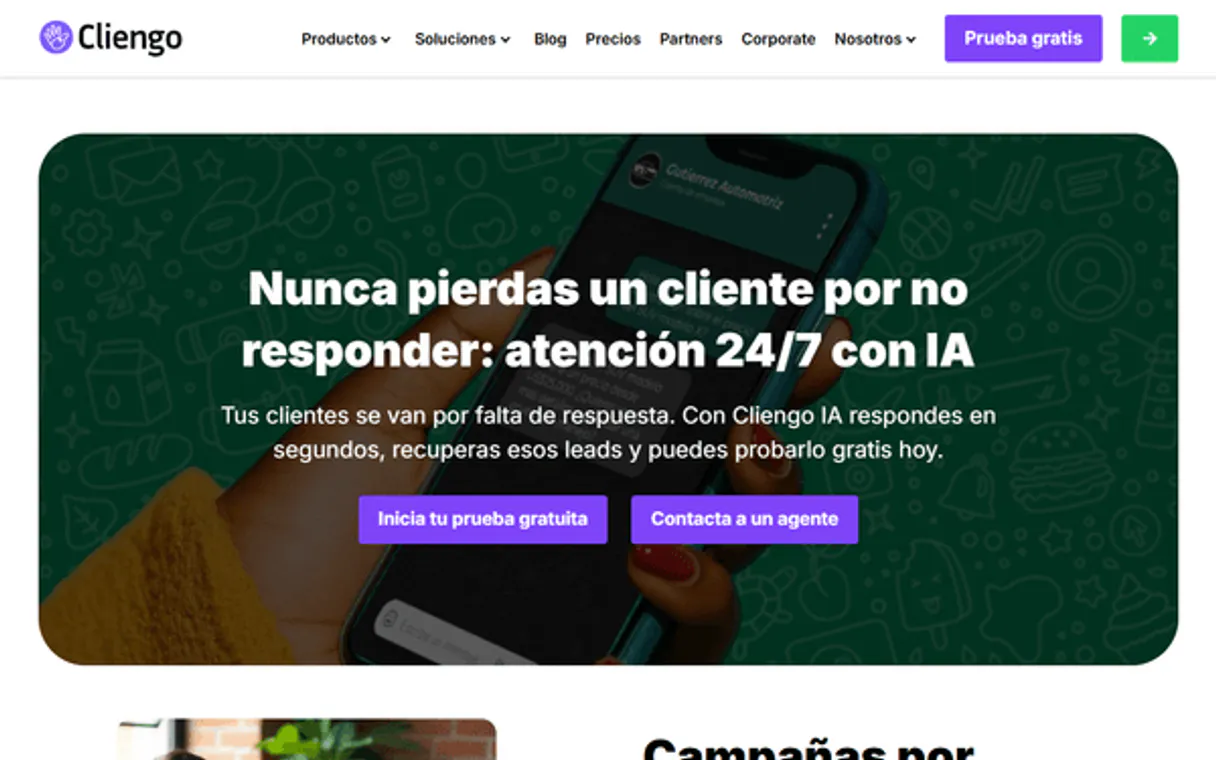
Independent Platform Disclaimer: Vinkius is an independent platform and is not affiliated with, endorsed by, sponsored by, verified by, or otherwise authorized by Cliengo. All third-party trademarks, logos, and brand names are the property of their respective owners. Their use on this website is strictly for informational purposes to identify service compatibility and interoperability.
VINKIUS INFRASTRUCTURE
Cloud Hosted
Managed infra
V8 Isolated
Sandboxed per request
Zero-Trust Proxy
No stored credentials
DLP Enforced
Policy on every call
GDPR Compliant
EU data residency
Token Compression
~60% cost reduction
Works with Claude, ChatGPT, Cursor, and more
The Model Context Protocol standardizes how applications expose capabilities to LLMs. Instead of operating in isolation, your AI gains direct access to external platforms, live data, and real-world actions through secure, standardized connections.
This server provides 8 capabilities that interface natively with Claude, ChatGPT, Cursor, and any MCP client. No middleware. No custom integration required.
Available Capabilities
Reviewing a customer's entire journey used to mean jumping between tabs.
Today, checking a customer's history is a click-heavy process. You open the dashboard, find the contact, click the chat log, then maybe you have to switch to the 'Leads' tab to see their source data. It’s a painful, manual copy-paste job that takes five minutes just to get a full picture.
With the Cliengo MCP Server, you just tell your agent: 'Give me the full context for [Contact ID]'. The agent uses `get_contact_messages` and `get_lead_details` to pull everything—the source, the profile, and every message—and hands it back to you in a clean format.
Cliengo MCP Server: Audit conversations & lead flow
You no longer need to manually verify if the chatbot is installed or if the webhooks are pointing to the right endpoints. Running `list_cliengo_websites` and `list_cliengo_webhooks` confirms the entire system's operational status instantly.
It's simple: you get the system status and the data status in one go. It's the operational visibility you need to trust the data you're reading.
Common Questions About Cliengo MCP
How do I check all conversations using the list_chat_conversations tool? +
You run list_chat_conversations and provide the necessary time range or status filters. This gives you a list of conversation IDs, which you then need to feed into get_chat_history to get the actual messages.
Can I find a contact's details using the get_lead_details tool? +
Yes, providing the unique contact ID to get_lead_details pulls the full profile, including source information and contact metrics. This is better than just looking at the basic lead list.
What is the difference between get_contact_messages and get_chat_history? +
Use get_contact_messages if you want all messages for a specific person. Use get_chat_history when you want the full transcript of a single, ongoing chat session.
Do I need to use list_cliengo_leads to find a lead? +
No, if you know the contact ID, use get_lead_details directly. list_cliengo_leads is only for seeing a paginated list of all leads available.
How do I use the list_cliengo_webhooks tool to check integration status? +
This tool lists every webhook configured in your account. It lets you verify if real-time lead data is sending correctly to external systems, which is key for reliable lead tracking.
What does the list_cliengo_websites tool help me track? +
It shows every website and project where you installed the Cliengo chatbot. This lets you audit the exact locations where your conversations are originating.
Can the get_contact_messages tool handle both WhatsApp and standard chat conversations? +
Yes, it retrieves all messages exchanged with a specific contact, regardless of whether the conversation happened via WhatsApp or the standard chatbot interface. It gives you the full picture.
How do I find out which agents are managing my account using list_cliengo_users? +
This tool lists all internal users and agents in your Cliengo account. You can quickly see who has access to manage conversations and leads.
Can I see what a specific customer said to the chatbot? +
Yes! Use the get_contact_messages tool with the contact ID. The agent will return the full message history for that specific lead, allowing you to review their questions and needs.
How do I check which of my websites have Cliengo active? +
Use the list_cliengo_websites tool. Your agent will fetch all projects and websites registered in your account, including their configuration details.
Where do I find my Cliengo API Key? +
Log in to Cliengo, navigate to Settings, and select API. You can find or generate your API key in that section.
Use it with your favorite AI tools
Connect this server to Cursor, Claude, VS Code, and more.
More in this category
Messenger
Control and manage your Facebook Page conversations — audit messages and personas via AI.

PushEngage
Re-engage website visitors with browser push notifications that increase traffic, recover abandoned carts, and boost retention.

Delighted
Equip your AI agent to monitor customer feedback, track NPS metrics, and manage survey responses via the Delighted API.
You might also like
CrewAI Platform
Orchestrate multi-agent workflows via CrewAI — list crews and agents, kickoff autonomous runs, and monitor task execution directly from any AI agent.

NotCo
Interact with Giuseppe AI, NotCo's proprietary plant-based formulation engine, to analyze ingredients, match flavor profiles, and generate recipes.
Freshsales
Close deals faster with AI-powered lead scoring, visual deal pipelines, and built-in phone and email in one sales CRM.