
NotCo MCP. Molecular Analysis for Plant-Based Formulation.
 Gemini
 Works with every AI agent you already use
…and any MCP-compatible client









Just plug in your AI agents and start using Vinkius.
NotCo connects your AI agent directly to Giuseppe, a proprietary Food Tech platform. Use it to run molecular analysis on ingredients, match flavor profiles, predict nutritional values, and generate full plant-based formulations for B2B R&D.
It's built for product formulators needing to test recipes virtually before the lab.
What your AI agents can do
Analyze nutrition
Predicts the nutritional output (calories, fat, carbs) of a specific product formulation.
Create formulation
Requests and generates an entirely new AI-driven formula based on user prompts and constraints.
Create project
Initiates a structured R&D project within the system to track related formulations and tests.
Ask Giuseppe to create a full, detailed plant-based recipe blueprint by specifying the target product and constraints.
Run a formulation through predictive algorithms to get estimated nutritional values (calories, fat, protein, etc.) per 100g.
Retrieve the complete molecular and sensory data for any known plant extract or protein.
Calculate the theoretical mass-production cost of a formulated recipe based on global commodity pricing.
Use computational models to find plant combinations that replicate specific volatile molecules, aromas, or mouthfeels.
Ask AI about this MCP
Supported MCP Clients
Gemini Waiting for input…
NotCo: 14 Tools for Food Formulation & Ingredient Ops
Manage the entire product lifecycle by generating formulations, analyzing ingredients at the molecular level, and predicting nutritional or cost outcomes.
019d8460analyze nutrition
Predicts the nutritional output (calories, fat, carbs) of a specific product formulation.
019d8460create formulation
Requests and generates an entirely new AI-driven formula based on user prompts and constraints.
019d8460create project
Initiates a structured R&D project within the system to track related formulations and tests.
019d8460estimate cost
Predicts the theoretical mass-production cost of an existing or generated formula based on commodity prices.
019d8460get formulation
Retrieves all detailed information about a previously created or specified AI formulation ID.
019d8460get ingredient
Gets the complete molecular, sensory, and functional profile for one specific ingredient.
019d8460list formulations
Lists existing plant-based AI formulations across different product categories (dairy, meat, etc.).
019d8460list ingredients
Searches and retrieves a list of available ingredients from the molecular database.
019d8460list nutritional profiles
Retrieves target nutritional benchmarks so you can compare formulas against industry standards.
019d8460list projects
Lists all active or completed R&D projects to track overall progress.
019d8460list sensory profiles
Retrieves standard, pre-defined sensory profiles for comparison against generated formulas.
019d8460list suppliers
Lists approved and verified ingredient suppliers for sourcing data.
019d8460run sensory test
Runs an AI simulation of a specific sensory test on a given formulation to predict consumer experience.
019d8460search flavor matches
Finds combinations of plant ingredients that mimic or replicate a target flavor profile.
Choose How to Get Started
Build a custom MCP for your own tools, or connect a ready-made integration from our catalog.
Build Your Own
Turn any API into an MCP. Import a spec, define Agent Skills, or deploy with MCPFusion.
- Import from OpenAPI, Swagger, or YAML specs
- Create Agent Skills with progressive disclosure
- Deploy to edge with MCPFusion framework
- Built in DLP, auth, and compliance on every call
- Real time usage dashboard and cost metering
- Publish to catalog or keep private
Make Your AI Do More
Start with NotCo, then connect any of our 4,700+ other servers whenever your AI needs more. One click, no limits.
- Use this MCP plus 4,700+ others, all in one place
- Add new capabilities to your AI anytime you want
- Every connection is secured and compliant automatically
- Track usage and costs across all your servers
- Works with Claude, ChatGPT, Cursor, and more
- New servers added to the catalog every week
What you can do with this MCP connector
Yo, check this out: NotCo connects your AI agent straight into Giuseppe, which is their proprietary Food Tech platform. You're running advanced food science simulations here—it’s how you accelerate B2B research and development using nothing but natural language commands.
This thing handles the whole product lifecycle virtually, from screening raw materials to predicting final costs. Forget physical testing; you test recipes right in your agent. It's built for formulators who need to blueprint a recipe before they even touch a lab bench.
When you wanna build something new, you’ll use create_formulation to ask Giuseppe to generate an entire plant-based formula blueprint based on specific constraints and the target product. You can then pull up details on any existing concept using get_formulation, or if you need a list of what's out there, run list_formulations to see all current AI formulations across categories like dairy or meat.
Before you start building, you gotta know your parts. Use list_ingredients to search the molecular database for every available ingredient, and then use get_ingredient on a specific entry to get its full profile—that includes its molecular structure, sensory data, and functional details. You can also run list_suppliers to see which approved vendors you're working with.
Need benchmarks? Use list_nutritional_profiles to pull up target industry standards so you know what your final recipe needs to hit. Similarly, if you want a baseline for tracking progress, use list_projects or create_project to start and manage a structured R&D project.
Let's talk about the science stuff. If you wanna see how good something is nutritionally, run your formula through analyze_nutrition. It predicts the final output—calories, fat, carbs, and more—per 100g. Wanna know what it’ll cost to make? Use estimate_cost to predict the theoretical mass-production price based on global commodity rates for that mix.
You can also check out all the available sensory standards by running list_sensory_profiles.
If you're trying to nail a specific flavor, don't guess. Run search_flavor_matches to find plant combinations that actually replicate a target volatile molecule or aroma. To simulate what it’ll taste like for actual consumers, use run_sensory_test; this runs an AI simulation of the sensory experience on your generated formula. You can also run through list_formulations if you want to compare existing options against these new virtual results.
It's a full molecular toolkit: You start by defining what you need, then you pull data on ingredients and standards using get_ingredient, list_ingredients, and list_nutritional_profiles. Next, you ask the system to build it with create_formulation or check an old one with get_formulation. After that, you test everything: Run through analyze_nutrition for metrics, calculate cost with estimate_cost, match flavors using search_flavor_matches, and predict the taste profile with run_sensory_test.
How NotCo MCP Works
- 1 Subscribe to the NotCo server and input your required API Key.
- 2 Call a foundational tool (e.g.,
list_ingredients) using your AI client to gather raw data or define project scope. - 3 Pass the resulting ingredient lists, profiles, or parameters into an analysis tool (like
create_formulationoranalyze_nutrition) to get the final blueprint.
The bottom line is that you don't need to switch between spreadsheets and databases; your agent handles the entire flow from concept query to finalized data report.
Who Is NotCo MCP For?
Product formulators, R&D chemists, and strategic food partners. If you spend time manually cross-referencing ingredient molecular structures against nutritional databases or running cost models in separate tools, this is for you. It cuts out the context switching between multiple specialized platforms.
Needs to test theoretical plant-based recipes by using create_formulation and then running analyze_nutrition before sending them for physical lab testing.
Uses get_ingredient or list_ingredients to pull specific molecular data, allowing the agent to immediately verify if a target compound is available in the database. They also use search_flavor_matches.
Manages project scope by calling list_projects and then rapidly evaluating prototypes using estimate_cost to track potential market viability.
What Changes When You Connect
- Stop guessing about shelf stability. Use
analyze_nutritionto predict final nutritional values, ensuring your plant-based formula hits specific health targets before you waste time in the lab. - Slash R&D cycles by predicting costs upfront. Running
estimate_costgives you a theoretical mass-production price point, letting strategic partners evaluate market viability instantly. - Go beyond simple ingredient lists. With
get_ingredient, your agent pulls the full molecular profile—including sensory and functional data—so you know exactly what compounds are in play. - Don't rely on trial and error for flavor. Use
search_flavor_matchesto find plant combinations that replicate a specific aroma or mouthfeel, speeding up the concept phase dramatically. - Keep everything organized by using
list_projects. This tool allows you to track all related formulations, costs, and tests under one master R&D umbrella.
Real-World Use Cases
Creating a dairy alternative with specific fat constraints.
A product developer needs condensed milk without palm oil. They ask their agent to create_formulation for the target profile. The system uses over 300,000 plant records and returns an initial formula ID. Next, they run analyze_nutrition on that ID to confirm the fat reduction percentage while maintaining required sugar curves.
Verifying the source of a novel ingredient.
A chemist finds a promising new extract but needs to know its molecular makeup. They use get_ingredient with the name, which immediately returns the full profile and confirms if it's available from an approved supplier listed by list_suppliers.
Simulating the consumer experience for a new meat substitute.
Before running expensive sensory panels, the team uses run_sensory_test. They input the preliminary formula ID and get an AI simulation score on texture and aroma. This saves time and directs immediate adjustments to the initial mix.
Evaluating market feasibility for a new line.
A strategic partner generates five different formulas across various product types. They use estimate_cost on all of them. The agent compares these costs against existing global commodity rates, instantly flagging which formulations are most profitable.
The Tradeoffs
Treating tools as isolated lookups
User runs list_ingredients to get a list of proteins, copies that list into a spreadsheet, and then manually types the names back into the prompt for create_formulation. This is slow and error-prone.
→
The agent needs to handle this flow. Instead, you should ask your agent to 'Use the ingredients listed by list_ingredients to create a formula.' The system handles the data transfer automatically.
Ignoring project scope
A chemist runs several unrelated tests (run_sensory_test, analyze_nutrition) and doesn't know which results belong together. They end up with disparate files.
→
Always start by calling create_project to establish a container ID. Then, run all subsequent tools (like estimate_cost or get_formulation) against that project ID to keep everything linked.
Over-relying on the initial formula generation
Accepting the first result from create_formulation without checking it. The generated recipe might use high-cost or nutritionally unbalanced ingredients.
→
Always follow up a create_formulation call by running both analyze_nutrition AND estimate_cost. This two-step verification confirms the formula is viable both chemically and financially.
When It Fits, When It Doesn't
Use this server if you need to move from concept to quantifiable product blueprint. It's necessary when your goal involves molecular replication, predicting physical properties (like flavor/texture), or running cost models on novel plant mixes. You must use it when the final output needs a quantitative score—whether that’s nutritional percentage, sensory match score, or dollar cost.
Don't use this if you just need to browse existing product catalogs. If all you want is a list of standard profiles, list_sensory_profiles might suffice. But if you need to combine those standards with real-time ingredient data and run a prediction on the total mixture, then the full power of create_formulation and subsequent analysis tools is required.
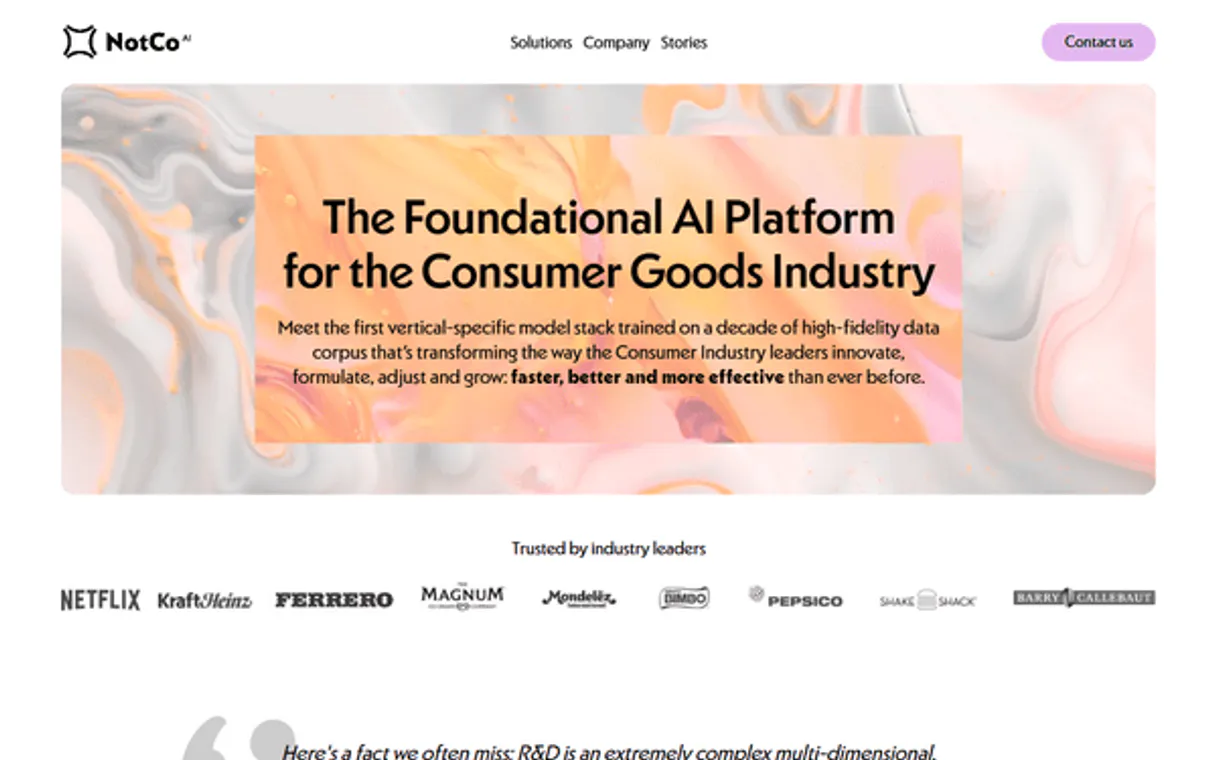
Independent Platform Disclaimer: Vinkius is an independent platform and is not affiliated with, endorsed by, sponsored by, verified by, or otherwise authorized by NotCo. All third-party trademarks, logos, and brand names are the property of their respective owners. Their use on this website is strictly for informational purposes to identify service compatibility and interoperability.
VINKIUS INFRASTRUCTURE
Cloud Hosted
Managed infra
V8 Isolated
Sandboxed per request
Zero-Trust Proxy
No stored credentials
DLP Enforced
Policy on every call
GDPR Compliant
EU data residency
Token Compression
~60% cost reduction
Works with Claude, ChatGPT, Cursor, and more
The Model Context Protocol standardizes how applications expose capabilities to LLMs. Instead of operating in isolation, your AI gains direct access to external platforms, live data, and real-world actions through secure, standardized connections.
This server provides 14 capabilities that interface natively with Claude, ChatGPT, Cursor, and any MCP client. No middleware. No custom integration required.
Available Capabilities
Figuring out what ingredients work together shouldn't feel like detective work across five different tabs.
Right now, if you want to match the specific mouthfeel of a tropical fruit using plant proteins, you’re stuck. You pull up one database for flavor notes, another for molecular structure, and a third just for supplier availability. Then you manually cross-reference them all, creating friction and wasting hours.
With the NotCo MCP Server, your agent handles that entire cross-reference instantly. You simply ask it to find plant combinations that mimic the target flavor using `search_flavor_matches`. It returns a full blueprint drawing from its 300k+ ingredient database—no copy/pasting required.
The NotCo MCP Server: Get quantified, actionable formulas with `create_formulation`.
Previously, generating a new product concept meant running parallel manual tasks: first predicting the basic blend (`list_ingredients`), then guessing which nutritional gaps to fill, and finally calculating if that mix was even affordable. It was guesswork with spreadsheets.
Now, you ask your agent to `create_formulation`. The system handles the molecular blueprinting, and you immediately follow up by running `analyze_nutrition` and `estimate_cost`. You get a single, validated proposal—a complete product concept ready for review.
Common Questions About NotCo MCP
How does analyze_nutrition work with create_formulation? +
You must run analyze_nutrition after you use create_formulation. The formula generation provides the recipe ID, and this tool uses that ID to predict the final nutritional values based on current data.
Can I find out the cost of a formula using estimate_cost? +
Yes. You call estimate_cost and provide it with a formulation ID or ingredient list. It uses global commodity pricing to predict the theoretical mass-production cost.
What is the difference between list_ingredients and get_ingredient? +
list_ingredients gives you a searchable roster of available ingredients in the database. get_ingredient pulls the full, detailed molecular profile for one specific ingredient ID.
Do I need to create_project before running any formulas? +
It's best practice. Calling create_project first establishes a single container ID. You then run all subsequent tools (like run_sensory_test) against that project ID for clean tracking.
How does search_flavor_matches help my product? +
This tool finds plant combinations that mimic a target flavor or aroma. It's crucial early in R&D because it gives you actionable ingredient suggestions instead of generic ideas.
When using list_ingredients, how do I handle rate limits or bulk requests? +
The server enforces standard rate limits per API key. For high-volume data pulls, you must implement exponential backoff logic in your client. We recommend caching results for a defined period to manage load.
If I use analyze_nutrition with a novel mix of ingredients, what does the tool do if some components are outside the database? +
The tool flags external inputs and calculates only the metrics for known compounds. It returns an estimated value for the unknown component, along with a confidence score indicating data uncertainty.
Does list_suppliers allow me to filter by geographical region or specific compliance standards? +
Yes, you pass geo-filters and compliance codes in the request body. This lets your agent narrow down suppliers immediately—for example, restricting results only to EU-certified sources.
Can I use this to generate a formula for a new plant-based meat? +
Yes! Use the create_formulation tool to instruct Giuseppe to model a specific animal product (e.g., 'Target: Pulled Pork'). You can pass constraints like 'no soy' or 'must contain pea protein'. Giuseppe will return a mathematically generated formula combining plant extracts that mimic the target's molecular profile.
How does Giuseppe match specific flavors? +
The search_flavor_matches tool analyzes NotCo's proprietary database. Instead of searching for 'beef flavor', Giuseppe searches for the specific volatile molecular compounds that create the beef flavor, and then finds combinations of seemingly unrelated plants (like pineapple and cabbage) that, when combined mathematically, replicate that exact molecular behavior.
Can I predict the cost of a new formulation before making it? +
Absolutely. Once Giuseppe generates a formulation, you can pass its ID to the estimate_cost tool. The API cross-references the required plant ingredients with global B2B commodity pricing databases to give you an estimated per-kilogram cost for mass production.
Use it with your favorite AI tools
Connect this server to Cursor, Claude, VS Code, and more.
More in this category

LMNT (Ultra-low Latency Speech Synthesis)
Synthesize ultra-low latency AI speech, clone voices instantly, and manage your LMNT audio assets directly from any AI agent.

Five9
Monitor agents, manage call states, and track real-time contact center stats via AI agents with Five9.

H2O.ai
Manage AI models via H2O.ai — track data frames, monitor machine learning models and training jobs, and audit cloud cluster status directly from any AI agent.
You might also like
CartonCloud
Manage warehouse and transport operations via CartonCloud — track orders, monitor stock, and manage consignments directly from any AI agent.

National Park Service
Access authoritative data about U.S. National Parks via NPS — track alerts, parks, and events directly from your AI agent.

IPQualityScore (IPQS)
Detect fraud, proxies, and malicious activity via IPQS API.