
CloudConvert MCP. Automate file conversions across 200+ formats via AI chat.
 Gemini
 Works with every AI agent you already use
…and any MCP-compatible client









Just plug in your AI agents and start using Vinkius.
CloudConvert manages file conversions and media processing. Connect your CloudConvert API key to your AI agent to automate jobs across 200+ formats.
Track job status, create new conversions (PDF to DOCX, images to video), and manage your account credits—all without leaving your chat window.
This lets you process files directly from natural conversation.
What your AI agents can do
Create conversion job
Starts a new file conversion or processing job supporting over 200 formats.
Get conversion job details
Retrieves the overall status and final result for a specific conversion job ID.
Get conversion task details
Gets granular status and data for a single processing task within a job.
Starts a new job to convert a file from one of 200+ formats to a target format.
Checks the overall status and result of a previously started conversion job.
Retrieves deep information about a single, specific processing task within a job.
Lists all recent conversion jobs and individual tasks for review.
Retrieves your current user profile information and remaining API credits.
Lists all types of conversion operations (like optimization or website capture) supported by the service.
Ask AI about this MCP
Supported MCP Clients
Gemini Waiting for input…
CloudConvert MCP Server: 8 Tools for File and Media Processing
Manage the entire lifecycle of file conversion jobs, from creation and status monitoring to auditing and account management.
019d7574create conversion job
Starts a new file conversion or processing job supporting over 200 formats.
019d7574get conversion job details
Retrieves the overall status and final result for a specific conversion job ID.
019d7574get conversion task details
Gets granular status and data for a single processing task within a job.
019d7574get my cloudconvert profile
Checks your API account balance, retrieving user information and remaining credits.
019d7574list available conversion ops
Lists the various types of operations (e.g., optimization) the API supports.
019d7574list cloudconvert webhooks
Displays the webhooks you've configured for job completion notifications.
019d7574list conversion jobs
Lists all recent conversion jobs to provide a quick history overview.
019d7574list conversion tasks
Lists all individual tasks that have run across your conversion jobs.
Choose How to Get Started
Build a custom MCP for your own tools, or connect a ready-made integration from our catalog.
Build Your Own
Turn any API into an MCP. Import a spec, define Agent Skills, or deploy with MCPFusion.
- Import from OpenAPI, Swagger, or YAML specs
- Create Agent Skills with progressive disclosure
- Deploy to edge with MCPFusion framework
- Built in DLP, auth, and compliance on every call
- Real time usage dashboard and cost metering
- Publish to catalog or keep private
Make Your AI Do More
Start with CloudConvert, then connect any of our 4,700+ other servers whenever your AI needs more. One click, no limits.
- Use this MCP plus 4,700+ others, all in one place
- Add new capabilities to your AI anytime you want
- Every connection is secured and compliant automatically
- Track usage and costs across all your servers
- Works with Claude, ChatGPT, Cursor, and more
- New servers added to the catalog every week
What you can do with this MCP connector
You connect your CloudConvert API key to your AI agent and automate file processing right in the chat. You can convert files and handle media using over 200 formats. You'll manage the whole job lifecycle: starting the conversion, checking the status, and getting the final output.
Start Conversionscreate_conversion_job kicks off new jobs, converting a file from one of 200+ formats to a target format.
Track Jobs
To check the overall status and final result of a job, you use get_conversion_job_details. For deeper info on a single processing step, get_conversion_task_details gives you granular status and data.
Audit Historylist_conversion_jobs shows you a history of all recent conversion jobs. list_conversion_tasks lists every individual task that's run across your jobs, giving you a full audit trail.
Manage Your Accountget_my_cloudconvert_profile checks your API account balance, giving you user info and remaining credits. You can also see what operations the API supports by calling list_available_conversion_ops. To see what webhooks you've set up for job completion, run list_cloudconvert_webhooks.
Summary Toolslist_conversion_jobs lists all recent conversion jobs. list_conversion_tasks lists all individual tasks that have run across your conversion jobs.
How CloudConvert MCP Works
- 1 First, you subscribe to the server and input your CloudConvert API Key, obtained from the CloudConvert Dashboard.
- 2 Next, your AI client calls a specific function, like
create_conversion_job, passing the input file and desired output format parameters. - 3 The system returns the job ID and status. You can then use
get_conversion_job_detailsto poll for the final result or useget_conversion_task_detailsfor real-time progress.
The bottom line is, your AI agent handles the API calls and state polling; you just tell it what file needs converting.
Who Is CloudConvert MCP For?
This is for the developer building automation pipelines or the content specialist who needs reliable, cross-platform file processing. If your workflow involves transforming documents, images, or videos, you need this. It’s built for people who hate manually clicking through web dashboards just to check if a file conversion actually finished.
Uses list_conversion_jobs and get_conversion_job_details to audit job statuses and verify task outputs without opening the web dashboard.
Runs bulk conversions (e.g., PNG to JPG, DOCX to PDF) and media optimizations using natural language prompts.
Monitors webhook configurations and checks account quotas via list_cloudconvert_webhooks and get_my_cloudconvert_profile.
What Changes When You Connect
- Start conversions instantly. Don't manually upload files; just tell your agent to convert a PDF to DOCX, and
create_conversion_jobhandles the whole process. - Never lose track of a job. Use
get_conversion_job_detailsto check a job's status, even if it failed, and get the details right in your chat window. - Manage your account easily.
get_my_cloudconvert_profilegives you an instant read on your remaining credits and user details—no need to log into the dashboard. - Build complex pipelines. You can list available operations using
list_available_conversion_opsto programmatically add steps like image optimization before or after a conversion. - Audit everything. Need to know what ran yesterday?
list_conversion_jobspulls up a history of all recent jobs, letting you see the job IDs and statuses at a glance. - Track micro-tasks. If a job is complicated,
list_conversion_taskslets you drill down and check the status of every single component task.
Real-World Use Cases
Converting a large document archive
An ops engineer needs to convert 50 legacy TIFF images and 10 PDF reports to WebP and DOCX, respectively. Instead of running 60 manual conversions and tracking 60 jobs, they prompt their agent: 'Convert these files to WebP and DOCX.' The agent calls create_conversion_job multiple times, and the user monitors the aggregated status using get_conversion_job_details.
Troubleshooting a failed video transcode
A video team member finds a transcode job failed. Instead of logging into the web portal, they ask their agent: 'What went wrong with job X?' The agent calls get_conversion_job_details, which returns a failure status, and they follow up with get_conversion_task_details to pinpoint the exact failing step.
Checking API quota before starting a batch run
A developer needs to know if they have enough credits for a big batch job. They first call get_my_cloudconvert_profile to check the balance. If the credits are low, they pause the process and fix the quota before running create_conversion_job.
Automating PDF optimization and conversion
A content specialist wants to optimize a PDF and then convert it to a different format. They use list_available_conversion_ops to validate 'optimization' is supported, then use create_conversion_job to execute the multi-step process, ensuring the whole workflow is traceable.
The Tradeoffs
Calling `list_conversion_jobs` repeatedly
A user keeps calling list_conversion_jobs every minute to see if their job finished. This floods the API with redundant requests and wastes time waiting for non-critical updates.
→
Instead, start the job with create_conversion_job, then wait for the job ID. Periodically check the status using get_conversion_job_details until the status changes from 'processing' to 'finished'.
Ignoring the task breakdown
A job fails, and the user just sees 'Job Failed' in the summary. They don't know if it was the file upload, the format conversion, or the final download step that broke.
→
Use get_conversion_task_details to get the specific error message and the exact step that failed. This pinpoints the failure without guessing.
Assuming all formats are supported
A user tries to convert a niche file type (like .ai or .sketch) without checking if the API supports it, leading to a hard failure mid-process.
→
Before starting, run list_available_conversion_ops to check for supported operations, or check the documentation for known format limitations.
When It Fits, When It Doesn't
Use this server if your core problem is file format transformation. You need to convert files—PDFs to images, images to video, DOCX to JSON—and you need to track the process state. If you need to manage webhooks or check account quotas, these tools handle that too. Don't use this if your goal is something else, like retrieving raw text data from a database or managing user records outside of the API context. For pure data querying, use a database connector; for pure messaging, use a messaging API. This is strictly for file and media processing.
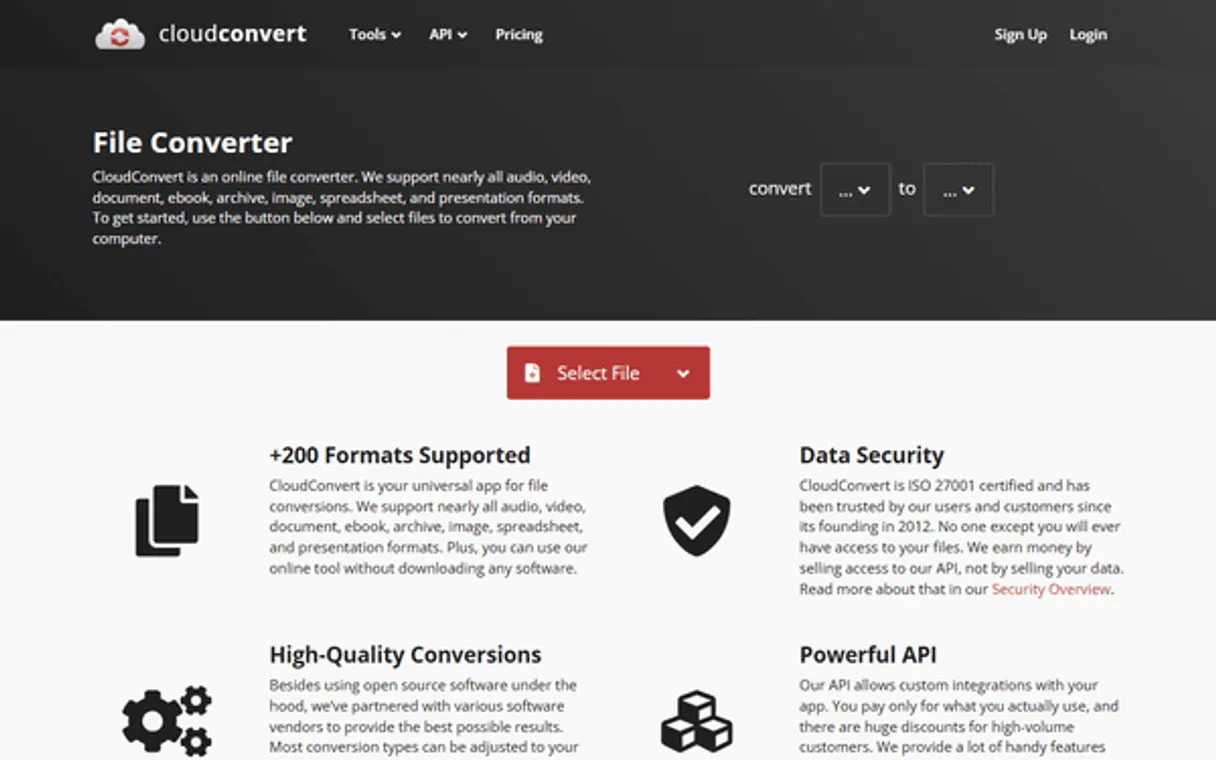
Independent Platform Disclaimer: Vinkius is an independent platform and is not affiliated with, endorsed by, sponsored by, verified by, or otherwise authorized by CloudConvert. All third-party trademarks, logos, and brand names are the property of their respective owners. Their use on this website is strictly for informational purposes to identify service compatibility and interoperability.
VINKIUS INFRASTRUCTURE
Cloud Hosted
Managed infra
V8 Isolated
Sandboxed per request
Zero-Trust Proxy
No stored credentials
DLP Enforced
Policy on every call
GDPR Compliant
EU data residency
Token Compression
~60% cost reduction
Works with Claude, ChatGPT, Cursor, and more
The Model Context Protocol standardizes how applications expose capabilities to LLMs. Instead of operating in isolation, your AI gains direct access to external platforms, live data, and real-world actions through secure, standardized connections.
This server provides 8 capabilities that interface natively with Claude, ChatGPT, Cursor, and any MCP client. No middleware. No custom integration required.
Available Capabilities
Checking file conversion status used to mean logging into a dashboard and clicking through five different tabs.
Before MCP, checking a job status was a multi-step nightmare. You'd have to log into the CloudConvert site, navigate to your job history, find the specific job ID, and then check the status tab. If the job was complex, you'd have to click into a second view just to see the underlying task status—it was slow, and the data was never consolidated in one view.
Now, your agent handles it. You just tell it the job ID, and it uses `get_conversion_job_details`. You get the status and the result summary right in your chat. It's a single, direct query that cuts out the entire web UI overhead.
CloudConvert MCP Server: Automate file conversions across 200+ formats via AI chat.
You no longer need to copy job IDs and paste them into a separate monitoring script. You tell your agent to start the job using `create_conversion_job`, and then you tell it to check the status using `get_conversion_job_details`. The whole sequence happens inside the chat interface, keeping all context together.
What's different now is the workflow itself. You go from manual, multi-interface management to a single, conversation-driven API sequence. It's direct, it's contained, and it's ready for automation.
Common Questions About CloudConvert MCP
How do I check my API credits using the CloudConvert MCP Server? +
Use the get_my_cloudconvert_profile tool. This function pulls your current account details, including how many credits you have left and what that roughly translates to in conversion time.
What is the difference between `list_conversion_jobs` and `list_conversion_tasks`? +
list_conversion_jobs shows a summary of the entire job (e.g., 'PDF to DOCX'). list_conversion_tasks lists the individual, granular steps that make up those jobs, giving you deeper failure visibility.
Can I start a conversion job without knowing the file type? +
No. You must specify the input file and the desired output format when calling create_conversion_job. The server requires these parameters to know what to process.
How do I get the final file result after a job finishes? +
After the job status is 'finished', you use get_conversion_job_details to retrieve the download URL or the final result data structure.
What if a job fails? Should I use `get_conversion_task_details`? +
+
Yes. If get_conversion_job_details shows a failure, use get_conversion_task_details with the specific task ID to find the root cause and detailed error message.
How do I use the `list_available_conversion_ops` tool to see what operations are supported? +
This tool shows all the operations supported by the CloudConvert API. It gives you a list of available functions, like optimization or website capture, so you know what else you can process besides basic format changes.
What is the purpose of `list_cloudconvert_webhooks` when I'm setting up conversions? +
This tool lets you list the webhooks you've configured. You check this list to verify that real-time job completion notifications are set up correctly and pointing to the right endpoint.
Can I convert a document to PDF through the agent? +
Yes! Use the create_conversion_job tool. You can define an import task for your file and a convert task with output_format: 'pdf'. The agent will handle the submission to CloudConvert.
How do I know when my conversion task is finished? +
Use the get_conversion_task_details tool with your task ID. Your agent will return the current status, and once it shows 'finished', it will provide the download URL.
Where do I find my CloudConvert API Key? +
Log in to your CloudConvert dashboard and navigate to API v2 > API Keys. You can generate and copy your personal API key from there.
Use it with your favorite AI tools
Connect this server to Cursor, Claude, VS Code, and more.
More in this category

WordPress
Manage posts, pages, and media on WordPress — the world's most popular open-source content management system.
PlanetScale
Provision, branch, and manage serverless MySQL databases dynamically via AI.

GitHub Alternative
Manage repositories, issues, pull requests and workflows via GitHub — search code, audit commits and track CI/CD from any AI agent.
You might also like

Dotdigital
Equip your AI agent to manage email campaigns, track contacts, and monitor marketing automation via the Dotdigital API.

MENU TIGER
Create digital restaurant menus with QR code ordering, table management, and payment integration that modernize the dining experience.
Twelve Data
Access real-time stock quotes, crypto prices, forex rates, and technical indicators via AI.