
Codefresh MCP. Manage your full CI/CD cycle from your chat interface.
 Gemini
 Works with every AI agent you already use
…and any MCP-compatible client









Just plug in your AI agents and start using Vinkius.
Codefresh MCP Server manages your entire CI/CD and GitOps lifecycle. You connect it to your AI agent to track pipelines, trigger builds, and monitor delivery clusters without opening the Codefresh dashboard.
It gives you full visibility into build execution details, cluster status, and shared environment variables via natural conversation.
What your AI agents can do
Get build execution details
Gets the detailed status and execution information for a specific build run.
Get my codefresh profile
Retrieves basic information about the connected Codefresh user account and profile.
Get pipeline configuration
Gets the detailed configuration settings for a specific CI/CD pipeline.
Retrieve a list of all existing CI/CD pipelines and pull the specific configuration details for any given pipeline.
List recent build workflows and retrieve the granular status and execution logs for a specific build run.
Start a new build for a defined pipeline, optionally specifying the target branch or environment variables.
List all connected Kubernetes and delivery clusters to confirm which environments are available for deployment.
List all shared context variables and secrets used across your development workflows.
Ask AI about this MCP
Supported MCP Clients
Gemini Waiting for input…
Codefresh MCP Server: 8 Tools for CI/CD Management
Use these tools to list pipelines, trigger builds, check cluster status, and audit environment contexts for your Codefresh deployments.
019d7576get build execution details
Gets the detailed status and execution information for a specific build run.
019d7576get my codefresh profile
Retrieves basic information about the connected Codefresh user account and profile.
019d7576get pipeline configuration
Gets the detailed configuration settings for a specific CI/CD pipeline.
019d7576list codefresh builds
Lists all recent build workflows that have occurred in the account.
019d7576list codefresh pipelines
Lists all available CI/CD pipelines defined in the account.
019d7576list delivery clusters
Lists all connected Kubernetes and delivery clusters where code can be deployed.
019d7576list shared contexts
Lists all shared environment contexts, including secrets and variables, used by the workflows.
019d7576trigger codefresh build
Starts a new build for a specific pipeline, allowing you to pass custom variables or branches.
Choose How to Get Started
Build a custom MCP for your own tools, or connect a ready-made integration from our catalog.
Build Your Own
Turn any API into an MCP. Import a spec, define Agent Skills, or deploy with MCPFusion.
- Import from OpenAPI, Swagger, or YAML specs
- Create Agent Skills with progressive disclosure
- Deploy to edge with MCPFusion framework
- Built in DLP, auth, and compliance on every call
- Real time usage dashboard and cost metering
- Publish to catalog or keep private
Make Your AI Do More
Start with Codefresh, then connect any of our 4,700+ other servers whenever your AI needs more. One click, no limits.
- Use this MCP plus 4,700+ others, all in one place
- Add new capabilities to your AI anytime you want
- Every connection is secured and compliant automatically
- Track usage and costs across all your servers
- Works with Claude, ChatGPT, Cursor, and more
- New servers added to the catalog every week
What you can do with this MCP connector
Codefresh MCP Server lets your AI agent manage your whole CI/CD and GitOps cycle. You won't need to open the Codefresh dashboard; your agent tracks pipelines, kicks off builds, and monitors deployment clusters just by talking to it. It gives you full visibility into build execution, cluster status, and shared environment variables, straight up.
How Codefresh MCP Works
- 1 Subscribe to the Codefresh MCP Server and provide your Codefresh API Key.
- 2 Your AI agent uses natural language to invoke a specific tool (e.g.,
list_codefresh_pipelines). - 3 The server executes the API call, retrieves the data, and returns the structured results directly to your agent for immediate use.
The bottom line is, you manage complex CI/CD tasks by talking to your AI agent instead of navigating multiple dashboards.
Who Is Codefresh MCP For?
The DevOps engineer who's tired of clicking through multiple dashboards to check build status. It's for the Release Manager who needs to audit cluster health without logging into the main console. If you're a Software Developer who needs fast context on build failures, this saves you time.
Monitors pipeline health, lists all CI/CD pipelines, and manually triggers builds using only natural language commands.
Audits deployment success rates, lists connected delivery clusters, and verifies overall environment readiness without touching the main dashboard.
Quickly looks up build execution details and verifies required environmental contexts straight from the chat interface during debugging.
What Changes When You Connect
- Monitor Build Failures: Use
list_codefresh_buildsandget_build_execution_detailsto check the status of recent builds. You instantly see if a deployment failed and get the specific logs without leaving your chat. - Verify Deployment Targets: Use
list_delivery_clustersto see every connected Kubernetes cluster. You confirm the exact targets before a release, eliminating guesswork about where code will deploy. - Troubleshoot Configurations: Need to know what variables a pipeline uses?
list_shared_contextsshows all shared secrets and environment variables, letting you audit dependencies quickly. - Run Live Tests: Don't rely on manual steps.
trigger_codefresh_buildlets you start a new build for a pipeline right when you need it, specifying the exact branch or variables. - Get Pipeline Specs: Use
get_pipeline_configurationto pull the full, detailed setup of any pipeline. This is essential for auditing or when you need to compare two different deployment setups. - Profile Check:
get_my_codefresh_profileprovides immediate context about the account owner, which is useful when coordinating cross-team deployments.
Real-World Use Cases
The Failed Deployment Hotfix
A developer sees a deployment fail in production. Instead of jumping into the dashboard, they tell their agent: 'Show me the build details for the last run.' The agent uses list_codefresh_builds then get_build_execution_details, pinpointing the exact step that failed, saving hours of manual log hunting.
Pre-Release Environment Audit
A Release Manager needs to confirm the status of all possible deployment targets. They ask the agent to run list_delivery_clusters. The agent provides a list of all connected Kubernetes environments, ensuring the code won't fail due to an unknown target.
Testing a New Feature Branch
A developer wants to test a feature branch (dev-v2) before merging. They prompt the agent to trigger_codefresh_build for the main pipeline, specifying the branch. The build starts immediately, providing instant feedback on the new code path.
Dependency Check
An Ops engineer suspects a build failure is due to missing credentials. They ask the agent to run list_shared_contexts. The agent lists all shared secrets and variables, allowing the engineer to confirm the necessary credentials are actually available.
The Tradeoffs
Dashboard Overload
Opening the Codefresh dashboard, navigating to 'Builds,' filtering by date, then opening the 'Pipeline Settings' tab, then opening a 'Cluster Status' tab. This takes five clicks and half a cup of coffee.
→
Tell your agent: 'List my recent builds and check the status of the main-app-deploy pipeline.' The agent runs list_codefresh_builds and get_pipeline_configuration sequentially, giving you the status and details in one chat window.
Manual API Calls
Writing boilerplate Python code every time you need to list pipelines or check a build status. This code is repetitive and prone to API key errors.
→
Just talk to your agent. Ask it to run list_codefresh_pipelines or get_build_execution_details. The agent handles the API calls and data formatting for you.
Assuming Context
Assuming that all required secrets are available because they were available last week. You run the build, and it fails because a variable was manually deleted.
→
Before triggering, run list_shared_contexts to audit all available secrets and variables. This confirms the environment context is correct before you start the build.
When It Fits, When It Doesn't
Use this server if your job requires constant cross-referencing of deployment state—specifically, if you need to check why a build failed, what the current cluster targets are, and how the pipeline is configured, all in one chat window. It's perfect for DevOps and Release Management roles.
Don't use this if you only need to view basic documentation or read a static report. For simple viewing, just use the Codefresh UI. If you need to manage unrelated services (like AWS or Jira), you need a different MCP server. This tool is strictly for Codefresh operations.
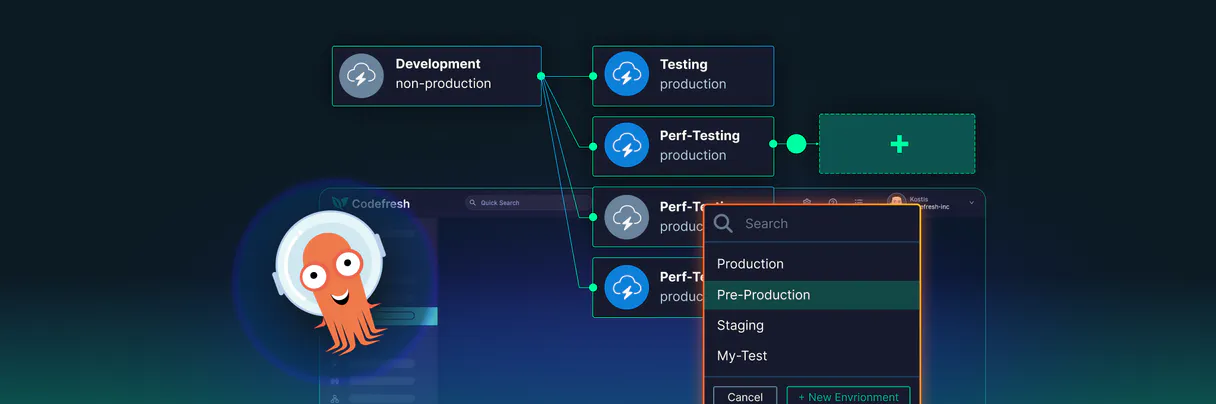
Independent Platform Disclaimer: Vinkius is an independent platform and is not affiliated with, endorsed by, sponsored by, verified by, or otherwise authorized by Codefresh. All third-party trademarks, logos, and brand names are the property of their respective owners. Their use on this website is strictly for informational purposes to identify service compatibility and interoperability.
VINKIUS INFRASTRUCTURE
Cloud Hosted
Managed infra
V8 Isolated
Sandboxed per request
Zero-Trust Proxy
No stored credentials
DLP Enforced
Policy on every call
GDPR Compliant
EU data residency
Token Compression
~60% cost reduction
Works with Claude, ChatGPT, Cursor, and more
The Model Context Protocol standardizes how applications expose capabilities to LLMs. Instead of operating in isolation, your AI gains direct access to external platforms, live data, and real-world actions through secure, standardized connections.
This server provides 8 capabilities that interface natively with Claude, ChatGPT, Cursor, and any MCP client. No middleware. No custom integration required.
Available Capabilities
Checking a build's status usually means clicking through three different tabs.
Today, to check a build's status, you have to open the main dashboard. Then, you find the 'Pipelines' tab, select the relevant pipeline, and click on the 'History' view. If you want details, you have to open *that* build, then look at the 'Logs' tab. It's a lot of clicking, and you're always fighting stale UI data.
With the Codefresh MCP Server, you just ask your agent: 'Show me the status of the latest build for the main-app-deploy pipeline.' You get the status and the execution details instantly, right in your chat. Period.
Triggering builds with Codefresh MCP Server
Before, triggering a test build meant manually navigating to the pipeline settings, selecting the branch, and hitting 'Run Build.' If you wanted to pass custom variables, you had to find the specific form field for it. It's friction.
Now, you tell your agent: 'Trigger the main-app-deploy pipeline on the develop branch with version 2.1.' The agent runs `trigger_codefresh_build` and starts the process, passing all the necessary parameters automatically. It’s a single command.
Common Questions About Codefresh MCP
How do I use `list_codefresh_pipelines` to see all my pipelines? +
You simply ask your agent to run list_codefresh_pipelines. It retrieves and lists every CI/CD pipeline defined in your Codefresh account. You'll see them all in one structured response.
What does `list_codefresh_builds` show me? +
list_codefresh_builds gives you a list of all recent build workflows. It shows the status (success/fail) and basic metadata for the last few runs, letting you know which ones need attention.
How do I check the logs using `get_build_execution_details`? +
You must first know the build ID. Then, ask the agent to run get_build_execution_details with that ID. It pulls the full status and execution information for that specific build run.
Can I use `list_delivery_clusters` to verify my deployment targets? +
Yes. Running list_delivery_clusters lists all connected Kubernetes and delivery clusters. This confirms exactly which environments the pipeline can deploy to.
How do I check shared secrets with `list_shared_contexts`? +
Run list_shared_contexts. This command lists all shared environment contexts, including critical secrets and variables, so you can audit dependencies before a manual build.
How do I use `trigger_codefresh_build` to start a build on a specific branch? +
You specify the target pipeline and the branch name in the request. The system starts the build and returns a build ID. You then use that ID to monitor its real-time status.
What information does `get_pipeline_configuration` provide about a pipeline? +
It gives you the full configuration details for a specific pipeline ID. This includes the steps, variables, and dependencies defined in Codefresh.
Can I see all the environments and user data with `get_my_codefresh_profile`? +
This tool retrieves metadata about your connected Codefresh account and the authenticated user. It confirms your API access and account details.
Can I trigger a pipeline run for a specific branch? +
Yes! Use the trigger_codefresh_build tool. You can provide the pipeline ID and specify the branch name in the payload. The agent will instruct Codefresh to start the build immediately.
How do I see the status of all my Kubernetes clusters in Codefresh? +
Use the list_delivery_clusters tool. Your agent will fetch all connected clusters, showing you which targets are available for deployment and their current health status.
Where do I find my Codefresh API Key? +
Log in to Codefresh, click on your profile icon, go to User Settings, and select API Keys. You can generate and copy a new token from that section.
Use it with your favorite AI tools
Connect this server to Cursor, Claude, VS Code, and more.
More in this category
Percy
Execute visual regression tests via Percy — track visual diffs natively, inspect snapshot limits, approve builds, and verify UI components using AI.

Conductor (Netflix OSS)
Automate workflow orchestration via Netflix Conductor — manage workflow and task definitions, and start executions directly from any AI agent.

Comet ML
Manage machine learning experiments via Comet — track model metrics, audit project workspaces, and inspect ML run parameters directly from any AI agent.
You might also like

Google Maps
Empower location intelligence via Google Maps — perform geocoding, search millions of places, retrieve rich venue details, and calculate directions directly from any AI agent.

Electricity Maps Carbon Intelligence
Universal energy and carbon intelligence — get real-time electricity mix and carbon data via AI.

WhatsApp Message Sender
This MCP does exactly one thing: it sends text messages using the official Meta WhatsApp Cloud API. That's its only function, and nothing else. Incredible for giving your AI agents direct access to customers.