
ContextQA MCP. Manage test suites and audit API payloads via chat.
 Gemini
 Works with every AI agent you already use
…and any MCP-compatible client









Just plug in your AI agents and start using Vinkius.
ContextQA. Connect your ContextQA account to your AI agent to manage complex testing pipelines. You can list projects, audit test suites, run live tests, and verify API payloads against OpenAPI specs.
It lets your agent interact with your entire context-aware testing environment directly from chat.
What your AI agents can do
Get case
Validates a specific Data Science object extraction tracking step boundary.
Get execution
Runs static queries targeting specific AI-healing test run states.
Get project
Retrieves a project's unique UUID and analyzes its execution spaces.
Retrieves a list of defined test environments and project UUIDs.
Extracts the structural payloads of GUI test suites within a project.
Dispatches a live testing command to queue a specific suite against the test clusters.
Retrieves native REST and OpenAPI testing configurations.
Lists the static configurations and target URLs for different runtime environments.
Inspects deep internal interaction tracking and global test run chunks.
Resolves AI root-cause models and validates specific test case definitions.
Ask AI about this MCP
Supported MCP Clients
Gemini Waiting for input…
ContextQA MCP Server: 10 Tools for Test Management
These tools give your agent granular control over every part of the testing lifecycle, from listing environments to triggering runs and validating API schemas.
019d757bget case
Validates a specific Data Science object extraction tracking step boundary.
019d757bget execution
Runs static queries targeting specific AI-healing test run states.
019d757bget project
Retrieves a project's unique UUID and analyzes its execution spaces.
019d757blist api tests
Extracts native REST and OpenAPI testing configurations.
019d757blist cases
Discovers the explicit routing limits that structure ContextQA test cases.
019d757blist environments
Lists static configurations mapping environment target layers.
019d757blist executions
Inspects deep internal interaction tracking for global test run chunks.
019d757blist projects
Identifies all bounded ContextQA test environments and groups automated validations.
019d757blist suites
Performs structural extraction matching asynchronous GUI test suites payloads.
019d757btrigger run
Dispatches a live testing command to queue a specific job against a defined pipeline.
Choose How to Get Started
Build a custom MCP for your own tools, or connect a ready-made integration from our catalog.
Build Your Own
Turn any API into an MCP. Import a spec, define Agent Skills, or deploy with MCPFusion.
- Import from OpenAPI, Swagger, or YAML specs
- Create Agent Skills with progressive disclosure
- Deploy to edge with MCPFusion framework
- Built in DLP, auth, and compliance on every call
- Real time usage dashboard and cost metering
- Publish to catalog or keep private
Make Your AI Do More
Start with ContextQA, then connect any of our 4,700+ other servers whenever your AI needs more. One click, no limits.
- Use this MCP plus 4,700+ others, all in one place
- Add new capabilities to your AI anytime you want
- Every connection is secured and compliant automatically
- Track usage and costs across all your servers
- Works with Claude, ChatGPT, Cursor, and more
- New servers added to the catalog every week
What you can do with this MCP connector
You connect your ContextQA account to your AI agent to manage complex testing pipelines. Your agent can list all bounded test environments and project UUIDs using list_projects. You can then pull the structural payloads for GUI test suites within those projects by calling list_suites. To run a test, your agent dispatches a live testing command to queue a specific job using trigger_run.
For API testing, your agent retrieves native REST and OpenAPI configurations with list_api_tests, and it can also validate specific test case definitions and resolve AI root-cause models using get_case. Your agent can list the static configurations and target URLs for different runtime environments by calling list_environments. To monitor test runs, your agent inspects deep internal interaction tracking and global test run chunks via list_executions.
You can also run static queries targeting specific AI-healing test run states using get_execution. Finally, your agent can discover the explicit routing limits that structure ContextQA test cases by calling list_cases.
How ContextQA MCP Works
- 1 Subscribe to the ContextQA server and enter your API Key (find it in your Dashboard Settings > API Keys).
- 2 Connect your AI agent (Claude, Cursor, etc.) to the Vinkius Marketplace.
- 3 Start managing automated testing by asking the agent to run commands like 'list all projects' or 'trigger a run for X suite'.
The bottom line is: your AI agent uses the API key to execute testing commands directly against your ContextQA test environment.
Who Is ContextQA MCP For?
This is for QA Engineers, DevOps teams, and Software Developers who need full visibility into complex, multi-stage application testing. If you spend time jumping between a CI dashboard, a logging system, and a test management tool, this is for you. You get a single conversational interface for the entire test lifecycle.
Triggers test runs and monitors AI-healing results without leaving the chat interface.
Audits test suite coverage and monitors pipeline integration statuses in real-time across different environments.
Verifies API test payloads and inspects failed test case boundaries directly from the IDE or terminal.
What Changes When You Connect
- Manage the entire test lifecycle without context switching. Use
list_projectsandlist_suitesto see all bounded test environments and GUI test suites in one chat session. Then, usetrigger_runto execute them. - Deep visibility into failures. Instead of just getting a 'Fail' status, use
get_caseorget_executionto inspect exactly which step failed and why the AI-healing process couldn't fix it. - Full API validation built-in.
list_api_testslets you enumerate REST and OpenAPI configurations, and you can verify structural payloads against your schemas—no separate tool needed. - Auditing environments is simple.
list_environmentslets you see all physical runtime URLs and group active contexts, ensuring your test coverage matches your deployment layers. - Control the flow. Need to run a test on a specific, isolated setup? Use
list_projectsto identify the environment, then usetrigger_runto dispatch the job. - Understand the failure. Use
list_executionsto inspect global run chunks andget_projectto map the failure back to its source project.
Real-World Use Cases
A Developer Needs to Verify a New API Endpoint
The developer runs list_api_tests to see available OpenAPI configurations. They then ask the agent to validate the payload structure for the new endpoint using list_api_tests, getting immediate confirmation that the JSON structure matches the required schema.
QA Needs to Check Release Readiness
A QA Engineer wants to know if the checkout flow is ready for release. They use list_projects to confirm the 'Staging' environment exists, then run list_suites to find the 'Checkout-Flow' suite, and finally use trigger_run to execute it against the staging cluster.
DevOps Needs to Audit Pipeline Scope
A DevOps team member needs to ensure a microservice test runs only in the correct environment. They call list_environments to list all available URLs, then use get_project to confirm the test scope is limited to the necessary project UUID.
Developer Needs to Find Root Cause of Failure
A test run fails mysteriously. The developer uses list_executions to get the general run ID, then calls get_execution to pinpoint the exact failing step, and finally uses get_case to validate the specific object extraction that caused the failure.
The Tradeoffs
Treating tests like isolated scripts
Calling list_suites to find a test, then running a separate command to get the environment URL, and finally manually entering the test name into a third dashboard. This involves three different systems and requires manual data transfer.
→
Use the agent to orchestrate the process. First, use list_projects to define the scope. Then, use list_suites and pass the resulting suite ID directly into the trigger_run tool, keeping everything in the chat.
Ignoring API schemas
Assuming a new API endpoint works just because it was deployed. Running tests without explicitly checking the structural payload against the OpenAPI configuration, leading to silent integration failures.
→
Always start with list_api_tests. This tool pulls the native OpenAPI configurations. Then, instruct the agent to run validation against those specs using list_api_tests to ensure data integrity before triggering any run.
Over-relying on single-point visibility
Checking only the status dashboard for a test run. If the run fails, you only see 'Failed' and have to manually navigate to a logs system to find the step failure.
→
Use list_executions to get a high-level view of global runs. When a failure occurs, use get_execution to drill down and inspect the specific AI-healing run state and the exact failing step boundary.
When It Fits, When It Doesn't
Use this if you need to manage the entire testing lifecycle conversationally—from listing available projects (list_projects) and defining the scope (get_project), to listing the specific GUI suites (list_suites), running the test (trigger_run), and finally auditing the failure using get_execution.
Don't use this if your only need is to view a static report or download a raw log file. For those tasks, a dedicated logging platform or CI/CD dashboard is better. Also, if you are only verifying a single API endpoint schema and don't need project context, list_api_tests might be enough. But if you need the full context, use this server.
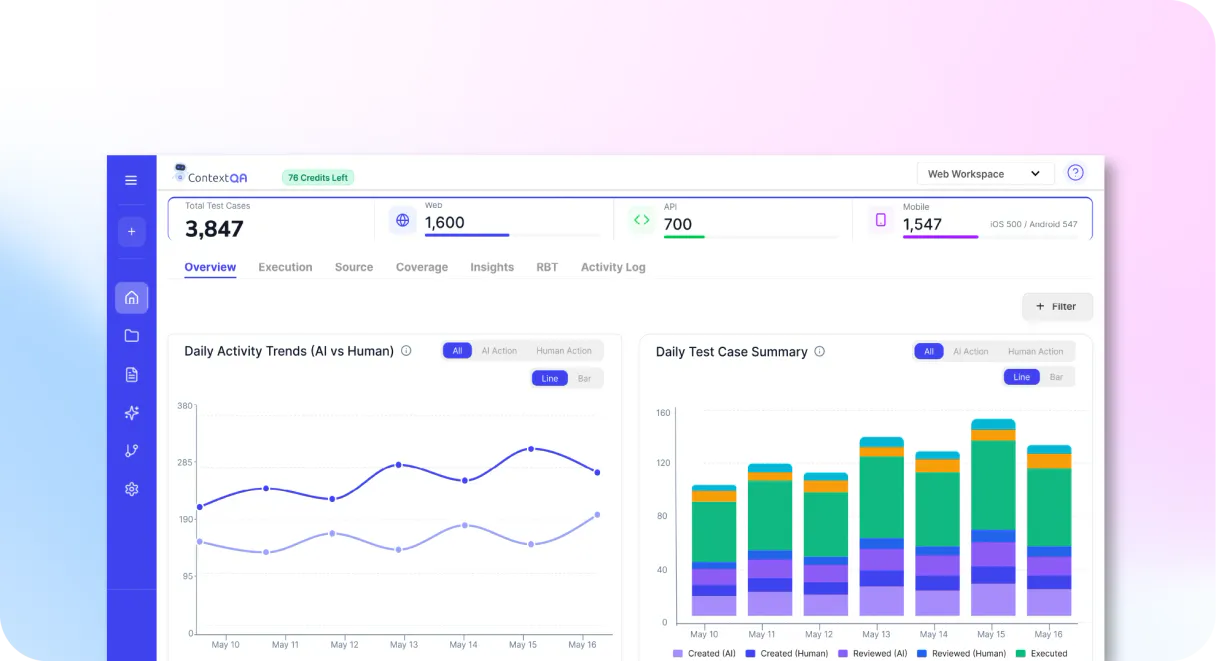
Independent Platform Disclaimer: Vinkius is an independent platform and is not affiliated with, endorsed by, sponsored by, verified by, or otherwise authorized by ContextQA. All third-party trademarks, logos, and brand names are the property of their respective owners. Their use on this website is strictly for informational purposes to identify service compatibility and interoperability.
VINKIUS INFRASTRUCTURE
Cloud Hosted
Managed infra
V8 Isolated
Sandboxed per request
Zero-Trust Proxy
No stored credentials
DLP Enforced
Policy on every call
GDPR Compliant
EU data residency
Token Compression
~60% cost reduction
Works with Claude, ChatGPT, Cursor, and more
The Model Context Protocol standardizes how applications expose capabilities to LLMs. Instead of operating in isolation, your AI gains direct access to external platforms, live data, and real-world actions through secure, standardized connections.
This server provides 10 capabilities that interface natively with Claude, ChatGPT, Cursor, and any MCP client. No middleware. No custom integration required.
Available Capabilities
Auditing a test run shouldn't require logging into three different dashboards.
Today, finding out why a test failed means logging into the CI system to get the run ID, then switching to the test management tool to find the suite, and finally jumping to the logs system to read the stack trace. You're copying IDs and jumping between tabs just to read one error message.
With the ContextQA MCP Server, you just ask your agent: 'Show me the failure in the checkout flow for the staging environment.' The agent coordinates the necessary calls—using `list_projects`, `list_suites`, and `get_execution`—and returns the full root-cause model right in the chat.
ContextQA MCP Server: Manage test runs and API validation.
Manual testing requires you to first list all available environments using `list_environments`. Then, you must check if the required test suite exists using `list_suites`. If everything looks right, you run the command, and wait for the job to start.
Now, you define the scope and execute the test in one go. The agent handles the necessary calls, ensuring the job targets the correct environment and suite. You just get the confirmation and the execution ID.
Common Questions About ContextQA MCP
How do I use the ContextQA MCP Server to list all available test projects? +
Call the list_projects tool. This tool returns a list of all bounded test environments and their UUIDs, letting you know exactly what scopes are available for testing.
What is the difference between `list_suites` and `list_projects` in ContextQA? +
list_projects gives you the top-level test environments (the 'container'). list_suites finds the specific collection of GUI test cases (the 'content') inside a project.
Can I check API payloads using the ContextQA MCP Server? +
Yes, use list_api_tests. This tool extracts native REST and OpenAPI configurations, allowing you to verify structural payloads against your defined specs.
How do I force a test run using the ContextQA MCP Server? +
Use the trigger_run tool. This sends a live testing command to queue a specific job against the test clusters, initiating the run immediately.
Does ContextQA provide visibility into AI-healing failures? +
Yes. After a run, use get_execution to inspect specific AI-healing states. This shows exactly where the test failed and why the system couldn't automatically fix it.
How do I check for test suite configurations using the `list_suites` tool? +
The list_suites tool extracts asynchronous GUI test suites. This lets you see the structure and boundaries of your test logic without manually navigating the ContextQA UI.
What is the function of the `get_execution` tool? +
The get_execution tool runs static queries against specific AI-healing Run states. You use this when you need deep, programmatic access to an execution run, not just a summary view.
Can I map environment URLs using the `list_environments` tool? +
Yes, the list_environments tool lists static configurations. It maps environment target layers, helping you verify testing boundaries across different application layers.
Can my agent help me identify the root cause of a failed test case? +
Yes. Use the 'get_case' tool to resolve the AI root-cause model for a specific test. The agent retrieves the definitions and AI insights to confirm exactly why a boundary was breached during execution.
How do I trigger a full test suite run via chat? +
Provide the 'project_id' and 'suite_id' to your agent and use the 'trigger_run' mutation. The agent will command the backend to queue the tests against live ContextQA test clusters instantly.
Can I see screen captures of failed test steps through the agent? +
The 'get_execution' tool retrieves detailed logs tracking failing step boundaries. Where supported by ContextQA, the agent can surface the associated physical screen capture limits to help you visualize the failure.
Use it with your favorite AI tools
Connect this server to Cursor, Claude, VS Code, and more.
More in this category

Evil Insult
Generate creative and random insults from the Evil Insult Generator API directly within your AI agent.

Equinix Metal
Manage Equinix Metal API keys, email settings, and project invitations directly from your AI agent.

Mockaroo
Generate realistic dummy data — audit schemas and field types via AI.
You might also like

Bazaarvoice
Analyze and manage user-generated content via Bazaarvoice — list products, reviews, and customer questions directly from any AI agent.
NCR Voyix
Manage commerce and retail operations via NCR Voyix — track orders, sites, products, and inventory directly from your AI agent.

Novu
Automate multi-channel notifications via Novu — trigger workflows, manage subscribers, and handle preferences directly from any AI agent.