
crowd.dev MCP. Audit member activity and organization data in chat.
 Gemini
 Works with every AI agent you already use
…and any MCP-compatible client









Just plug in your AI agents and start using Vinkius.
crowd.dev (LFX CDP) MCP Server. Manage all community data, member activities, and organizational records via your AI agent. It lets you list members, search profiles by name or email, track real-time engagement (stars, commits), and manage internal notes—all from natural language conversation.
Use it to audit contributor activity across GitHub, Discord, and Slack without logging into a single dashboard.
What your AI agents can do
Create community member
Registers a new member identity into the community database.
Get community health summary
Returns a high-level summary of current community activity and growth metrics.
Get member details
Fetches the full profile and activity history for a specific community member ID.
Gets a high-level summary of community activities, including new member growth and platform distribution stats.
Retrieves a full profile, engagement score, and activity history for a single community member.
Searches the community database for profiles matching a specified name or email address.
Retrieves a comprehensive list of every member, including their social profiles (GitHub, LinkedIn, Twitter) and contribution levels.
Gets details for a specific company or organization associated with the community members.
Retrieves a timeline of recent community activities, such as stars, PRs, or messages.
Allows you to list internal CRM notes or open tasks related to community management.
Ask AI about this MCP
Supported MCP Clients
Gemini Waiting for input…
crowd.dev (LFX CDP) MCP Server: 10 Tools for Community Data
Access ten tools to query, list, and manage community data—from individual member profiles to overall organization health—all through a single API gateway.
019d757fcreate community member
Registers a new member identity into the community database.
019d757fget community health summary
Returns a high-level summary of current community activity and growth metrics.
019d757fget member details
Fetches the full profile and activity history for a specific community member ID.
019d757fget organization details
Retrieves detailed information for a specific organization ID.
019d757flist community tasks
Lists open tasks assigned to community management.
019d757flist member notes
Retrieves internal CRM notes associated with a community member.
019d757flist members
Lists all community members, showing their names, social profiles, and contribution activity levels.
019d757flist organizations
Retrieves a list of all companies and organizations tracked in the community.
019d757flist recent activities
Lists a stream of recent community actions like stars, messages, or pull requests.
019d757fsearch members by keyword
Finds community members whose profiles match a specified name or email address.
Choose How to Get Started
Build a custom MCP for your own tools, or connect a ready-made integration from our catalog.
Build Your Own
Turn any API into an MCP. Import a spec, define Agent Skills, or deploy with MCPFusion.
- Import from OpenAPI, Swagger, or YAML specs
- Create Agent Skills with progressive disclosure
- Deploy to edge with MCPFusion framework
- Built in DLP, auth, and compliance on every call
- Real time usage dashboard and cost metering
- Publish to catalog or keep private
Make Your AI Do More
Start with crowd.dev (LFX CDP), then connect any of our 4,700+ other servers whenever your AI needs more. One click, no limits.
- Use this MCP plus 4,700+ others, all in one place
- Add new capabilities to your AI anytime you want
- Every connection is secured and compliant automatically
- Track usage and costs across all your servers
- Works with Claude, ChatGPT, Cursor, and more
- New servers added to the catalog every week
What you can do with this MCP connector
Your AI agent uses the crowd.dev server to manage all community data, member activity, and org records. list_members shows you every member, their social profiles, and contribution levels. You can use search_members_by_keyword to find profiles by name or email. For a deep dive, get_member_details pulls the full profile and activity history for a specific member ID.
You can check the overall community health and growth with get_community_health_summary. If you need to see what's been going down lately, list_recent_activities pulls a timeline of recent actions like stars, PRs, or messages. You can look up details for any organization using get_organization_details, and list_organizations gives you a list of all tracked companies.
To handle internal comms, you can use list_member_notes to pull CRM notes for a member, or list_community_tasks to see open tasks assigned to community management.
How crowd.dev MCP Works
- 1 Connect the crowd.dev integration to your AI client.
- 2 Authorize the connection using your crowd.dev API Key.
- 3 Ask your agent to perform a data action (e.g., 'List all organizations'). The agent executes the necessary tool calls and returns the structured data.
The bottom line is that your agent handles the API calls and data formatting, so you just talk to it.
Who Is crowd.dev MCP For?
Community Managers and Developer Advocates. If your job involves tracking contributor activity across GitHub, Slack, and Discord, this is for you. You're the person tired of switching between 5 different dashboards just to get a holistic view of who's contributing and why. This tool gives you that view directly in the chat.
Uses this to quickly identify key contributors and track engagement trends across the entire member base. They list members and check list_community_tasks to manage internal workflows.
Audits activity across platforms (GitHub, Discord, Slack) by calling list_recent_activities and get_member_details to summarize a user's impact.
Examines organization-level data using list_organizations to understand the composition and corporate backing of the community.
What Changes When You Connect
- See the full picture of contributor activity. Instead of checking separate dashboards, run
get_member_detailsto get a single view of a user's profile, engagement score, and history. - Track community growth immediately. Use
get_community_health_summaryto get a high-level view of member growth and activity trends without writing SQL queries. - Manage contributor relationships via CRM. Call
list_member_notesorlist_community_tasksto pull up internal notes and open tasks, keeping the whole team on the same page. - Deep-dive into specific users. If you know a user's email,
search_members_by_keywordfinds them instantly, skipping the need to browselist_membersand checking every profile. - Map corporate connections. Need to know who works at 'Google'? Run
list_organizationsfirst, then useget_organization_detailsto see the associated members. - See all activity streams. Use
list_recent_activitiesto see a raw feed of the latest stars, messages, and commits across the whole community.
Real-World Use Cases
Investigating a key contributor's impact
A Dev Advocate needs to understand why 'jdoe' is suddenly quiet. They ask the agent to run get_member_details and list_recent_activities for 'jdoe'. The agent returns the engagement score, their last commit, and a list of recent stars, telling the advocate exactly where to focus their outreach.
Auditing organizational presence
A Marketing team needs to know which companies are most active. They use list_organizations to pull the full list, then use get_organization_details to find the corporate leaders and the total number of members associated with those companies.
Onboarding and tracking a new project
The Community Manager launches a new initiative. They first use list_community_tasks to create the task list, then use create_community_member for the new cohort of users, ensuring every new member has a profile record immediately.
Finding contact info for a specific person
A developer only knows a person's name. Instead of manually searching GitHub or LinkedIn, they ask the agent to search_members_by_keyword. The agent returns the full profile, including all linked social profiles, instantly.
The Tradeoffs
Treating the server like a simple list
Manually requesting 'list_members' and then trying to infer the organization details or activity level from the raw list output. You get a flat list, but the relationships are lost.
→
Always follow up the list call. If you see a member ID, use get_member_details to pull the activity history, or use get_organization_details to map them to a company. Don't stop at the list.
Mixing up member and organization data
Asking for 'TechCorp' data, but forgetting to specify that you need the members associated with it. You might get general company info, but not the list of people who contribute.
→
First, use list_organizations to confirm the name. Then, use get_organization_details to confirm the company's metrics, and finally, use list_members or search_members_by_keyword to find the people within it.
Ignoring the need for internal context
You know a member is active, so you just check their profile. But you don't know if the team has already talked to them about this. You miss the context.
→
Check the internal CRM first. Run list_member_notes to see what the community manager has already recorded about the person. Then, review get_member_details to see their activity.
When It Fits, When It Doesn't
Use this server if you need to build a holistic picture of community engagement. Specifically, if your workflow requires linking a person's actions (via list_recent_activities) to their internal status (via list_member_notes) and their company affiliation (via get_organization_details), this is the tool. Don't use it if you only need to query a single database table, like just getting a simple list of names. For that, a standard SQL connector is enough. If you need to manage the lifecycle—like registering a brand new user—use create_community_member; otherwise, stick to the read-only tools.

Independent Platform Disclaimer: Vinkius is an independent platform and is not affiliated with, endorsed by, sponsored by, verified by, or otherwise authorized by crowd.dev. All third-party trademarks, logos, and brand names are the property of their respective owners. Their use on this website is strictly for informational purposes to identify service compatibility and interoperability.
VINKIUS INFRASTRUCTURE
Cloud Hosted
Managed infra
V8 Isolated
Sandboxed per request
Zero-Trust Proxy
No stored credentials
DLP Enforced
Policy on every call
GDPR Compliant
EU data residency
Token Compression
~60% cost reduction
Works with Claude, ChatGPT, Cursor, and more
The Model Context Protocol standardizes how applications expose capabilities to LLMs. Instead of operating in isolation, your AI gains direct access to external platforms, live data, and real-world actions through secure, standardized connections.
This server provides 10 capabilities that interface natively with Claude, ChatGPT, Cursor, and any MCP client. No middleware. No custom integration required.
Available Capabilities
Sifting through community data is a nightmare of tabs and filters.
Today, gathering a full picture of a contributor means jumping through hoops. You check the GitHub tab for commits; then you open Discord to count messages; next, you log into the CRM just to see if a manager left a note. It takes 15 minutes, three different logins, and a lot of copy-pasting just to get a basic status update.
With this MCP server, you ask your agent once. You tell it, 'Give me the full story on 'jdoe'.' The agent runs `get_member_details` and pulls all that data—the commits, the messages, the notes—into one conversation thread. It's immediate.
Using crowd.dev (LFX CDP) MCP Server: Get the full data context.
You no longer have to run a series of manual reports. You can prompt the agent to 'List all members active this week' and it handles the complexity, running the necessary tools under the hood. You get the actionable data, not a list of tools you ran.
The data is structured and ready for your next step. It’s not just a list; it's a cohesive story about the community's health and who is driving it.
Common Questions About crowd.dev MCP
How do I use the `search_members_by_keyword` tool with crowd.dev (LFX CDP) MCP Server? +
The search_members_by_keyword tool finds profiles by name or email. Just provide the search term and the agent handles the rest. It's fast and bypasses the need to scroll through the full list.
Can I use `get_community_health_summary` with crowd.dev (LFX CDP) MCP Server? +
Yes, this tool provides a high-level view of growth and activity. It doesn't require parameters; just ask the agent for the 'community health summary' to get the top-line metrics.
Does `get_member_details` pull data from all sources? +
Yes, get_member_details aggregates data across platforms. It pulls the full profile, engagement score, and activity history for the specific member ID you provide.
What if I want to check a member's internal notes? +
Use the list_member_notes tool. You need to specify the member ID, and the agent will return the content of the internal CRM notes.
Is `list_members` the only way to see all users? +
No. While list_members gets a general list, search_members_by_keyword is better if you know the name or email, and list_recent_activities shows what they've done recently, which is often more valuable.
How do I find out about a company associated with a member? +
First, use get_member_details to find the organization name. Then, use get_organization_details to get metrics and details about that company.
How do I use the `list_recent_activities` tool to track engagement? +
The list_recent_activities tool provides a feed of recent actions like stars, PRs, and messages. You specify the timeframe or member to filter the results, giving you a real-time view of community engagement.
What is the best way to list all open community tasks using `list_community_tasks`? +
The list_community_tasks tool pulls open tasks by resolving descriptions, priority levels, and assigned managers. You can filter by manager or status to focus on exactly what needs attention.
How do I get a crowd.dev API Key? +
Log in to your crowd.dev (or LFX CDP) dashboard, navigate to Settings > API Keys, and generate a new key. Copy and paste it below.
Which platforms are supported for activity tracking? +
crowd.dev supports integration with major platforms including GitHub, Discord, Slack, LinkedIn, Twitter, and more to provide a unified view of your community.
Can I update member profiles via chat? +
Currently, the integration focuses on listing and retrieving member data. For bulk updates or complex profile management, please use the crowd.dev dashboard.
Use it with your favorite AI tools
Connect this server to Cursor, Claude, VS Code, and more.
More in this category

Teambition
Collaborative project management platform by Alibaba — manage tasks, projects, and team workflows via AI.

Slack
Manage channels, users, and send messages on Slack with AI agents.
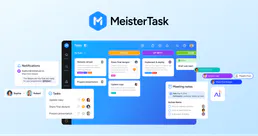
MeisterTask
Organize team tasks with visual Kanban boards, recurring workflows, and integrations that connect to your favorite tools.
You might also like

Mozscape
Analyze SEO metrics, domain authority, and link profiles directly from your AI agent using the Mozscape API.

YAML/JSON Converter
Prevent DevOps YAML hallucination. Convert complex YAML files to JSON for safe AI processing, and back to perfect YAML.
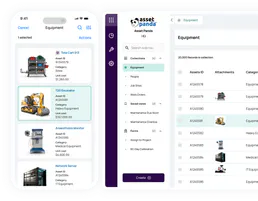
Asset Panda
Track and manage fixed assets with Asset Panda — audit groups, objects, and locations via AI.