
DealMachine MCP. Run complex real estate data lookups from a single chat window.
 Gemini
 Works with every AI agent you already use
…and any MCP-compatible client









Just plug in your AI agents and start using Vinkius.
DealMachine MCP Server manages real estate leads, tracks properties, and monitors marketing campaigns through a single API. Use your AI client to list leads, check owner equity, research property ownership, and oversee direct mail campaigns without logging into a separate CRM.
It lets you run complex real estate research and lead qualification tasks using natural language conversation.
What your AI agents can do
Add new lead
Adds a new real estate lead to the CRM using a property address, starting the process of identifying property data and owner info.
Get account details
Retrieves your DealMachine account metadata, including your subscription plan and available credit balance.
Get lead details
Gets full details for a specific real estate lead, including owner contact info and history of marketing interactions.
You add a new real estate lead to the CRM using a property address, which automatically starts the process of resolving property data and identifying the owner.
You retrieve detailed information for a specific real estate lead, including associated property details, owner contact info, and the history of marketing actions.
You pull full data for a specific property, including estimated equity, mortgage records, deed history, and detailed owner metadata.
You find leads by searching for an address or owner name, or you list all leads to see property addresses, owner names, and current lead status.
You get summaries of all direct mail and marketing campaigns, including send dates, how many people received them, and engagement metrics.
You list all properties the system tracks by address and internal property IDs.
You retrieve your account's metadata, including subscription plan and credit balance.
Ask AI about this MCP
Supported MCP Clients
Gemini Waiting for input…
DealMachine MCP Server: 10 Tools for Real Estate Data
These tools let your AI client interact with DealMachine to manage leads, pull property financial data, and run marketing campaign reports.
019d7582add new lead
Adds a new real estate lead to the CRM using a property address, starting the process of identifying property data and owner info.
019d7582get account details
Retrieves your DealMachine account metadata, including your subscription plan and available credit balance.
019d7582get lead details
Gets full details for a specific real estate lead, including owner contact info and history of marketing interactions.
019d7582get property details
Retrieves technical data for a specific property, such as estimated equity, mortgage status, and deed history.
019d7582list driving teams
Lists all teams and members associated with your DealMachine account workspace.
019d7582list lead tags
Lists all tags you use to categorize leads and properties for filtering.
019d7582list marketing campaigns
Retrieves summaries for all direct mail and marketing campaigns, including send dates and engagement metrics.
019d7582list real estate leads
Lists all leads in your account, providing property addresses, owner names, and current lead status.
019d7582list tracked properties
Lists all properties tracked in the system by their address and internal identifier.
019d7582search leads by address
Searches for leads by entering an address or owner name, ignoring case and finding matches.
Choose How to Get Started
Build a custom MCP for your own tools, or connect a ready-made integration from our catalog.
Build Your Own
Turn any API into an MCP. Import a spec, define Agent Skills, or deploy with MCPFusion.
- Import from OpenAPI, Swagger, or YAML specs
- Create Agent Skills with progressive disclosure
- Deploy to edge with MCPFusion framework
- Built in DLP, auth, and compliance on every call
- Real time usage dashboard and cost metering
- Publish to catalog or keep private
Make Your AI Do More
Start with DealMachine, then connect any of our 4,700+ other servers whenever your AI needs more. One click, no limits.
- Use this MCP plus 4,700+ others, all in one place
- Add new capabilities to your AI anytime you want
- Every connection is secured and compliant automatically
- Track usage and costs across all your servers
- Works with Claude, ChatGPT, Cursor, and more
- New servers added to the catalog every week
What you can do with this MCP connector
Your AI client uses the DealMachine MCP Server to manage real estate leads, research properties, and track marketing campaigns. You can't even touch a separate CRM; your agent does the work.
To start, you'll use add_new_lead to drop a new real estate lead into the CRM just by providing a property address, which immediately kicks off property data resolution and owner identification.
You can pull the full scoop on any lead with get_lead_details, grabbing owner contact info and the whole history of marketing actions taken. If you need to search for a lead, you can use search_leads_by_address with an address or owner name, letting it ignore case to find matches. Otherwise, list_real_estate_leads gives you a full roster of all leads, showing property addresses, owner names, and their current status.
For deep property dives, you'll use get_property_details to pull all the technical data on a specific property, including estimated equity, mortgage records, deed history, and detailed owner metadata. You can also run list_tracked_properties to see every property the system tracks, listed by its address and internal ID.
Keep tabs on your marketing efforts by calling list_marketing_campaigns; this gives you summaries for all direct mail campaigns, including send dates, how many people received them, and engagement metrics.
Need to manage your account? Use get_account_details to pull your subscription plan and available credit balance. You can also check out your team structure with list_driving_teams to list all teams and members attached to your account workspace. Lastly, list_lead_tags shows you all the tags you use to categorize leads and properties for filtering.
How DealMachine MCP Works
- 1 Connect the DealMachine integration to your AI client.
- 2 Authorize the connection using your DealMachine API Key (found in your account settings).
- 3 Ask your agent to perform a real estate task using natural conversation (e.g., 'What is the equity on 123 Main St?').
The bottom line is, your AI client runs complex real estate queries and data updates using conversation, without you ever touching the DealMachine UI.
Who Is DealMachine MCP For?
Real estate investors, wholesale agents, and property research teams. If you spend your day jumping between spreadsheets, public record sites, and CRMs just to qualify a single lead, this is for you. It centralizes the data and lets you work hands-free.
You check lead details and property equity on the go. Your agent pulls ownership records and lead status instantly, so you can make decisions while driving or walking a site.
You research property ownership and manage new leads while out in the field. You tell your agent the address, and it runs the necessary lookups to give you the full property picture.
You monitor marketing campaigns and coordinate team activities. Your agent pulls campaign summaries and lists team members so you can track performance without manual reporting.
What Changes When You Connect
- Speed up lead qualification. Instead of pulling up a lead profile and then switching to a property research site, you use
get_lead_detailsandget_property_detailsin sequence. Your agent gives you the owner's name and the property's equity percentage in one response. - Automate campaign reporting. You don't need to manually run reports. Asking your agent to list marketing campaigns with
list_marketing_campaignsgives you immediate send dates, recipient counts, and engagement metrics. - Stay organized with leads. Need to know who you're talking to? Use
list_real_estate_leadsto get a list of all leads, then usesearch_leads_by_addressto instantly drill down to a specific property's history. - Coordinate your team. You can use
list_driving_teamsto pull a roster of team members, orlist_lead_tagsto see what tags are available, keeping your whole team aligned without jumping between tabs. - Maintain data integrity. The
add_new_leadtool ensures that every time you input a lead via an address, the system runs the necessary property data resolution, keeping your CRM accurate. - Know your limits. Check your account status and plan limits instantly by calling
get_account_detailsbefore running a massive batch of queries, preventing unexpected service interruptions.
Real-World Use Cases
Investigating a Cold Lead
A wholesaler finds a property at 456 Oak Ave. Instead of manual research, they ask their agent: 'What's the full picture for 456 Oak Ave?' The agent first runs get_property_details to pull equity and mortgage data, then uses get_lead_details to see if the owner has responded to previous marketing efforts. They get the full picture, instantly.
Reviewing Campaign Performance
The team manager needs to know how well their recent direct mail blast performed. They ask their agent to run list_marketing_campaigns. The agent returns a summary of active campaigns, total postcards sent, and engagement metrics, letting the manager report on performance immediately.
On-the-fly Lead Capture
While driving through a neighborhood, an investor sees a potential deal. They tell their agent the address and ask to 'Add a new lead.' The agent runs add_new_lead, which resolves the property data and logs the new lead into the CRM, all from their phone chat.
Checking Team Roster and Status
The team manager needs to check who is active and what resources are available. They use list_driving_teams to get the current team roster and then use list_lead_tags to see what lead categories they need to apply to the new batch of leads.
The Tradeoffs
Running multiple reports in the UI
Manually going into the DealMachine dashboard to view leads, then running a separate report for campaigns, and finally exporting property data into a spreadsheet. This takes 20 minutes and risks mismatched data sets.
→
Ask your agent to synthesize the data. For example, 'Show me all leads from the last month and what marketing campaigns they responded to.' The agent calls list_real_estate_leads and list_marketing_campaigns to give you a single, cross-referenced answer.
Searching by partial data
Typing 'Oak' into the search bar, hoping it finds all leads associated with Oak Street, but missing leads that might have been logged with a different format.
→
Use search_leads_by_address and provide the full address or owner name. This tool guarantees a precise search against property addresses and owner names, so you don't miss anything.
Assuming data is up to date
Relying on cached data or old reports when a lead's status or property equity has changed since last week. This leads to bad business decisions.
→
Use get_lead_details and get_property_details to pull the absolute latest data. Your agent executes these tools live and reports the current status, ensuring you're working with real-time data.
When It Fits, When It Doesn't
Use this if your workflow involves coordinating multiple data points across different real estate domains: lead status, property financials, and marketing outreach. The key is when you need the synthesis of data (e.g., 'Show me all leads with high equity that haven't been contacted'). Don't use this if you only need one simple piece of information, like just a list of tags. In that case, list_lead_tags is enough. If you only need to know your account limits, get_account_details works. This tool shines when you need your agent to cross-reference multiple sources—for instance, combining list_real_estate_leads with get_property_details to filter only active prospects.
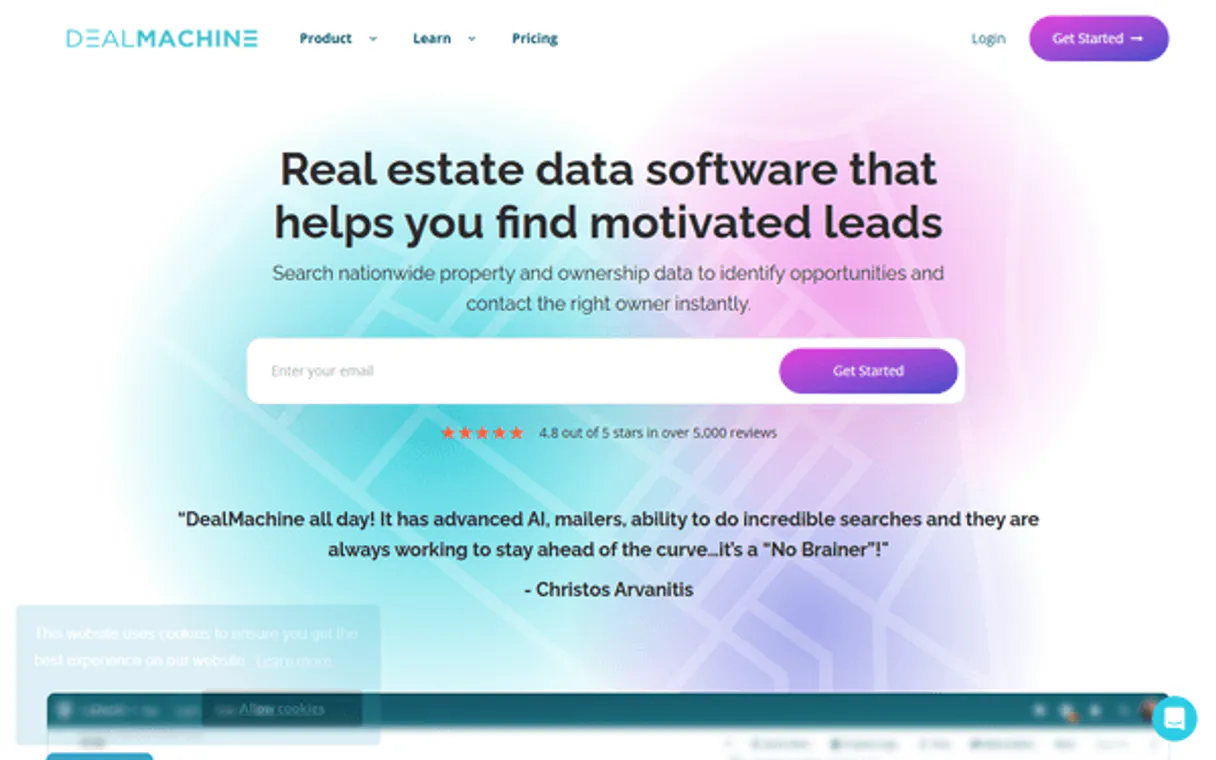
Independent Platform Disclaimer: Vinkius is an independent platform and is not affiliated with, endorsed by, sponsored by, verified by, or otherwise authorized by DealMachine. All third-party trademarks, logos, and brand names are the property of their respective owners. Their use on this website is strictly for informational purposes to identify service compatibility and interoperability.
VINKIUS INFRASTRUCTURE
Cloud Hosted
Managed infra
V8 Isolated
Sandboxed per request
Zero-Trust Proxy
No stored credentials
DLP Enforced
Policy on every call
GDPR Compliant
EU data residency
Token Compression
~60% cost reduction
Works with Claude, ChatGPT, Cursor, and more
The Model Context Protocol standardizes how applications expose capabilities to LLMs. Instead of operating in isolation, your AI gains direct access to external platforms, live data, and real-world actions through secure, standardized connections.
This server provides 10 capabilities that interface natively with Claude, ChatGPT, Cursor, and any MCP client. No middleware. No custom integration required.
Available Capabilities
Trying to stitch together property data from multiple tabs is a massive time sink.
Right now, you're stuck in DealMachine. You open the lead tab to check status. Then you switch to the property research tab to check equity. Then you have to open a third tab to see if a marketing campaign was even sent. You spend minutes just clicking between silos, and you risk missing a key piece of data.
With the DealMachine MCP Server, you just tell your agent what you need. For example, 'Give me the equity and owner details for the lead at 123 Main St.' Your agent runs `get_property_details` and `get_lead_details` and gives you the complete answer in one message. It's faster, and you don't lose context.
DealMachine MCP Server: Track leads, properties & campaigns
You currently have to manually list every lead, then cross-reference their address in a separate property database, and finally check a campaign report to see if they were targeted. This is a painful, multi-step process that guarantees friction.
Now, your agent handles the complexity. You ask, 'What campaigns ran for the leads at the 123 and 456 addresses?' Your agent calls `list_real_estate_leads`, then `list_marketing_campaigns`, and combines the results. You get actionable insights without the headache.
Common Questions About DealMachine MCP
How do I use the `add_new_lead` tool? +
You provide the property address to your agent. The tool then creates a new lead in the CRM and automatically runs property data resolution and owner identification in the background. You don't need to know the API details.
What is the difference between `list_real_estate_leads` and `search_leads_by_address`? +
Use list_real_estate_leads when you want a full directory of all leads in your account. Use search_leads_by_address when you know the specific address or owner name and need to find that single lead immediately.
Can I check property equity using `get_property_details`? +
Yes. This tool pulls technical data for a specific property, giving you estimates on equity, mortgage details, and deed history. It’s the core tool for property research.
How do I monitor campaigns with `list_marketing_campaigns`? +
You ask your agent to run list_marketing_campaigns. It returns a summary of all direct mail campaigns, showing when they were sent, who received them, and how many people engaged.
Do I need to call `get_account_details` before using other tools? +
No, but it's smart to. Running get_account_details first lets you check your subscription plan and credit balance. This prevents you from hitting a usage limit halfway through a big research project.
How do I use `get_lead_details` to see a lead's history? +
It retrieves the lead's full history. This includes details about marketing actions taken, owner contact information, and associated property records.
What is the difference between `list_tracked_properties` and `get_property_details`? +
list_tracked_properties gives you a list of addresses and identifiers. get_property_details then resolves the technical data for a specific property, like equity and mortgage info.
Can I check my team structure using `list_driving_teams`? +
Yes, it returns a list of teams, active drivers, and their roles. This lets you manage and view who works with your account.
How do I get a DealMachine API Key? +
Log in to your DealMachine account, navigate to Settings > API, and you can generate or retrieve your API Key from that section.
Can the agent create new leads? +
Yes, you can use the add_new_lead tool to add a property address directly to your DealMachine CRM via the agent.
Does the integration show property equity? +
Yes, when retrieving property details, the agent can provide information on owner equity and other public records data available in your plan.
Use it with your favorite AI tools
Connect this server to Cursor, Claude, VS Code, and more.
More in this category

Apex27
Manage letting agency operations with property listings, tenant applications, and maintenance tracking built for estate agents.

BIMobject
Access BIMobject marketplace — search building products, download technical files, and manage manufacturer data directly from any AI agent.
Placer.ai
Access foot traffic analytics — track visit trends, demographics, and trade areas directly from any AI agent.
You might also like

NeetoInvoice
Automate billing and project management via NeetoInvoice — manage clients, track time, and generate invoices directly from any AI agent.
DROPBOY
Equip your AI agent to manage logistics orders, track fleet vehicles, and monitor delivery drivers via the DROPBOY API.

Impala
Search hotels, check availability, compare rates, and browse reviews through a unified global hotel data platform via natural conversation.