
Placer.ai MCP. Track real-world visitor trends and demographics.
 Gemini
 Works with every AI agent you already use
…and any MCP-compatible client









Just plug in your AI agents and start using Vinkius.
Placer.ai MCP Server gives your AI agent access to physical location intelligence. It tracks foot traffic counts, identifies visitor demographics, and performs competitive benchmarking for millions of real-world locations.
Use it to understand *who* is visiting a place and *why*, directly from any connected client.
What your AI agents can do
Get api status
Checks the current operational status of the Placer.ai API service.
Get demographics
Estimates and retrieves detailed visitor demographics for a given location ID.
Get poi details
Pulls complete, general details about a specific Point of Interest (POI).
Finds specific points of interest or brands using the search_poi tool.
Retrieves raw foot traffic counts (get_visits) and tracks visitation patterns over time (get_trends).
Pulls estimated visitor demographics, population data, and median household income via get_demographics.
Calculates the True Trade Area (TTA) polygon for any location to define its catchment zone (get_trade_area).
Retrieves performance rankings to benchmark a POI against industry peers using get_rankings.
Ask AI about this MCP
Supported MCP Clients
Gemini Waiting for input…
Placer.ai MCP Server: 10 Tools for Location Intelligence
Use these tools to orchestrate complex analyses on visitor demographics, foot traffic counts, and market rankings from any connected AI agent.
019d846dget api status
Checks the current operational status of the Placer.ai API service.
019d846dget demographics
Estimates and retrieves detailed visitor demographics for a given location ID.
019d846dget poi details
Pulls complete, general details about a specific Point of Interest (POI).
019d846dget rankings
Retrieves performance rankings to compare how well a location performs against its industry peers.
019d846dget same store visits
Calculates and retrieves foot traffic metrics for multiple locations belonging to the same brand or chain.
019d846dget trade area
Determines the True Trade Area (TTA) coordinates, showing the geographical area where a location draws its customers from.
019d846dget trends
Provides time-series data to track how visit counts and traffic change over specific periods.
019d846dget visits
Retrieves the raw, current foot traffic count of visitors for a specified location ID.
019d846dlist properties
Lists all properties associated with your Placer.ai account credentials.
019d846dsearch poi
Searches the database to find specific locations or brands by name and geography.
Choose How to Get Started
Build a custom MCP for your own tools, or connect a ready-made integration from our catalog.
Build Your Own
Turn any API into an MCP. Import a spec, define Agent Skills, or deploy with MCPFusion.
- Import from OpenAPI, Swagger, or YAML specs
- Create Agent Skills with progressive disclosure
- Deploy to edge with MCPFusion framework
- Built in DLP, auth, and compliance on every call
- Real time usage dashboard and cost metering
- Publish to catalog or keep private
Make Your AI Do More
Start with Placer.ai, then connect any of our 4,700+ other servers whenever your AI needs more. One click, no limits.
- Use this MCP plus 4,700+ others, all in one place
- Add new capabilities to your AI anytime you want
- Every connection is secured and compliant automatically
- Track usage and costs across all your servers
- Works with Claude, ChatGPT, Cursor, and more
- New servers added to the catalog every week
What you can do with this MCP connector
Placer.ai gives your AI agent access to physical location intelligence. You'll use this server to track foot traffic, map demographics, and benchmark locations against industry peers for millions of real-world spots.
To get started, you first check the connection status using get_api_status, or list all properties tied to your account credentials with list_properties.
When you need a specific location, run search_poi to find points of interest or brands by name and geography. Once found, pull comprehensive details on that spot using get_poi_details.
For raw visitor counts, call get_visits with a location ID; it pulls the current foot traffic count. You can track how these numbers shift over time using get_trends, which provides historical data showing visit count changes across specific periods. If you need to compare multiple locations belonging to the same brand or chain, get_same_store_visits calculates and retrieves combined foot traffic metrics for all of them.
To understand who is visiting, use get_demographics. This tool estimates visitor demographics, providing detailed population figures and median household income specific to your location ID. To map the boundaries of where customers actually come from, you determine the True Trade Area (TTA) coordinates using get_trade_area, which draws a polygon around the site's catchment zone.
To know how well a spot performs, run get_rankings. This retrieves performance scores, letting you compare your location directly against its industry peers. You can also get full details on what spots are available by running search_poi to find specific locations or brands in any area.
How Placer.ai MCP Works
- 1 Subscribe to the server and get your API Key. You also need the specific POI IDs for the locations you want to track.
- 2 Tell your agent what data you need (e.g., 'Show me the demographics for poi_123').
- 3 The agent calls the appropriate tool (
get_demographics,get_visits, etc.) and returns structured, ready-to-use location metrics.
The bottom line is: you tell your agent what questions you have about physical locations, and it pulls the required data from Placer.ai.
Who Is Placer.ai MCP For?
Retail planners who need to justify expansion sites; market researchers tracking consumer behavior shifts; or operations analysts trying to understand why one store location is consistently underperforming compared to its peers.
Uses get_trade_area and search_poi to find optimal locations that serve a large, high-income population base.
Compares store performance using get_same_store_visits and benchmarks against competitors via get_rankings to guide physical expansion or restructuring.
Tracks consumer behavior shifts by getting historical visit trends (get_trends) for specific brands over multiple years.
What Changes When You Connect
- See how your locations stack up against competitors. Using
get_rankingslets you compare performance metrics directly, identifying exactly where you need to invest or pivot. - Know who is actually shopping at your store. The
get_demographicstool pulls population estimates and visitor characteristics, giving you a real view of your core customer base. - Track growth over time without manual reporting. Instead of pulling monthly reports, use
get_trendsto visualize visit metrics changes instantly for any POI ID. - Define your market boundaries accurately. The
get_trade_areatool solves the problem of defining a store's true customer base by providing its TTA polygon. - Compare chains efficiently. Don't look at one store in isolation. Use
get_same_store_visitsto run cross-location metrics for your entire brand portfolio immediately.
Real-World Use Cases
Planning a new retail location.
A developer needs to know if a vacant lot is worth buying. They first use search_poi to find competitor locations nearby, then run get_trade_area on the empty lot's coordinates. Finally, they check get_demographics to confirm the surrounding population matches their target income bracket.
Investigating a store underperforming.
A regional manager notices Store A is doing worse than Store B. They use get_same_store_visits to compare foot traffic counts and then check get_trends for both locations over the last 12 months, pinpointing when the decline started.
Understanding shifts in customer base.
A brand needs to know if their typical customer is changing. They use get_demographics on a key store and then compare that data with previous reports or market assumptions, confirming if the median household income has shifted downwards.
Analyzing annual growth for a flagship site.
The analyst needs to prove year-over-year success. They use get_visits and then run it with historical data via get_trends, generating a clear, defensible graph showing the exact percentage lift in foot traffic.
The Tradeoffs
Assuming raw counts mean anything.
Looking at one month's raw numbers from get_visits and concluding that sales will match, without checking if the location is seasonal or trending downward.
→
Always check visit trends. Before making a decision based on get_visits, run get_trends first. This shows you if the current count is part of an upward curve or a predictable dip.
Defining service area by GPS.
Drawing a circle around a store location and assuming everyone in it shops there, ignoring actual market boundaries.
→
Use the get_trade_area tool. This calculates the True Trade Area (TTA) polygon, which is based on actual visitor data, not just straight-line geometry.
Comparing unrelated stores.
Pulling a demographic report for your store and comparing it to a random competitor's demographics without adjusting for market size or location type.
→
Use get_same_store_visits first. This function ensures you are comparing metrics across similar, comparable locations within the same brand portfolio.
When It Fits, When It Doesn't
You should use this server if your core business problem involves physical location, retail placement, or consumer movement patterns. Specifically, if you need to know why people visit a store—not just if they do.
Don't use this if all you need is internal sales data (e.g., credit card transaction counts) or employee scheduling. For those needs, look for Point-of-Sale (POS) integrations instead of location intelligence tools like get_visits. If your goal is to find a new market entirely and you just have vague criteria (like 'near downtown'), start with search_poi to narrow down potential IDs first; don't jump straight into demographic analysis.
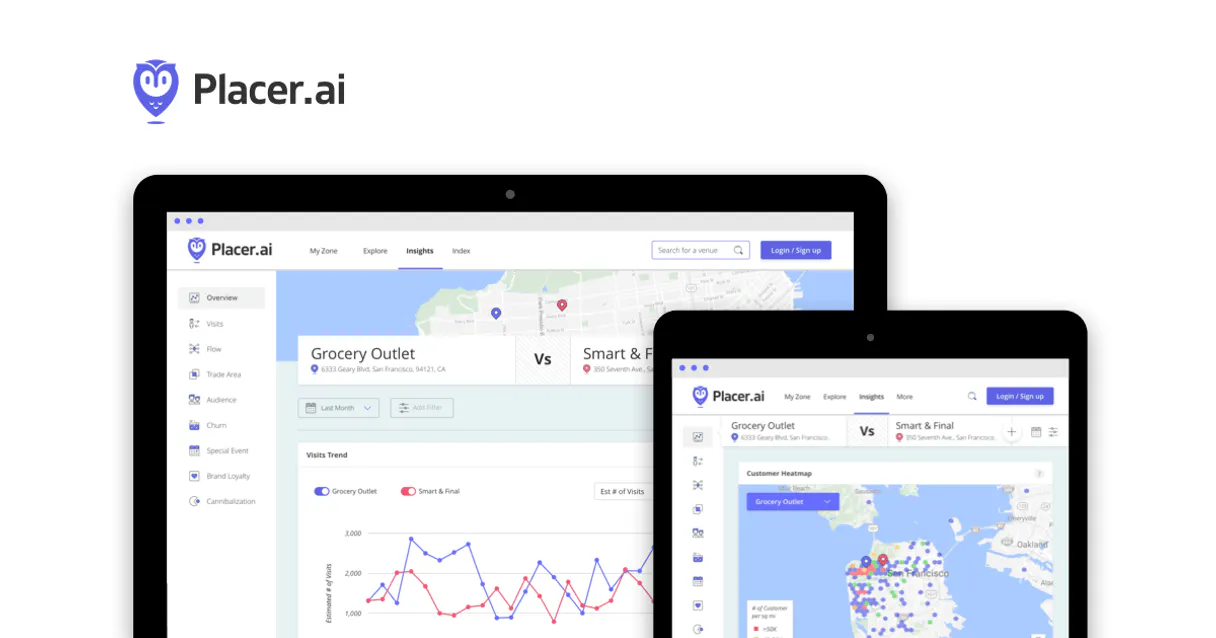
Independent Platform Disclaimer: Vinkius is an independent platform and is not affiliated with, endorsed by, sponsored by, verified by, or otherwise authorized by Placer.ai. All third-party trademarks, logos, and brand names are the property of their respective owners. Their use on this website is strictly for informational purposes to identify service compatibility and interoperability.
VINKIUS INFRASTRUCTURE
Cloud Hosted
Managed infra
V8 Isolated
Sandboxed per request
Zero-Trust Proxy
No stored credentials
DLP Enforced
Policy on every call
GDPR Compliant
EU data residency
Token Compression
~60% cost reduction
Works with Claude, ChatGPT, Cursor, and more
The Model Context Protocol standardizes how applications expose capabilities to LLMs. Instead of operating in isolation, your AI gains direct access to external platforms, live data, and real-world actions through secure, standardized connections.
This server provides 10 capabilities that interface natively with Claude, ChatGPT, Cursor, and any MCP client. No middleware. No custom integration required.
Available Capabilities
Trying to figure out where your customers actually come from shouldn't require three different logins and a dozen spreadsheet merges.
Today, proving a new site is viable means manually pulling data: checking population estimates in one tab, running competitor rankings in another, and then trying to map the service area using a third platform. It's tedious, slow, and you always lose hours formatting the resulting CSV files.
With this MCP server, your agent handles it all. You ask for location intelligence—say, 'What is the TTA polygon for poi_123?'—and it executes `get_trade_area`, pulls demographics via `get_demographics`, and gives you a single, structured data output ready for your model.
Placer.ai MCP Server: Get the full picture of location performance.
Manual analysis forces you to treat every tool as an isolated endpoint. You check `get_visits` for raw numbers, then run a separate query for `get_rankings`, and finally pull demographics using `get_demographics`. This creates data silos that make cross-comparison difficult.
Now, your agent orchestrates it. You can ask one question—'Compare the visit trends of our three downtown stores against their local competitors'—and it handles calling `get_visits`, `get_trends`, and `get_same_store_visits` in sequence, giving you a single answer.
Common Questions About Placer.ai MCP
How do I find out if my store is performing well compared to others? (using get_rankings) +
You use get_rankings by providing the specific POI IDs you want to compare. This tool pulls your location’s performance data and ranks it against industry averages or direct competitors.
What is the difference between get_visits and get_trends? (using get_visits) +
get_visits gives you a snapshot of foot traffic for a specific day or period. get_trends, however, provides historical data, allowing you to see how those visits have changed month-over-month.
Can I find out the demographics of people near a potential new site? (using get_demographics) +
Yes. Run get_demographics on the target POI ID. It returns population estimates and visitor characteristics like median income, helping you qualify the market before committing resources.
Does Placer.ai MCP Server only track shopping centers? (using search_poi) +
No. You can use search_poi to locate specific businesses or brands across different types of locations, not just large malls. It’s designed for diverse POI identification.
How do I check which locations are linked to my account using the `list_properties` command? +
You call list_properties. This returns a full list of all POI IDs associated with your API key. It helps you verify connection scope and ensure you're tracking the intended properties before running complex reports.
What data format does the `get_trade_area` tool return for coordinates? +
The tool returns a polygon defining the True Trade Area (TTA) coordinates. You must run this command individually for each desired location, then combine the resulting geo-data points using your own analysis scripts.
How can I confirm Placer.ai's operational status before running large reports? (using `get_api_status`) +
Run the get_api_status tool. It immediately confirms the current API health and uptime status. This lets you know if the service is available for querying, saving you time on failed data pulls.
If I want to compare a store's traffic against its local peer, how do I use `get_same_store_visits`? +
The tool retrieves same-store foot traffic metrics. Supply the POI IDs for both sites you want to compare; it then calculates and returns the comparative visitation data points needed.
Can my AI automatically find the visit trends for a specific location just by its ID? +
Yes! Use the get_trends tool with the POI ID. Your agent will return day-over-day or week-over-week visit changes for that specific location.
How do I identify the POI ID for a specific store or venue? +
Use the search_poi tool with keywords like the brand name or address. Your agent will return a list of matching locations along with their unique Placer.ai POI IDs.
Does it support trade area analysis? +
Yes! The get_trade_area tool retrieves the True Trade Area (TTA) for any POI, providing the geographic boundaries of where the majority of visitors originate.
Use it with your favorite AI tools
Connect this server to Cursor, Claude, VS Code, and more.
More in this category

EventMobi
Deliver immersive event experiences with virtual and hybrid event tools, networking features, and live engagement analytics.

TextP2P
Send peer-to-peer text messages at scale for political campaigns, nonprofits, and organizations that need personal outreach.

OneSignal
Send push notifications, emails, and in-app messages to millions of users with segmentation and A/B testing built in.
You might also like

Oppo Game Open Platform
Manage Oppo Game Open Platform distribution — validate logins, query orders, and report game data directly from any AI agent.

QuestionPro
Deploy AI to analyze survey responses, manage questionnaires, and extract actionable insights instantly.
NIST NVD
Access authoritative vulnerability and product data via NIST NVD — track CVEs, CPEs, and security history directly from your AI agent.