
Denim MCP. Manage Campaigns, Contacts, and Analytics in Chat
 Gemini
 Works with every AI agent you already use
…and any MCP-compatible client









Just plug in your AI agents and start using Vinkius.
Denim. Connect your AI agent to the marketing automation platform to manage campaigns, track contacts, and monitor analytics. Use natural language to list campaigns, segment audiences, and pull performance metrics for financial services marketing.
It gives your agent the full view of your subscriber base, from initial contact to final campaign performance.
What your AI agents can do
Add new contact
Creates a new record in your Denim database.
Get account metadata
Retrieves your Denim account settings and usage limits.
Get campaign analytics
Gets performance metrics for a specific marketing campaign.
Get performance metrics for any specific marketing campaign, showing open rates, clicks, and engagement data.
Access detailed contact records, including opt-in status, behavioral metadata, and segmentation group membership.
List and track active automated workflows and drip sequences to ensure consistent customer engagement.
List and filter configured audience groups based on structural definitions or specific criteria.
Create and add new leads or contacts directly to the core subscriber database.
Ask AI about this MCP
Supported MCP Clients
Gemini Waiting for input…
Denim MCP Server: 10 Tools for Marketing Automation
Use these tools to list campaigns, manage contacts, audit automations, and pull performance analytics directly through your AI client.
019d7584add new contact
Creates a new record in your Denim database.
019d7584get account metadata
Retrieves your Denim account settings and usage limits.
019d7584get campaign analytics
Gets performance metrics for a specific marketing campaign.
019d7584get campaign details
Fetches the specific settings and configuration details for a campaign.
019d7584list active automations
Lists all automated marketing workflows that are currently running.
019d7584list audience segments
Lists all pre-configured groups used for targeting campaigns.
019d7584list crm contacts
Lists all contacts and leads stored in your system.
019d7584list email templates
Retrieves a list of all available marketing email templates.
019d7584list marketing campaigns
Lists all active marketing campaigns in your account.
019d7584search active campaigns
Searches for running campaigns using a keyword.
Choose How to Get Started
Build a custom MCP for your own tools, or connect a ready-made integration from our catalog.
Build Your Own
Turn any API into an MCP. Import a spec, define Agent Skills, or deploy with MCPFusion.
- Import from OpenAPI, Swagger, or YAML specs
- Create Agent Skills with progressive disclosure
- Deploy to edge with MCPFusion framework
- Built in DLP, auth, and compliance on every call
- Real time usage dashboard and cost metering
- Publish to catalog or keep private
Make Your AI Do More
Start with Denim, then connect any of our 4,700+ other servers whenever your AI needs more. One click, no limits.
- Use this MCP plus 4,700+ others, all in one place
- Add new capabilities to your AI anytime you want
- Every connection is secured and compliant automatically
- Track usage and costs across all your servers
- Works with Claude, ChatGPT, Cursor, and more
- New servers added to the catalog every week
What you can do with this MCP connector
Connect your AI agent to Denim to manage campaigns, track contacts, and pull performance metrics. Your agent can list all running campaigns, pull performance metrics for specific campaigns, and research contact profiles, all without leaving your chat. You can create new leads directly in your subscriber database using add_new_contact. Your agent retrieves all contacts and leads with list_crm_contacts, letting you see opt-in status, behavioral metadata, and segmentation group membership.
To find all available target groups, your agent calls list_audience_segments. You can also check the settings and usage limits for your Denim account with get_account_metadata. Need to see what's running automatically? list_active_automations lists all automated marketing workflows and drip sequences. You can list all active marketing campaigns with list_marketing_campaigns or narrow it down by running search_active_campaigns.
For campaign specifics, your agent uses get_campaign_details to fetch the configuration for any campaign. When you need to track performance, your agent gets performance metrics for any specific campaign using get_campaign_analytics. You can also list all available email templates with list_email_templates. Finally, your agent uses list_active_automations to list all automated marketing workflows.
How Denim MCP Works
- 1 Connect the Denim integration to your AI client and authorize it using your API Key.
- 2 Ask your agent to perform a marketing action, like 'List all active campaigns.'
- 3 The agent runs the necessary tools, retrieves the structured data, and presents a natural language summary.
The bottom line is, your agent treats the entire marketing platform like a single chat interface, not a collection of separate dashboards.
Who Is Denim MCP For?
Digital Marketers who spend too much time copying data from dashboards into spreadsheets. Marketing Directors who need to check campaign delivery and overall engagement on the go. Sales & CRM Teams that need to research contact profiles and behavioral trends via chat. This is for anyone whose job involves correlating data points across multiple marketing tools.
Audits marketing automations and target segments during campaign planning, checking if the right people get the right message.
Researches contact profiles and behavioral trends for specific users, ensuring data integrity before a sales handoff.
Quickly checks overall campaign delivery and engagement metrics from multiple channels without logging into a separate analytics tool.
What Changes When You Connect
- See campaign performance metrics instantly. Instead of manually running reports for every campaign, your agent calls
get_campaign_analyticsto give you the open rate and click-through rate for the 'Summer Savings' campaign. - Instantly audit your automation flows. Use
list_active_automationsto verify that every drip sequence is running correctly and hasn't stalled, giving you assurance over consistent customer engagement. - Research contacts on the fly. Use
list_crm_contactsto pull a profile for a specific user, showing their segment membership and last interaction—all without navigating to a separate CRM tab. - Scope your targeting faster. Running
list_audience_segmentslets you see exactly what groups exist, confirming that your campaign targeting is based on the right structural definitions. - Keep data clean. When you onboard a new lead, simply use
add_new_contactto drop them straight into the system, keeping your core contact database current. - View all campaigns at once. Instead of guessing which campaign is running,
list_marketing_campaignslists everything, so you know exactly what needs attention.
Real-World Use Cases
Pinpointing a slow campaign.
The marketing director notices the 'Mortgage Refinance 2024' campaign seems quiet. They ask their agent to run get_campaign_analytics. The agent immediately pulls the performance metrics, showing the low click rate. The director then asks to compare this to the 'Wealth Management Newsletter' performance, using the same tool to compare engagement stats instantly.
Onboarding a new lead and segmenting them.
A sales rep gets a hot lead email. Instead of manually updating the CRM, they ask their agent to run add_new_contact with the lead's details. Then, they ask the agent to run list_audience_segments to see if the lead fits an existing 'High Net Worth' group, ensuring the right marketing flow starts immediately.
Checking automation compliance.
A digital marketer is planning a new product launch. They ask the agent to run list_active_automations. The agent lists all current drip sequences. The marketer notices an old, irrelevant sequence is still running and asks the agent to list the templates (list_email_templates) so they can update the content before pausing the automation.
Cross-checking campaign status.
The team needs to know what's running right now. They ask the agent to run search_active_campaigns with the keyword 'Q2'. The agent returns all running campaigns related to Q2. They then use get_campaign_details on the result to verify the start and end dates, confirming the campaign is still within its window.
The Tradeoffs
Manually checking every campaign.
Logging into the Denim dashboard, clicking the 'Campaigns' tab, and then manually running reports for 'Mortgage Refinance 2024', 'Summer Savings', and 'Wealth Management Newsletter' one by one.
→
Tell your agent to run list_marketing_campaigns, then ask it to run get_campaign_analytics on all of them. The agent compiles the data into one readable report.
Forgetting who the contact is.
Sending a personalized email to a prospect without checking their profile history, leading to irrelevant content or mistakes.
→
Before drafting a message, ask your agent to run list_crm_contacts to pull the profile. Check their 'High Net Worth' segment status and last interaction before you write anything.
Assuming automation is running.
Thinking a welcome series is active and functional, but forgetting to check its status or that it was accidentally paused.
→
Run list_active_automations first. If it looks correct, run list_email_templates to verify the templates it uses are still the latest versions.
When It Fits, When It Doesn't
Use this if you need to correlate data points across different marketing stages—from listing contacts (list_crm_contacts) to checking performance (get_campaign_analytics) and auditing the mechanisms that drive them (list_active_automations). You need a single, conversational view of your entire marketing stack.
Don't use this if your only goal is to manage a single, isolated task (e.g., just creating a contact or just listing templates). In those cases, a direct API call is simpler. This server excels at complex orchestration, weaving together inputs from list_audience_segments, list_marketing_campaigns, and get_campaign_analytics into a single answer.
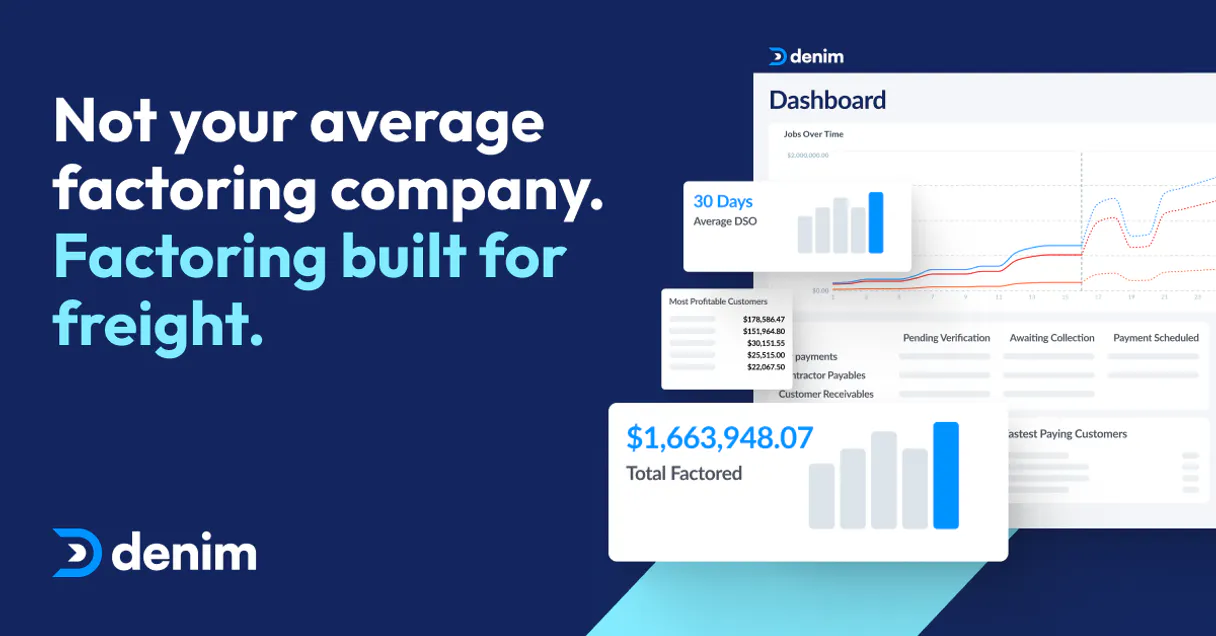
Independent Platform Disclaimer: Vinkius is an independent platform and is not affiliated with, endorsed by, sponsored by, verified by, or otherwise authorized by Denim. All third-party trademarks, logos, and brand names are the property of their respective owners. Their use on this website is strictly for informational purposes to identify service compatibility and interoperability.
VINKIUS INFRASTRUCTURE
Cloud Hosted
Managed infra
V8 Isolated
Sandboxed per request
Zero-Trust Proxy
No stored credentials
DLP Enforced
Policy on every call
GDPR Compliant
EU data residency
Token Compression
~60% cost reduction
Works with Claude, ChatGPT, Cursor, and more
The Model Context Protocol standardizes how applications expose capabilities to LLMs. Instead of operating in isolation, your AI gains direct access to external platforms, live data, and real-world actions through secure, standardized connections.
This server provides 10 capabilities that interface natively with Claude, ChatGPT, Cursor, and any MCP client. No middleware. No custom integration required.
Available Capabilities
Jumping between tabs to check basic campaign metrics is a huge waste of time.
Today, checking campaign performance means logging into the marketing platform, clicking the 'Analytics' tab, selecting the right campaign, and then running a report. You copy the numbers—the open rate, the click-through rate—and paste them into a separate spreadsheet for a summary. This process takes five minutes and introduces three chances for copy-paste errors.
With the Denim MCP Server, you just talk to your agent. You ask, 'Show me the performance of the 'Summer Savings' campaign.' Your agent runs `get_campaign_analytics` and gives you the full, formatted answer instantly. No copy-pasting, no tab-switching. You get the insight immediately.
Denim MCP Server: Manage campaigns, contacts, and analytics
You no longer have to manually cross-reference who is in a segment versus who is actually active. Your agent can list all segments (`list_audience_segments`), then check which campaigns are running (`list_marketing_campaigns`), and finally, check the performance (`get_campaign_analytics`)—all in one conversation. The data flow is continuous.
What's different now is that the platform acts as an intelligent intermediary. It doesn't just list tools; it connects the data points, letting you audit automations and manage contacts using conversational logic. It's a full marketing brain for your AI client.
Common Questions About Denim MCP
How do I use the `get_campaign_analytics` tool with Denim? +
You ask your agent to run get_campaign_analytics and specify the campaign name. It returns the open rate, click-through rate, and total unique clicks for that campaign. This is much faster than navigating the dashboard.
Can I use `list_crm_contacts` to find a specific person's history? +
Yes, list_crm_contacts pulls the full profile for any contact, showing their current subscription status and their behavioral metadata history. You can then ask for a summary of their last five interactions.
What is the difference between `list_marketing_campaigns` and `search_active_campaigns`? +
list_marketing_campaigns shows every campaign you have set up. search_active_campaigns only finds campaigns that are currently running, filtering by keywords, which is better for quick status checks.
How do I check if my automated workflows are running? +
Run list_active_automations. This tool shows every drip sequence and automated workflow currently active, allowing you to audit for any stalled or outdated processes.
How do I manage my account limits using the `get_account_metadata` tool? +
The get_account_metadata tool retrieves your current API settings and usage limits. It shows things like your monthly request quota and any paid tier restrictions. This lets you plan your usage before hitting a limit.
What if I need to add a new user, and how does `add_new_contact` help? +
You use add_new_contact to create a new record in your database. You must provide the contact's necessary details, like email and name, in the prompt. This tool ensures the data is formatted correctly for Denim.
Can I list all available templates using `list_email_templates`? +
Yes, list_email_templates shows every template available in your Denim account. It lists the names and IDs, so you know what content types you can pull into your campaigns.
How do I see what segments I can target using `list_audience_segments`? +
The list_audience_segments tool shows all configured groups you've built for targeting. It lists the segment names and the criteria they were built upon, so you know who you can reach.
How do I get a Denim API Key? +
Log in to your Denim account, navigate to Settings > API, and you can generate or retrieve your unique API Key from that section.
Can the agent send new campaigns? +
This integration currently focuses on monitoring existing campaigns, segments, and analytics. Creating or launching new campaigns should be handled via the Denim dashboard.
Does the integration show real-time engagement? +
Yes, you can use the get_campaign_analytics tool to retrieve the latest reported engagement metrics for any of your active campaigns.
Use it with your favorite AI tools
Connect this server to Cursor, Claude, VS Code, and more.
More in this category

GetResponse
Manage email marketing campaigns, track subscribers, and oversee newsletters via AI agents with GetResponse.

Awin
Global affiliate marketing automation — manage advertiser programmes, track transactions, and generate tracking links via AI.

ClickSend
Manage SMS and multi-channel messaging via ClickSend — send messages, track history, and monitor inbound SMS directly from any AI agent.
You might also like
Datadog
Monitor applications via Datadog — query performance metrics, search logs, and list active monitors directly from any AI agent.

Epic Online Services & Social Analytics
The definitive server for Epic Games social intelligence — track player profiles, friends, and achievements via AI.

Autodesk Construction Cloud
Manage projects, files, issues, and assets in Autodesk Construction Cloud natively via AI.