
Dev.to API MCP. Publish, manage drafts, and track dev community engagement.
 Gemini
 Works with every AI agent you already use
…and any MCP-compatible client









Just plug in your AI agents and start using Vinkius.
Dev.to (Forem Developer Community API) MCP Server connects your AI client directly to your developer profile. You can create, update, and list articles; fetch user data; and manage community interactions like reactions and comments—all without leaving your agent workspace.
What your AI agents can do
Create article
Creates and publishes a new article draft on Dev.to.
Create display ad
Generates a display advertisement for the platform.
Create page
Creates a new static web page on Dev.to.
Create, read, update, and delete articles and supporting web pages.
Fetch comments, track user reactions, and list followers across the platform.
Get detailed profiles for specific users or organizations by ID or username.
Search and list articles based on tags, paths, or organizational ownership.
Manage user accounts (suspend) and content visibility (unpublish).
Ask AI about this MCP
Supported MCP Clients
Gemini Waiting for input…
Dev.to API: 36 Tools for Developer Content Management
Manage every part of the dev.to lifecycle—from drafting an article using `create_article` to listing follower details with `list_followers`.
019e5d11create article
Creates and publishes a new article draft on Dev.to.
019e5d11create display ad
Generates a display advertisement for the platform.
019e5d11create page
Creates a new static web page on Dev.to.
019e5d11create reaction
Adds a reaction (like, heart, etc.) to existing content or comments.
019e5d11delete page
Removes a web page using its unique ID.
019e5d11get article
Retrieves the full text and metadata of an article by its ID.
019e5d11get article by path
Fetches an article using a specific username and URL slug combination.
019e5d11get comment
Gets the full text of a single comment using its ID.
019e5d11get display ad
Retrieves details for a specific display ad by its ID.
019e5d11get me
Fetches the profile data of the logged-in user who owns the API key.
019e5d11get organization
Retrieves details for a Dev.to organization by its username.
019e5d11get page
Gets content and metadata for a web page using its ID.
019e5d11get profile image
Retrieves the profile image URL for any given username.
019e5d11get user
Fetches detailed user information by their unique ID.
019e5d11list articles
Retrieves a list of published articles based on filters like tags or popularity.
019e5d11list comments
Gets a list of comments, often scoped to a specific article ID.
019e5d11list display ads
Retrieves a list of active display advertisements on the platform.
019e5d11list followed tags
Lists all tags that the authenticated user is following.
019e5d11list followers
Gets a list of users who follow the account linked to this API key.
019e5d11list my all articles
Lists every article written by the authenticated user, regardless of published status.
019e5d11list my articles
Retrieves a list of all articles associated with the authenticated user account.
019e5d11list my published articles
Lists only the articles that are currently live and published by the user.
019e5d11list my unpublished articles
Retrieves a list of drafts or unpublished content written by the user.
019e5d11list organization articles
Lists all articles created under an organization's Dev.to profile.
019e5d11list organization users
Retrieves a list of users who belong to a specific organization.
019e5d11list pages
Lists all web pages (non-article content) created by the user or an organization.
019e5d11list podcast episodes
Gets a list of published podcast episodes associated with the profile.
019e5d11list reading list
Retrieves a list of articles saved to the authenticated user's reading list.
019e5d11list tags
Lists all available tags used across the entire community platform.
019e5d11list videos
Finds articles that contain embedded video content.
019e5d11suspend user
Suspends a user account, requiring admin privileges.
019e5d11toggle reaction
Changes the state of a reaction (e.g., liking/unliking) on content.
019e5d11unpublish article
Removes published status from an article, making it private or draft-only.
019e5d11update article
Modifies the content or metadata of an existing article using its ID.
019e5d11update display ad
Updates the text and image for a specific display advertisement.
019e5d11update page
Modifies the content of an existing web page using its ID.
Choose How to Get Started
Build a custom MCP for your own tools, or connect a ready-made integration from our catalog.
Build Your Own
Turn any API into an MCP. Import a spec, define Agent Skills, or deploy with MCPFusion.
- Import from OpenAPI, Swagger, or YAML specs
- Create Agent Skills with progressive disclosure
- Deploy to edge with MCPFusion framework
- Built in DLP, auth, and compliance on every call
- Real time usage dashboard and cost metering
- Publish to catalog or keep private
Make Your AI Do More
Start with Dev.to (Forem Developer Community API), then connect any of our 4,700+ other servers whenever your AI needs more. One click, no limits.
- Use this MCP plus 4,700+ others, all in one place
- Add new capabilities to your AI anytime you want
- Every connection is secured and compliant automatically
- Track usage and costs across all your servers
- Works with Claude, ChatGPT, Cursor, and more
- New servers added to the catalog every week
What you can do with this MCP connector
You're connecting your AI client straight into Dev.to, giving you hands-on control over articles, pages, and community interactions. This server lets you manage content and user data without ever leaving your agent workspace.
Profile & User Data: You can pull up the logged-in owner's profile details using get_me. If you need info on other people or groups, use get_user to grab a full account dump by ID, or get_organization for organization details. To see who follows accounts, you get lists via list_followers, and you can also pull the image URL for any user with get_profile_image.
You've got tools to manage organizational membership; list_organization_users grabs a roster of users belonging to a specific group. Furthermore, if you need to look up content by its slug and username combo, use get_article_by_path.
Article Management: When it comes to writing posts, you've got full lifecycle control. You can push out new drafts with create_article, or modify existing ones using update_article. If a post needs to go private, run unpublish_article. To see everything written by the current user, use list_my_all_articles; if you only care about what's live, check list_my_published_articles, or get drafts with list_my_unpublished_articles.
You can also list every single article ever penned by the account using list_my_articles. For content tied to a specific organization, run list_organization_articles. To read an existing post's full text and metadata, use get_article; or if you just need a quick overview of published posts based on tags or popularity, hit up list_articles.
You can find videos embedded in articles by running list_videos. If you want to pull specific content drafts for your reading list, list_reading_list gets those titles. For podcasts, use list_podcast_episodes, and if you're tracking what tags are hot right now, list_tags shows all available options.
Web Page Management: Articles aren't the only thing here; you can manage static pages too. You create new sites with create_page, modify content using update_page, and if it needs to vanish, use delete_page. To check what a page contains or its metadata, get_page handles that call, and list_pages gives you a rundown of all non-article pages associated with the user or organization.
Community & Interaction: Managing community activity is straightforward. You can list comments for an article using list_comments, or get the full text of one comment by running get_comment. To signal appreciation, use create_reaction to add a like or heart; and if you need to flip that status, toggle_reaction handles it.
For followership tracking, besides list_followers, you can see which tags the user is following via list_followed_tags. You also get a list of active ads on the platform using list_display_ads. If you need to set up or change an ad's details, use create_display_ad and update_display_ad, while get_display_ad pulls existing ad data.
Advanced & Moderation: The server includes admin functions. You can suspend a user account using suspend_user. To get detailed content about an organization's roster, you use list_organization_users, and if you need to know which articles belong under that umbrella, list_organization_articles works for it.
How Dev.to API MCP Works
- 1 1. Subscribe to the Dev.to MCP Server on Vinkius.
- 2 2. Provide your specific Dev.to API Key within the server configuration.
- 3 3. Direct your AI client (Claude, Cursor, etc.) to run tasks using tool calls like
create_articleorlist_comments.
The bottom line is you get an API layer that runs Dev.to actions through natural conversation with your AI agent.
Who Is Dev.to API MCP For?
This is for technical writers and developer advocates who spend too much time switching between the dev.to dashboard, GitHub, and comment threads just to keep content flowing. It's for people whose job is writing high-quality articles and managing the resulting community conversation.
Writes a technical article on Monday morning. On Tuesday afternoon, they use list_my_all_articles to find their draft and then run update_article when the core concept changes.
Tracks community feedback. They use list_comments on a hot article, identify key questions, and let their agent draft responses using create_reaction to acknowledge them.
Needs performance data. They run list_articles filtered by tags or popularity to see which content needs boosting next week.
What Changes When You Connect
- Stop juggling tabs. Instead of manually checking your dashboard for new content, use
list_my_all_articlesto pull every draft and published post into one stream in your agent workspace. - Community response is instant. When a key article gets good traction, run
list_commentsto grab all the questions. Your agent can then help you draft replies, or executecreate_reactionto acknowledge major feedback immediately. - Content discovery moves fast. Instead of scrolling through endless feeds, use
list_articlesand filter by tags or paths to pull only the specific data points you need for your next piece. - Profile management is granular. Need to know who's following? Use
list_followers. Want to see what a competitor posted? Runget_useron their profile ID for fast intel. - Admin actions are direct. If you spot spam or inappropriate content, you don't have to manually find the user—you can use
suspend_userand manage pages withcreate_page.
Real-World Use Cases
Launching a major technical deep dive.
The writer finishes a draft, but it’s not ready. They ask their agent to run list_my_all_articles and find the ID of the draft. Then they use get_article to confirm the latest version before running update_article to add necessary code blocks or citations.
Responding to a flurry of comments on a new post.
A post goes live and gets 20 comments. Instead of reading them one by one, the agent runs list_comments. The user asks the agent to summarize the top three questions; the agent then uses create_reaction for every comment that needs an immediate acknowledgement.
Checking content performance before a newsletter.
The marketer needs proof points. They ask the agent to run list_articles filtered by tag 'webdev' and sorted by popularity. The tool returns a clean list of top-performing articles, which they can immediately cite in their next campaign.
Monitoring an organization's presence.
The team lead needs to see all content coming from the corporate account. They use list_organization_articles and then run list_organization_users to ensure the right people are contributing.
The Tradeoffs
Trying to update without an ID
The user tries to tell the agent, 'Fix my last article.' The server rejects this because it needs a specific identifier.
→
First, run list_my_all_articles to see all available content. Copy the correct Article ID from that list, then use update_article with both the ID and the new content.
Assuming a tag exists
The user asks the agent to find articles for #database without knowing if the tag is active or misspelled. The search fails.
→
Always start by running list_tags to get a definitive list of available tags. Use only those exact strings when querying with list_articles.
Overwriting content accidentally
The user runs create_article but forgets the title and leaves it blank, potentially publishing garbage.
→
If you are editing existing work, always use get_article first to pull the current content into your context. Use update_article only after confirming all text is correct.
When It Fits, When It Doesn't
Use this server if managing developer-focused technical content and community engagement is a core part of your job. You need tools that handle the article lifecycle (drafting, publishing, updating) and track comments/reactions against published work. Don't use it if you just need to post simple announcements or manage basic social media feeds; for those, look at general social platform APIs. If all you do is write articles but never interact with comments or followers, the list_comments and create_reaction tools are unnecessary overhead.

Independent Platform Disclaimer: Vinkius is an independent platform and is not affiliated with, endorsed by, sponsored by, verified by, or otherwise authorized by Dev.to. All third-party trademarks, logos, and brand names are the property of their respective owners. Their use on this website is strictly for informational purposes to identify service compatibility and interoperability.
VINKIUS INFRASTRUCTURE
Cloud Hosted
Managed infra
V8 Isolated
Sandboxed per request
Zero-Trust Proxy
No stored credentials
DLP Enforced
Policy on every call
GDPR Compliant
EU data residency
Token Compression
~60% cost reduction
Works with Claude, ChatGPT, Cursor, and more
The Model Context Protocol standardizes how applications expose capabilities to LLMs. Instead of operating in isolation, your AI gains direct access to external platforms, live data, and real-world actions through secure, standardized connections.
This server provides 36 capabilities that interface natively with Claude, ChatGPT, Cursor, and any MCP client. No middleware. No custom integration required.
Available Capabilities
Manually tracking article drafts and published content sucks.
Right now? You're copying article titles from Dashboard A into a spreadsheet, then checking the publishing status on Dashboard B. If you need to update a minor detail in an old draft, you have to navigate through three different views just to confirm it’s not published yet.
With this MCP server, your agent handles that whole process. You tell it: 'Show me all drafts for 'Rust basics'.' It runs `list_my_unpublished_articles` and gives you the IDs instantly. The article is pulled into context—no dashboard clicking required.
Dev.to API MCP Server: Manage community feedback with tools.
Before this, getting a full picture of engagement meant switching to the comments tab, scrolling through dozens of posts, and manually noting down action items. You'd have to check if someone reacted or just commented—it was fragmented.
Now, you ask your agent to 'Get all recent feedback for my latest article.' It runs `list_comments` and checks `create_reaction` history in one go. The full data set arrives cleanly; you get the conversation, not a list of tabs.
Common Questions About Dev.to API MCP
How do I see all my drafts using the devto-forem-developer-community-api MCP Server? +
Run list_my_unpublished_articles. This tool gives you a list of every article draft associated with your account, even if they haven't been published yet.
Can I get comments for an article using the devto-forem-developer-community-api MCP Server? +
Yes. You use list_comments and provide the relevant article ID to retrieve a list of all user comments on that piece.
What if I need to change an old article? Should I use `update_article` or write new content? +
You must first run get_article by ID. This pulls the current source material into your context, so you can make changes and then pass that revised text back through update_article.
How do I check if my account has admin rights for devto-forem-developer-community-api MCP Server? +
The API calls will fail with a permission error if you lack admin rights. Tools like suspend_user only execute successfully when the provided API key is authorized to perform that action.
I need to find a user's profile details using the `get_user` tool? +
Yes, you use get_user(id). This command pulls comprehensive information for a specific developer account by its unique ID. You get their full name, bio, and status directly.
How do I create a standalone web page using the `create_page` tool? +
You run create_page(title, content). This builds pages separate from standard blog articles. It's useful for documentation or landing pages that need to live on Dev.to.
What if I only know the article's URL path? Can I still use `get_article_by_path`? +
Absolutely. Use get_article_by_path(username, slug). You just need the author’s username and the unique slug from the URL to pull the full content.
I found a page that needs removal; how do I use the `delete_page` tool? +
You must run delete_page(id). This action permanently removes a specific page, so make sure you have the correct ID before running it.
Can I see both my published and unpublished articles? +
Yes! You can use list_my_all_articles to see everything, or use specific tools like list_my_published_articles and list_my_unpublished_articles to filter your content.
How do I find the top articles for a specific tag like 'javascript'? +
Use the list_articles tool and provide 'javascript' in the tag parameter. You can also use the top parameter to find the most popular ones over a certain number of days.
Can I manage my reading list through the AI? +
You can retrieve your reading list using the list_reading_list tool, allowing your AI to summarize or organize articles you've saved for later.
Use it with your favorite AI tools
Connect this server to Cursor, Claude, VS Code, and more.
More in this category

BlockPi (Distributed RPC Network)
Access distributed blockchain RPC nodes via BlockPi — monitor RU balances, track consumption, and execute JSON-RPC calls across multiple networks.

ConfigCat
Manage feature flags and remote configurations via ConfigCat — list environments, create settings, and toggle features directly from your AI agent.
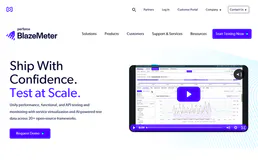
BlazeMeter
Automate continuous performance testing via BlazeMeter — manage workspaces, trigger load tests, and analyze active run metrics securely via AI.
You might also like

Plane Alternative
Manage projects, issues, and product roadmaps via Plane — create projects, toggle features, and organize workspaces directly from your AI agent.

Salesquared
Automate business communications via Salesquared — manage SMS, voice calls, and leads directly with AI.

Confluent
Enable your AI agent to manage Kafka clusters, topics, and environments via the Confluent Cloud API.