
BlazeMeter MCP. Manage load tests and analyze p99 metrics in chat.
 Gemini
 Works with every AI agent you already use
…and any MCP-compatible client









Just plug in your AI agents and start using Vinkius.
BlazeMeter. Automate continuous performance testing and manage load testing infrastructure. Connect your BlazeMeter credentials to your AI agent to list workspaces, trigger load tests, analyze p90/p99 throughput reports, or shut down runaway master runs.
You manage complex cloud-based load testing entirely via chat, integrating QA and SRE workflows directly into your CI/CD pipeline.
What your AI agents can do
Get master
Checks the automated validation status for a specific Gateway run.
Get report
Retrieves detailed internal arrays for specific Plan Math Reports.
Get test
Fetches the configuration details for an active Vault limit test.
The agent fetches and displays all bounded Workspace records within the BlazeMeter platform.
The agent retrieves structural details for all projects bound to a specified workspace.
The agent executes a load generation validation, spinning up active performance nodes and initiating the test.
The agent queries specific test run IDs to fetch throughput reports, including p90 and p99 KPIs.
The agent sends a shutdown instruction to a Master ID, safely severing connections and stopping the test.
The agent queries and lists precise active user arrays across the native identity system.
Ask AI about this MCP
Supported MCP Clients
Gemini Waiting for input…
BlazeMeter MCP Server: 10 Tools for Load & Test Management
Orchestrate load generation, inspect test reports, and monitor infrastructure status across all 10 available tools.
019d755eget master
Checks the automated validation status for a specific Gateway run.
019d755eget report
Retrieves detailed internal arrays for specific Plan Math Reports.
019d755eget test
Fetches the configuration details for an active Vault limit test.
019d755eget user
Identifies active user arrays linked to the native identity system.
019d755elist masters
Lists all structured rules that export active Master records.
019d755elist projects
Extracts structural data for all projects linked to a workspace.
019d755elist tests
Provides a JSON payload listing all active tests.
019d755elist workspaces
Identifies and lists all bounded Workspace records on the platform.
019d755estart test
Executes a load generation validation, initiating the process of rich metrics collection.
019d755estop master
Safely shuts down an active Master test by issuing a Gateway shutdown instruction.
Choose How to Get Started
Build a custom MCP for your own tools, or connect a ready-made integration from our catalog.
Build Your Own
Turn any API into an MCP. Import a spec, define Agent Skills, or deploy with MCPFusion.
- Import from OpenAPI, Swagger, or YAML specs
- Create Agent Skills with progressive disclosure
- Deploy to edge with MCPFusion framework
- Built in DLP, auth, and compliance on every call
- Real time usage dashboard and cost metering
- Publish to catalog or keep private
Make Your AI Do More
Start with BlazeMeter, then connect any of our 4,700+ other servers whenever your AI needs more. One click, no limits.
- Use this MCP plus 4,700+ others, all in one place
- Add new capabilities to your AI anytime you want
- Every connection is secured and compliant automatically
- Track usage and costs across all your servers
- Works with Claude, ChatGPT, Cursor, and more
- New servers added to the catalog every week
What you can do with this MCP connector
Connect your BlazeMeter credentials to your AI agent. This server handles your whole performance testing cycle: listing workspaces, projects, starting load tests, and digging into the results. You manage complex cloud load testing right from your chat window, weaving QA and SRE work into your CI/CD pipeline.
Your agent uses list_workspaces to pull up all bounded workspaces on the platform. It then uses list_projects to grab structural details for every project tied to a specific workspace. You can run list_tests to get a JSON payload listing all active tests, and list_masters pulls up all structured rules exporting active Master records.
Need to know who's using it? get_user lists active user arrays linked to the native identity system.
When you're ready to test, the agent executes a load generation validation using start_test, spinning up active performance nodes and kicking off the test. If something goes sideways, you can safely shut it down using stop_master, which sends a Gateway shutdown instruction to an active Master test. You can also check the automated validation status for a specific Gateway run with get_master.
To see what's running, you can check the configuration details for an active Vault limit test with get_test. Once the test is done, you can pull detailed internal arrays for specific Plan Math Reports using get_report. You can also fetch the configuration details for a specific Vault limit test using get_test.
How BlazeMeter MCP Works
- 1 First, you subscribe to the server and provide your BlazeMeter Key ID and Secret.
- 2 Next, you ask your agent to perform an action, like 'list all workspaces' or 'start a test for project X'.
- 3 The agent calls the corresponding tool, executes the load test, and returns the results—like the p99 throughput report—directly to your chat.
The bottom line is, you control complex, cloud-based performance tests using simple chat commands.
Who Is BlazeMeter MCP For?
This is for SREs and QA Automation teams who can't afford to context-switch. You're the ops engineer who's tired of clicking through dashboards at 2 a.m., needing to check p99 health metrics and stop a runaway test without opening a browser. It keeps the whole process in one chat window.
Triggers rapid baseline tests, monitors p99 health metrics dynamically, and uses stop_master to safely shut down rogue master runs.
Queries active JMeter testing structures via chat during CI/CD cycles to verify performance before deployment.
Manages the entire load testing lifecycle—from listing projects with list_projects to aborting tests with stop_master—all from a single terminal or chat.
What Changes When You Connect
- Stop context switching. Instead of jumping between BlazeMeter, Jira, and your chat client, you run
list_workspacesand monitor results—all in one place. This is a massive time saver. - Get deep performance metrics instantly. Use
get_reportto pull precise throughput data (p90/p99 KPIs) without running manual API calls. The results are ready to copy and paste. - Control the environment safely. If a test goes rogue, you don't have to find a button. Just ask your agent to
stop_master, and it executes the necessary shutdown logic. - See all your options. Run
list_projectsto see every configured test structure within a workspace, helping you scope your next load run accurately. - Keep track of who's who. Use
list_userto identify active user arrays, ensuring your test credentials are hitting the correct identity layer. - Automate the execution.
start_testtriggers the full load generation validation, spinning up the necessary cloud nodes and giving you the initial Master ID.
Real-World Use Cases
The runaway test scenario
A developer runs a test that starts generating excessive load and threatens the production environment. Instead of scrambling through dashboards, they tell their agent: 'Stop the master test ID m-11223.' The agent executes stop_master, safely severing connections and protecting the source architecture immediately.
CI/CD performance gate
A QA engineer needs to verify a new API endpoint's stability before merging code. They ask their agent to list_projects to confirm the correct test structure is loaded, then trigger the test with start_test. The agent handles the full execution and returns the p99 metrics for the CI/CD log.
Auditing infrastructure setup
An SRE needs to know which testing environments exist and if the right users are set up. They ask the agent to run list_workspaces followed by list_users. This gives them a structured overview of the entire testing footprint.
Post-mortem performance analysis
A team needs to understand why the previous load test failed. They ask the agent to get_report using the run ID and receive the detailed throughput report, allowing them to pinpoint the exact bottleneck in the system.
The Tradeoffs
Manual state tracking
The engineer manually logs into BlazeMeter, checks the Master ID, then has to switch to the reporting UI, and finally copies the p99 data into a spreadsheet. This is slow, error-prone, and requires multiple tabs.
→
Use your agent to automate the sequence. First, run list_workspaces to find the target area. Then, start_test to execute. Finally, use get_report to pull the data into your chat for immediate review.
Over-relying on GUI buttons
A developer hits the 'Stop' button in the web interface, but they aren't sure if it stopped the correct, active master run, or if the connection is fully severed.
→
Directly tell your agent to stop_master. It handles the complex shutdown logic, confirming the connections are severed and the load orchestrator is scaled down, giving you certainty.
Forgetting the test configuration
Starting a test, but later forgetting which JMeter definitions or projects were used, forcing a manual search through the entire platform.
→
Before running, use list_projects to pull a definitive list of all configured JMeter definitions within the workspace. This keeps your runbook accurate.
When It Fits, When It Doesn't
Use this if you need to manage the full lifecycle of enterprise load testing—specifically, if you need to list resources (list_workspaces, list_projects), trigger a run (start_test), monitor the result (get_report), or kill the test (stop_master). It's built for SREs and DevOps teams who need to automate operational procedures.
Don't use this if you just need to view a simple, static list of users or resources that doesn't involve active testing or state management. For simple resource lookups, the basic listing tools are enough. If you are building a custom workflow that needs to manage state changes between tools (e.g., listing a workspace, then getting the project within it, then starting the test), this server handles that orchestration.
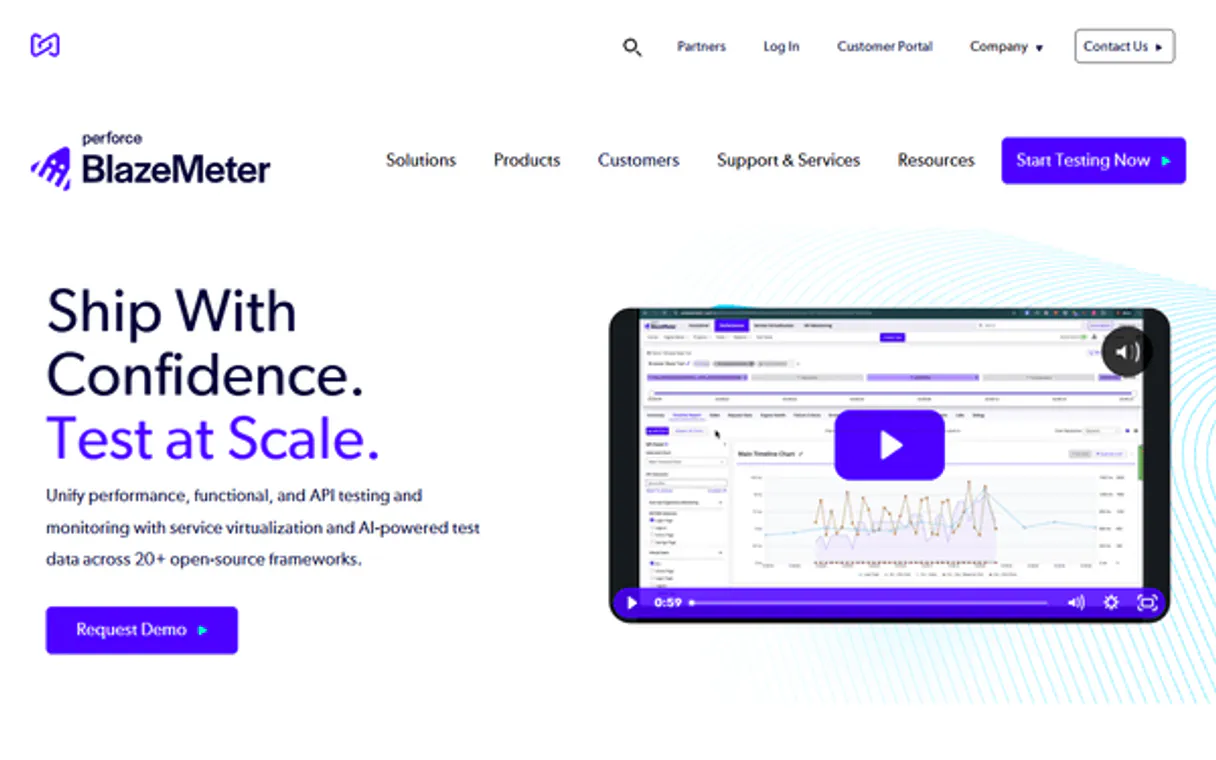
Independent Platform Disclaimer: Vinkius is an independent platform and is not affiliated with, endorsed by, sponsored by, verified by, or otherwise authorized by BlazeMeter. All third-party trademarks, logos, and brand names are the property of their respective owners. Their use on this website is strictly for informational purposes to identify service compatibility and interoperability.
VINKIUS INFRASTRUCTURE
Cloud Hosted
Managed infra
V8 Isolated
Sandboxed per request
Zero-Trust Proxy
No stored credentials
DLP Enforced
Policy on every call
GDPR Compliant
EU data residency
Token Compression
~60% cost reduction
Works with Claude, ChatGPT, Cursor, and more
The Model Context Protocol standardizes how applications expose capabilities to LLMs. Instead of operating in isolation, your AI gains direct access to external platforms, live data, and real-world actions through secure, standardized connections.
This server provides 10 capabilities that interface natively with Claude, ChatGPT, Cursor, and any MCP client. No middleware. No custom integration required.
Available Capabilities
Manually tracking test status across dashboards is a nightmare.
Today, running a performance test means opening the BlazeMeter console. You click the workspace; you find the project; you press 'start.' Then you have to switch to the 'Monitoring' tab to see the live throughput. If the test fails, you have to jump to the 'Reports' section to get the p99 data, which means copy-pasting between three different screens.
With the BlazeMeter MCP Server, you ask your agent to do it. You say, 'Start a test and give me the p99 report.' The agent runs `start_test`, monitors the run, and returns the full `get_report` data—all in your chat. No tabs, no switching, just the data you need.
BlazeMeter MCP Server: Manage load tests and analyze p99 metrics in chat.
The manual steps that vanish are the constant logins, the clicking through project hierarchies, and the copy-pasting of metrics from the web UI into a document. You no longer need to wait for a full dashboard load just to verify a single KPI.
Now, you can treat your entire load testing suite as a single, callable service. It's a seamless extension of your natural language workflow. You control the entire process, from initiation to shutdown, using only your agent.
Common Questions About BlazeMeter MCP
How do I check the status of a master test run using the BlazeMeter MCP Server? +
Use the get_master tool. This sends an automated validation check and returns the current operational status of your Gateway run. You'll see if the test is active, finished, or if there's an error.
Can I start a load test and immediately get the performance metrics using BlazeMeter MCP Server? +
Yes, you can. First, use start_test to initiate the load generation. Then, immediately follow up with get_report and provide the run ID to pull the p90/p99 throughput report.
What if I need to stop a test immediately using the BlazeMeter MCP Server? +
Use the stop_master tool. This sends an emergency shutdown instruction, safely severing connections and scaling down the master load orchestrator.
Do I need to know the project ID to list all possible tests using BlazeMeter MCP Server? +
No. Use list_tests. It provides a JSON payload listing all configured tests, regardless of the specific project ID.
How do I list all the workspaces available using the `list_workspaces` tool in BlazeMeter MCP Server? +
The list_workspaces tool identifies all bounded Workspace records on the platform. This lets you see the top-level containers before targeting specific projects or tests.
What information does the `get_user` tool provide about identity parsing within BlazeMeter MCP Server? +
The get_user tool identifies precise active arrays spanning native Identity parsing. You can check which user accounts or groups are linked to your current testing environment.
Does the `get_report` tool handle different types of performance data, like p99 KPIs, in BlazeMeter MCP Server? +
Yes, the get_report tool inspects deep internal arrays, mitigating specific Plan Math Reports. This means you can pull detailed metrics like p90 and p99 throughput data.
If I run a test using `start_test`, how do I ensure the load generation is correctly configured in BlazeMeter MCP Server? +
Before running a test, use the get_test tool to retrieve the explicit configuration tracing an active Vault limit Test. This confirms the settings are right before execution.
Can my agent actually start a cloud performance test orchestrating servers? +
Yes. By utilizing the 'start_test' tool paired with an active Test ID, your AI agent securely pulls levers directly on BlazeMeter's cloud infrastructure to provision load generation hosts without any required GUI interaction.
How do I check the live status of an active test run (Master)? +
You can instruct your agent to use the 'get_master' or 'get_report' tool. It strictly evaluates live Gateway stats, throughput rates, and p90 indicators dynamically reporting back.
Is there a way for the AI to forcefully kill a rogue load test? +
Absolutely. Your agent can execute the 'stop_master' mutation—which immediately severs the test execution pipeline and protects vulnerable origin servers from unplanned stress.
Use it with your favorite AI tools
Connect this server to Cursor, Claude, VS Code, and more.
More in this category

Render
Equip your AI to orchestrate cloud infrastructure, manage service deployments, and execute scaling operations natively on your Render platform.

Jira Cloud
Manage projects, search issues, and track tasks via Jira Cloud API.

Temporal
Monitor and manage distributed workflows in Temporal Cloud natively via your AI agent.
You might also like
Shodan
Search for internet-connected devices, analyze open ports, discover vulnerabilities and explore the IoT landscape.

Wemix Explorer
Explore Wemix blockchain data — query accounts, track token transfers, and inspect blocks or extrinsics directly from your AI agent.

Google Maps
Empower location intelligence via Google Maps — perform geocoding, search millions of places, retrieve rich venue details, and calculate directions directly from any AI agent.