

Plane Alternative MCP Server with 12 Tools for Claude, Cursor, and AI Agents
 GDPR Free for Subscribers
Manage projects, issues, and product roadmaps via Plane — create projects, toggle features, and organize workspaces directly from your AI agent. Vinkius routes your AI agents directly to Plane Alternative through a governed connection. 12 tools ready to use with Claude, ChatGPT, Cursor, or any AI agent — no hosting, no setup, connect in 30 seconds.
Ask AI about this server
Compatible with every major AI agent and IDE
 Gemini
* Every MCP server runs on Vinkius-managed infrastructure inside AWS - a purpose-built runtime with per-request V8 isolates, Ed25519 signed audit chains, and sub-40ms cold starts optimized for native MCP execution. See our infrastructure
What is the Plane MCP Server?
The Plane MCP Server routes AI agents like Claude, ChatGPT, and Cursor directly to Plane via 12 tools. Manage projects, issues, and product roadmaps via Plane — create projects, toggle features, and organize workspaces directly from your AI agent. Powered by Vinkius — your credentials stay on your side of the connection, every request is auditable. Connect in under 2 minutes.
Built-in capabilities (12)
Tools for your AI Agents to operate Plane
Ask your AI agent "List all projects in the 'vinkius-dev' workspace." and get the answer without opening a single dashboard. With 12 tools connected to real Plane data, your agents reason over live information, cross-reference it with other MCP servers, and deliver insights you would spend hours assembling manually.
Works with Claude, ChatGPT, Cursor, and any MCP-compatible client. Powered by Vinkius — your credentials never touch the AI model, every request is auditable. Connect in under two minutes.
Why teams choose Vinkius
One subscription gives you the infrastructure to connect your AI agents to thousands of MCP servers — and deploy your own to the Vinkius Edge. Your credentials stay yours. Your data flows directly between your agent and the API. DLP blocks sensitive information from ever reaching the model, kill switch for instant shutdown, and up to 60% token savings. Enterprise-grade routing and governance, zero maintenance.
Build your own MCP Server with our secure development framework →The Plane Alternative App Connector works with every AI agent you already use
…and any MCP-compatible client









Use all 12 Plane Alternative tools with your AI agents right now
Vinkius routes your AI agents to Plane Alternative through a governed proxy. Beyond a simple connection, you get full visibility into every action your agents perform, with enterprise-grade security and up to 60% savings on AI costs.
Archive project on Plane Alternative
Archive a project
Create project on Plane Alternative
Create a new project
Create project label on Plane Alternative
Create a project label
Delete project on Plane Alternative
Delete a project
Get project on Plane Alternative
Retrieve a specific project
Get project features on Plane Alternative
) are enabled for a project. Get project features
Get project label on Plane Alternative
Get a specific project label
List project labels on Plane Alternative
List project labels
List projects on Plane Alternative
List all projects in a workspace
Unarchive project on Plane Alternative
Unarchive a project
Update project on Plane Alternative
Update an existing project
Update project features on Plane Alternative
Update project features
What the Plane Alternative MCP Server unlocks
Connect your Plane workspace to any AI agent to streamline your open-source project management. Take full control of your project lifecycle and feature configurations through natural language.
What you can do
- Project Lifecycle — List all projects in a workspace, create new ones with custom identifiers, or retrieve specific project details instantly.
- Feature Management — Dynamically enable or disable project modules such as Epics, Cycles, Modules, Pages, and Intakes to suit your team's workflow.
- Workspace Organization — Keep your workspace clean by archiving, unarchiving, or deleting projects that are no longer active.
- Project Metadata — Update project names, descriptions, and lead assignments without leaving your conversation or code editor.
How it works
1. Subscribe to this server
2. Enter your Plane API Key
3. Start managing your agile workflows from Claude, Cursor, or any MCP-compatible client
Who is this for?
- Product Managers — Quickly spin up new projects and configure necessary features like Epics or Cycles for upcoming sprints.
- Engineering Leads — Audit project settings and archive completed work directly from the terminal or chat interface.
- DevOps Teams — Automate project creation and workspace maintenance as part of larger organizational workflows.
Frequently asked questions about the Plane Alternative MCP Server
Can I enable or disable specific features like Epics or Cycles for a project?
Yes! You can use the update_project_features tool to toggle capabilities including epics, modules, cycles, views, pages, and intakes for any specific project.
How do I see all the projects currently active in my workspace?
Simply use the list_projects tool by providing your workspace slug. The agent will return a list of all projects, including their names and identifiers.
Is it possible to archive a project that is no longer needed?
Yes, you can use the archive_project tool to move a project to the archive. If you change your mind, you can also use unarchive_project to bring it back.
More in this category

Onpipeline
11 toolsTrack deals through your sales pipeline with a visual CRM that focuses on activity-based selling and revenue forecasting.
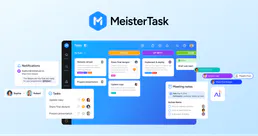
MeisterTask
12 toolsOrganize team tasks with visual Kanban boards, recurring workflows, and integrations that connect to your favorite tools.
Zapier Smart Home
12 toolsControl smart home devices via natural language through Zapier NLA API — access 5000+ app integrations for home automation.

Adobe Acrobat Sign
10 toolsSend, track, and manage e-signatures via Adobe Acrobat Sign — create agreements, check signing status, and access audit trails from any AI agent.
You might also like

Helpwise
7 toolsCollaborate on customer emails, SMS, and WhatsApp messages in shared team inboxes with assignment and automation rules.
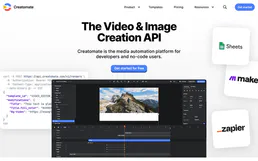
Creatomate
9 toolsEquip your AI agent to automate video generation, rendering, and asset management via the Creatomate API.

Tatum (Blockchain Infra)
11 toolsSimplify blockchain development with Tatum — estimate fees, track portfolios, and manage real-time webhook subscriptions across multiple chains.

InflatableOffice
6 toolsRun your party rental and inflatable business with online booking, inventory management, and delivery route planning.
We built the connector to Plane Alternative. Now put your agents to work. Fully governed.
Vinkius is the AI Gateway with managed hosting. Stop building connectors. Every connection runs inside eight layers of security.
Hosted, sandboxed, and live on AWS. You don't provision anything. You don't maintain anything. You connect.
Every tool call, every token, every response. Logged and auditable. Data flows direct from Plane Alternative to your agent. Nothing is stored on our side. Ever.
Eight governance layers on every request. Sensitive data redacted before it reaches the model. Kill switch if anything goes sideways. Always on.