
Decodo (Smartproxy) MCP. Audit proxy pools and monitor network bandwidth in your IDE.
 Gemini
 Works with every AI agent you already use
…and any MCP-compatible client









Just plug in your AI agents and start using Vinkius.
Decodo (Smartproxy) MCP Server connects your proxy network infrastructure to your AI client. List all active endpoints, monitor bandwidth usage, and check proxy pool health using natural language.
It lets you programmatically audit your server architecture and scraping limits without leaving your IDE.
What your AI agents can do
Get account details
Retrieves general information about your Smartproxy account.
Get scraper stats
Provides statistics detailing the performance of your scraping APIs.
Get traffic usage
Checks your current network traffic usage against your monthly quota.
Lists available proxy endpoints across datacenter, residential, and general pools.
Retrieves real-time traffic usage data, showing how much of your total monthly data quota remains.
Gathers statistics on scraping APIs, detailing success rates and failure counts for SERP and e-commerce scrapers.
Lists all nested sub-users and details active subscriptions associated with the main account.
Lists specific, dedicated proxy assignments for targeted network diagnosis.
Ask AI about this MCP
Supported MCP Clients
Gemini Waiting for input…
Decodo (Smartproxy) MCP Server: 9 Tools for Proxy & Traffic Metrics
Use these tools to programmatically audit your proxy network, track bandwidth consumption, and retrieve structured data from your Decodo (Smartproxy) account.
019d7609get account details
Retrieves general information about your Smartproxy account.
019d7609get scraper stats
Provides statistics detailing the performance of your scraping APIs.
019d7609get traffic usage
Checks your current network traffic usage against your monthly quota.
019d7609list datacenter proxies
Lists the available datacenter proxy configurations.
019d7609list dedicated proxies
Lists specific proxy assignments dedicated to your account.
019d7609list proxy endpoints
Lists all currently available proxy endpoints.
019d7609list residential proxies
Lists the configurations for residential proxies.
019d7609list sub users
Lists all nested user accounts under your main subscription.
019d7609list subscriptions
Retrieves a list of your active proxy service subscriptions.
Choose How to Get Started
Build a custom MCP for your own tools, or connect a ready-made integration from our catalog.
Build Your Own
Turn any API into an MCP. Import a spec, define Agent Skills, or deploy with MCPFusion.
- Import from OpenAPI, Swagger, or YAML specs
- Create Agent Skills with progressive disclosure
- Deploy to edge with MCPFusion framework
- Built in DLP, auth, and compliance on every call
- Real time usage dashboard and cost metering
- Publish to catalog or keep private
Make Your AI Do More
Start with Decodo (Smartproxy), then connect any of our 4,700+ other servers whenever your AI needs more. One click, no limits.
- Use this MCP plus 4,700+ others, all in one place
- Add new capabilities to your AI anytime you want
- Every connection is secured and compliant automatically
- Track usage and costs across all your servers
- Works with Claude, ChatGPT, Cursor, and more
- New servers added to the catalog every week
What you can do with this MCP connector
Your AI client connects directly to the Decodo (Smartproxy) MCP Server. You use natural language prompts to audit your entire proxy setup and track your network usage without leaving your IDE.
Inventory Proxy Endpoints
- You can pull a list of all active proxy endpoints using
list_proxy_endpoints. - You can see all available datacenter proxy configurations with
list_datacenter_proxies. - You can check the configurations for residential proxies by running
list_residential_proxies. - You can get a list of specific, dedicated proxy assignments for targeted network diagnosis using
list_dedicated_proxies.
Monitor Bandwidth Usage
- You'll check your current network traffic usage against your total monthly quota using
get_traffic_usage.
Audit Scraper Performance
- You can get detailed statistics on your scraping APIs using
get_scraper_stats. This shows you success rates and failure counts for SERP and e-commerce scrapers.
Manage Sub-User Accounts
- You'll list all nested sub-users under your main subscription using
list_sub_users. - You can retrieve a list of your active proxy service subscriptions with
list_subscriptions. - You can get general information about your Smartproxy account details with
get_account_details.
How Decodo (Smartproxy) MCP Works
- 1 Subscribe to the server and provide your Smartproxy (Decodo) API Key.
- 2 Connect your AI client (e.g., Claude, Cursor) to the MCP Server.
- 3 Prompt the AI client using natural language (e.g., 'What is our current traffic usage?').
The bottom line is, you ask your AI client a question, and it runs the necessary tool call to get the data, delivering the answer directly to your prompt.
Who Is Decodo (Smartproxy) MCP For?
This is for the data engineers and network admins who spend too much time switching between dashboards and copy-pasting data. If you need to audit proxy pools, track bandwidth consumption, or verify scraping uptime metrics without leaving your code editor, this is for you.
Pulls precise endpoint metrics, checks load stats on failure rates, and verifies if proxy pools are active while drafting crawler scripts.
Lists assigned dedicated networks to diagnose potential rate-limiting or connectivity errors directly from the command line.
Monitors sub-user metrics and tracks localized bandwidth usage across multiple client accounts.
What Changes When You Connect
- See your full proxy inventory instantly. Instead of clicking through multiple dashboard pages to copy a port, use
list_proxy_endpointsto get all active endpoints right in your prompt. - Prevent unexpected downtime by checking traffic limits. Run
get_traffic_usageto see exactly how much bandwidth you've consumed versus your total cap. - Validate scraper uptime. Use
get_scraper_statsto quickly evaluate the success rate and block/timeout count for your SERP and e-commerce scrapers. - Manage multiple accounts from one place.
list_sub_userslets you audit every nested sub-user and their associated metrics without logging into multiple portals. - Diagnose network issues fast.
list_dedicated_proxieslets network admins see assigned dedicated networks to troubleshoot rate-limiting errors from the command line.
Real-World Use Cases
Validating a new scraper target pool
A data engineer needs to know if their target pool is active. They prompt their agent: 'What are our active datacenter proxies?' The agent runs list_datacenter_proxies, returns the list of available endpoints, and the engineer can immediately start writing the connection logic, saving minutes of manual copy-pasting.
Checking overall network budget before a run
The SaaS operator is preparing a large scraping job. Before starting, they run get_traffic_usage. The agent reports: 'You have 21.6 GB left this cycle.' This prevents the job from failing mid-run due to hitting the monthly data cap.
Auditing a multi-user client setup
The operations team needs to confirm if a sub-user account is still active and what its bandwidth is. They query list_sub_users and get a list of all accounts. They then use get_account_details to check the overall health of the parent account and confirm the sub-user's status.
Troubleshooting connection failures
A network admin sees intermittent failures. Instead of guessing, they ask the agent to run list_dedicated_proxies. The agent shows all dedicated assignments, allowing the admin to pinpoint if the failure is related to a specific, assigned IP block.
The Tradeoffs
Sequential API Calls
A user first runs list_subscriptions to get the ID, then manually takes that ID and runs it in a separate call to get_account_details just to get the owner's name.
→
Ask the agent to perform the audit in one go: 'Get the account name and current subscription status.' The agent handles the necessary calls to list_subscriptions and get_account_details internally, providing the final data set without manual chaining.
Manual Dashboard Cross-Referencing
The user has to open the main proxy dashboard, copy the endpoint list, switch to the usage dashboard, copy the total GB used, and paste both into a spreadsheet to compare.
→
Ask the agent to combine the data: 'Compare the total number of endpoints listed by list_proxy_endpoints against our current usage reported by get_traffic_usage.' Get both metrics in one prompt response.
Assuming Data Availability
The user assumes the scraping APIs are healthy and runs a massive scraping job, only to find the job fails because the quota was exhausted hours earlier.
→
Always check the quota first. Run get_traffic_usage before initiating any large-scale scraping task. This confirms you have the necessary bandwidth remaining.
When It Fits, When It Doesn't
Use this server if your primary need is centralized network auditing. This is for people who need to query resource limits, inventory, and usage statistics in a programmatic way—like a data engineer writing a script or an admin diagnosing a failure. Don't use it if you just need to generate a single, static list of proxy IP addresses; use a dedicated IP management tool instead. If your goal is pure, real-time performance monitoring (e.g., pinging every endpoint every second), you'll need a different, dedicated monitoring service. This tool is for structured data retrieval and auditing.
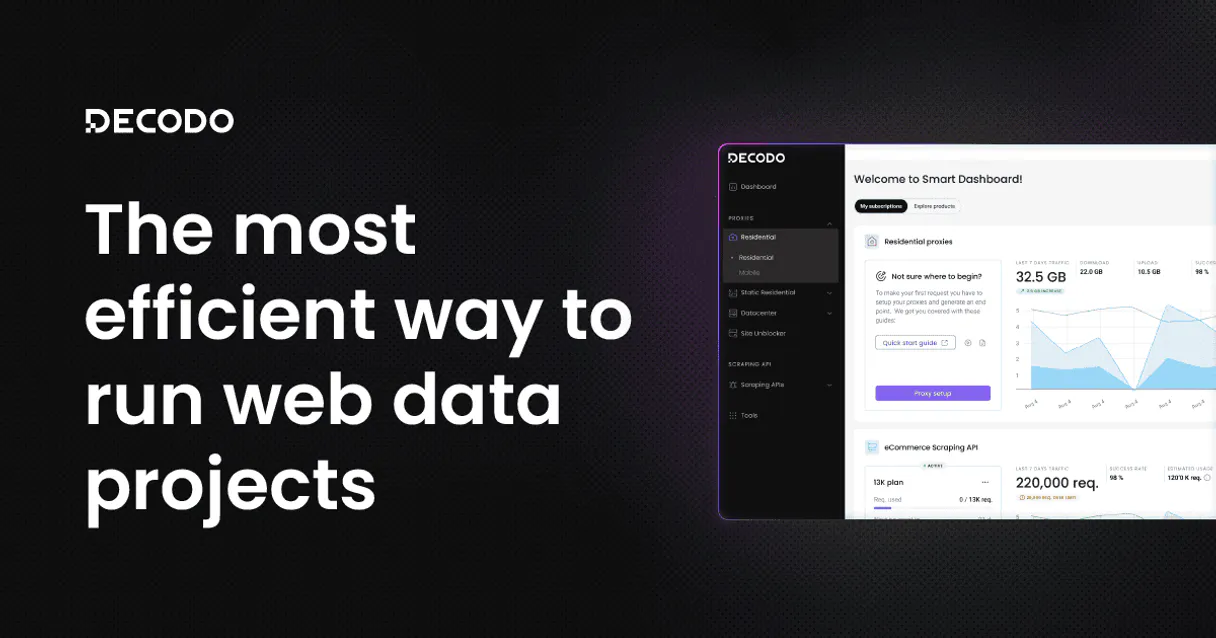
Independent Platform Disclaimer: Vinkius is an independent platform and is not affiliated with, endorsed by, sponsored by, verified by, or otherwise authorized by Decodo (Smartproxy). All third-party trademarks, logos, and brand names are the property of their respective owners. Their use on this website is strictly for informational purposes to identify service compatibility and interoperability.
VINKIUS INFRASTRUCTURE
Cloud Hosted
Managed infra
V8 Isolated
Sandboxed per request
Zero-Trust Proxy
No stored credentials
DLP Enforced
Policy on every call
GDPR Compliant
EU data residency
Token Compression
~60% cost reduction
Works with Claude, ChatGPT, Cursor, and more
The Model Context Protocol standardizes how applications expose capabilities to LLMs. Instead of operating in isolation, your AI gains direct access to external platforms, live data, and real-world actions through secure, standardized connections.
This server provides 9 capabilities that interface natively with Claude, ChatGPT, Cursor, and any MCP client. No middleware. No custom integration required.
Available Capabilities
Checking proxy status shouldn't require 10 clicks.
Today, checking your proxy infrastructure is a chore. You have to navigate to the main dashboard, copy the endpoint list. Then you jump to the usage page to find the bandwidth cap. If you need sub-user metrics, you open a third tab and hunt for the sub-user section. It’s copy-pasting hell.
With the Decodo (Smartproxy) MCP Server, you just ask your agent: 'Show me the active endpoints and the remaining bandwidth.' It runs the necessary tools and gives you a single, structured answer right where you're working.
Use Decodo (Smartproxy) MCP Server to audit proxy pools.
You stop manually pulling data from the dashboard into a ticket or spreadsheet. You ask the agent to list all datacenter proxies (`list_datacenter_proxies`) and then ask for the sub-user list (`list_sub_users`). The agent handles the two separate data calls and structures the output for you.
You get the data you need, structured and ready to use, without ever leaving your IDE or opening a second browser tab.
Common Questions About Decodo (Smartproxy) MCP
How do I check my current bandwidth usage with get_traffic_usage? +
Run get_traffic_usage and the agent reports your total cap and how much you've used. This tells you exactly how much bandwidth is left for your current billing cycle.
What is the difference between list_proxy_endpoints and list_datacenter_proxies? +
Use list_proxy_endpoints for a general list of all available IPs. Use list_datacenter_proxies when you specifically need endpoints from a datacenter pool.
Can I check scraping success rates using get_scraper_stats? +
Yes, get_scraper_stats calculates and provides metrics for your scraping APIs, showing the total hits, successful requests, and block/timeout rates.
How do I see all my sub-users with list_sub_users? +
Running list_sub_users returns a list of every nested user account associated with your main subscription, allowing you to audit them all.
Do I need to run get_account_details to check my billing? +
While get_account_details gives general info, run list_subscriptions to get a clean list of all active service plans and their status.
How do I list all my active residential proxy configurations using list_residential_proxies? +
The list_residential_proxies tool shows all currently available residential IPs. This is useful for ensuring you have enough diverse IP sources for large-scale scraping operations.
What does list_dedicated_proxies show me? +
list_dedicated_proxies lists specific proxy assignments you've reserved. This helps network admins diagnose rate-limiting issues or confirm dedicated network availability.
How can I check my account's overall status using list_subscriptions? +
The list_subscriptions tool generates a list of all active proxy subscriptions. You can use this to confirm which proxy pools are currently active and billing.
Can the AI generate a script with my actual proxy endpoints already inserted? +
Yes. While prompting inside an IDE like Cursor, you can ask 'Write a Python script using my residential proxy endpoint.' The AI agent will call list_residential_proxies in the background, harvest the legit port numbers, and assemble runnable code on the spot.
Is it safe to pull network architecture metrics inside Claude AI? +
Absolutely secure. The MCP protocol bridges interactions locally. At no setup phase does Vinkius cloud servers retrieve your Smartproxy metrics directly—the exchange passes via your local agent bridging right into Decodo's endpoint.
Can it tell me my remaining bandwidth limit? +
Yes. Ask the bot 'How much target data do I have left?' and it will orchestrate the results of both get_account_details (which returns quota details) and get_traffic_usage (which exposes used data) to compute the remaining bytes in conversational form.
Use it with your favorite AI tools
Connect this server to Cursor, Claude, VS Code, and more.
More in this category
Insomnia (Collaborative API Design)
Manage API designs and collections via Insomnia — list organizations, projects, and files, and audit API specs.

OpenAI Alternative
Manage OpenAI resources via API — list models, monitor fine-tunes, manage batches and inspect Assistants from any AI agent.

Percy
Execute visual regression tests via Percy — track visual diffs natively, inspect snapshot limits, approve builds, and verify UI components using AI.
You might also like
Facturama (SAT)
Automate CFDI Mexico (SAT) Tax Invoices via Facturama — emit formal invoices, retrieve catalogs, and extract tax data fully relying on your AI.

iZooto
Re-engage website visitors with browser push notifications that bring traffic back and boost page views without email lists.
HiDeliver
Manage email lists and marketing broadcasts via HiDeliver exactly from any AI agent.