
EnterpriseAlumni MCP. Query network data, don't open ten dashboards.
 Gemini
 Works with every AI agent you already use
…and any MCP-compatible client









Just plug in your AI agents and start using Vinkius.
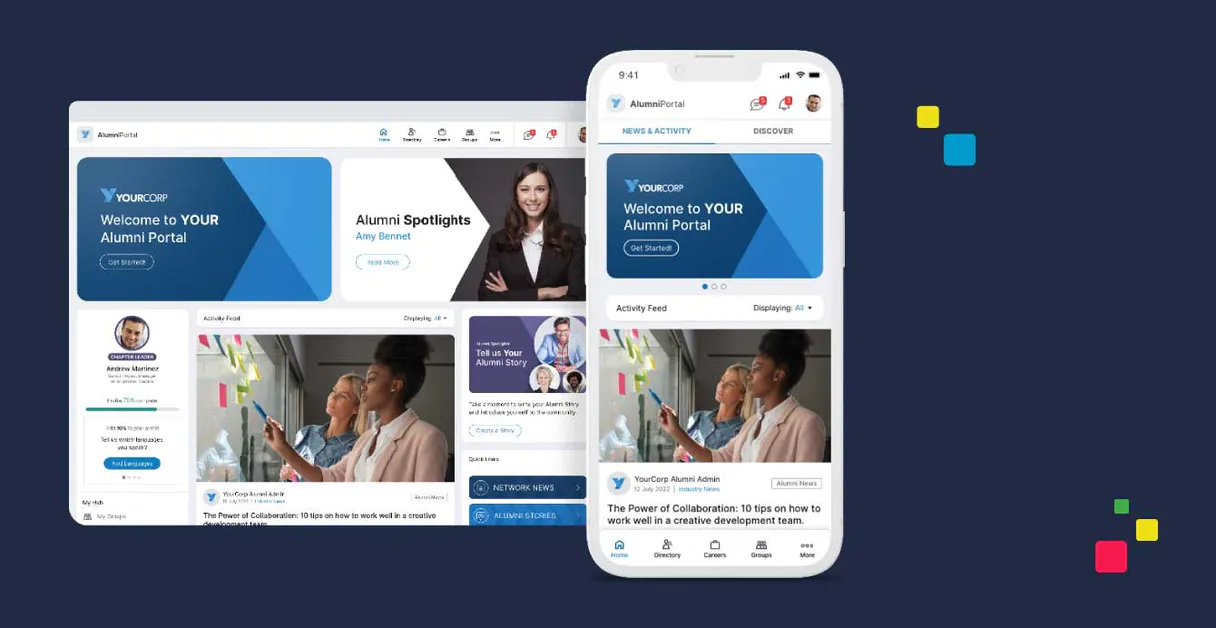
EnterpriseAlumni manages alumni engagement data. Use this MCP Server to query, track, and analyze member profiles, community activity, and career movements across your network.
You can list members, search by keyword, monitor events, and audit overall network health using natural language commands.
What your AI agents can do
Get alumni detailed profile
Retrieves complete profile information for a single, specified alumni member.
Get enterprisealumni metadata
Gets technical data and usage limits for your EnterpriseAlumni account.
Get network engagement summary
Pulls a high-level summary of overall network engagement metrics.
Find specific alumni members using name, skills, or keywords, and retrieve their full professional and contact details.
Get instant, high-level summaries of the entire network, including member volume, event activity, and job board status.
List all interest-based communities and groups and track current participation trends.
List upcoming and past alumni events, or pull all job opportunities posted on the network board.
List all active and past outreach and engagement campaigns to understand network communication history.
Ask AI about this MCP
Supported MCP Clients
Gemini Waiting for input…
019d7590get alumni detailed profile
Retrieves complete profile information for a single, specified alumni member.
019d7590get enterprisealumni metadata
Gets technical data and usage limits for your EnterpriseAlumni account.
019d7590get network engagement summary
Pulls a high-level summary of overall network engagement metrics.
019d7590list alumni communities
Lists all groups and interest-based communities within the network.
019d7590list alumni engagement campaigns
Lists all historical and current outreach campaigns run through the platform.
019d7590list alumni events
Gets a list of all upcoming and past alumni events.
019d7590list alumni job board
Lists all available job openings posted by the network.
019d7590list alumni members
Lists every member currently registered in your alumni network.
019d7590quick alumni network audit
Provides a fast, top-level overview of members, events, and job postings combined.
019d7590search alumni by name or keyword
Searches for alumni using specific names, skills, or general keywords.
Choose How to Get Started
Build a custom MCP for your own tools, or connect a ready-made integration from our catalog.
Build Your Own
Turn any API into an MCP. Import a spec, define Agent Skills, or deploy with MCPFusion.
- Import from OpenAPI, Swagger, or YAML specs
- Create Agent Skills with progressive disclosure
- Deploy to edge with MCPFusion framework
- Built in DLP, auth, and compliance on every call
- Real time usage dashboard and cost metering
- Publish to catalog or keep private
Make Your AI Do More
Start with EnterpriseAlumni, then connect any of our 4,700+ other servers whenever your AI needs more. One click, no limits.
- Use this MCP plus 4,700+ others, all in one place
- Add new capabilities to your AI anytime you want
- Every connection is secured and compliant automatically
- Track usage and costs across all your servers
- Works with Claude, ChatGPT, Cursor, and more
- New servers added to the catalog every week
What you can do with this MCP connector
You're running the show with the EnterpriseAlumni MCP Server. This thing lets your AI client dig into your whole alumni network—profiles, events, jobs, you name it. You're gonna query, track, and analyze everything from your member list right up to the network's overall health.
You wanna find a specific alum? Use search_alumni_by_name_or_keyword to hunt down members by name, skills, or any keyword. Once you find 'em, you can pull the full dirt with get_alumni_detailed_profile, which gets every bit of info on that single member.
Need a quick snapshot of the whole place? Run quick_alumni_network_audit. It gives you a fast, top-level overview that combines member counts, event status, and job board postings. To get a deeper read on the network's energy, use get_network_engagement_summary, which pulls high-level metrics on overall engagement.
Got questions about the community groups? list_alumni_communities lists every interest group and community in the network. Want to see what's going on with jobs? You can check out all open roles using list_alumni_job_board.
Planning ahead? You can get a rundown of all upcoming and past alumni events with list_alumni_events. Ever need to know about outreach? list_alumni_engagement_campaigns shows you all the historical and current campaigns run through the platform.
Want to see who's signed up? list_alumni_members lists every single member currently registered in the alumni network. Need to scope out the tech side? Use get_enterprisealumni_metadata to check your account's technical data and usage limits.
The tools give you this power: You can list all groups and interest-based communities with list_alumni_communities and then check the events with list_alumni_events. You can list all members with list_alumni_members and search for specific people using search_alumni_by_name_or_keyword to get their detailed profiles using get_alumni_detailed_profile.
How EnterpriseAlumni MCP Works
- 1 Connect the EnterpriseAlumni integration to your AI agent.
- 2 Authorize the connection using your EnterpriseAlumni REST API Key.
- 3 Use natural language to command the agent to perform an action, like 'Show me the top 5 members who updated their profiles last month.'
The bottom line is: your AI client performs complex network data queries using conversation, so you don't have to jump between ten different admin dashboards.
Who Is EnterpriseAlumni MCP For?
Alumni Relations Managers and Talent Acquisition teams need this. You're the person who has to manually track former employees or organize a massive annual reunion. You're tired of juggling spreadsheets, jumping between the CRM, the event calendar, and the job board just to get a simple picture of network health. This tool centralizes the data.
Quickly check member professional updates and event registrations on the go. Need to know who attended the last gala and what their job title is now.
Research former employees for 'boomerang' hiring or reference checks. Need to find people who left the company years ago but are skilled in a niche area.
Monitor network growth and organizational engagement metadata. Need to know if the community is active or if outreach efforts are stalling.
What Changes When You Connect
- See who's in a specific field: Use
search_alumni_by_name_or_keywordto find candidates based on skill, not just name. This cuts down search time from hours to seconds. - Audit the whole network: The
quick_alumni_network_audittool gives you a single summary of members, events, and jobs. You don't have to check three different dashboards. - Track professional changes: Get detailed career history for any member using
get_alumni_detailed_profile. Know their professional jumps without calling them. - Plan outreach better: Running
list_alumni_engagement_campaignslets you see what worked before. You plan your next outreach based on real data, not gut feeling. - Keep track of events: With
list_alumni_events, you instantly see the roster of upcoming galas and workshops. You can even ask for the registration list for a specific date. - Identify community leaders: Use
list_alumni_communitiesto map out active interest groups. This helps you focus your efforts where the network is actually paying attention.
Real-World Use Cases
Finding a 'Boomerang' Hire
An HR specialist needs a candidate with specific cloud security skills but doesn't know their name. They tell their agent: 'Search for alumni with skills in 'cloud security'.' The agent runs search_alumni_by_name_or_keyword and returns a shortlist of 15 people. The specialist then uses get_alumni_detailed_profile on the top three to check their full employment history.
Planning the Annual Reunion
The Alumni Manager needs to know who is attending the big reunion. They ask the agent to run list_alumni_events to get dates, and then request the registration count for the specific event. They use list_alumni_communities to promote attendance to the most active groups.
Assessing Network Interest
The Operations team needs to know if the network is engaged. They run get_network_engagement_summary for a quick metric. Then, they check list_alumni_job_board to see if current job postings are driving activity, or if the community is quiet.
Mapping Skill Gaps
The Talent team needs to recruit for a new department. They run list_alumni_job_board to see what roles are open, then use search_alumni_by_name_or_keyword to find alumni with the required skills who aren't currently listed in open roles.
The Tradeoffs
Searching by vague terms
Typing 'alumni' or 'people' into the search bar and hitting enter. You get thousands of results with no actionable data, and the system slows down.
→
Instead, use search_alumni_by_name_or_keyword and specify the skill or name. If you need a full overview, run quick_alumni_network_audit first. Be precise with your inputs.
Checking everything manually
To plan an event, a coordinator has to open the event calendar, then open the job board, then open the community list, and manually cross-reference who is doing what.
→
Use list_alumni_events and list_alumni_job_board together. You can then ask your agent to compare the dates to see if event attendance aligns with career opportunities.
Over-relying on single tools
Using only list_alumni_members to get a list of names, and then having to manually look up each person's current job title and contact info in a separate system.
→
Run list_alumni_members first, then immediately follow up with get_alumni_detailed_profile for the key individuals. The agent handles the sequence.
When It Fits, When It Doesn't
Use this if you need a single source of truth for alumni data. You're trying to answer 'Who is connected to whom?' or 'What is the network doing right now?' This tool is for strategic oversight, not simple data entry. Don't use it if you just need to write a single email or update a record manually; use your standard CRM instead. If you only need to check the API limits, use get_enterprisealumni_metadata. If your goal is only to find a job opening, stick to list_alumni_job_board and don't try to combine it with event data, as the two tools serve separate functions.
Independent Platform Disclaimer: Vinkius is an independent platform and is not affiliated with, endorsed by, sponsored by, verified by, or otherwise authorized by EnterpriseAlumni. All third-party trademarks, logos, and brand names are the property of their respective owners. Their use on this website is strictly for informational purposes to identify service compatibility and interoperability.
VINKIUS INFRASTRUCTURE
Cloud Hosted
Managed infra
V8 Isolated
Sandboxed per request
Zero-Trust Proxy
No stored credentials
DLP Enforced
Policy on every call
GDPR Compliant
EU data residency
Token Compression
~60% cost reduction
Works with Claude, ChatGPT, Cursor, and more
The Model Context Protocol standardizes how applications expose capabilities to LLMs. Instead of operating in isolation, your AI gains direct access to external platforms, live data, and real-world actions through secure, standardized connections.
This server provides 10 capabilities that interface natively with Claude, ChatGPT, Cursor, and any MCP client. No middleware. No custom integration required.
Available Capabilities
Juggling alumni data across five different dashboards is exhausting.
Today, planning a campaign means logging into the community portal to see activity. Then, you open the event calendar to check dates. After that, you switch to the job board to see if job openings are relevant. Finally, you copy names from the member list into a separate spreadsheet to track follow-up.
With EnterpriseAlumni, you talk to your agent. You say, 'Show me all members in the 'Marketing' community who attended an event last month and whose profiles were updated.' You get a single, synthesized list. The agent handles the data stitching.
Using EnterpriseAlumni and `get_alumni_detailed_profile`
Manually pulling a person's full career history requires opening their profile page and scrolling through years of employment data, making it slow and prone to missing key details.
Now, ask your agent for the full profile. You get the complete career timeline—job title, company, and dates—in a clean, structured output, ready for your next step. It’s immediate.
Common Questions About EnterpriseAlumni MCP
How do I use the `search_alumni_by_name_or_keyword` tool? +
You tell the agent what you're looking for. Be specific—include skills, names, or industries. For example: 'Find alumni skilled in Python who live in Chicago.' The tool handles the filtering and returns a list of matches.
Does `quick_alumni_network_audit` give me everything? +
It gives you a high-level summary of members, events, and job postings. It’s fast, but it won't give you deep details. If you need specific details, run get_alumni_detailed_profile.
What is the difference between `list_alumni_members` and `search_alumni_by_name_or_keyword`? +
list_alumni_members dumps the entire network roster. search_alumni_by_name_or_keyword filters that massive list down to only the people that match your specific criteria.
Can I see past events with `list_alumni_events`? +
Yes, the tool retrieves both upcoming and past alumni events. You can prompt the agent to filter by date range or event type.
What information does `get_alumni_detailed_profile` provide? +
It returns a full profile including career history, contact info, and detailed professional background. You can use this to vet candidates for hiring or track professional shifts.
How do I check for job opportunities using `list_alumni_job_board`? +
This tool lists all current job postings available in the network. You can filter results by industry or seniority level directly from the tool's arguments.
Can `list_alumni_communities` help me find specific groups? +
Yes, this tool lists all interest-based communities and groups. You can then refine your search by specifying a community name or group ID.
What does `get_network_engagement_summary` report? +
It gives a high-level summary of overall network health. This includes metrics for activity levels and community participation trends.
How do I get an EnterpriseAlumni API Key? +
Log in to your EnterpriseAlumni administrator dashboard, navigate to Settings > API Integration, and you can generate or retrieve your unique REST API Key from there.
Can the agent invite new members? +
This integration currently focuses on listing and auditing alumni members, events, and jobs. Inviting or onboarding new members should be managed via the EnterpriseAlumni platform dashboard or automated HR integrations.
Does the integration show real-time engagement? +
Yes, you can use the get_network_engagement_summary tool to retrieve high-level statistics on current network activity and participation rates across the community.
Use it with your favorite AI tools
Connect this server to Cursor, Claude, VS Code, and more.
More in this category

Cloze
Smart CRM that automatically tracks your interactions and provides AI-powered insights.
Baserow
Manage no-code databases via Baserow — list tables, query rows, create records and manage schemas from any AI agent.

JokeAPI
Universal humor engine — get random jokes, filter by category and safety flags via AI.
You might also like

GitBook
Manage technical documentation via GitBook — list organizations and spaces, handle document pages, search content, and audit collections directly from any AI agent.

Chili Piper
Manage scheduling and lead routing via Chili Piper — track meetings, monitor queues, and manage teams directly from any AI agent.

GitScrum ClientFlow
Streamline client operations via GitScrum ClientFlow — manage clients, create invoices, draft proposals, and monitor project budgets directly from any AI agent.