
EOD Historical Data MCP. Pulling deep market data, from fundamentals to real-time ticks.
 Gemini
 Works with every AI agent you already use
…and any MCP-compatible client









Just plug in your AI agents and start using Vinkius.
EOD Historical Data provides access to global financial market data—including historical End-Of-Day (EOD), minute-by-minute intraday, and real-time prices for stocks, ETFs, and indices.
It also includes deep fundamental metrics, company ratios, commodities pricing, and insider trading records for over 70 exchanges.
What your AI agents can do
Get bulk fundamentals
Gets fundamental data points for multiple symbols across an entire exchange.
Get calendar dividends
Lists upcoming dividend payment dates and details on the calendar.
Get calendar earnings
Provides a schedule of companies reporting earnings soon.
Fetches time-series data, including daily (EOD), weekly, or minute-by-minute prices for any specified symbol.
Pulls detailed balance sheets, income statements, and key ratios using a single symbol or an entire exchange list.
Gathers schedules for upcoming earnings reports, dividends, IPOs, and stock splits across global exchanges.
Provides lists of supported exchanges and tickers, helping you narrow down your search parameters before running a main query.
Accesses non-stock data points like US Treasury yields, commodities prices, or global indices for broader market analysis.
Ask AI about this MCP
Supported MCP Clients
Gemini Waiting for input…
EOD Historical Data MCP Server: 26 Tools for Financial Analysis
Run complex queries across all market types—from daily EOD data to minute-by-minute ticks, fundamentals, and macro indicators.
019e5d16get bulk fundamentals
Gets fundamental data points for multiple symbols across an entire exchange.
019e5d16get calendar dividends
Lists upcoming dividend payment dates and details on the calendar.
019e5d16get calendar earnings
Provides a schedule of companies reporting earnings soon.
019e5d16get calendar ipos
Lists upcoming Initial Public Offering events and dates.
019e5d16get calendar splits
Shows the expected dates for stock splits across various symbols.
019e5d16get commodities
Pulls historical pricing data for raw commodities like oil or gold.
019e5d16get dividends
Retrieves a history of dividend payments for a single stock symbol.
019e5d16get eod historical
Gets daily, weekly, or monthly closing price metrics for any given symbol.
019e5d16get exchange symbol list
Provides a list of all available stock tickers for one specific exchange.
019e5d16get exchanges list
Returns a list of all supported financial exchanges the server tracks.
019e5d16get fundamentals
Retrieves key company metrics and ratios for one specific stock symbol.
019e5d16get id mapping
Converts common identifier formats like CUSIP or ISIN into usable exchange symbols.
019e5d16get insider transactions
Tracks recent internal stock trades by company executives (SEC Form 4 filings).
019e5d16get intraday historical
Fetches detailed price action data at minute-by-minute intervals.
019e5d16get news
Retrieves a stream of recent financial news headlines and articles.
019e5d16get news word weights
Calculates the sentiment weight or impact score associated with a specific ticker in the news.
019e5d16get real time
Provides live, delayed OHLCV data snapshots for immediate market status checks.
019e5d16get screener
Filters a list of stocks based on user-defined metrics and performance signals.
019e5d16get sentiments
Calculates the overall financial news sentiment score for a given stock symbol.
019e5d16get splits
Provides the historical record of all stock splits that have occurred for a ticker.
019e5d16get technical indicators
Calculates common technical analysis metrics (like RSI or MACD) for a symbol.
019e5d16get user
Checks your personal account details and the current API usage limits.
019e5d16get ust bill rates
Retrieves the latest US Treasury Bill interest rates.
019e5d16get ust real yield rates
Provides current estimates for US Treasury Real Yield Rates.
019e5d16get ust yield rates
Gets the general interest rate curve for US Treasury securities.
019e5d16search assets
Searches across exchanges using a ticker, name, or ISIN code to find an asset symbol.
Choose How to Get Started
Build a custom MCP for your own tools, or connect a ready-made integration from our catalog.
Build Your Own
Turn any API into an MCP. Import a spec, define Agent Skills, or deploy with MCPFusion.
- Import from OpenAPI, Swagger, or YAML specs
- Create Agent Skills with progressive disclosure
- Deploy to edge with MCPFusion framework
- Built in DLP, auth, and compliance on every call
- Real time usage dashboard and cost metering
- Publish to catalog or keep private
Make Your AI Do More
Start with EOD Historical Data, then connect any of our 4,700+ other servers whenever your AI needs more. One click, no limits.
- Use this MCP plus 4,700+ others, all in one place
- Add new capabilities to your AI anytime you want
- Every connection is secured and compliant automatically
- Track usage and costs across all your servers
- Works with Claude, ChatGPT, Cursor, and more
- New servers added to the catalog every week
What you can do with this MCP connector
EOD Historical Data - Market Prices & Fundamentals API. You gotta connect your AI agent to this server if you want real financial history. It's loaded with tools that let you run deep queries across every time frame and asset type imaginable.
Pricing Action and Time-Series Data
When you need price metrics, these are your calls. get_eod_historical pulls daily, weekly, or monthly closing prices for any symbol. For granular detail, use get_intraday_historical to get minute-by-minute price action data. Need to check the market right now? get_real_time gives you live, delayed OHLCV snapshots of what's happening.
Core Financial Analysis and Metrics
To understand a company's health, you hit the fundamentals tools. You can get key metrics and financial ratios for one symbol using get_fundamentals. If you wanna compare apples to oranges across an entire exchange, run get_bulk_fundamentals instead. For deep dives into market sentiment, check out get_sentiments, which calculates the overall news feeling for a stock.
You can also pinpoint specific impacts with get_news_word_weights, which gives you a numeric weight or impact score tied to a ticker in the news flow. If you're analyzing technical signals—think RSI or MACD—get_technical_indicators runs those calculations for you.
Tracking Corporate Moves and Events
This server tracks everything that changes a stock's structure. For upcoming money events, get_calendar_earnings provides the schedule for companies reporting earnings soon, while get_calendar_dividends lists future dividend payment dates. Wanna see what's coming to market? get_calendar_ipos shows scheduled Initial Public Offerings and their dates. You can also track expected stock splits with get_calendar_splits, or look at a ticker's full history of splits using get_splits.
To get the full picture on cash payouts, get_dividends retrieves a historical record of payments for a single symbol.
Market Structure and Asset Identification
Before you pull any data, you gotta know what tickers are available. Use get_exchanges_list to see every financial exchange the server tracks globally. If you're focused on one place, get_exchange_symbol_list gives you all the stock tickers for that specific exchange. If you only have an alternative identifier—like a CUSIP or ISIN—don't sweat it; get_id_mapping converts those formats into usable exchange symbols.
You can also start broad by running search_assets, which finds an asset symbol across exchanges using a ticker, name, or ISIN code.
Macro Context and Deep Market Monitoring
Don't forget the big picture stuff. For commodity pricing—like oil or gold—run get_commodities to pull historical data on raw goods. When you need interest rates, use specialized tools: get_ust_yield_rates gets the general US Treasury rate curve, while get_ust_bill_rates and get_ust_real_yield_rates give current estimates for those specific US Treasury yields. For insider activity, get_insider_transactions tracks internal stock trades by company executives using SEC Form 4 filings.
If you're just browsing the news cycle, get_news delivers a stream of recent financial headlines and articles.
Utility Tools
You can run a list of stocks based on criteria using get_screener, which filters thousands of tickers by defined metrics or performance signals. You gotta check your limits sometimes; use get_user to see your personal account details and current API usage cap.
How EOD Historical Data MCP Works
- 1 Subscribe to the server and enter your EODHD API Token in the client settings.
- 2 Ask your AI agent a complex question (e.g., 'Compare AAPL's fundamentals with MSFT's').
- 3 The agent automatically calls multiple tools (
get_fundamentals,search_assets) and consolidates the structured data for you.
The bottom line is, your AI client handles all the messy API calls; you just ask a plain English question about the market.
Who Is EOD Historical Data MCP For?
Anyone who spends time compiling financial reports across different data silos. This means quantitative analysts needing historical backtesting data, portfolio managers checking real-time metrics against long-term fundamentals, or investment researchers building due diligence packets.
Runs complex time-series comparisons by using get_intraday_historical and combining it with get_technical_indicators to test trading strategies.
Checks sector exposure and risk metrics by running a screener (get_screener) against multiple assets, cross-referencing with macro data like US Treasury yields (get_ust_yield_rates).
Compiles full company profiles for reports by pulling fundamentals using get_fundamentals, checking recent insider activity via get_insider_transactions, and reviewing news sentiment with get_sentiments.
What Changes When You Connect
Real-World Use Cases
Validating Investment Theses
A researcher suspects a company is overvalued. They ask their agent to pull get_fundamentals and then cross-reference the results with get_screener. This automatically filters out all peers that don't meet specific financial criteria, narrowing down the target list immediately.
Pre-Earnings Checkup
A PM needs to know if a stock is ripe for volatility. They first call get_calendar_earnings to confirm the date, then run get_real_time data in the week leading up to it, and finally check get_sentiments on recent news to predict market reaction.
Backtesting a Strategy
A quant is testing an old trading signal. They use get_intraday_historical for the required symbol over a specific date range and then feed that raw data into get_technical_indicators to mathematically prove or disprove their hypothesis.
Building a Market Overview Report
An analyst needs a report covering multiple sectors. They first run get_exchanges_list, then use that list with get_bulk_fundamentals and finally add the macro context by pulling get_ust_yield_rates. The whole report is assembled in one go.
The Tradeoffs
Over-relying on single data points
Just looking at a company's P/E ratio from get_fundamentals and calling it a day. You miss the context of recent sales or insider activity.
→
Don't just use get_fundamentals. Always pair it with get_insider_transactions to see if insiders are selling shares, and supplement that by checking get_news_word_weights for current sentiment.
Confusing asset types
Trying to run a stock query using an ISIN code or guessing the correct ticker format.
→
First, use the search_assets tool. It takes common identifiers like ISIN and reliably resolves them into the exact ticker symbol you need for all other calls.
Ignoring macro context
Analyzing a stock's price movement in isolation without knowing if US interest rates changed that day.
→
Always check the big picture. Before running any pricing query, pull get_ust_yield_rates to understand how macroeconomic shifts might be influencing the sector.
When It Fits, When It Doesn't
Use this server when your task requires structured, verifiable market data across time and multiple asset classes (stocks, commodities, indices). It's perfect for due diligence, quantitative modeling, or comprehensive reporting.
Don't use it if you need purely qualitative analysis—for instance, judging the political stability of a region or summarizing legal proceedings not tied to an SEC filing. For those things, your agent needs general web access.
If you are analyzing historical performance, you must decide: Do you need daily closing prices? Use get_eod_historical. Do you need minute-by-minute data for backtesting? You need get_intraday_historical instead. Always pick the right granularity tool first.

Independent Platform Disclaimer: Vinkius is an independent platform and is not affiliated with, endorsed by, sponsored by, verified by, or otherwise authorized by EOD Historical Data. All third-party trademarks, logos, and brand names are the property of their respective owners. Their use on this website is strictly for informational purposes to identify service compatibility and interoperability.
VINKIUS INFRASTRUCTURE
Cloud Hosted
Managed infra
V8 Isolated
Sandboxed per request
Zero-Trust Proxy
No stored credentials
DLP Enforced
Policy on every call
GDPR Compliant
EU data residency
Token Compression
~60% cost reduction
Works with Claude, ChatGPT, Cursor, and more
The Model Context Protocol standardizes how applications expose capabilities to LLMs. Instead of operating in isolation, your AI gains direct access to external platforms, live data, and real-world actions through secure, standardized connections.
This server provides 26 capabilities that interface natively with Claude, ChatGPT, Cursor, and any MCP client. No middleware. No custom integration required.
Available Capabilities
Compiling a full company profile shouldn't require jumping between five different websites and six Excel tabs.
Today, building a basic due diligence report means copying data from Yahoo Finance for historical prices, switching to a separate site for corporate actions (like splits or dividends), then opening another tab for the latest financials. You spend half your time on copy-pasting and formatting.
With this MCP server, you just ask your agent: 'Give me a full profile on XYZ.' The agent handles the calls to `get_fundamentals`, `get_eod_historical`, and `get_calendar_splits`. It pulls every piece of data into one clean, structured markdown output.
EOD Historical Data MCP Server: Get market context from fundamentals to macro indicators
Manual analysis forces you to look at stocks and commodities separately. You pull stock data via `get_fundamentals` on one screen, then switch over to get oil prices using a different tool. The correlation between the two is always assumed, not proven.
Now, your agent links them naturally. It can pull commodity pricing via `get_commodities` and compare it directly against tech stocks' fundamentals pulled with `get_fundamentals`. You get an immediate cross-asset view that used to take days of manual data joining.
Common Questions About EOD Historical Data MCP
How do I use the `get_fundamentals` tool? +
You pass a valid symbol (like AAPL.US) and the tool returns core metrics such as P/E ratio, Debt-to-Equity, and Profit Margin from the company's latest filings.
What is the difference between `get_eod_historical` and `get_intraday_historical`? +
get_eod_historical gives you daily or monthly closing prices (the end of the day). get_intraday_historical provides detailed price movements at minute-by-minute intervals, necessary for high-frequency analysis.
How do I find out what symbols are available? +
You can use two tools: get_exchanges_list to see all supported markets, or if you know the market, run get_exchange_symbol_list to get a full list of tickers for that exchange.
Can I check insider trading activity with `get_insider_transactions`? +
Yes. This tool retrieves public SEC Form 4 filings, showing when company executives bought or sold shares and the average price they traded at.
How do I check US Treasury rates for my report? +
Use get_ust_yield_rates or get_ust_real_yield_rates. These tools pull the current yield curve data, which helps you benchmark asset performance against safe government debt.
What identifiers can I resolve using the `get_id_mapping` tool? +
It resolves common financial IDs like CUSIP, ISIN, and FIGI. You feed it one of these codes, and it returns the corresponding exchange symbol you need to run other tools.
How does `get_screener` help me filter for specific investment metrics? +
The screener lets you filter the market based on defined metrics and signals. Instead of pulling every asset, you specify criteria—like minimum P/E ratios or dividend yield—and it returns a targeted list.
If I hit API limits, how can I check my usage with `get_user`? +
You run get_user to see your current account details and API quota remaining. This tool helps you manage your rate limits so your agent doesn't fail mid-run.
How can I retrieve historical price data for a specific stock? +
Use the get_eod_historical tool by providing the ticker symbol and exchange (e.g., AAPL.US). You can specify the date range and period (daily, weekly, or monthly) to get adjusted OHLCV data.
Can I access company financial statements and fundamental ratios? +
Yes! The get_fundamentals tool provides comprehensive data including balance sheets, income statements, cash flows, and key ratios for stocks and ETFs globally.
How do I check my current API usage and subscription limits? +
Simply use the get_user tool. It will return your account details, current API usage statistics, and daily rate limits associated with your token.
Use it with your favorite AI tools
Connect this server to Cursor, Claude, VS Code, and more.
More in this category
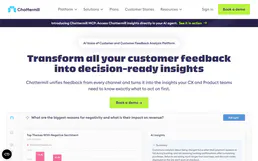
Chattermill
Analyze customer feedback and sentiment via Chattermill — track AI-powered themes, monitor NPS and CSAT, and unify feedback from every channel directly from any AI agent.

MonkeyLearn
Analyze text data with custom machine learning models that classify sentiment, extract keywords, and tag topics automatically.

Hyprace F1 Data
Query Formula 1 race results, driver standings, constructor rankings, and historical data since 1950 from any AI agent.
You might also like

U.S. Census Full — Complete Demographic & Economic Intelligence
The U.S. Census Mega-Server: 14 tools providing comprehensive access to the ACS and County Business Patterns. Analyze population, age, race, income, poverty, education, home values, rent, and businesses across all 50 states, 3,000+ counties, and cities.

Cronofy
Automate scheduling via Cronofy — unify Google, iCloud, and Exchange calendars to manage events and track multi-user availability directly from any AI agent.

Crisp
Chat with website visitors in real time, manage support conversations, and build a knowledge base that reduces ticket volume.