
Eversign MCP. Manage digital contracts and business data flows.
 Gemini
 Works with every AI agent you already use
…and any MCP-compatible client









Just plug in your AI agents and start using Vinkius.
Eversign (Cloud Electronic Signature) MCP Server manages digital contract workflows. It lets you list business IDs, create new documents, or generate signable documents from existing templates, all through conversation with your AI agent.
Manage legal agreements and signatures without leaving your current workspace.
What your AI agents can do
Create document
Creates a new document, builds a template, or uses an existing template to start a signing request.
List businesses
Retrieves a list of all businesses connected to your Eversign account, providing necessary business IDs.
Lists all businesses tied to your account, returning the necessary business IDs required for document operations.
Creates a document for signature from scratch, allowing you to specify custom files, signers, and fields.
Generates a new signing request either by using an existing template hash or by building a reusable template.
Runs document creation in a sandbox mode, allowing you to test contract drafts without creating legally binding agreements.
Creates drafts specifically configured for iFrame or embedded signing environments.
Ask AI about this MCP
Supported MCP Clients
Gemini Waiting for input…
019e5d17create document
Creates a new document, builds a template, or uses an existing template to start a signing request.
019e5d17list businesses
Retrieves a list of all businesses connected to your Eversign account, providing necessary business IDs.
Choose How to Get Started
Build a custom MCP for your own tools, or connect a ready-made integration from our catalog.
Build Your Own
Turn any API into an MCP. Import a spec, define Agent Skills, or deploy with MCPFusion.
- Import from OpenAPI, Swagger, or YAML specs
- Create Agent Skills with progressive disclosure
- Deploy to edge with MCPFusion framework
- Built in DLP, auth, and compliance on every call
- Real time usage dashboard and cost metering
- Publish to catalog or keep private
Make Your AI Do More
Start with Eversign (Cloud Electronic Signature), then connect any of our 4,700+ other servers whenever your AI needs more. One click, no limits.
- Use this MCP plus 4,700+ others, all in one place
- Add new capabilities to your AI anytime you want
- Every connection is secured and compliant automatically
- Track usage and costs across all your servers
- Works with Claude, ChatGPT, Cursor, and more
- New servers added to the catalog every week
What you can do with this MCP connector
Eversign's MCP Server hooks up your AI agent to manage digital contracts. You can use it to handle the whole contract lifecycle, from finding the right business ID to getting the final signature, all just by talking to your agent.
When you need to get started, you'll first use list_businesses to pull a list of every business tied to your Eversign account, which gives you the specific IDs you need for any contract work.
To create a contract, you use create_document. You can build a whole new document from scratch by specifying custom files, signers, and fields. You can also get a new signing request using an existing template hash, or you can build a reusable template yourself. For testing, you can run document creation in a sandbox mode, letting you check contract drafts without making anything legally binding.
Need to embed the signature process? You can generate drafts specifically set up for iFrame or embedded signing environments. The server lets you manage legal agreements and signatures without ever leaving your current workspace.
How Eversign MCP Works
- 1 Subscribe to the server and enter your Eversign API Access Key.
- 2 Tell your AI agent what you need (e.g., 'Get the ID for Global Logistics Ltd' or 'Create an NDA for Alice').
- 3 The agent calls the appropriate tool (
list_businessesorcreate_document) and uses the returned data to complete the task.
The bottom line is you manage digital contracts and business records directly through conversation, without leaving your AI client.
Who Is Eversign MCP For?
Legal and HR teams who need to send NDAs or offer letters fast. Sales Operations people who automate sales agreements from templates. Developers needing to test e-signature integrations or inspect business structures. If your job involves formal contracts, this is for you.
Sends out NDAs or offer letters quickly without switching between document platforms and their workspace.
Automates the generation of sales agreements by feeding template hashes and context directly into the system.
Tests e-signature integration points using the sandbox mode or pulls business structures via API calls for testing.
What Changes When You Connect
- Send out contracts instantly: Generate new documents using
create_documentfor NDAs, offer letters, or agreements, all from a single chat prompt. No manual data entry needed. - Automate from templates: Use
create_documentto generate a contract based on an existing template hash. This is much faster than building a document from scratch. - Identify required IDs first: Run
list_businessesto get a definitive list of all business IDs. You need these IDs before you can successfully runcreate_document. - Test contracts safely: Use
create_documentin sandbox mode. You can build and test entire contract workflows without worrying about creating legally binding agreements. - Handle complex data: The server lets you build reusable templates or create documents with custom fields and signers, ensuring all necessary data is captured upfront.
Real-World Use Cases
Need to onboard a new employee quickly.
HR needs to send an offer letter. They ask their agent to run list_businesses first to verify the correct company ID. Then, they prompt the agent to use create_document to generate the letter, specifying the new hire's details. The agent handles the full sequence.
Sales needs a custom agreement for a client.
A sales rep needs an agreement but doesn't have a template. They ask the agent to use create_document and specify the required fields and signers. The agent builds the document from scratch, ready for review.
Developer testing an embedded widget.
A developer needs to test how a contract looks in an iFrame. They ask the agent to use create_document and specify the embedded signing configuration. The agent prepares a draft for testing.
Contract generation from a known master template.
The legal team has a standard NDA template hash. They ask the agent to use create_document with that hash and the target business ID. The agent processes the template and delivers a new, populated contract.
The Tradeoffs
Trying to create a document without an ID
Prompting the agent, 'Make me a contract for Acme Corp.' without first confirming the business ID. The agent fails because the underlying API needs a specific ID.
→
First, run list_businesses to find the correct business ID. Then, use create_document, passing the retrieved ID along with your request. The sequence is crucial.
Forgetting to specify signers
Running create_document and only providing a file, assuming the system knows who needs to sign. The document draft is incomplete.
→
Always specify the intended signers and their roles when using create_document. This ensures the document is ready to go out immediately.
Using the wrong document mode
Using the sandbox feature to draft a contract, then forgetting to switch it to live mode when the client approves it. The draft stays stuck in testing.
→ When you are done testing, make sure your prompt tells the agent to finalize the document status. The agent manages the transition from sandbox to live status.
When It Fits, When It Doesn't
Use this server if your core process involves generating, managing, or identifying businesses related to legal documents. You need to go from 'I have a need for a contract' to 'I have a signed contract' within your AI client. Don't use this if you just need to store documents or manage users—you need a dedicated document storage service. If your only need is to view a list of business names, but you never plan to create a document, you might only need the list_businesses tool, but the full server provides the necessary workflow orchestration.

Independent Platform Disclaimer: Vinkius is an independent platform and is not affiliated with, endorsed by, sponsored by, verified by, or otherwise authorized by Eversign. All third-party trademarks, logos, and brand names are the property of their respective owners. Their use on this website is strictly for informational purposes to identify service compatibility and interoperability.
VINKIUS INFRASTRUCTURE
Cloud Hosted
Managed infra
V8 Isolated
Sandboxed per request
Zero-Trust Proxy
No stored credentials
DLP Enforced
Policy on every call
GDPR Compliant
EU data residency
Token Compression
~60% cost reduction
Works with Claude, ChatGPT, Cursor, and more
The Model Context Protocol standardizes how applications expose capabilities to LLMs. Instead of operating in isolation, your AI gains direct access to external platforms, live data, and real-world actions through secure, standardized connections.
This server provides 2 capabilities that interface natively with Claude, ChatGPT, Cursor, and any MCP client. No middleware. No custom integration required.
Available Capabilities
Getting a contract drafted and sent out shouldn't involve three different tabs.
Today, generating a contract means jumping through hoops. You find the client in your CRM, copy their legal name, open your document tool, paste the name, and then you're in a new window making sure the right fields are filled. If you need a template, you might have to switch to a separate template library just to get the hash.
With the Eversign MCP Server, your agent handles the whole thing. You just tell it: 'Create an NDA for this client.' The agent uses `list_businesses` to get the right ID, then uses `create_document` to build the contract, all within your chat window. You just get the finished contract.
Eversign MCP Server: Draft and manage contracts with precision.
Before this server, running these tasks meant logging into the Eversign website, finding the right business ID manually, and then manually selecting the correct template or building the document fields yourself. It was a multi-step, high-friction process.
Now, your AI client coordinates these steps for you. You ask for the contract, and the agent executes the necessary API calls—first checking the business ID, then creating the document. It’s one conversation, one result.
Common Questions About Eversign MCP
How do I use the create_document tool with Eversign? +
You ask your agent to create the document, specifying the type of document you want (e.g., 'NDA'). You can also reference a template hash or provide a custom file. The agent handles the necessary parameters.
What is the best way to find a business ID using list_businesses? +
Simply ask your agent to 'List all businesses in my Eversign account.' The agent will return a structured list of all associated business names and their required IDs.
Can I test a contract draft without making it legally binding? +
Yes. You prompt the agent to use create_document and specify that the document should be in 'sandbox mode'. This lets you test the entire workflow without risk.
Does Eversign MCP Server support template automation? +
Yes. You can ask the agent to generate a new document from an existing template hash. This is useful when you have standardized agreements ready to use.
How do I use list_businesses to check which business IDs I have access to? +
The list_businesses tool shows every business profile connected to your Eversign account. You get a list of names and their corresponding unique IDs, which you then use for document operations.
What are the requirements for the create_document tool to generate a new template? +
To generate a template, you need to provide the desired content and structure for the document. The tool handles the hashing and storage of the template, making it ready for future use.
Does the create_document tool support embedded signing environments? +
Yes, you can create drafts specifically configured for iFrame or embedded signing environments. Just specify that requirement when calling the create_document tool.
What happens if I pass an invalid Business ID to the create_document tool? +
The system validates the ID against your connected business records. If the ID is invalid, the tool fails gracefully, giving you a clear error message and suggesting a valid ID.
How do I find the Business ID required for creating documents? +
You can use the list_businesses tool. It will return a list of all businesses associated with your account along with their unique IDs.
Can I test document creation without it being legally binding? +
Yes! When using the create_document tool, set the sandbox parameter to true. This allows you to test the workflow with a testing prefix.
Is it possible to generate a document from an existing template? +
Absolutely. Use the create_document tool and provide the template_id (the hash of your template) to generate a document based on that template.
Use it with your favorite AI tools
Connect this server to Cursor, Claude, VS Code, and more.
More in this category
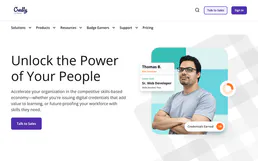
Credly
Equip your AI agent to manage digital badges, monitor issuance, and track recipient skills via the Credly API.
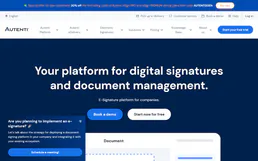
Autenti
Sign documents digitally with legal-grade electronic signatures that comply with European eIDAS regulations.
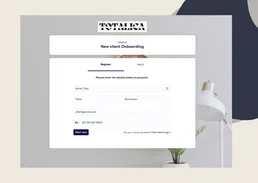
Clustdoc
Manage client onboarding and workflows via Clustdoc — track dossiers, monitor applications, and automate invitations directly from any AI agent.
You might also like

Onfido
Automate identity verification via Onfido — create applicants, manage workflow runs, and retrieve verification reports directly from any AI agent.

Heap
Automate product analytics via Heap — track events, identify users, and manage segments directly from any AI agent.
Buzzsprout
Manage your podcast via Buzzsprout — track episodes, monitor plays, and manage content directly from any AI agent.