
Farmonaut MCP. Run advanced field metrics from your chat.
 Gemini
 Works with every AI agent you already use
…and any MCP-compatible client









Just plug in your AI agents and start using Vinkius.
Farmonaut gives your AI client direct access to satellite data, weather forecasts, and soil metrics. It lets you run advanced crop monitoring—from NDVI health checks to deforestation alerts—straight from a chat window.
You can track everything: field boundaries via `add_field`, predict irrigation needs using `get_soil_moisture` and `get_weather_forecast`, or detect land use changes with `get_deforestation_alerts`.
It's full-scale precision agriculture data, available on demand.
What your AI agents can do
Add field
Registers a new monitored area by accepting boundary coordinates, crop type, and planting date.
Get crop advisory
Provides immediate recommendations for irrigation, fertilizer, pest control, and harvest timing.
Get deforestation alerts
Detects land clearing or tree cover loss by comparing current satellite images to historical data.
List and retrieve details on every monitored field, including its boundaries, crop type, and current monitoring status.
Generate specialized spectral readings (NDVI, NDWI, EVI) to measure specific aspects of plant life, like vigor or water stress.
Access historical and forecast data for temperature, rainfall, and humidity to model future climate risks.
Monitor soil moisture at various depths or run Synthetic Aperture Radar analysis to bypass cloud cover limitations.
Receive AI-driven recommendations for inputs, including irrigation timing, fertilizer application rates, and pest management schedules.
Ask AI about this MCP
Supported MCP Clients
Gemini Waiting for input…
Farmonaut MCP Server: 12 Tools for Precision Agriculture
Use these tools to calculate vegetation indices, track soil moisture levels, retrieve historical weather data, and generate actionable advice for your fields.
019d7596add field
Registers a new monitored area by accepting boundary coordinates, crop type, and planting date.
019d7596get crop advisory
Provides immediate recommendations for irrigation, fertilizer, pest control, and harvest timing.
019d7596get deforestation alerts
Detects land clearing or tree cover loss by comparing current satellite images to historical data.
019d7596get evi
Calculates the Enhanced Vegetation Index, useful for tracking dense crops and areas with high canopy biomass.
019d7596get fields
Lists all registered agricultural fields, including their boundaries, area size, and crop type.
019d7596get ndvi
Calculates the Normalized Difference Vegetation Index to assess general plant health and vigor on a scale of -1 to 1.
019d7596get ndwi
Measures water content in crops, helping determine if irrigation is needed or if drought stress is occurring.
019d7596get sar analysis
Performs all-weather analysis using Synthetic Aperture Radar, penetrating clouds to map soil moisture and crop structure.
019d7596get satellite images
Retrieves raw true-color and false-color satellite images, along with spectral bands, for visual inspection.
019d7596get soil moisture
Reports current soil moisture levels at different depths (surface, root zone) to guide irrigation scheduling.
019d7596get weather
Retrieves historical weather data including temperature, precipitation, and humidity for past field conditions.
019d7596get weather forecast
Provides forward-looking forecasts on temperature, rainfall, and wind to plan upcoming operations.
Choose How to Get Started
Build a custom MCP for your own tools, or connect a ready-made integration from our catalog.
Build Your Own
Turn any API into an MCP. Import a spec, define Agent Skills, or deploy with MCPFusion.
- Import from OpenAPI, Swagger, or YAML specs
- Create Agent Skills with progressive disclosure
- Deploy to edge with MCPFusion framework
- Built in DLP, auth, and compliance on every call
- Real time usage dashboard and cost metering
- Publish to catalog or keep private
Make Your AI Do More
Start with Farmonaut, then connect any of our 4,700+ other servers whenever your AI needs more. One click, no limits.
- Use this MCP plus 4,700+ others, all in one place
- Add new capabilities to your AI anytime you want
- Every connection is secured and compliant automatically
- Track usage and costs across all your servers
- Works with Claude, ChatGPT, Cursor, and more
- New servers added to the catalog every week
What you can do with this MCP connector
The Farmonaut MCP Server gives your AI client direct, operational control over massive satellite datasets and advanced agronomic modeling. It lets you run complex crop monitoring—from tracking water stress to flagging illegal logging—straight from a single chat window. You're getting full-scale precision agriculture data without ever needing GIS software or manual processing.
To start, you can manage your land assets by using add_field to register new areas; you specify the boundary coordinates, crop type, and planting date for every monitored plot. You can check all registered fields, including their boundaries, area size, and current status, anytime with get_fields. For environmental risk management, the server detects deforestation alerts by comparing current satellite images against historical data to flag land clearing or loss of tree cover using get_deforestation_alerts.
To assess plant health, you generate specialized spectral readings. The Normalized Difference Vegetation Index (get_ndvi) measures general vigor and plant health on a scale from -1 to 1. You can calculate the Enhanced Vegetation Index (get_evi), which tracks dense crops and areas with high canopy biomass. For water monitoring, get_ndwi assesses crop water content, helping you spot drought stress or where irrigation is needed.
You don't just read indices; you get the raw data too. get_satellite_images retrieves true-color and false-color imagery alongside specific spectral bands for visual inspection of any plot. For deeper analysis that bypasses cloud cover limitations, use Synthetic Aperture Radar (get_sar_analysis); this tool performs all-weather analysis to map soil moisture and crop structure regardless of the sky condition.
When it comes to ground conditions, you can check current soil moisture levels at various depths—specifically surface and root zone—using get_soil_moisture to guide your irrigation schedule. You also get access to historical data using get_weather, which returns past temperature, precipitation, and humidity records for field analysis. Planning ahead is easy with get_weather_forecast; this tool gives you forward-looking forecasts on rainfall, wind, and temperature so you can plan operations weeks out.
Your AI client puts it all together when you need to act. You receive immediate recommendations for inputs—including irrigation timing, fertilizer application rates, and pest management schedules—via get_crop_advisory. These advisories rely on the data pulled from every other tool here. If you just want a quick overview of what's going on in your fields, you can use get_deforestation_alerts to check for recent land changes or run an analysis using get_evi to see biomass density.
How Farmonaut MCP Works
- 1 First, subscribe to the server and input your unique Farmonaut API key via the dashboard.
- 2 Next, prompt your AI agent with a specific agricultural question (e.g., 'What should I do for field X?').
- 3 The agent calls the appropriate tool (like
get_crop_advisoryorget_ndvi), retrieves the raw data, and synthesizes it into clear, actionable advice.
The bottom line is you don't need to know GIS; your AI client handles the complex API calls and presents you with farm-ready decisions.
Who Is Farmonaut MCP For?
This is for agronomists, farm managers, and environmental consultants who deal with vast tracts of land. If you're tired of manually cross-referencing weather reports with satellite imagery to figure out if your crops are stressed, this saves hours. It lets you operate on predictive data instead of reacting to visible problems.
Analyzes vegetation indices (get_ndvi, get_evi) across multiple fields to detect early signs of nutrient deficiency or stress before they are visible to the naked eye.
Runs field inventory using get_fields and then uses get_soil_moisture and get_weather_forecast together to schedule efficient, cost-effective irrigation cycles.
Uses get_deforestation_alerts and get_satellite_images to monitor land use change over time for compliance reports or carbon credit verification.
What Changes When You Connect
- Predict Resource Needs: Instead of waiting for visible signs of drought, run
get_soil_moistureor useget_weather_forecast. This tells you when and how much water the field needs weeks out.
See Through Clouds: Don't wait for clear skies. Useget_sar_analysisto monitor soil moisture and crop structure when weather conditions are poor. - Targeted Health Checks: Stop guessing if your crops are okay. Run
get_ndviorget_evion specific fields to get a quantifiable reading of vigor, helping you pinpoint stress zones immediately. - Plan Ahead with Weather: Using
get_weather_forecastandget_soil_moisturetogether lets you adjust planting or harvest dates based on predicted rainfall and temperature shifts. - Document Compliance: For environmental audits, run
get_deforestation_alertsto automatically track land use changes. This creates an auditable record of your conservation efforts. - Maximize Efficiency: Don't over-apply inputs. By running
get_crop_advisory, you get a consolidated plan that weighs weather, soil data, and current growth stage into one set of instructions.
Real-World Use Cases
Responding to a Sudden Drought Scare
A farm manager notices browning edges on a field. Instead of sending out crew members for manual checks, they ask their agent: 'What is the water situation in Field X?' The agent uses get_soil_moisture and cross-references it with get_ndwi. It reports that root zone moisture is critically low, confirming the stress and advising immediate irrigation.
Optimizing Fertilizer Use
An agronomist needs to plan fertilization for an entire season. They use get_fields first to identify all zones, then run get_evi for each one. The agent compares the EVI readings against historical data and generates a specific fertilizer recommendation using get_crop_advisory, preventing over-spending.
Assessing Post-Storm Damage
After a major storm, an environmental consultant needs to assess land use. They run get_deforestation_alerts and then download raw imagery using get_satellite_images. This lets them visually confirm areas of recent clearing and generate the necessary compliance reports.
Planning a Multi-Season Crop Cycle
A manager is planning planting for the next quarter. They use get_weather to check last year's historical temperature peaks, then run get_weather_forecast to see if this year’s predicted growing degree days match previous successful cycles, giving them confidence in their timeline.
The Tradeoffs
Only checking NDVI
Running only get_ndvi and thinking the crop is fine. High NDVI can mean high biomass, but doesn't tell you if that biomass has enough water to actually ripen.
→
Always run get_ndwi alongside get_ndvi. Pairing these two metrics gives a complete picture: health (NDVI) plus hydration status (NDWI). This prevents misdiagnosing healthy, but dry, crops.
Ignoring cloud cover
Relying solely on get_satellite_images during rainy season coverage. The images will be useless or misleading due to the clouds.
→
For reliable data when skies are bad, use get_sar_analysis. SAR penetrates the clouds and provides actionable metrics like soil moisture estimates anyway.
Treating all fields equally
Asking for a single general advisory without context. The advice will be too vague to implement in reality.
→
First, run get_fields to get the specific boundaries and crop types. Then, ask for the advisory: 'Give me recommendations for Field X (corn) based on its current NDVI.' Context is everything.
When It Fits, When It Doesn't
Use this server if your core problem involves quantifying physical resources—water, nutrients, or land change. Specifically, use it when you need to combine multiple data streams; the real power comes from pairing a get_ndvi reading with a get_soil_moisture level and checking that against a 3-month get_weather_forecast.
Don't use this if your primary issue is localized pest outbreaks that require manual ground identification, or if you only need to know the general type of soil. For those cases, simple databases might suffice. You must also remember that while the tools are powerful, they are predictive models; always treat their output as a strong recommendation, not an absolute fact.
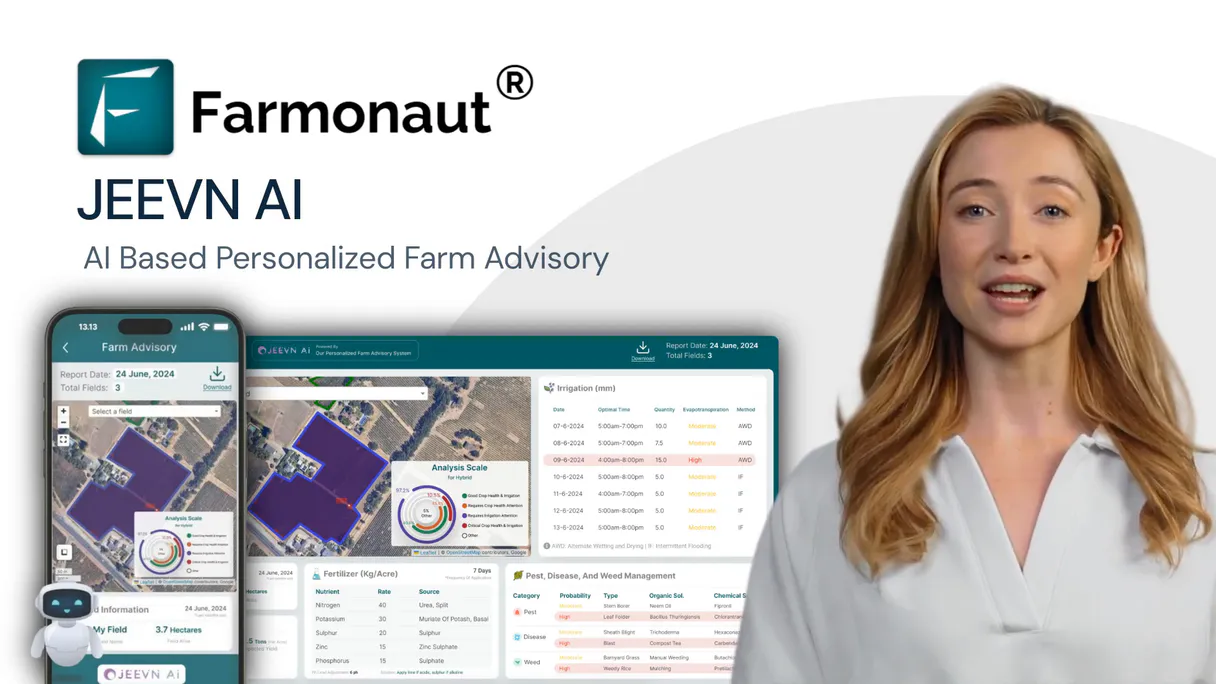
Independent Platform Disclaimer: Vinkius is an independent platform and is not affiliated with, endorsed by, sponsored by, verified by, or otherwise authorized by Farmonaut. All third-party trademarks, logos, and brand names are the property of their respective owners. Their use on this website is strictly for informational purposes to identify service compatibility and interoperability.
VINKIUS INFRASTRUCTURE
Cloud Hosted
Managed infra
V8 Isolated
Sandboxed per request
Zero-Trust Proxy
No stored credentials
DLP Enforced
Policy on every call
GDPR Compliant
EU data residency
Token Compression
~60% cost reduction
Works with Claude, ChatGPT, Cursor, and more
The Model Context Protocol standardizes how applications expose capabilities to LLMs. Instead of operating in isolation, your AI gains direct access to external platforms, live data, and real-world actions through secure, standardized connections.
This server provides 12 capabilities that interface natively with Claude, ChatGPT, Cursor, and any MCP client. No middleware. No custom integration required.
Available Capabilities
Manually cross-referencing weather reports and satellite images is a full-time job.
Today, to understand if your irrigation plan works, you have to jump between five different platforms: the historical weather API, the current soil map, the NDVI dashboard, and then pull in the next 3 months' forecast. You spend half a day just compiling the inputs before you can even write an advisory note.
With Farmonaut MCP, your agent handles that data choreography for you. Just ask: 'What should I do with Field Y?' It automatically runs `get_soil_moisture`, checks the `get_weather_forecast` against historical averages from `get_weather`, and spits out a single, actionable plan.
The get_deforestation_alerts tool handles compliance monitoring.
Manual land use change tracking involves hiring surveyors or paying for expensive annual aerial passes. You have to manually compare the date-stamped imagery to detect subtle shifts in tree canopy or forest edges—a process that’s slow and prone to human error.
Now, you simply run `get_deforestation_alerts`. It processes satellite data over time, flagging exactly where land clearing happened and how severe it is. This gives you instant environmental compliance monitoring for every square meter.
Common Questions About Farmonaut MCP
How often can I use get_ndvi? Is there a cooldown period? +
You can run get_ndvi whenever the satellite data is available. The tool pulls from multiple sources (Sentinel-2, Landsat, PlanetScope), so you are always checking the most recent observations.
Can I use get_ndwi to plan my irrigation? +
Yes, get_ndwi specifically measures water content in crops. By tracking this index over time and combining it with get_soil_moisture, you can accurately predict when deep-root watering is required.
What’s the difference between get_weather and get_weather_forecast? +
get_weather provides actual, measured data from a specific historical period. get_weather_forecast predicts future conditions like temperature and rainfall for planning purposes.
Do I need to run add_field before using get_fields? +
No, but it helps. If you use add_field, the boundary data gets logged into your account, making sure that when you call get_fields later, the field is correctly identified for analysis.
Which tool should I use if it's cloudy right now? +
Use get_sar_analysis. Since Synthetic Aperture Radar works by penetrating clouds and operating day or night, it’s the best option when visual satellite data is compromised.
If my API key expires, how does this affect using get_soil_moisture? +
The connection will fail immediately with an authentication error. You must update your Farmonaut API key on the dashboard before running any data queries like get_soil_moisture to prevent service interruption.
What format should I use when calling add_field? +
You must provide the field boundary using a valid GeoJSON Polygon structure. The system requires this standard format to accurately process the boundaries, calculate acreage, and set up monitoring for new fields.
When calling get_satellite_images, how quickly can I get multi-source data (e.g., Sentinel and PlanetScope)? +
Latency varies based on the satellite source and required resolution. For complex, multi-sensor requests, we recommend breaking them down into sequential calls to optimize performance and minimize timeouts.
Can my AI calculate NDVI for my rice field and show me the crop health trend? +
Yes! Use the get_ndvi tool with your field ID and date range (e.g., date_from=2025-04-01, date_to=2025-10-31). This returns NDVI values for each satellite overpass from Sentinel-2, Landsat, or PlanetScope, showing vegetation health progression. You can also use get_crop_advisory for AI-powered recommendations based on the NDVI trends and current growth stage.
How do I get soil moisture and weather forecast data to plan irrigation? +
Use get_soil_moisture with your field ID and date range to check current soil moisture levels at root zone depth. Combine with get_weather_forecast (forecast_range=7_days or 15_days) to see upcoming precipitation. Together these tools help determine if and when irrigation is needed. For AI-powered irrigation recommendations, use get_crop_advisory with advisory_type=irrigation.
Can I monitor my crops during cloudy season when optical satellites cannot see? +
Yes! Use the get_sar_analysis tool which uses Synthetic Aperture Radar (SAR) data that penetrates clouds and works day/night. SAR provides backscatter values, soil moisture estimates, and crop structure information regardless of weather conditions. This is essential for monitoring in tropical regions, monsoon seasons, or any cloudy conditions where optical satellites like Sentinel-2 cannot provide clear imagery.
Use it with your favorite AI tools
Connect this server to Cursor, Claude, VS Code, and more.
More in this category
Ambee Soil
Access real-time soil data via Ambee — monitor soil moisture, temperature, and properties globally for precision agriculture from any AI agent.
FRED Series — U.S. Economic Time Series
Search and retrieve data from 816,000+ official U.S. economic time series: GDP, inflation, unemployment, interest rates, money supply — with built-in transformations, frequency aggregation, and vintage analysis.

NOAA Climate — Historical Weather Records
Historical climate data from the planet's largest weather archive: GHCN-Daily temperature and precipitation records, monthly and yearly summaries, 30-year climate normals, and station search from NOAA's National Centers for Environmental Information.
You might also like
Gerrit
Manage code reviews via Gerrit — query changes and patch sets, handle reviewers and approvals, and audit project branches directly from any AI agent.

Todoist
Manage tasks, organize projects, and streamline your personal or team workflows natively with your AI agent.

Podium
Win more local customers with review generation, webchat, text marketing, and payment collection from one inbox.