
FieldAware MCP. Manage job dispatch, customer history, and billing from chat.
 Gemini
 Works with every AI agent you already use
…and any MCP-compatible client









Just plug in your AI agents and start using Vinkius.
FieldAware MCP Server lets your AI agent manage job dispatching, customer records, and billing. You can create new jobs, pull detailed customer histories, and check invoice status—all from your chat window.
It connects your AI client directly to your field service operations, giving you full control over the entire service lifecycle.
What your AI agents can do
Create job
Creates a brand new job record in FieldAware.
Get customer
Retrieves detailed profile information for one specific customer.
Get invoice
Gets the detailed record for a single invoice number.
Create new jobs via create_job and fetch detailed status and metadata for existing jobs using get_job.
Use get_customer to pull specific contact information or list_customers to view a directory of all accounts.
Pull invoice details with get_invoice or list all current invoices using list_invoices to check payment status.
List all managed assets using list_assets or see the available products and services with list_items.
List all active jobs (list_jobs) or view all quotes (list_quotes) to plan future work.
Ask AI about this MCP
Supported MCP Clients
Gemini Waiting for input…
FieldAware MCP Server: 12 Tools for Service Management
Use these 12 tools to create jobs, pull customer details, manage invoices, and track assets directly through your AI client.
019d7598create job
Creates a brand new job record in FieldAware.
019d7598get customer
Retrieves detailed profile information for one specific customer.
019d7598get invoice
Gets the detailed record for a single invoice number.
019d7598get job
Retrieves all details for one specific job ID.
019d7598get whoami
Identifies the user associated with the API key, confirming who is running the commands.
019d7598list assets
Lists all managed equipment and assets currently tracked in the system.
019d7598list contacts
Lists all individual contacts stored in the system.
019d7598list customers
Lists all customer accounts in the FieldAware directory.
019d7598list invoices
Lists all invoices, allowing you to check for overdue or unpaid records.
019d7598list items
Lists every product or service item available in your catalog.
019d7598list jobs
Lists all active and completed job assignments.
019d7598list quotes
Lists all current and historical quotes generated for customers.
Choose How to Get Started
Build a custom MCP for your own tools, or connect a ready-made integration from our catalog.
Build Your Own
Turn any API into an MCP. Import a spec, define Agent Skills, or deploy with MCPFusion.
- Import from OpenAPI, Swagger, or YAML specs
- Create Agent Skills with progressive disclosure
- Deploy to edge with MCPFusion framework
- Built in DLP, auth, and compliance on every call
- Real time usage dashboard and cost metering
- Publish to catalog or keep private
Make Your AI Do More
Start with FieldAware, then connect any of our 4,700+ other servers whenever your AI needs more. One click, no limits.
- Use this MCP plus 4,700+ others, all in one place
- Add new capabilities to your AI anytime you want
- Every connection is secured and compliant automatically
- Track usage and costs across all your servers
- Works with Claude, ChatGPT, Cursor, and more
- New servers added to the catalog every week
What you can do with this MCP connector
Your AI client connects directly to FieldAware, letting your agent handle everything from job dispatching to billing and customer records. You manage your entire field service workflow right from your chat window, without ever logging into the portal.
Managing Jobs and Workflows
Your agent can create a new job record using create_job. It can also fetch all the details for a specific job ID with get_job, or pull a list of every active and completed job assignment with list_jobs. You've got full control over the job lifecycle.
Handling Customers and Contacts
Need to look up a customer? You can use list_customers to see a full directory of accounts, or get_customer to pull detailed history for one specific person or company. You can also pull a list of all individual contacts stored in the system using list_contacts.
Tracking Money and Inventory
To check on billing, your agent can list all current invoices with list_invoices, or grab the full record for a single invoice number using get_invoice. For products and services, you can list every available item in your catalog using list_items. You can also view all historical quotes generated for customers by calling list_quotes.
Equipment and Assets
To keep track of gear, your agent lists all managed equipment and assets currently tracked in the system via list_assets.
Planning and Discovery
You can view all quotes with list_quotes to plan future work, and you can list all active jobs with list_jobs to get a quick overview of what's going on.
How FieldAware MCP Works
- 1 Subscribe to the FieldAware MCP Server and provide your unique API Key.
- 2 Ask your AI agent to perform a business task using natural language (e.g., 'What's the status of the job for Global Tech Corp?').
- 3 The agent selects the right tools (like
get_customerand thenget_job), runs them, and presents the consolidated data to you.
The bottom line is, you run complex field service operations from a single chat prompt, not through multiple web forms.
Who Is FieldAware MCP For?
Service Managers and Operations Leads who spend too much time clicking through job dashboards and jumping between CRM and accounting portals. If you need to coordinate job assignments with billing records, this saves hours of manual effort.
Checks job progress and pulls customer history. Instead of logging into the portal, they ask the agent: 'Show me the last three jobs for customer X, and what invoices are outstanding for them.'
Retrieves invoice details and checks payment status. They use the agent to list invoices and cross-reference them against job details.
Quickly looks up customer contacts and asset details for immediate assignment. They ask the agent to find the primary contact for a job and verify the required equipment.
What Changes When You Connect
- Get the full job picture without clicking tabs. Need to know the job status, the customer's contacts, and the invoice payment? Your agent can chain
get_customerandget_jobcalls to give you one cohesive answer. - Streamline billing checks. Don't manually check the invoice portal. Running
list_invoicesimmediately shows you which invoices are unpaid and what the amounts are. - Reduce context switching for field teams. Instead of checking a separate asset management system, use
list_assetsto verify if the required equipment is in stock before creating the job withcreate_job. - Improve planning accuracy. Want to quote a job? Use
list_itemsto see your full service catalog andlist_quotesto review existing estimates before talking to a client. - Know exactly who you're dealing with. Use
list_customersto pull a list of all clients, and then useget_customerto drill down into a specific account's history. - Automate data gathering. Your agent can gather a customer's details (
get_customer), list their active jobs (list_jobs), and pull associated invoices (get_invoice)—all in a single, conversational exchange.
Real-World Use Cases
Need to onboard a new client and schedule their first service.
A dispatcher needs to set up service for a brand new client. They first use list_customers to confirm the account doesn't exist. Then, they use get_customer to input the required details. Finally, they use create_job to schedule the initial service appointment, all without leaving the chat window.
A client calls with a billing dispute.
The billing specialist needs to resolve a dispute. They use list_invoices to find the problematic invoice ID. Next, they use get_invoice to pull the line-item details, then use get_job to cross-reference the service against a specific job ID to confirm what was billed.
The field team needs to verify equipment before dispatch.
The operations manager needs to send a crew out. They first run list_assets to ensure the specific equipment (e.g., Model X) is available. Then, they use get_job to check the job requirements to confirm that Model X is needed for that location.
Creating a service agreement and tracking its status.
A manager plans a complex service. They start by checking list_items to confirm all necessary products are in the catalog. Next, they generate a draft quote using list_quotes. When the job is confirmed, they use create_job to start the process.
The Tradeoffs
Trying to fetch everything at once
Asking the agent, 'Give me all data: jobs, customers, invoices, and assets.' This results in a massive, unusable wall of data that mixes job IDs, names, and financial figures, forcing you to manually search for the piece you actually needed.
→
Break it down. First, list the customers with list_customers. Then, select a customer and use get_customer to get their specific contact info. Finally, use list_jobs to see only their active assignments.
Assuming tool names match real-world terms
Telling the agent, 'Show me the equipment list and all client contacts.' The agent might get confused because you mix 'equipment list' (which is list_assets) with 'client contacts' (which is list_contacts).
→ Be specific. Always use the tool names or the data type. Say: 'List the assets' or 'List all contacts.' This guides the agent to the correct function.
Ignoring required IDs
Asking the agent, 'Get the job details for Global Tech Corp.' The agent fails because it needs a Job ID, not just a customer name. You have to run list_jobs first to get the ID.
→
Always confirm the ID first. Run get_customer to get the customer ID, then use that ID to run list_jobs to find the job ID, and finally pass that ID to get_job.
When It Fits, When It Doesn't
Use this server if your workflow requires linking service dispatching, customer records, and billing data. You need to know if a job exists, who the contact is, and if the associated invoice is paid. Don't use this if you only need a simple mailing list (use a dedicated contact list tool) or if you only need to view static data (use a dedicated read-only reporting tool). If you are managing the full service lifecycle—from quote to job creation to billing—this is your server. Always start by running list_customers to establish the primary account ID you're working with.
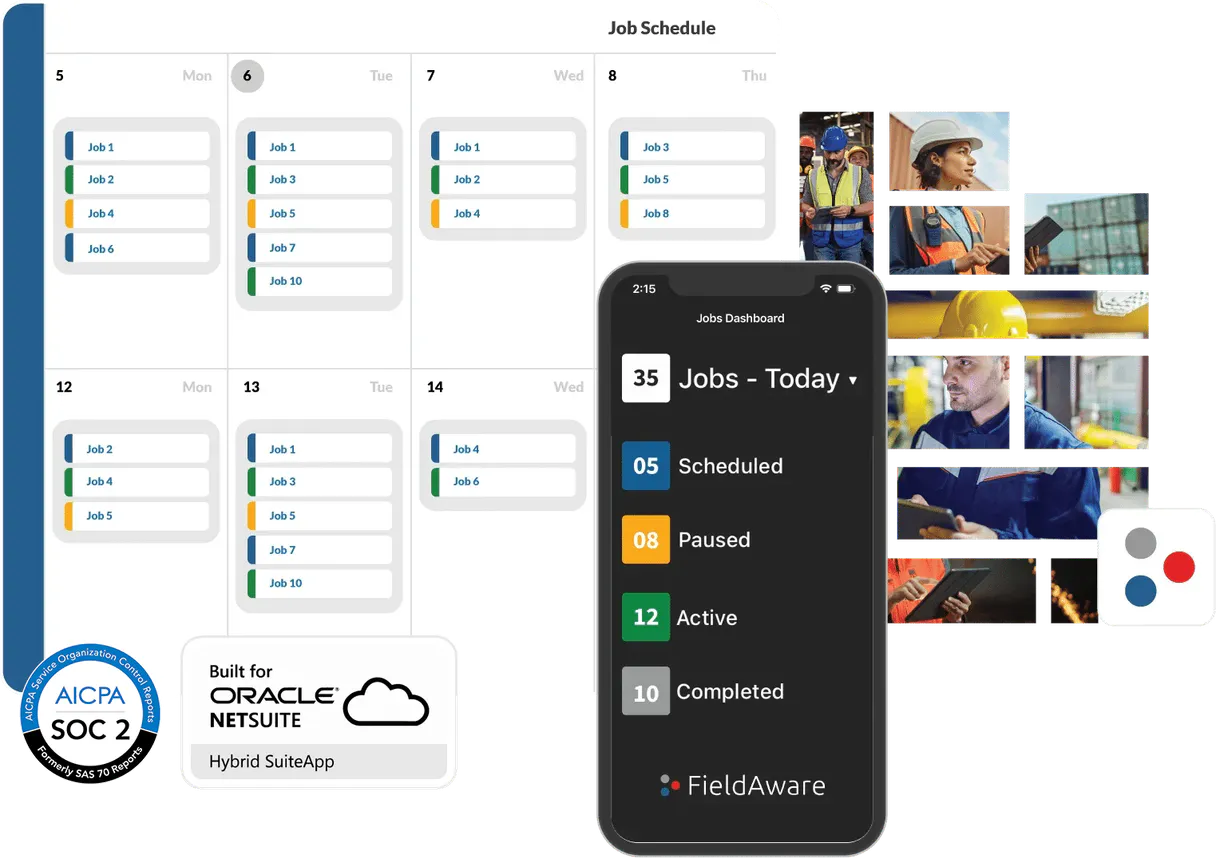
Independent Platform Disclaimer: Vinkius is an independent platform and is not affiliated with, endorsed by, sponsored by, verified by, or otherwise authorized by FieldAware. All third-party trademarks, logos, and brand names are the property of their respective owners. Their use on this website is strictly for informational purposes to identify service compatibility and interoperability.
VINKIUS INFRASTRUCTURE
Cloud Hosted
Managed infra
V8 Isolated
Sandboxed per request
Zero-Trust Proxy
No stored credentials
DLP Enforced
Policy on every call
GDPR Compliant
EU data residency
Token Compression
~60% cost reduction
Works with Claude, ChatGPT, Cursor, and more
The Model Context Protocol standardizes how applications expose capabilities to LLMs. Instead of operating in isolation, your AI gains direct access to external platforms, live data, and real-world actions through secure, standardized connections.
This server provides 12 capabilities that interface natively with Claude, ChatGPT, Cursor, and any MCP client. No middleware. No custom integration required.
Available Capabilities
Jumping between the job dashboard, CRM, and accounting portal sucks.
Right now, to get a full picture of a client, you start in the CRM to get their contact info. Then, you open the job portal to see their active work orders. After that, you switch to the billing system just to check if the last invoice cleared. You spend ten minutes copying IDs and pasting them into three different places.
With the FieldAware MCP Server, you just ask your agent: 'What's the full status for Global Tech Corp?' It runs `get_customer`, pulls the job list using `list_jobs`, and checks the invoice status using `list_invoices`. You get the answer in one response.
FieldAware MCP Server: Manage jobs, customers & invoices
You eliminate the manual steps of logging into the job management system, then manually searching for the customer, and finally opening the billing tab. The agent handles the data retrieval and cross-referencing between these three systems.
It's not just about seeing data; it's about having the system run the logic for you. You talk to your agent, and the agent talks to your backend systems.
Common Questions About FieldAware MCP
How do I use the `create_job` tool in FieldAware? +
You must provide all required job parameters (like customer ID, service type, and start date). The agent runs create_job and returns a new Job ID, confirming the job is scheduled.
What is the difference between `list_jobs` and `get_job`? +
list_jobs gives you a summary of multiple jobs (e.g., 10 active jobs). get_job requires a specific Job ID and returns all the granular details for just that single job.
Can I use `get_customer` if I only know the customer's name? +
You usually need the customer's unique ID. If you only have the name, run list_customers first to find the correct ID, and then pass that ID to get_customer.
How do I check if an invoice is unpaid using `list_invoices`? +
You ask the agent to run list_invoices and filter the results for 'Unpaid' status. The agent will list the Invoice IDs and amounts you need to follow up on.
How do I use `get_whoami` to verify the API key's permissions? +
The get_whoami tool verifies the user and permissions associated with the API key. It tells you exactly what the connected agent can access, preventing unauthorized operations.
Can I list all assets and their locations using `list_assets`? +
Yes, list_assets retrieves a comprehensive list of managed equipment. The returned data includes location details, making it easy to verify if your field team has the right context.
What information can I get about a customer using `get_customer`? +
Using get_customer fetches detailed profiles for a specific client. You get contact info, service history, and associated details, helping your agent personalize interactions.
How do I check all available products and services using `list_items`? +
list_items provides a full catalog of everything you sell. This list includes both products and services, letting your agent query your entire service catalog.
How do I obtain my FieldAware API Key? +
You can request or generate your API Key from your FieldAware account administrator or within the Developer/API Settings section of your FieldAware portal.
What is the format for the API Key in the settings? +
The agent automatically handles the 'Token' prefix. You only need to paste the literal API key provided by FieldAware.
Can I create new jobs through this agent? +
Yes! The create_job tool allows you to programmatically generate new work orders by providing a customer ID and description.
Use it with your favorite AI tools
Connect this server to Cursor, Claude, VS Code, and more.
More in this category
Arrivy
Manage field service tasks, crews, and customer bookings with Arrivy — coordinate last-mile delivery and jobs via AI.

X Ads (Twitter)
Manage your X Ads campaigns — audit accounts, line items, and analytics via AI.

Anthropic Alternative
Access Claude models via Anthropic API — send messages, count tokens, manage batches and discover models from any AI agent.
You might also like

ntfy (Push Notifications)
Send and receive push notifications via ntfy topics directly from your AI agent to any device.

Deta Space (Serverless Personal Cloud API)
Manage your personal cloud via Deta Space — store data in Deta Base and files in Deta Drive directly from any AI agent.

HubSpot Analytics
View web analytics, track events, list reports, and get email campaign statistics through natural conversation.