
Forj MCP. Manage groups, members, and activity via your AI agent.
 Gemini
 Works with every AI agent you already use
…and any MCP-compatible client









Just plug in your AI agents and start using Vinkius.
Forj connects your professional community platform to your AI client. Use it to manage groups, search members, and track activity for professional networks.
You can find users by email, create new groups, list all segments, and review member activity logs—all through natural conversation.
What your AI agents can do
Add user to group
Assigns an existing member to a specific community group.
Create group
Creates a new, defined group within the community platform.
Find user
Searches and retrieves a user's profile using their email address.
Find community users by searching names or by providing an exact email address.
Create new organizational groups or retrieve detailed metadata for existing community segments.
Assign existing users to specific groups or view a list of membership requests awaiting approval.
Get a detailed log of a member's participation, showing their interactions and activity history.
List sent invitations or retrieve general account metadata to check system status.
Ask AI about this MCP
Supported MCP Clients
Gemini Waiting for input…
Forj MCP Server: 12 Tools for Community Ops
These tools let your AI agent handle everything from listing groups to assigning members and tracking user activity across your professional community.
019d759dadd user to group
Assigns an existing member to a specific community group.
019d759dcreate group
Creates a new, defined group within the community platform.
019d759dfind user
Searches and retrieves a user's profile using their email address.
019d759dget account details
Retrieves high-level metadata about the entire community account.
019d759dget group
Gets detailed information and metadata for a specific group.
019d759dget user activity
Pulls the complete activity log showing how a member has participated.
019d759dlist group members
Lists every user currently belonging to a specified group.
019d759dlist groups
Retrieves a list of all organizational groups in the community.
019d759dlist invitations
Shows a list of community invitations that have been sent out.
019d759dlist pending requests
Displays all membership requests that are waiting for your approval.
019d759dlist webhooks
Lists all active webhooks connected to the community account.
019d759dsearch users
Searches for community members using general keywords or names.
Choose How to Get Started
Build a custom MCP for your own tools, or connect a ready-made integration from our catalog.
Build Your Own
Turn any API into an MCP. Import a spec, define Agent Skills, or deploy with MCPFusion.
- Import from OpenAPI, Swagger, or YAML specs
- Create Agent Skills with progressive disclosure
- Deploy to edge with MCPFusion framework
- Built in DLP, auth, and compliance on every call
- Real time usage dashboard and cost metering
- Publish to catalog or keep private
Make Your AI Do More
Start with Forj, then connect any of our 4,700+ other servers whenever your AI needs more. One click, no limits.
- Use this MCP plus 4,700+ others, all in one place
- Add new capabilities to your AI anytime you want
- Every connection is secured and compliant automatically
- Track usage and costs across all your servers
- Works with Claude, ChatGPT, Cursor, and more
- New servers added to the catalog every week
What you can do with this MCP connector
Connect your Forj account to your AI client. This server lets you manage your professional community directly, handling everything from finding members to tracking activity using natural conversation. You'll be able to find users by searching general keywords or by using an exact email address. You can build groups by creating new ones or by getting detailed metadata for existing community segments.
You'll manage membership status by assigning existing users to specific groups or by viewing a list of membership requests that are waiting for your approval. To track activity, you can pull a complete activity log showing how a member has participated. You can also review sent invitations by listing them or retrieve general account metadata to check system status.
You'll list all organizational groups available or get specific details for a single group. You can list every user belonging to a specified group. You'll list all community invitations that were sent out. You'll display all membership requests that are waiting for you to approve them. You'll list all active webhooks connected to the community account.
How Forj MCP Works
- 1 Subscribe to the server on Vinkius and input your Forj API Key and Secret Key.
- 2 Your AI client accesses the tools to perform actions—for instance, asking to find a user's profile by email.
- 3 The server executes the request and returns structured data, allowing your agent to report findings directly in the conversation.
The bottom line is, you use your AI client to talk to Forj, and the server executes the commands without you ever leaving your chat window.
Who Is Forj MCP For?
The Community Manager who has to manually check membership rolls and follow up on stalled invitations. The Operations Engineer who needs to automate routine user onboarding and group assignment. The Product Owner who needs a quick view of user activity to prove engagement metrics. If your community growth relies on managing groups and people, this is for you.
Uses this to search for members, assign them to the right groups, and track who hasn't logged in since the last campaign.
Uses this to list groups, create new segment groups, and manage bulk membership changes via automation.
Uses this to pull activity logs for key users or check pending membership requests to understand platform health.
What Changes When You Connect
- Find users instantly. Instead of navigating member directories, ask your agent to
find_userby email. It pulls the profile data immediately. - Automate group setup. You can use
create_groupto build new segments and thenadd_user_to_groupto assign members, all from a single prompt. - Track engagement history. Need to know if a user is active? Run
get_user_activityto get a full log of their participation without leaving the chat. - Monitor growth pipelines. Use
list_invitationsandlist_pending_requeststo get a count of who was invited and who is waiting for approval. - Get the full picture. Running
list_groupsshows all segments, whilelist_group_memberslets you drill down into who belongs in a specific group.
Real-World Use Cases
Onboarding a new cohort
The Product Manager needs to onboard 50 new users into the 'Beta Testers' group. They ask their agent to run find_user for all 50 emails, then run create_group if it doesn't exist, and finally run add_user_to_group for every user. The agent handles the sequence and reports success.
Auditing a key member's participation
The Community Manager needs to prove a member's engagement level for a report. They ask the agent to run get_user_activity for the user ID. The agent fetches the log and summarizes the last three actions.
Finding a specific user's details
A user needs a profile for a specific email address. Instead of searching the directory, they ask their agent to run find_user with the email. The agent returns the profile data directly.
Cleaning up dormant groups
The Ops Engineer wants to see which groups are empty or underutilized. They ask the agent to run list_groups and then iterate through the results, calling list_group_members for each one to check for members.
The Tradeoffs
Manual group assignment
Logging into the Forj dashboard, finding the user's profile, clicking the 'Groups' tab, and manually checking the box for every group they belong to.
→
Just run the add_user_to_group tool and specify the user and the group name. Your agent handles the clicks.
Searching for users by name only
Typing 'John Smith' into the search bar and getting a list of 10 people. You then have to click into each profile to verify the correct email.
→
Use the search_users tool, but if you know the email, use find_user. It's faster and more direct.
Guessing membership status
Assuming a user is in a group because they were invited, but they never clicked the link or the invitation expired.
→
Run list_pending_requests to see who is waiting for approval, or run list_group_members to see who is confirmed in the group.
When It Fits, When It Doesn't
Use this if you need to manage community membership or track activity across a professional network. For example, if you need to check who is in a group, use list_group_members. If you need to assign someone, use add_user_to_group. If you just need to know if a user exists, use find_user. Don't use this if your goal is simple content posting or message sending; you need a dedicated messaging tool for that. If you need to audit system settings, use list_webhooks to see what's connected.

Independent Platform Disclaimer: Vinkius is an independent platform and is not affiliated with, endorsed by, sponsored by, verified by, or otherwise authorized by Forj. All third-party trademarks, logos, and brand names are the property of their respective owners. Their use on this website is strictly for informational purposes to identify service compatibility and interoperability.
VINKIUS INFRASTRUCTURE
Cloud Hosted
Managed infra
V8 Isolated
Sandboxed per request
Zero-Trust Proxy
No stored credentials
DLP Enforced
Policy on every call
GDPR Compliant
EU data residency
Token Compression
~60% cost reduction
Works with Claude, ChatGPT, Cursor, and more
The Model Context Protocol standardizes how applications expose capabilities to LLMs. Instead of operating in isolation, your AI gains direct access to external platforms, live data, and real-world actions through secure, standardized connections.
This server provides 12 capabilities that interface natively with Claude, ChatGPT, Cursor, and any MCP client. No middleware. No custom integration required.
Available Capabilities
Managing community members usually means jumping between 4-5 different dashboard tabs.
Right now, checking a member's status means jumping to the main dashboard, clicking 'Members,' searching by name, and then checking their group membership status on a separate tab. If you want to see their activity, you have to run a separate report, and then you have to copy those details into a spreadsheet.
With the Forj MCP Server, you tell your agent what you need. It runs the necessary tools—maybe `find_user` and then `get_user_activity`—and gives you the combined, actionable answer right in the chat. No tabs, no copy/paste.
Forj MCP Server: Automate group and member changes
You currently have to manually create a group, then find the members, and then assign them one by one. This is slow, and if you miss a step, the data is wrong. You also have to check `list_pending_requests` to see who needs approval.
The server lets you manage the entire lifecycle. You can `create_group`, and then immediately use `add_user_to_group` for a batch of users. It handles the sequence and keeps your data clean.
Common Questions About Forj MCP
How do I use the `find_user` tool with Forj MCP Server? +
You use find_user by providing the member's email address. It returns the user's profile data directly. This is the fastest way to locate a user.
Can `list_group_members` get a full list of people in a group? +
Yes, list_group_members retrieves all user IDs and details for a specified group. It's the primary way to audit group membership.
Is `add_user_to_group` the only way to add members? +
No, you can use add_user_to_group to programmatically assign a user. However, you can also monitor manual additions by running list_pending_requests.
What does `get_user_activity` show? +
get_user_activity pulls a complete history log. It details specific actions, like posting comments or joining a group, giving you true participation metrics.
How do I see all the groups I can manage with Forj MCP Server? +
Run the list_groups tool. This gives you a clean list of every segment or group currently defined in your community.
How do I use the `list_groups` tool to see all available community segments? +
It lists every organizational group you manage. You can see the group name and its basic metadata, which helps you figure out which community segment needs attention.
What information does `get_account_details` return about my Forj community? +
It provides core account metadata for your Forj instance. This includes overall system status and essential configuration details you might need to cross-reference with other tools.
Can `list_pending_requests` show me who needs approval to join a group? +
Yes, it lists all pending membership requests. The output tells you the user's name and which group they are trying to join, so you know exactly who needs your attention.
How do I get an API Key for Forj? +
API Keys can be generated by the Account Owner within the platform settings under the API Access section.
Can I approve pending group requests via the agent? +
You can use the 'list_pending_requests' tool to identify members awaiting approval. Support for direct approval via API depends on your plan.
Is member activity tracked in real-time? +
Yes, the 'get_user_activity' tool retrieves the most recent log of interactions and group actions for a specific member.
Use it with your favorite AI tools
Connect this server to Cursor, Claude, VS Code, and more.
More in this category

Troops
Automate HR and recruitment workflows via Troops — manage job offers, candidates, contracts, and timesheets directly from your AI agent.

QR Code Generator
Generate and decode QR codes for URLs, text, and data directly within your AI workflow.

Moodle
Power your e-learning environment with the world most flexible open-source LMS for course creation and student management.
You might also like
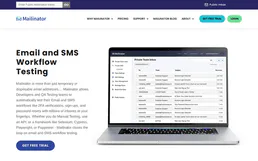
Mailinator
Test email workflows with disposable inboxes that catch every message without touching production mailboxes or real addresses.

Meshy (3D AI)
Transform text and images into high-quality 3D models using Meshy's generative AI directly from your agent.

Mailjet
Send transactional emails and manage marketing campaigns via the Mailjet REST API.