
Freightview MCP. Get rates and track LTL shipments instantly.
 Gemini
 Works with every AI agent you already use
…and any MCP-compatible client









Just plug in your AI agents and start using Vinkius.
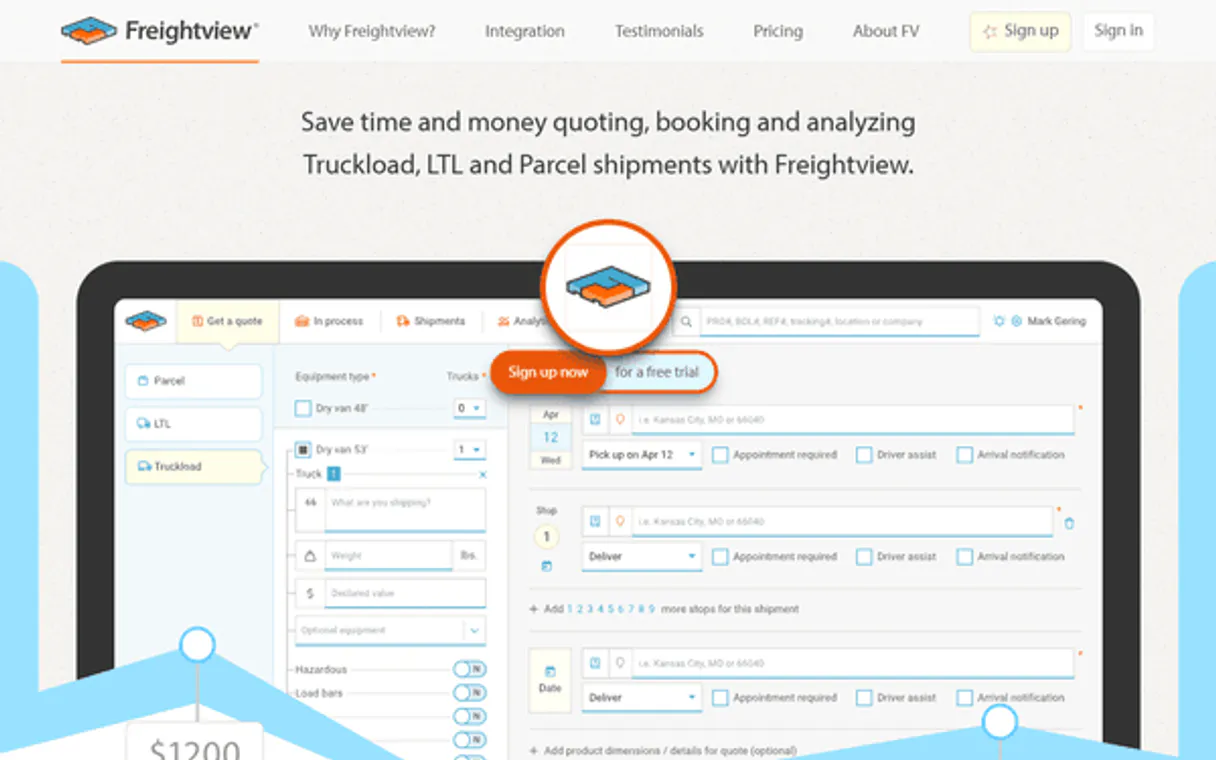
Freightview. Automate LTL freight quoting, track shipments, and manage all your carriers through a single AI connection. Connect your AI client to this MCP server to request real-time rates from multiple carriers, track active shipments, and access your full logistics directory.
It centralizes rate comparison and shipment status updates, eliminating the need to jump between carrier portals.
What your AI agents can do
Get account details
Fetches your organization's core account attributes.
Get carrier details
Gets specific information about a connected freight carrier.
Get quote details
Retrieves detailed metadata for a specific freight quote.
Retrieves core organizational attributes for your shipping account.
Retrieves specific information about a connected freight carrier.
Retrieves details about a specific historical or active freight quote.
Retrieves detailed, real-time metadata for an active shipment.
Retrieves a list of addresses saved in your account's address book.
Retrieves a list of all carriers currently linked to your Freightview account.
Retrieves contact information for logistics partners and contacts.
Retrieves a list of quotes you've generated recently for review.
Retrieves a list of standard items used for freight quoting.
Retrieves a list of all current and past freight shipments.
Retrieves a list of active webhooks set up for status notifications.
Initiates a request to get real-time freight rates between two points.
Ask AI about this MCP
Supported MCP Clients
Gemini Waiting for input…
Freightview MCP Server: 12 Tools for Logistics
Use these tools to manage everything from real-time rate requests and tracking to accessing your full directory of carriers, addresses, and historical quotes.
019d759fget account details
Fetches your organization's core account attributes.
019d759fget carrier details
Gets specific information about a connected freight carrier.
019d759fget quote details
Retrieves detailed metadata for a specific freight quote.
019d759fget shipment details
Gets detailed, current metadata for a specific shipment.
019d759flist address book
Lists all saved addresses you can use for quoting and tracking.
019d759flist connected carriers
Lists all carriers linked to your account for oversight.
019d759flist contacts
Lists contacts for your logistics partners and internal teams.
019d759flist freight quotes
Lists your recent freight quotes for cost analysis.
019d759flist item catalog
Lists the standard items used for calculating freight costs.
019d759flist shipments
Lists all current and historical freight shipments.
019d759flist webhooks
Lists the active webhooks configured for status updates.
019d759frequest rates
Requests real-time freight rates between two defined locations.
Choose How to Get Started
Build a custom MCP for your own tools, or connect a ready-made integration from our catalog.
Build Your Own
Turn any API into an MCP. Import a spec, define Agent Skills, or deploy with MCPFusion.
- Import from OpenAPI, Swagger, or YAML specs
- Create Agent Skills with progressive disclosure
- Deploy to edge with MCPFusion framework
- Built in DLP, auth, and compliance on every call
- Real time usage dashboard and cost metering
- Publish to catalog or keep private
Make Your AI Do More
Start with Freightview, then connect any of our 4,700+ other servers whenever your AI needs more. One click, no limits.
- Use this MCP plus 4,700+ others, all in one place
- Add new capabilities to your AI anytime you want
- Every connection is secured and compliant automatically
- Track usage and costs across all your servers
- Works with Claude, ChatGPT, Cursor, and more
- New servers added to the catalog every week
What you can do with this MCP connector
You connect your AI client to the Freightview MCP Server, and it gives your agent direct access to your whole LTL freight network. You can automate quoting, track shipments, and manage all your carriers without jumping between different portals.
When you use this server, your AI client can access all the data you need. It'll let you request real-time rates between any two points using request_rates, and you can check your organization's core account attributes with get_account_details. To keep things organized, you can list all saved addresses you can use for quoting or tracking with list_address_book.
You can also see all the carriers linked to your account by calling list_connected_carriers, and you can pull specific info on any connected carrier using get_carrier_details.
For tracking and quoting, you'll get details about specific shipments with get_shipment_details and can find details for a specific freight quote using get_quote_details. You can list all current and past shipments with list_shipments, and you can list all your recent quotes with list_freight_quotes. If you need to build a rate quote, you can list the standard items used for calculating freight costs via list_item_catalog.
You can also list your contacts for logistics partners and internal teams using list_contacts.
You can review your operational setup by listing all active webhooks configured for status updates using list_webhooks. You can also review your recent history by listing all quotes you've generated with list_freight_quotes.
How Freightview MCP Works
- 1 First, connect your AI client (like Claude or Cursor) to the Freightview MCP Server and input your API keys.
- 2 Next, tell your agent what you need—for instance, 'Get rates from Dallas to Chicago for a pallet.'
- 3 The agent calls the
request_ratestool, gathers the results, and presents a comparison of available carrier prices.
The bottom line is you manage complex LTL freight operations by talking to your AI client, not by navigating 12 different carrier websites.
Who Is Freightview MCP For?
The logistics coordinator who spends hours comparing rates across five different carrier websites. The supply chain manager who needs an instant, system-wide view of all active shipments and carrier performance. This is for anyone whose job involves translating complex, multi-party logistics data into simple, actionable decisions.
Uses the server to quickly compare rates using request_rates or to track a batch of multiple shipments via list_shipments.
Checks carrier performance and system status by calling list_connected_carriers and reviewing historical data via list_freight_quotes.
Automates the retrieval of necessary freight quotes and tracking information for customer support or order fulfillment processes.
What Changes When You Connect
- See rates from all carriers in one place. Use
request_ratesto get instant pricing by providing only the origin and destination. You don't have to check carrier websites individually. - Track shipments without logging in. Call
list_shipmentsto see a list of active shipments and their current status. The agent pulls the detailed status metadata for you. - Manage your entire network from chat. Use
list_connected_carriersto see every carrier you use and check their details withget_carrier_detailswhen needed. - Build quotes faster. Before quoting, run
list_address_bookandlist_item_catalogto ensure you're using the correct saved addresses and dimensions. - Audit costs easily. Run
list_freight_quotesto pull up a list of historical quotes, letting you compare prices and analyze cost trends over time. - Maintain full context. Use
get_account_detailsto pull core account info, making sure your AI agent always knows your company's specific parameters.
Real-World Use Cases
Quoting for a New Customer
A logistics coordinator needs a rate for a new client job. Instead of emailing five carriers, they ask their agent to run request_rates using the origin and destination. The agent automatically pulls and compares rates from every connected carrier, giving the coordinator an immediate, actionable price comparison.
Checking Shipment Status in Bulk
A supply chain manager needs to know the status of 20 shipments. They ask the agent to run list_shipments. The agent returns a list of all 20, and the manager can then select specific IDs to run get_shipment_details on, getting the full, up-to-date transit status for all of them.
Onboarding a New Carrier
The operations specialist adds a new carrier. They use list_connected_carriers to verify the carrier is listed, then use get_carrier_details to pull key operational data before integrating them into the quoting process.
Historical Cost Analysis
The finance manager needs to compare last quarter's rates. They run list_freight_quotes to get a list of past quotes, then use get_quote_details on specific IDs to pull the full rate metadata needed for billing reports.
The Tradeoffs
Calling list tools without filters
Running list_shipments with no date filters, then manually checking the first 100 results to find the one from last Tuesday. This requires massive data scraping and is slow.
→
Always use specific filters. When listing shipments, specify the date range or use the list_shipments tool to narrow results. For quotes, always start by using list_freight_quotes to see recent activity.
Manual data cross-referencing
Getting a rate from request_rates, then manually checking list_item_catalog to ensure the dimensions match. This is error-prone and slow.
→
Let the agent check the dependencies. Use the core tools in sequence: first list_address_book for locations, then list_item_catalog for dimensions, and finally request_rates for the quote.
Over-relying on single tool output
Getting a rate using request_rates and assuming it's final. You forget to check the carrier's compliance status using get_carrier_details first.
→
Before committing to a rate, always check the source. Run list_connected_carriers and then get_carrier_details to verify the carrier is active and compliant.
When It Fits, When It Doesn't
Use this if you need to compare rates or track shipments across multiple carriers from one chat window. This server is for logistics operations that require centralized data access, like quoting or status updates. Don't use it if you only need to perform a single, isolated task, like just fetching a single address. For simple address lookups, you can use other general-purpose data retrieval tools. If your process involves moving data from a spreadsheet into a database, you need a dedicated data ingestion tool, not just a quoting tool.
Independent Platform Disclaimer: Vinkius is an independent platform and is not affiliated with, endorsed by, sponsored by, verified by, or otherwise authorized by Freightview. All third-party trademarks, logos, and brand names are the property of their respective owners. Their use on this website is strictly for informational purposes to identify service compatibility and interoperability.
VINKIUS INFRASTRUCTURE
Cloud Hosted
Managed infra
V8 Isolated
Sandboxed per request
Zero-Trust Proxy
No stored credentials
DLP Enforced
Policy on every call
GDPR Compliant
EU data residency
Token Compression
~60% cost reduction
Works with Claude, ChatGPT, Cursor, and more
The Model Context Protocol standardizes how applications expose capabilities to LLMs. Instead of operating in isolation, your AI gains direct access to external platforms, live data, and real-world actions through secure, standardized connections.
This server provides 12 capabilities that interface natively with Claude, ChatGPT, Cursor, and any MCP client. No middleware. No custom integration required.
Available Capabilities
Comparing rates shouldn't require logging into five different carrier portals.
Today, getting a quote means opening Carrier A's site, inputting origin/destination. Then you repeat the whole process for Carrier B, C, D, and E. You copy the data, switch tabs, and manually compare the resulting rates—all before you even talk to a client.
With this MCP server, you just tell your agent the route. The agent executes `request_rates` and pulls all available pricing data from every connected carrier. You get a single, side-by-side rate comparison right in your chat interface.
Freightview MCP Server: Get shipment status and details.
Manual tracking requires logging into the carrier's portal, finding the tracking number, and refreshing the page until it says 'In Transit.' If the shipment changes status, you have to repeat the whole process.
Now, your agent runs `list_shipments` and pulls the current metadata. You get the full, updated status and estimated delivery date immediately, without logging in or switching screens. It just works.
Common Questions About Freightview MCP
How do I use the `request_rates` tool? +
You give the tool the origin and destination points. The agent then requests real-time rates from every carrier connected to your account, giving you a full comparison.
What is the difference between `list_shipments` and `list_freight_quotes`? +
list_shipments shows current and past physical shipments. list_freight_quotes only shows the history of rate quotes you've generated.
Do I need to use `list_address_book` before running `request_rates`? +
It's best practice to use list_address_book first. It pulls your saved, verified addresses, ensuring the request_rates tool uses the correct location data.
How do I check which carriers are available? +
Call list_connected_carriers. This shows every carrier linked to your account, letting you know who you can get rates from.
What if I need to check the status of one specific shipment? +
Use the get_shipment_details tool. You'll need the shipment ID, and the tool returns the full, current status metadata for that single shipment.
How do I use `list_connected_carriers` to check my carrier list? +
The list_connected_carriers tool shows all carriers linked to your Freightview account. It's useful for quickly confirming which logistics partners your AI agent can access for quoting or tracking.
What is the purpose of `get_account_details`? +
This tool retrieves core attributes about your organization. Use it when your agent needs to confirm the primary account details or contact information before running a major operation.
If I need historical data, should I use `list_freight_quotes` or `list_item_catalog`? +
list_freight_quotes retrieves past pricing information. Meanwhile, list_item_catalog lists standard, commonly shipped items, helping you ensure accurate data for new quotes.
How do I get my API Keys for Freightview? +
Log in to your Freightview account, click your Company Name, then go to Account Settings > API Keys to find your User and Account keys.
Can I request live rates for a new shipment? +
Yes! Use the 'request_rates' tool and provide the origin and destination zip codes. The agent will retrieve quotes from all your connected carriers.
How do I check the current status of an active shipment? +
Use the 'get_shipment_details' tool and provide the Shipment ID. The agent will return the most recent tracking metadata and location history.
Can I see a list of all my connected carriers? +
Yes! The 'list_connected_carriers' tool retrieves all carrier accounts currently linked to your Freightview platform.
Use it with your favorite AI tools
Connect this server to Cursor, Claude, VS Code, and more.
More in this category

Orderful
EDI integration made simple — manage transactions, relationships, and guidelines via Orderful.

OptimoRoute
Optimize delivery routes via OptimoRoute — create orders, run route planning, track driver GPS, and verify proof of delivery from any AI agent.

Smarty
Equip your AI with enterprise-grade location intelligence to validate, autocomplete, and extract US or International addresses instantly.
You might also like

User-Agent Parser
Decode raw HTTP User-Agent strings instantly. Extract structured Browser, OS, and Device data for accurate IT log analysis.

Lucidya
Monitor social media, analyze sentiment, and manage customer data via the Lucidya API.

2Chat
Programmable WhatsApp automation — send messages, manage groups, and verify numbers via AI.