
Lucidya MCP. Link social mentions to customer records in one chat.
 Gemini
 Works with every AI agent you already use
…and any MCP-compatible client









Just plug in your AI agents and start using Vinkius.
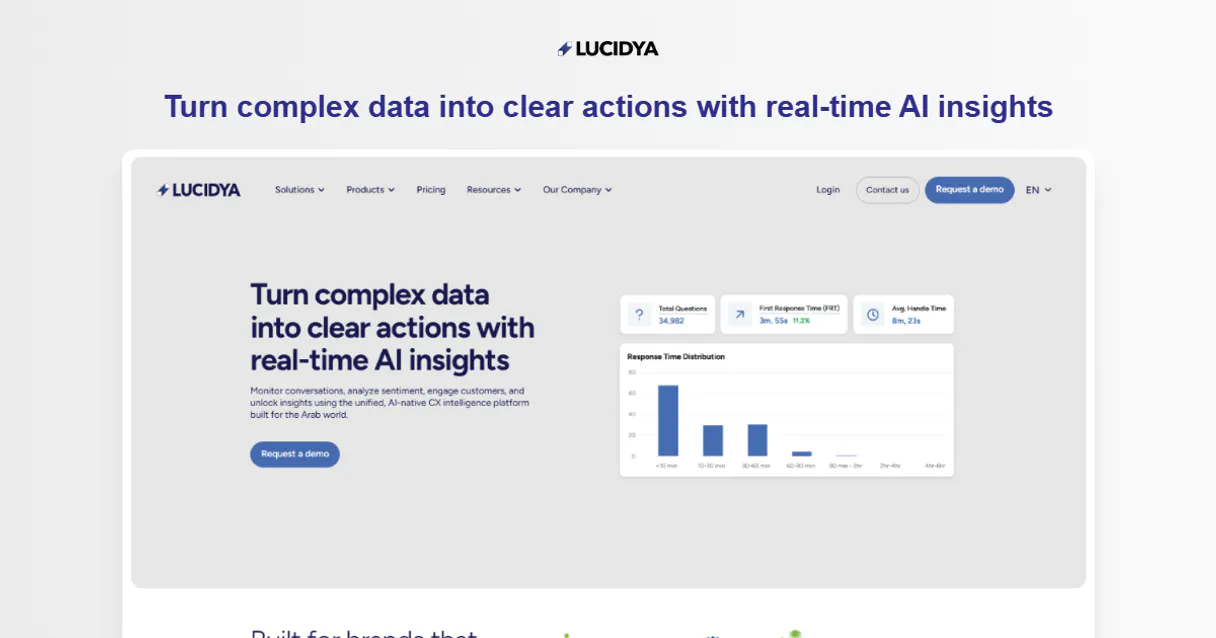
Lucidya connects your AI agent directly to social listening data and customer databases. It lets you track brand mentions across platforms, perform advanced sentiment analysis on text, detect Arabic dialects, and pull unified customer profiles from the Lucidya Customer Data Platform (CDP).
Use it to automate deep intelligence gathering without leaving your chat client.
What your AI agents can do
Analyze text sentiment
Determines the emotional tone (positive, negative, neutral) of any given text input.
Detect arabic dialect
Identifies the specific regional dialect used within an Arabic language text string.
Get customer profile
Retrieves a full, comprehensive record and interaction history for a specified customer ID.
Your agent assesses a given piece of text and outputs its overall emotional tone (positive, negative, neutral).
The server identifies the specific regional or local dialect used in an Arabic language text string.
It pulls all stored details, interaction history, and key data points for a single identified customer ID.
The agent fetches status updates and metadata for all configured listening monitors within the system.
It queries specific Key Performance Indicators (KPIs) related to customer support performance via OmniServe.
The server provides a list of customer IDs and basic profiles stored within the Lucidya Customer Data Platform.
Your agent retrieves an inventory of all active and inactive social media monitoring setups.
Ask AI about this MCP
Supported MCP Clients
Gemini Waiting for input…
Lucidya MCP Server: 7 Tools for Data Intelligence
Use these seven tools to perform complex data tasks like sentiment analysis, customer profile retrieval, and social monitoring across your workflow.
019d75caanalyze text sentiment
Determines the emotional tone (positive, negative, neutral) of any given text input.
019d75cadetect arabic dialect
Identifies the specific regional dialect used within an Arabic language text string.
019d75caget customer profile
Retrieves a full, comprehensive record and interaction history for a specified customer ID.
019d75caget monitor details
Fetches detailed metadata and the current status of an individual social listening monitor.
019d75caget omniserve analytics
Runs specific queries to pull performance metrics and KPIs from customer service data.
019d75calist cdp customers
Outputs a list of available customer IDs and basic demographic information stored in the CDP.
019d75calist social monitors
Returns an inventory of all social media monitoring accounts configured for tracking.
Choose How to Get Started
Build a custom MCP for your own tools, or connect a ready-made integration from our catalog.
Build Your Own
Turn any API into an MCP. Import a spec, define Agent Skills, or deploy with MCPFusion.
- Import from OpenAPI, Swagger, or YAML specs
- Create Agent Skills with progressive disclosure
- Deploy to edge with MCPFusion framework
- Built in DLP, auth, and compliance on every call
- Real time usage dashboard and cost metering
- Publish to catalog or keep private
Make Your AI Do More
Start with Lucidya, then connect any of our 4,700+ other servers whenever your AI needs more. One click, no limits.
- Use this MCP plus 4,700+ others, all in one place
- Add new capabilities to your AI anytime you want
- Every connection is secured and compliant automatically
- Track usage and costs across all your servers
- Works with Claude, ChatGPT, Cursor, and more
- New servers added to the catalog every week
What you can do with this MCP connector
Lucidya hooks your AI agent straight into social listening data and customer databases. You can track brand mentions across platforms, run deep sentiment analysis on text, detect regional Arabic dialects, and pull unified customer profiles from the Lucidya Customer Data Platform (CDP). This server lets your agent perform structured intelligence gathering without ever leaving your chat client.
To manage all your social listening accounts, you'll start by using list_social_monitors to get a full inventory of every monitoring account configured for tracking. If you need status updates or metadata on a specific setup, run get_monitor_details to fetch the current status of an individual monitor. For performance data related to customer service, your agent runs queries via get_omniserve_analytics, pulling specific Key Performance Indicators (KPIs) directly from OmniServe records.
When you need to analyze text, the tool analyze_text_sentiment determines the emotional tone—positive, negative, or neutral—of any piece of text your agent assesses. It also identifies regional dialects using detect_arabic_dialect, which pinpoints the specific local dialect used within an Arabic language string.
For all things customer data, you first run list_cdp_customers to get a list of available customer IDs and their basic demographic info stored in the CDP. Once your agent has a target ID, it uses get_customer_profile, which pulls every detail, interaction history, and key data point for that single customer record.
How Lucidya MCP Works
- 1 Subscribe to the Lucidya server and enter your API token.
- 2 Direct your AI client (Claude, Cursor, etc.) to perform a task, like 'Analyze the sentiment of this tweet.'
- 3 The agent calls
analyze_text_sentiment, gets the score back, and reports the finding instantly.
The bottom line is that you tell your AI client what you need—whether it's a list of customers or a sentiment score—and the server runs the specific tool to deliver the answer.
Who Is Lucidya MCP For?
This is for data analysts and customer experience teams who are tired of jumping between social media dashboards, CRM systems, and spreadsheets. If your job requires linking a public mention to an internal customer record, this server saves you hours of manual cross-referencing.
Uses get_customer_profile and analyze_text_sentiment together. They pull a customer's history to see if recent negative social mentions correlate with service ticket spikes.
Runs list_social_monitors first, then uses natural language queries against the resulting data to gauge overall brand sentiment changes after a campaign launch.
Combines list_cdp_customers with get_omniserve_analytics to correlate user segmentation data with actual service resolution times and KPIs.
What Changes When You Connect
- Cut through the noise. You don't just read tweets; you use
analyze_text_sentimentto immediately gauge if a mention is positive, negative, or neutral—quantifying brand mood instantly. - Connect public chatter to private data. By running
get_customer_profile, your agent pulls interaction history from the CDP and cross-references it with current social mentions for deep context. - Automate language intelligence. If you deal with Arabic content, use
detect_arabic_dialectto ensure the sentiment analysis is accurate because regional slang changes meaning. - Track everything in one place. You can run
list_social_monitorsandget_monitor_detailsto see exactly which data streams are active, giving you a clear view of your monitoring footprint. - See service performance linked to users. Combine
get_omniserve_analyticswith customer lists to prove if a dip in KPIs correlates with negative social trends.
Real-World Use Cases
Investigating a viral complaint
A user spots a spike in negative mentions. They ask their agent to first list_social_monitors to confirm the source, then run analyze_text_sentiment on the top tweets, and finally use get_customer_profile on the mentioned user ID. The result is an immediate understanding of the customer's full history and the exact nature of their complaint.
Auditing campaign coverage
A Brand Manager needs to know if a new campaign reached all target demographics. They use list_cdp_customers to get segmented lists, then run targeted monitoring checks using get_monitor_details for each segment to ensure full coverage.
Handling service outages
The CS team sees a dip in KPIs. Instead of guessing, they use get_omniserve_analytics to find the bottleneck, then pivot and run list_social_monitors to see if negative social buzz is spiking concurrently, giving them proof of public concern.
Onboarding new data sources
A Data Analyst needs to know what language coverage they have. They first use list_social_monitors, then test a text string with detect_arabic_dialect to make sure the system can correctly ingest non-English, dialect-specific content.
The Tradeoffs
Treating tools as separate lookups
Running three different API calls—one for sentiment, one for profiles, and one for monitors—and then having to manually piece together which data relates to which customer.
→
Don't call them separately. Ask your agent to 'Get the profile for cust-123 and analyze the sentiment of their last five interactions.' This forces a combined workflow that uses get_customer_profile and analyze_text_sentiment in one go.
Ignoring data context
Running analyze_text_sentiment on a tweet without knowing if the user is flagged as high-value in the CDP, leading to misprioritization of outreach.
→
Always start by running list_cdp_customers. This grounds your query. Then, use the IDs you get back to enrich data with specific tools like get_customer_profile before analyzing sentiment.
Assuming universal language support
Running general analytics on Arabic social posts and getting misleading results because the system didn't account for dialect variations.
→
Before running any text analysis, run detect_arabic_dialect. This validates the content format first. If it fails, you know your input needs cleaning before you use analyze_text_sentiment.
When It Fits, When It Doesn't
Use this server if your primary problem involves linking public social media commentary to private customer records or internal service metrics. The core value is correlation: connecting a tweet (analyzed via analyze_text_sentiment) to an account ID (list_cdp_customers), and then seeing that account's service history (get_omniserve_analytics).
Don't use it if you just need raw data storage or simple file processing. If your only goal is to run a basic query against a database of structured records (like SQL), an alternative pure database connector will be faster and simpler. Also, if you never deal with social media mentions or customer profiles—if you only manage internal HR documents—this server's tools are overkill; look for specialized document intelligence APIs instead.
Independent Platform Disclaimer: Vinkius is an independent platform and is not affiliated with, endorsed by, sponsored by, verified by, or otherwise authorized by Lucidya. All third-party trademarks, logos, and brand names are the property of their respective owners. Their use on this website is strictly for informational purposes to identify service compatibility and interoperability.
VINKIUS INFRASTRUCTURE
Cloud Hosted
Managed infra
V8 Isolated
Sandboxed per request
Zero-Trust Proxy
No stored credentials
DLP Enforced
Policy on every call
GDPR Compliant
EU data residency
Token Compression
~60% cost reduction
Works with Claude, ChatGPT, Cursor, and more
The Model Context Protocol standardizes how applications expose capabilities to LLMs. Instead of operating in isolation, your AI gains direct access to external platforms, live data, and real-world actions through secure, standardized connections.
This server provides 7 capabilities that interface natively with Claude, ChatGPT, Cursor, and any MCP client. No middleware. No custom integration required.
Available Capabilities
Tracking brand sentiment across platforms shouldn't require 5 different dashboards.
Today, figuring out what people think of your brand means logging into Twitter to see mentions, switching to a separate CRM to check the customer’s purchase history, and then manually copy-pasting key quotes into an analytics sheet. This process is slow, prone to human error, and rarely gives you a single source of truth.
With Lucidya MCP Server, your agent handles the whole loop. You just prompt: 'What's the mood around Feature X?' The server runs `list_social_monitors`, pulls mentions, runs `analyze_text_sentiment` on all results, and hands you a clean, scored list—all in one interaction.
get_customer_profile: Unify customer data without cross-referencing.
Before Lucidya, linking a social handle to an internal account meant opening the CRM, searching by email, then checking the billing system. If any piece of data was missing or formatted differently, you got stuck in manual troubleshooting for hours.
Now, you ask your agent for `get_customer_profile` using an ID. The server pulls together all relevant interaction histories and details from the CDP into one structured response. It's instant context.
Common Questions About Lucidya MCP
How do I check my social media monitoring status with list_social_monitors? +
You ask your agent to run list_social_monitors. The server returns an inventory of all monitors you've set up, letting you know which ones are active and where they pull data from.
Can I analyze sentiment on Arabic text using analyze_text_sentiment? +
You should run detect_arabic_dialect first. This validates the language format; then, you can pass the clean text to analyze_text_sentiment for accurate emotional scoring.
What data is included when I use get_customer_profile? +
The tool pulls a complete record from the CDP. This includes interaction histories and any other structured details tied to that specific customer ID.
Is get_omniserve_analytics only for ticket counts? +
No, get_omniserve_analytics queries KPIs across customer service data. You can ask it for things like average resolution time or first contact rate, not just raw counts.
What is the scope of data when I use `list_cdp_customers`? +
It lists all customer IDs and basic profile markers from the CDP. The resulting list provides unique identifiers, which you then pass to get_customer_profile for complete interaction history.
Do I need special credentials when running a tool like `detect_arabic_dialect`? +
No, the initial connection requires only your Lucidya API Token. Once authenticated via MCP, all language tools run under that single secure token.
If I query data too often using `get_monitor_details`, are there rate limits? +
Yes, the server enforces standard rate limits to maintain API stability. If you hit a limit, your agent will receive an explicit 'Rate Limit Exceeded' error that you can use for retry logic.
How do I handle paginated results when calling `list_social_monitors`? +
The tool supports pagination by returning a 'next_page_token' in the response payload. Your AI client must pass this token back into subsequent calls to retrieve all available monitors.
How do I find my API Token? +
Log in to your Lucidya account and navigate to Account Settings or API section to generate and copy your unique authorization token.
Does the AI analysis work for languages other than English? +
Yes, Lucidya's AI is highly optimized for multiple languages, with specific advanced support for various Arabic dialects.
Can I retrieve historical social data? +
You can retrieve any data that has been captured by your active monitors. Use the monitor_details tool to check what is currently being monitored.
Use it with your favorite AI tools
Connect this server to Cursor, Claude, VS Code, and more.
More in this category

TikTok Full Ads
Complete TikTok Ads management � create campaigns, control budgets, analyze performance, track conversions, and manage creative assets via AI.
MindsDB (AI Database & Predictors)
Manage AI-powered data via MindsDB — execute SQL predictions, audit ML models, and connect data sources.
CallRail
Manage call tracking via CallRail — track calls, manage leads, and monitor marketing attribution directly from any AI agent.
You might also like

CoinLore
Access real-time cryptocurrency data, market stats, exchange info, and social metrics directly from any AI agent.

Prometheus
Monitor your infrastructure with Prometheus — run PromQL queries, analyze metrics, and manage time-series data directly from your AI agent.

Evolio
Transform your coaching practice with client tracking, session management, and progress analytics that help people grow.