
FusionAuth MCP. Manage users, roles, and apps without leaving your terminal.
 Gemini
 Works with every AI agent you already use
…and any MCP-compatible client









Just plug in your AI agents and start using Vinkius.
FusionAuth MCP Server gives your AI agent full control over enterprise identity management. Use it to create users, list applications, manage groups, and test complex authentication flows like MFA setup—all by calling specific tools directly from your client.
What your AI agents can do
Add group member
Adds a specific user to an existing security group.
Create api key
Generates and returns a unique new API key for usage by services.
Create application
Registers a brand-new application within the FusionAuth system.
Create, retrieve, update, and delete user records by specific ID, email, or username.
List all connected applications and define/retrieve application-specific roles for access control.
Test full login, MFA setup, JWT issuance, and token revocation processes programmatically.
Retrieve current system health, configuration details, tenants, groups, and identity provider lists.
Perform partial updates (patch_user) or full overwrites to keep user profiles clean and accurate.
Ask AI about this MCP
Supported MCP Clients
Gemini Waiting for input…
FusionAuth (Enterprise Identity & Auth) MCP Server: 52 Tools
Use these specific tools in your AI client to perform any administrative action, from user creation to system configuration updates.
019e5d1dadd group member
Adds a specific user to an existing security group.
019e5d1dcreate api key
Generates and returns a unique new API key for usage by services.
019e5d1dcreate application
Registers a brand-new application within the FusionAuth system.
019e5d1dcreate application role
Defines and creates a new, specific permission role for an application.
019e5d1dcreate group
Establishes a brand-new security group to categorize users by access level.
019e5d1dcreate lambda
Registers and initializes a new serverless function (Lambda) for custom logic.
019e5d1dcreate tenant
Creates an isolated, self-contained tenant instance within the system.
019e5d1dcreate user
Registers a new user account into FusionAuth using detailed JSON input.
019e5d1dcreate webhook
Sets up and registers an outgoing webhook endpoint for event notifications.
019e5d1ddelete api key
Revokes and deletes a specified API key to prevent unauthorized access.
019e5d1ddelete group
Permanently removes an existing security group and its associated members.
019e5d1ddelete lambda
Removes a deployed Lambda function from the system.
019e5d1ddelete tenant
Deletes an entire isolated tenant environment.
019e5d1ddelete user
Permanently deletes a user account record from FusionAuth.
019e5d1ddelete webhook
Removes an existing webhook endpoint definition.
019e5d1ddisable mfa
Turns off Multi-Factor Authentication for a specific user account.
019e5d1denable mfa
Activates Multi-Factor Authentication requirements for a specified user.
019e5d1dgenerate mfa secret
Creates and returns the necessary secret key needed to set up MFA on a user's device.
019e5d1dget api key
Retrieves the details of an existing API key by its identifier.
019e5d1dget application
Fetches all configuration data for a single, specified application.
019e5d1dget group
Retrieves the full membership list and details for an existing group.
019e5d1dget identity provider
Fetches configuration data for a connected identity provider (e.g., Google, Okta).
019e5d1dget lambda
Retrieves the source code and status of a specific Lambda function.
019e5d1dget system configuration
Pulls all current global settings and operational parameters for the entire FusionAuth instance.
019e5d1dget system health
Checks the overall operational status, uptime, and resource consumption of the system.
019e5d1dget system status
Retrieves a high-level summary of the current state of the platform (e.g., maintenance mode).
019e5d1dget system version
Returns the exact software version number of the FusionAuth instance.
019e5d1dget tenant
Retrieves all metadata associated with a specific tenant environment.
019e5d1dget user
Retrieves the complete profile data for a single user by ID or email.
019e5d1dget webhook
Fetches the configuration details and status of a specific webhook endpoint.
019e5d1didp login
Completes an external login flow using credentials from a connected identity provider.
019e5d1dissue jwt
Generates and returns a new JSON Web Token (JWT) for authenticated access.
019e5d1dlist application roles
Retrieves every defined role that is available for a given application.
019e5d1dlist applications
Lists the names and IDs of all registered applications in the system.
019e5d1dlist identity providers
Retrieves a list of all external identity providers currently connected to FusionAuth.
019e5d1dlogin
Authenticates an existing user using username and password credentials.
019e5d1dmfa login
Completes the login process by submitting a Time-based One-Time Password (TOTP) code.
019e5d1dpatch user
Updates only specific fields of an existing user profile without overwriting all data.
019e5d1drefresh jwt
Takes a refresh token and issues a new, valid JWT, extending session time.
019e5d1dregister user
Registers an existing user into a specific application context.
019e5d1dremove group member
Removes a specified user from a security group, revoking their associated permissions.
019e5d1drevoke refresh tokens
Invalidates all refresh tokens linked to a specific user account.
019e5d1dstart mfa
Initiates the Multi-Factor Authentication setup flow for a new device or user.
019e5d1dupdate api key
Modifies an existing API key, typically to change permissions or expiration dates.
019e5d1dupdate group
Updates the metadata and configuration details of a specific security group.
019e5d1dupdate lambda
Replaces the source code or environment variables for an existing Lambda function.
019e5d1dupdate system configuration
Modifies global system settings, such as rate limits or feature toggles.
019e5d1dupdate tenant
Changes the metadata or settings for an existing tenant environment.
019e5d1dupdate user
Performs a full update of all fields on an existing user profile.
019e5d1dupdate webhook
Changes the URL or authentication requirements for an existing webhook endpoint.
Choose How to Get Started
Build a custom MCP for your own tools, or connect a ready-made integration from our catalog.
Build Your Own
Turn any API into an MCP. Import a spec, define Agent Skills, or deploy with MCPFusion.
- Import from OpenAPI, Swagger, or YAML specs
- Create Agent Skills with progressive disclosure
- Deploy to edge with MCPFusion framework
- Built in DLP, auth, and compliance on every call
- Real time usage dashboard and cost metering
- Publish to catalog or keep private
Make Your AI Do More
Start with FusionAuth (Enterprise Identity & Auth), then connect any of our 4,700+ other servers whenever your AI needs more. One click, no limits.
- Use this MCP plus 4,700+ others, all in one place
- Add new capabilities to your AI anytime you want
- Every connection is secured and compliant automatically
- Track usage and costs across all your servers
- Works with Claude, ChatGPT, Cursor, and more
- New servers added to the catalog every week
What you can do with this MCP connector
FusionAuth MCP Server gives your AI agent full control over enterprise identity management. Ya'll can use this server to handle complex user workflows—from initial sign-up to MFA setup and token renewal—all by calling specific tools directly from your client.
How FusionAuth MCP Works
- 1 Subscribe to the server. You'll need your FusionAuth URL and API Key.
- 2 Point your AI client (Claude, Cursor, etc.) to this MCP endpoint. The agent establishes a connection using your credentials.
- 3 Give the agent a command. Example: 'Get all users in the Finance group.' The agent translates that into a tool call (
get_groupfollowed by internal logic) and returns structured data.
The bottom line is, you tell your AI client what you need, and it runs the correct FusionAuth API calls for you.
Who Is FusionAuth MCP For?
DevOps engineers who spend too much time clicking through admin dashboards. Security teams who need to audit access logs on demand. Backend developers who must test authentication logic against real credentials before deployment. If your job involves managing 'who can do what' in an enterprise app, you need this.
Auditing user accounts and checking application roles across multiple services without leaving the terminal.
Testing complex JWT or MFA authentication flows directly from code to ensure integration works before QA begins.
Inspecting user profiles, verifying group memberships, and checking API key status for rapid compliance audits or incident response.
What Changes When You Connect
- Audit access instantly. Need to know who has
adminrights? Useget_useror run a query against group membership viaget_group. It gives you real-time visibility into the current state of every user account. - Streamline onboarding and offboarding. Don't manually update three different systems. Your agent handles it: Call
create_user, assign them to groups usingadd_group_member, and then issue a JWT viaissue_jwt. Done in minutes, not hours. - Handle MFA setup programmatically. Instead of guiding an admin through the GUI, your agent calls
generate_mfa_secretandstart_mfa, giving you the necessary keys and status codes immediately for integration testing. - Control app permissions precisely. If a new service needs limited access, first run
list_applications. Then, usecreate_application_roleto define exactly what it can do before granting access. - Diagnose authentication failures fast. When a user reports 'login failed,' your agent doesn't guess. It runs
get_system_health, checks the last successfulloginattempt, and validates API key status usingget_api_key.
Real-World Use Cases
The Quarterly Compliance Audit
A security team needs to verify who has elevated access. They ask their agent: 'List all users with admin roles and what applications they can access.' The agent runs list_applications, checks group memberships via get_group, and pulls user details using get_user for every match, generating a clean compliance report.
Automating Employee Offboarding
An HR system triggers an offboard request. The developer asks the agent to: 1) Run delete_user. 2) Revoke all access tokens using revoke_refresh_tokens. 3) Delete any associated webhooks using delete_webhook. All identity cleanup happens in one script.
Testing New API Integrations
A backend dev needs to test a new service endpoint. Instead of setting up dummy data, they ask the agent to: 1) Run create_user with mock credentials. 2) Issue a temporary JWT using issue_jwt. 3) Use get_application to verify the correct application context is active.
System Configuration Drift Check
The ops engineer suspects a global setting changed. They ask the agent: 'What's our current rate limiting policy?' The agent runs get_system_configuration and presents the exact parameters, allowing immediate validation against baseline standards.
The Tradeoffs
Manual API calls for every change
A developer has to run a separate curl command for create_user, then another for add_group_member, and a third for update_application—all in different terminals.
→
Use your AI agent. Tell it: 'Onboard this user.' The agent coordinates the entire workflow, calling create_user, followed by necessary role assignments, all within one conversational turn.
Assuming default settings work
You assume that just because a group exists, its members have the correct permissions for every application.
→
Don't guess. Use list_applications first to see all available apps. Then, use get_application and list_application_roles on that specific app to validate required access.
Using a general update tool
You call the generic update_user when you only meant to change one field, risking accidental data loss or overwriting necessary values.
→
When modifying user data, use patch_user. It allows partial modifications—you only send the fields that need changing. Safer.
When It Fits, When It Doesn't
Use this server if your operational requirements mandate deep, programmatic control over identity objects (users, groups, roles) and authentication flows (MFA, JWT). You need to write code or run complex audit scripts that depend on state changes across multiple core services.
Don't use it if you only need to view data occasionally; a simple read-only API might suffice. More importantly, don't use this just because you 'might' need the feature later. If your current process is handled by a single SaaS dashboard (like Okta or Auth0), that may be simpler. But if your app requires custom provisioning logic—for example, creating a user and then immediately assigning them to two specific groups based on their role—this server gives you that necessary orchestration power.

Independent Platform Disclaimer: Vinkius is an independent platform and is not affiliated with, endorsed by, sponsored by, verified by, or otherwise authorized by FusionAuth. All third-party trademarks, logos, and brand names are the property of their respective owners. Their use on this website is strictly for informational purposes to identify service compatibility and interoperability.
VINKIUS INFRASTRUCTURE
Cloud Hosted
Managed infra
V8 Isolated
Sandboxed per request
Zero-Trust Proxy
No stored credentials
DLP Enforced
Policy on every call
GDPR Compliant
EU data residency
Token Compression
~60% cost reduction
Works with Claude, ChatGPT, Cursor, and more
The Model Context Protocol standardizes how applications expose capabilities to LLMs. Instead of operating in isolation, your AI gains direct access to external platforms, live data, and real-world actions through secure, standardized connections.
This server provides 50 capabilities that interface natively with Claude, ChatGPT, Cursor, and any MCP client. No middleware. No custom integration required.
Available Capabilities
Managing access control shouldn't require jumping between five different dashboards.
Right now, setting up a new user often means opening the identity dashboard to create the account. Then, switching over to the application manager to assign roles. After that, you jump to the group list just to add them to 'Employees.' It's three different tabs, four clicks minimum, and easy to miss a step.
With this MCP server, the workflow is conversational. You tell your agent: 'Create user John Doe and put him in the Finance group with basic application access.' The agent runs `create_user`, followed by `add_group_member` and role assignment calls—all before you finish typing the prompt.
The create_user tool: Onboard users instantly, right from your terminal.
Before, creating a user meant gathering all fields (email, ID, status) and manually inputting them into a form. If one field was wrong, the whole process stalled, requiring an email to support just to fix a typo.
Now you can send the full JSON object directly through `create_user` via your agent. It handles the structured data payload instantly. You write code; it manages the identity records.
Common Questions About FusionAuth MCP
How do I test MFA with the mfa_login tool? +
You must first use generate_mfa_secret to set up the secret. Once you have that, the agent uses start_mfa and then requires a code input for the final mfa_login step.
Can I list all applications using list_applications? +
Yes, running list_applications gives you the names and IDs of every app registered. After that, you need to use get_application with the ID if you want the full configuration details.
What is the difference between patch_user and update_user? +
Use patch_user when you only need to change one or two fields (like changing a phone number). Use update_user only when you intend to send and overwrite all possible data fields for that user.
How do I delete a group? Do I need to remove members first? +
The tool is delete_group. While the API handles most dependency checks, it's safest practice to use remove_group_member for all members before attempting deletion.
When should I use `create_api_key` versus simply retrieving an existing key with `get_api_key`? +
You run create_api_key when you need a brand new credential for a service or integration. If the key already exists, use get_api_key to retrieve it. Remember that the generated API Key is displayed once and must be immediately copied into your secure vault.
What happens if I try to add a user member using `add_group_member` when they are already in the group? +
The system handles this gracefully; it won't throw an error. Instead, the tool confirms that the user is already associated with that group role. You can check for membership status before calling the function if you want to preemptively validate the state.
How do I use `list_identity_providers` to see what external systems are connected? +
Running list_identity_providers pulls a list of all active identity sources, such as Google or SAML. This call just lists the available providers; you'll need a separate tool like get_identity_provider to pull specific configuration details for any one of them.
If I run `create_application`, what information do I have to provide to make sure it works correctly? +
You must specify a unique name and understand the application's intended scope. The tool requires enough detail so FusionAuth knows which resources the application needs access to in the system.
Can I search for a user using their username instead of an ID? +
Yes! The get_user tool allows you to search by username, email, or loginId in addition to the userId UUID.
How do I list all the roles defined for a specific application? +
Use the list_application_roles tool and provide the applicationId. It will return all roles like 'admin', 'user', or custom roles configured for that environment.
Is it possible to update only a few fields of a user without sending the whole object? +
Yes, use the patch_user tool. It allows you to send a partial JSON body containing only the specific fields you wish to modify.
Use it with your favorite AI tools
Connect this server to Cursor, Claude, VS Code, and more.
More in this category

JokeAPI
Universal humor engine — get random jokes, filter by category and safety flags via AI.

Neon (Serverless PostgreSQL)
Manage serverless database infrastructure via Neon — spawn zero-copy branches, audit projects, and monitor compute endpoints.

HTML to Text Extractor
Stop wasting AI context on messy HTML code. Instantly strip CSS, tags, and scripts to extract perfectly readable Plain Text.
You might also like

Wolfram Alpha Solver
Empower your AI with the world's most powerful computational engine. Solve complex calculus, extract exact scientific facts, and eliminate mathematical hallucinations.
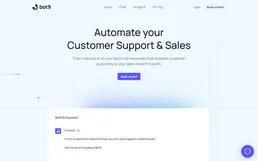
Bot9
Manage your AI agents via Bot9 — orchestrate bots, train them, and automate conversations directly from any AI agent.

Keywords AI
Monitor and optimize your LLM API usage with a unified gateway that tracks costs, latency, and model performance across providers.