
Bot9 MCP. Manage your full bot lifecycle, from creation to conversation audit.
 Gemini
 Works with every AI agent you already use
…and any MCP-compatible client









Just plug in your AI agents and start using Vinkius.
Bot9 MCP Server manages and automates your AI agents. Use it to list, create, and get details for multiple bots.
Train your bots by adding URLs to their knowledge base, and test their responses by sending messages. You can also retrieve conversation history and list active conversations to audit performance.
What your AI agents can do
Add data source
Adds a specific URL to the bot's knowledge base so the bot can learn from it.
Create bot
Creates a brand new AI chatbot instance with a specific name and configuration.
Get bot
Retrieves the full details and current configuration of a specific, named bot.
Create new AI bots or retrieve the specific configuration details for an existing bot using its ID.
Add external URLs to a bot's knowledge base, allowing the bot to learn and incorporate new information into its answers.
List active conversations or retrieve detailed message history for any given bot ID.
Send a message to a bot programmatically to check its response without involving a real user.
Ask AI about this MCP
Supported MCP Clients
Gemini Waiting for input…
Bot9 MCP Server: 8 Tools for Bot Management
Use these tools to manage the full lifecycle of your conversational AI bots, from creating new instances to auditing message history.
019d7561add data source
Adds a specific URL to the bot's knowledge base so the bot can learn from it.
019d7561create bot
Creates a brand new AI chatbot instance with a specific name and configuration.
019d7561get bot
Retrieves the full details and current configuration of a specific, named bot.
019d7561get conversation history
Fetches the full chat log and message history for a specified conversation ID.
019d7561list bots
Lists all the AI bots currently configured under the account.
019d7561list conversations
Retrieves a list of all currently active or ongoing conversations for a bot.
019d7561list data sources
Shows all the knowledge base sources currently linked to a bot.
019d7561send message
Sends a test message to a bot and returns the bot's immediate, simulated response.
Choose How to Get Started
Build a custom MCP for your own tools, or connect a ready-made integration from our catalog.
Build Your Own
Turn any API into an MCP. Import a spec, define Agent Skills, or deploy with MCPFusion.
- Import from OpenAPI, Swagger, or YAML specs
- Create Agent Skills with progressive disclosure
- Deploy to edge with MCPFusion framework
- Built in DLP, auth, and compliance on every call
- Real time usage dashboard and cost metering
- Publish to catalog or keep private
Make Your AI Do More
Start with Bot9, then connect any of our 4,700+ other servers whenever your AI needs more. One click, no limits.
- Use this MCP plus 4,700+ others, all in one place
- Add new capabilities to your AI anytime you want
- Every connection is secured and compliant automatically
- Track usage and costs across all your servers
- Works with Claude, ChatGPT, Cursor, and more
- New servers added to the catalog every week
What you can do with this MCP connector
Bot9 MCP Server - Manage AI Bots and Conversations
This server lets your agent handle the whole lifecycle of your AI bots. You can list all your bots, create new ones, and grab the full setup details for any bot you've got. You'll also train your bots by adding specific URLs to their knowledge base, and you can test their responses by sending them a message.
For auditing, you can list all active conversations or pull the full chat log for any conversation ID.
Managing Bots
Use list_bots to see every AI bot you've set up. You can spin up a brand new bot using create_bot with a specific name and configuration. When you need to know exactly how a bot's configured, call get_bot to pull its full details. To keep that knowledge fresh, you'll use add_data_source to link a specific URL, letting the bot learn from it.
You can see all the knowledge sources attached to a bot using list_data_sources.
Testing and Conversations
To check a bot's response without involving a real user, you can use send_message to send a test message and get the bot's immediate answer. You can also keep tabs on ongoing interactions by calling list_conversations to see a list of all active chats. If you need to review what happened in a past chat, get_conversation_history fetches the full message log for any given conversation ID.
How Bot9 MCP Works
- 1 Subscribe to the Bot9 MCP Server and enter your API key.
- 2 Use your AI client to call the desired tool (e.g.,
list_bots). - 3 The server executes the request and returns the structured data (e.g., a list of bot IDs) to your client.
The bottom line is, your AI client handles the API calls; you just tell it what you want to manage.
Who Is Bot9 MCP For?
The DevOps engineer who needs to provision and test new chatbots before launch. The Customer Support manager who needs to audit agent conversations and train them on new policies. Content specialists who must ensure the bot's knowledge base stays current. Anyone managing a fleet of customer-facing AI agents.
Uses create_bot to spin up prototypes and get_bot to check its specific parameters. They rely on add_data_source to feed the bot initial training material.
Uses list_conversations and get_conversation_history to review live chat transcripts and identify knowledge gaps that need training.
Uses list_data_sources to see what the bot currently knows and add_data_source to inject new policy documents or product specs.
What Changes When You Connect
- Audit every conversation. Use
get_conversation_historyto pull full chat logs, allowing you to find exactly where your bot failed or what information it missed. - Keep your knowledge base current. When company policy changes, run
add_data_sourceto feed the bot new URLs. The bot updates its answers immediately. - Test bot responses before launch. Use
send_messageto simulate user queries. You get to check the bot's response logic without involving a real user or risking poor customer experience. - See your entire bot fleet. Run
list_botsto get a quick overview of every active bot ID and its current status in one place. - Track live usage.
list_conversationsgives you a real-time list of ongoing chats, helping you monitor performance across all your bots. - Check bot details instantly. Need to know the current config of the 'Billing Bot'? Use
get_botto retrieve its specific settings without guessing.
Real-World Use Cases
Debugging a conversation failure
A user reports the bot gave the wrong answer regarding return policy. Instead of guessing, your agent runs get_conversation_history for that chat. You review the transcript, see the point of failure, and then use add_data_source to feed the bot the correct, updated policy manual.
Launching a new department bot
The sales team needs a bot for lead qualification. You use create_bot to build the shell, get_bot to verify the initial settings, and add_data_source to point it at the latest sales playbook. You're ready to deploy.
Checking bot readiness before a campaign
Before a product launch, you run list_data_sources to confirm the bot has the latest product specs. Then, you use send_message to ask the bot about the new feature. If the response is weak, you know what to fix.
Auditing bot performance across the board
The manager needs to know how many chats are running right now. Your agent runs list_conversations to get the count, and then you can use get_conversation_history to pull logs from the most critical-looking chats for review.
The Tradeoffs
Relying on manual dashboard clicks
Manually logging into the bot platform, finding the bot ID, navigating to the conversation tab, and then downloading the history CSV. This takes five minutes per audit.
→
Your agent runs list_conversations to get the ID, then uses get_conversation_history to pull the full chat log directly. This is faster and keeps the data structured for analysis.
Assuming the bot knows everything
Sending a general prompt like 'What is our pricing?' and hoping the bot answers correctly. If the pricing changed last week, it will fail.
→
First, use list_data_sources to verify the bot has the current pricing documents. If not, use add_data_source to link the correct URL before running a test message via send_message.
Treating the bot like a static FAQ page
Only asking the bot questions it was trained on. It won't handle new, nuanced inquiries outside its documented knowledge.
→
Test its limits. Use send_message to simulate edge-case user inputs. This forces the bot to use its context and helps you identify gaps in its training data.
When It Fits, When It Doesn't
Use this server if you need to manage the entire lifecycle of a conversational AI bot. You need to know how the bot is built (create_bot, get_bot), what it knows (list_data_sources, add_data_source), and what it's doing right now (list_conversations, get_conversation_history). Don't use it if you just need a simple messaging channel—you'll need a basic messaging API. You also don't need it if you only care about the raw data; this toolset provides the operational context and conversation history alongside the data.
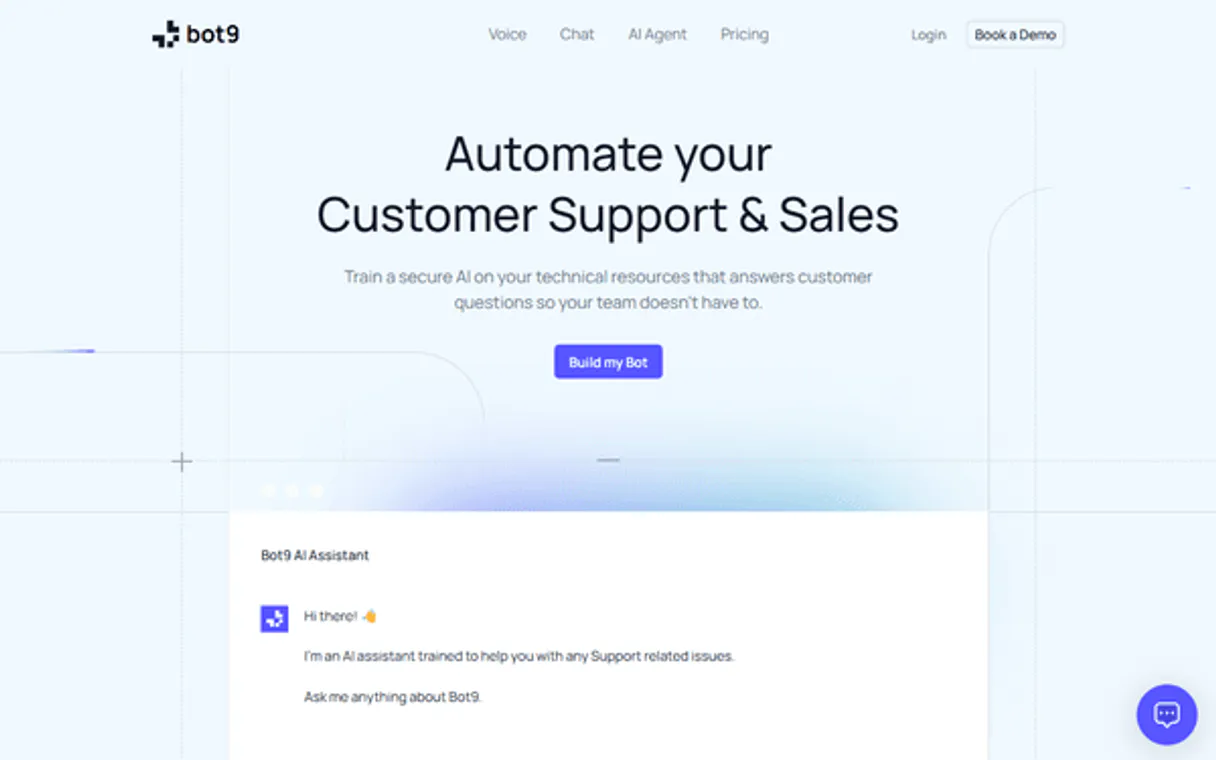
Independent Platform Disclaimer: Vinkius is an independent platform and is not affiliated with, endorsed by, sponsored by, verified by, or otherwise authorized by Bot9. All third-party trademarks, logos, and brand names are the property of their respective owners. Their use on this website is strictly for informational purposes to identify service compatibility and interoperability.
VINKIUS INFRASTRUCTURE
Cloud Hosted
Managed infra
V8 Isolated
Sandboxed per request
Zero-Trust Proxy
No stored credentials
DLP Enforced
Policy on every call
GDPR Compliant
EU data residency
Token Compression
~60% cost reduction
Works with Claude, ChatGPT, Cursor, and more
The Model Context Protocol standardizes how applications expose capabilities to LLMs. Instead of operating in isolation, your AI gains direct access to external platforms, live data, and real-world actions through secure, standardized connections.
This server provides 8 capabilities that interface natively with Claude, ChatGPT, Cursor, and any MCP client. No middleware. No custom integration required.
Available Capabilities
Auditing bot performance shouldn't mean sifting through PDFs and logs.
Today, checking if your bot handled a complex query means jumping between the chat interface, the knowledge base admin panel, and the historical log viewer. You copy the user's message, paste it into a spreadsheet, and then manually track down the corresponding bot response and the knowledge source it cited. It's a mess.
With the Bot9 MCP Server, your agent runs `get_conversation_history` and pulls the entire interaction—user query, bot response, and context—into a single, structured data stream. You get immediate, actionable transcripts for review.
Bot9 MCP Server: Test bot responses instantly.
Before rolling out a new version of your support bot, you used to have to wait for a QA team to simulate dozens of paths. You'd manually write test cases, feed them into the bot, and wait for the results, wasting hours.
Now, your agent just needs to run `send_message`. You test the bot's response immediately and programmatically, giving you instant confidence in its performance.
Common Questions About Bot9 MCP
How do I use the `add_data_source` tool with Bot9? +
You pass the URL you want the bot to learn from. The bot starts training on that content right away. You can check what's linked using list_data_sources.
What is the difference between `list_bots` and `get_bot`? +
list_bots gives you a simple list of all bot names and IDs. get_bot provides the deep, detailed configuration and current status for one specific bot.
Can I test a bot's conversation flow using `send_message`? +
Yes. send_message lets you send a message to a bot and get a simulated response without involving a real user. This is perfect for QA testing.
What kind of data can I retrieve with `get_conversation_history`? +
You get the full, time-stamped transcript of a conversation. This includes every message from the user and every reply from the bot.
How do I view all the active chats with Bot9? +
Use list_conversations. This tool gives you a list of ongoing chats, allowing you to quickly monitor which bots are currently active.
How do I check if a bot needs more knowledge using `list_data_sources`? +
The tool lists all current knowledge sources. If the list is short or contains outdated links, you need to add more data using add_data_source. This ensures the bot has enough context to answer questions accurately.
What is the difference between `list_conversations` and `get_conversation_history`? +
The list_conversations tool gives you a list of active chats. To see the actual dialogue, you must use get_conversation_history and provide the specific conversation ID. The former is just a directory.
How do I create a bot and immediately train it on a new document using `create_bot` and `add_data_source`? +
You first run create_bot to get the bot's ID. Then, pass that ID to add_data_source with the URL. This sets up the bot and points it to the necessary training material in two steps.
Can I train my bot with a new URL through the agent? +
Yes! Use the add_data_source tool and provide the Bot ID and the target URL. The bot will automatically scrape and learn from that page.
How do I review the chat history of a specific user conversation? +
First, use list_conversations to find the active sessions. Then, use get_conversation_history with the Conversation ID to retrieve the full log of messages.
Does the integration allow me to create a completely new bot? +
Yes. Use the create_bot action and provide a name and a system prompt/instructions. The bot will be instantly created in your account.
Use it with your favorite AI tools
Connect this server to Cursor, Claude, VS Code, and more.
More in this category
Clickatell
Deliver transactional and marketing messages over SMS, WhatsApp, and chat channels with global reach and high deliverability.
DocsBot
Equip your AI agent to manage AI-powered knowledge bases, track sources, and query your bots via the DocsBot API.

Porsline
Automate surveys and feedback via Porsline — manage surveys, responses, and reports directly from any AI agent.
You might also like

TaxJar
Connect your AI to TaxJar. Calculate sales tax dynamically, validate active nexus regions, and assess order tax liability natively from the terminal.
Cloudmersive
Validate data, scan files for viruses, and process documents with a suite of utility APIs for security and compliance.
Zengain
Identify high-intent website visitors by company and reach out to warm leads before they fill out a form or contact you.