
Geocode.xyz MCP. Turn addresses and raw text into precise coordinates.
 Gemini
 Works with every AI agent you already use
…and any MCP-compatible client









Just plug in your AI agents and start using Vinkius.
Geocode.xyz MCP Server handles all location data needs. It converts addresses to precise lat/long coordinates, finds the address for any set of GPS coordinates (reverse geocoding), and pulls location names from raw text.
It also determines a location from an IP address or suggests corrections for partial inputs.
What your AI agents can do
Autocomplete
Suggests corrections for partial street names, postal codes, or city names.
Forward geocode
Converts a place name or address into accurate latitude and longitude coordinates.
Geoparse
Identifies and extracts location names from long, unstructured text blocks.
Converts any known address or place name into specific latitude and longitude coordinates.
Takes latitude and longitude and returns the nearest physical street address or point of interest.
Scans large blocks of text and pulls out every mention of a geographic location name.
Takes an IP address and returns its associated city, country, and physical location.
Ask AI about this MCP
Supported MCP Clients
Gemini Waiting for input…
Geocode.xyz MCP Server: 5 Tools for Location Data
Use these tools to convert addresses, locate points from coordinates, or extract location names from unstructured text.
019e5d1fautocomplete
Suggests corrections for partial street names, postal codes, or city names.
019e5d1fforward geocode
Converts a place name or address into accurate latitude and longitude coordinates.
019e5d1fgeoparse
Identifies and extracts location names from long, unstructured text blocks.
019e5d1fip geolocation
Determines the geographic location (city, country) associated with a given IP address.
019e5d1freverse geocode
Converts latitude and longitude coordinates back into a readable physical address.
Choose How to Get Started
Build a custom MCP for your own tools, or connect a ready-made integration from our catalog.
Build Your Own
Turn any API into an MCP. Import a spec, define Agent Skills, or deploy with MCPFusion.
- Import from OpenAPI, Swagger, or YAML specs
- Create Agent Skills with progressive disclosure
- Deploy to edge with MCPFusion framework
- Built in DLP, auth, and compliance on every call
- Real time usage dashboard and cost metering
- Publish to catalog or keep private
Make Your AI Do More
Start with Geocode.xyz, then connect any of our 4,700+ other servers whenever your AI needs more. One click, no limits.
- Use this MCP plus 4,700+ others, all in one place
- Add new capabilities to your AI anytime you want
- Every connection is secured and compliant automatically
- Track usage and costs across all your servers
- Works with Claude, ChatGPT, Cursor, and more
- New servers added to the catalog every week
What you can do with this MCP connector
This MCP Server handles every kind of location data you're throwing at it. It's your go-to tool for converting addresses to precise lat/long coordinates, figuring out what address a set of GPS coordinates belongs to, pulling location names from messy text, and even guessing a location from an IP address.
forward_geocode takes any place name or address and spits out accurate latitude and longitude coordinates.
reverse_geocode works backward: you give it lat/long coordinates, and it gives you the actual, readable physical address or point of interest.
geoparse scans huge chunks of text and pulls out every location name it can find.
ip_geolocation takes an IP address and tells you the city, country, and general geographic location tied to it.
autocomplete helps you fix messy data entry; it suggests corrections for partial street names, postal codes, or city names.
How Geocode.xyz MCP Works
- 1 First, subscribe to the Geocode.xyz server and enter your API key.
- 2 Next, prompt your AI client to run the desired location tool (e.g.,
forward_geocode) with the required input (e.g., 'Empire State Building'). - 3 Your agent executes the tool, and the server returns the resulting coordinates or formatted address.
The bottom line is: your AI client calls the tool, and the server handles the messy work of translating raw data into precise location intelligence.
Who Is Geocode.xyz MCP For?
This is for data analysts who need to enrich raw datasets with coordinates. It's for logistics managers who need to verify addresses for routing. It's for content teams that have to tag locations mentioned in large volumes of text. If your job involves finding 'where' something is, you need this.
Enriches databases by converting street addresses and regional names into precise coordinates for mapping or analysis.
Verifies delivery addresses and calculates necessary coordinates for route planning and logistics tracking.
Automatically scans articles or social media posts to identify and tag every location mentioned in the text.
What Changes When You Connect
- Convert addresses to coordinates. Use
forward_geocodeto instantly get lat/long for any physical location, eliminating manual lookups. This is critical for any dataset requiring spatial data. - Get addresses from coordinates. Run
reverse_geocodeto turn raw GPS points into actionable, readable addresses. This is how you validate location data points. - Extract locations from text.
geoparsescans documents and articles, pulling out every location name. You don't have to manually read and tag every mention. - Identify location from IP. Use
ip_geolocationwhen you only have an IP address. It gives you the associated city and country, letting you map users or devices. - Improve data entry.
autocompleteprovides suggestions for partial names, postal codes, or cities, keeping your data clean and accurate before you even run a geocode check.
Real-World Use Cases
Mapping a New Dataset
A data analyst has a spreadsheet with 10,000 addresses but no coordinates. Instead of manually looking up each one, they ask their agent to run forward_geocode on the entire list. The agent returns a clean dataset with latitude and longitude for every single entry.
Verifying a Delivery Point
A logistics manager receives a raw set of GPS coordinates for a drop-off. They run reverse_geocode through the agent. The agent immediately tells them the exact street address and point of interest, confirming the delivery spot.
Analyzing News Articles
A content team needs to tag every place mentioned in 50 news articles. They use geoparse to scan the text. The agent pulls out 'New York,' 'London,' and 'Paris' automatically, saving hours of manual data extraction.
Tracking User Activity
A security engineer has a list of suspicious IP addresses. Running ip_geolocation on the list quickly tells them the associated country and city, narrowing down the investigation area without guesswork.
The Tradeoffs
Manual Lookup Tables
Keeping a spreadsheet of known addresses and their coordinates. This quickly becomes outdated, especially when dealing with new developments or changing postal codes.
→
Use the forward_geocode tool. It checks live data sources, so your coordinates always reflect the current reality. For validation, run reverse_geocode to verify the input data.
Relying on Single-Source Data
Assuming an IP address is in the same city as the user's billing address. This is often wrong because VPNs and proxies mask the true location.
→
Use ip_geolocation first. This gives you the IP-derived location. Then, cross-reference it with the address data using forward_geocode to build a complete profile.
Copying and Pasting Text
Manually skimming a document to find every location name. This is slow, exhausting, and you will inevitably miss something.
→
Run the geoparse tool. It scans the whole document for you and pulls out all the locations, even if they are mentioned in casual or unstructured text.
When It Fits, When It Doesn't
Use this server if your core problem is translating location data—whether it's a written address, a raw coordinate pair, or a chunk of text—into structured, actionable coordinates. You need to know where something is, and you need the system to figure it out. Don't use this if you just need to look up a zip code; use a simple database query. Don't use it if you need to calculate distance between points; you need a dedicated mapping API. If your task involves finding the coordinates or the address from the location, this is the tool.

Independent Platform Disclaimer: Vinkius is an independent platform and is not affiliated with, endorsed by, sponsored by, verified by, or otherwise authorized by Geocode.xyz. All third-party trademarks, logos, and brand names are the property of their respective owners. Their use on this website is strictly for informational purposes to identify service compatibility and interoperability.
VINKIUS INFRASTRUCTURE
Cloud Hosted
Managed infra
V8 Isolated
Sandboxed per request
Zero-Trust Proxy
No stored credentials
DLP Enforced
Policy on every call
GDPR Compliant
EU data residency
Token Compression
~60% cost reduction
Works with Claude, ChatGPT, Cursor, and more
The Model Context Protocol standardizes how applications expose capabilities to LLMs. Instead of operating in isolation, your AI gains direct access to external platforms, live data, and real-world actions through secure, standardized connections.
This server provides 5 capabilities that interface natively with Claude, ChatGPT, Cursor, and any MCP client. No middleware. No custom integration required.
Available Capabilities
Finding an address shouldn't require three different API calls.
Before this server, converting a simple address name to coordinates was a multi-step pain. You might have to use one service for the street name, another for the city, and a third to finalize the zip code. You'd copy data from one dashboard into a spreadsheet, then copy it again into the next service's form. It's tedious, and you're always guessing if the data is fresh.
Now, you ask your agent to run `forward_geocode`. It takes the full address and spits out the exact latitude and longitude in one shot. You get the definitive coordinates, no manual data transfer required.
Geoparse MCP Server: Extracting locations from unstructured text.
Previously, if you were analyzing reports or news, you had to read every paragraph, highlight every place name, and manually write out the location. If the text was messy—say, a document with mixed lists and paragraphs—you were wasting hours just finding the data.
The `geoparse` tool handles this automatically. You feed it the raw text, and it returns a clean list of every location name found. It's a complete workflow change.
Common Questions About Geocode.xyz MCP
How does the Geocode.xyz MCP Server work with coordinates? +
It uses the reverse_geocode tool. This converts raw latitude and longitude pairs into a readable, physical street address. It’s useful for validating GPS data or pinpointing a specific point of interest.
Can I find the coordinates for a partial street name using Geocode.xyz MCP Server? +
Yes, use the autocomplete tool. It suggests valid completions for partial street names, postal codes, or city names, ensuring you use the most accurate input.
Does the Geocode.xyz MCP Server support IP address lookups? +
Yes, the ip_geolocation tool determines the physical location, city, and country linked to a specific IP address. This is helpful for analyzing user traffic sources.
Which tool should I use to extract all locations from a document? +
Use geoparse. This tool is designed to scan large, unstructured blocks of text and automatically extract every geographic location name mentioned.
What's the difference between `forward_geocode` and `reverse_geocode`? +
forward_geocode takes an address and gives you coordinates. reverse_geocode takes coordinates and gives you an address. They are inverse operations.
How do I use the `geoparse` tool to extract locations from unstructured text? +
The geoparse tool scans free-form text and extracts location names. It's designed for documents or articles where locations aren't clearly listed. Just provide the text block, and it returns structured location data.
Is there a way to get address suggestions using the `autocomplete` tool? +
Yes, the autocomplete tool provides suggestions for partial street names, postal codes, or city names. This helps you refine data entry and ensures you use the most accurate location identifiers.
What type of data does `forward_geocode` convert, and what does it return? +
forward_geocode converts a place name or full address into specific geographic coordinates. It takes human-readable text and returns precise latitude and longitude values, making data enrichment straightforward.
Can I extract multiple location names from a long paragraph of text? +
Yes! Use the geoparse tool. Provide the text in the scantext parameter, and the agent will identify and return all geographic locations mentioned within that text.
How do I find the address for a specific set of GPS coordinates? +
Use the reverse_geocode tool. Simply provide the lat (latitude) and long (longitude) values, and the server will return the closest physical address.
Is it possible to locate a user based on their IP address? +
Yes, the ip_geolocation tool allows you to input an IP address and retrieve the associated city, region, and country data.
Use it with your favorite AI tools
Connect this server to Cursor, Claude, VS Code, and more.
More in this category

Codecov
Manage test coverage and engineering metrics via Codecov — track coverage reports, monitor commit totals, and audit code quality directly from any AI agent.

Deterministic Readability Scorer
Equip your AI with strict linguistic math. Calculate Flesch-Kincaid, Gunning Fog indexes, and exact reading times deterministically.

Sentry
Grant your AI agent full access to Sentry's Application Performance Monitoring tools to track raw exceptions, resolve error logs, and inspect crash stack traces dynamically.
You might also like
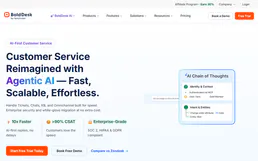
BoldDesk
Empower your customer support via BoldDesk — manage tickets, contacts, and agents directly from any AI agent.

Liveblocks
Manage real-time collaboration infrastructure—create rooms, authorize users, and inspect collaborative storage or threads directly from your AI agent.

WooCommerce Inventory Updater
This MCP allows your AI agent to surgically update the stock quantity of any product or variation in your WooCommerce store. Perfect for reading supplier spreadsheets and syncing inventory automatically.