
GovInfo MCP. Access all US federal documents, instantly.
 Gemini
 Works with every AI agent you already use
…and any MCP-compatible client









Just plug in your AI agents and start using Vinkius.
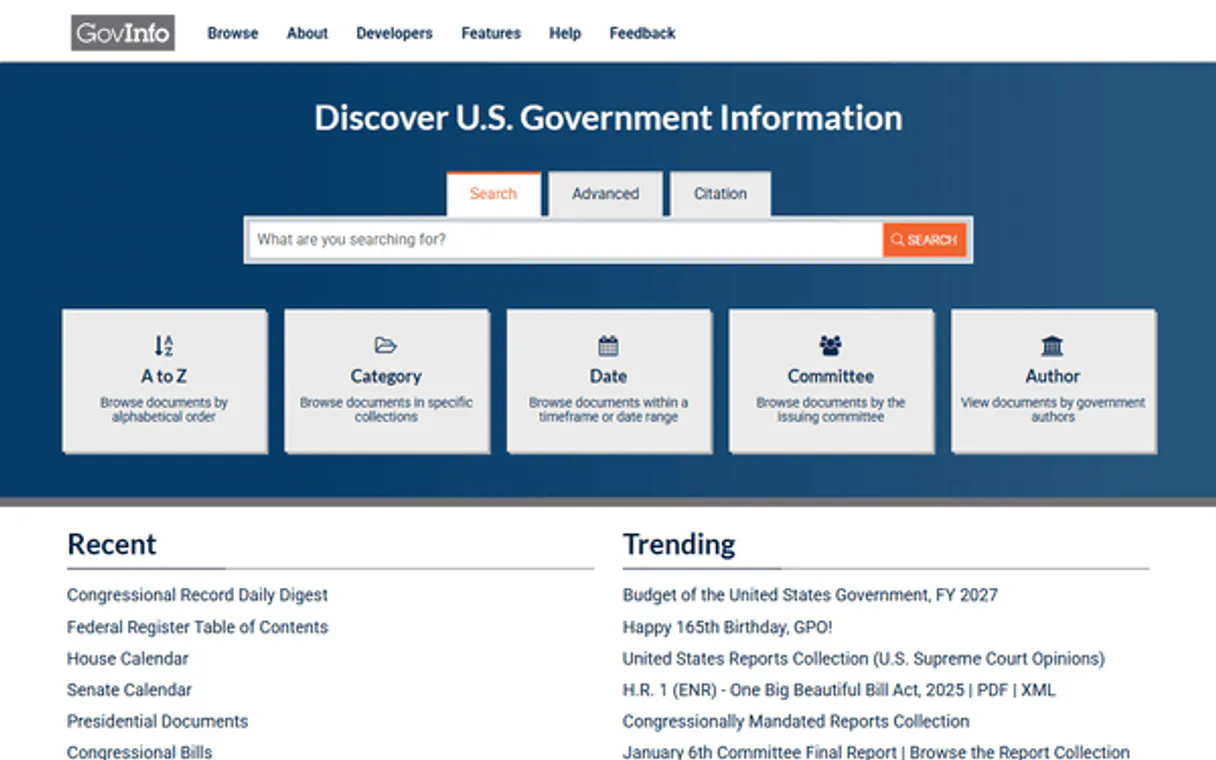
GovInfo connects your AI agent directly to the official U.S. Federal Government API. It lets you query congressional bills, federal regulations, court opinions, and presidential documents using natural language.
You don't have to navigate complex government sites; you just ask your agent for the specific document or regulatory history you need.
It's designed for legal, compliance, and deep research work that requires official, verifiable records from all three branches of the U.S.
government.
What your AI agents can do
Get collection
Gets a package of documents from a specific collection within a defined date range.
Get granule summary
Retrieves summary metadata for a single, specific document (granule).
Get package summary
Retrieves summary metadata for a larger collection of related documents (a package).
Runs a complex search across all available federal documents to find relevant bills, rules, or opinions.
Lists the major collections available, like Federal Register or Congressional Bills.
Retrieves a package of documents published within specific start and end dates.
Retrieves high-level details for a large grouping of documents (a package).
Retrieves detailed metadata for one specific document (granule) within a package.
Finds other official documents related to a specific bill or rule to map its full history.
Ask AI about this MCP
Supported MCP Clients
Gemini Waiting for input…
GovInfo MCP Server: 8 Tools for Federal Document Retrieval
Use these tools to list collections, summarize metadata, search documents, and trace relationships across the entire US federal document archive.
019d75aaget collection
Gets a package of documents from a specific collection within a defined date range.
019d75aaget granule summary
Retrieves summary metadata for a single, specific document (granule).
019d75aaget package summary
Retrieves summary metadata for a larger collection of related documents (a package).
019d75aaget published
Gets a list of all documents that were officially published on a single, specific date.
019d75aaget related documents
Finds and lists other official documents that are linked to a specific package.
019d75aalist collections
Lists all major document categories and collections available in the GovInfo database.
019d75aalist package granules
Lists all the individual sub-documents (granules) contained within a specific document package.
019d75aasearch documents
Performs a broad search across the entire GovInfo database using keywords and filters.
Choose How to Get Started
Build a custom MCP for your own tools, or connect a ready-made integration from our catalog.
Build Your Own
Turn any API into an MCP. Import a spec, define Agent Skills, or deploy with MCPFusion.
- Import from OpenAPI, Swagger, or YAML specs
- Create Agent Skills with progressive disclosure
- Deploy to edge with MCPFusion framework
- Built in DLP, auth, and compliance on every call
- Real time usage dashboard and cost metering
- Publish to catalog or keep private
Make Your AI Do More
Start with GovInfo, then connect any of our 4,700+ other servers whenever your AI needs more. One click, no limits.
- Use this MCP plus 4,700+ others, all in one place
- Add new capabilities to your AI anytime you want
- Every connection is secured and compliant automatically
- Track usage and costs across all your servers
- Works with Claude, ChatGPT, Cursor, and more
- New servers added to the catalog every week
What you can do with this MCP connector
GovInfo connects your AI agent straight to the official U.S. Federal Government API. You can query everything from congressional bills and federal regulations to court opinions and presidential documents using natural language. You don't have to click through complex government websites; you just ask your agent for the specific document or regulatory history you need.
This is for legal, compliance, and deep research that needs official, verifiable records from all three branches of the U.S. government.
list_collections lets you pull a list of all major document categories in the GovInfo database.
search_documents runs a broad search across the entire GovInfo database using keywords and filters, finding relevant bills, rules, or opinions.
get_related_documents traces document relationships, finding other official documents linked to a specific package to map a bill's full history.
get_package_summary pulls high-level details for a large grouping of related documents (a package).
get_collection pulls a package of documents published within a defined date range from a specific collection.
get_published gives you a list of every document officially published on a single, specific date.
list_package_granules lists all the individual sub-documents (granules) inside a specific document package.
get_granule_summary retrieves detailed metadata for one specific document (granule) within a package.
How GovInfo MCP Works
- 1 Subscribe to the GovInfo server and enter your free API key from api.data.gov.
- 2 Your AI client calls a function, like
list_collections, specifying the required document scope. - 3 The agent receives structured data on available collections or search results, which it then uses to pinpoint the exact document or data point you need.
The bottom line is, your AI agent acts like a dedicated research assistant that pulls official government documents directly into your workflow, bypassing manual database navigation.
Who Is GovInfo MCP For?
Compliance and legal teams need this to track regulatory changes and locate specific Federal Register notices. Researchers and journalists use it to get official court opinions and presidential records instantly. Policy analysts rely on it to monitor daily government publications and build comprehensive policy histories.
Tracks the progress of congressional bills or locates specific Federal Register notices to ensure organizational adherence to new regulations.
Retrieves official court opinions or analyzes the regulatory history of a piece of legislation to support litigation or policy advice.
Gathers primary source material, like official presidential documents or daily government publications, directly into their writing workspace.
What Changes When You Connect
- Stop sifting through manual government websites. Use
list_collectionsto see every major document category—from Federal Register to Congressional Bills—in one go. - When you need to track a rule's history,
get_related_documentsmaps the full legislative journey, showing every linked bill or rule change. - Don't guess what's in a package. Run
get_package_summaryto get high-level details on a group of documents before committing to a deep search. - Need to check a specific date?
get_publishedpulls every single document officially published on that day, providing a complete record. - Get granular detail without clicking through.
get_granule_summaryprovides the specific metadata for an individual document, fast. - Run a wide net search with
search_documentsto find documents across the entire database, even if you don't know the exact collection code.
Real-World Use Cases
A compliance team tracks a new rule change.
A compliance analyst needs to verify if a specific industry regulation changed last week. They ask their agent to use get_published for the last seven days, then use get_related_documents on the resulting packages to build a full audit trail of all related regulatory changes. The agent delivers a mapped timeline of changes.
A journalist investigates a court ruling.
A journalist needs the official context for a court case. They use list_collections to find the USCOURTS collection, then use get_package_summary on the relevant case package to get the full context and citation details, delivering the raw, verifiable data.
A policy analyst tracks a specific bill.
A policy analyst is tracking the progress of a specific bill. They use get_collection to filter by bill ID and date range, and then use get_related_documents to understand which regulations might be affected by its passage.
A legal team needs to audit document metadata.
A legal team needs to verify the metadata for several old regulations. They use list_collections to find the CFR collection, then use get_granule_summary on specific IDs to confirm the exact publication and summary details.
The Tradeoffs
Searching by partial keywords.
Typing 'federal bill' into a generic search field and getting hundreds of results. The results are mixed—some are bills, some are regulations, and some are court opinions. You waste time filtering them manually.
→
First, use list_collections to narrow the scope to BILLS. Then, use search_documents with specific keywords within that collection for a focused result set. This guarantees the search is limited to the right type of document.
Ignoring document relationships.
Finding a single piece of legislation and assuming it stands alone. You miss key amendments, related rules, or previous versions that provide necessary context.
→
Always check for context. After finding a package, run get_related_documents to discover all linked materials. This shows the full legislative history, which is crucial for legal analysis.
Over-relying on date ranges only.
Using only date filters to find documents, which often returns massive, unmanageable lists that are hard to sift through, wasting processing time.
→
Combine tools. Start with list_collections to confirm the correct source, then use search_documents with keywords AND a date range. This limits the scope and keeps the result set actionable.
When It Fits, When It Doesn't
Use GovInfo if you need verifiable, primary source documents from the U.S. Federal Government. This isn't for general news or corporate records. You must use this when legal compliance, policy analysis, or academic research requires documents like Federal Register notices or Congressional Bills. Don't use it if you are looking for general information; use a standard web search instead. If you only need to check if a document exists, use search_documents. If you need the full context and history of a rule, you must run get_related_documents after finding the initial package. Never assume a single search will give you the full picture; always check the relationship tools.
Independent Platform Disclaimer: Vinkius is an independent platform and is not affiliated with, endorsed by, sponsored by, verified by, or otherwise authorized by GovInfo. All third-party trademarks, logos, and brand names are the property of their respective owners. Their use on this website is strictly for informational purposes to identify service compatibility and interoperability.
VINKIUS INFRASTRUCTURE
Cloud Hosted
Managed infra
V8 Isolated
Sandboxed per request
Zero-Trust Proxy
No stored credentials
DLP Enforced
Policy on every call
GDPR Compliant
EU data residency
Token Compression
~60% cost reduction
Works with Claude, ChatGPT, Cursor, and more
The Model Context Protocol standardizes how applications expose capabilities to LLMs. Instead of operating in isolation, your AI gains direct access to external platforms, live data, and real-world actions through secure, standardized connections.
This server provides 8 capabilities that interface natively with Claude, ChatGPT, Cursor, and any MCP client. No middleware. No custom integration required.
Available Capabilities
Sifting through government websites for one regulation is a nightmare.
Today, if you need to find a specific federal regulation, you have to navigate multiple government portals. You search the Federal Register, then you check the Code of Federal Regulations, and then you cross-reference congressional bill pages. It's a miserable process of opening tabs and manually comparing dates and IDs.
With GovInfo, you tell your agent what you need. It accesses the entire database and brings back the exact collection, the specific package, and the document metadata you require. You get the answer, not a list of links.
Get full document context with `get_related_documents`.
Manually tracing the history of a single bill means finding the original proposal, the committee reports, and all subsequent amendments. You spend hours cross-referencing document IDs to piece together the full narrative.
Now, you ask your agent to find related documents for a package. It returns the full context—the entire legislative journey—in one go. That's a massive difference.
Common Questions About GovInfo MCP
How do I start finding documents using the `list_collections` tool? +
Run list_collections to see all major document categories (like BILLS or FR) available. This tells you where to focus your search next. After you pick a collection, you can proceed to search or get packages.
What is the difference between `get_package_summary` and `get_granule_summary`? +
get_package_summary gives you details on a whole group of documents. get_granule_summary provides the deep, specific metadata for one single document within that group.
Can I search documents using the `search_documents` tool? +
Yes, search_documents performs a broad query across the whole GovInfo database using keywords and filters, which is useful when you don't know the exact collection or ID.
How do I find all documents published on a specific day with `get_published`? +
You call get_published and pass the exact date. It returns a complete list of every document officially published by the government on that day, making it perfect for daily audits.
How do I use `get_related_documents` to trace a document's history? +
The get_related_documents tool finds other documents linked to a specific package. You input a package ID, and the tool returns related bills, rules, or amendments, helping you map out a document's full legislative history.
Is there a way to get a list of sub-documents using `list_package_granules`? +
Yes, list_package_granules lists all individual sub-documents (granules) within a package. It provides the unique identifiers and basic metadata for every component document, allowing you to target specific pieces of data.
What happens if I use `get_collection` with an invalid date range? +
If the date range is invalid, the tool returns a structured error message detailing the problem. You must ensure the start and end dates are in the correct format (YYYY-MM-DD) and are logically ordered.
Does `get_package_summary` include download links for the content? +
The get_package_summary tool provides detailed metadata, including download links for the package's content in formats like PDF and XML. These links are included directly in the summary data.
What kind of documents can I find on GovInfo? +
GovInfo provides access to a vast array of federal documents, including Congressional Bills (BILLS), the Federal Register (FR), Code of Federal Regulations (CFR), United States Courts Opinions (USCOURTS), and Presidential Documents (CPD). Use the list_collections tool to see all available categories.
How do I find the actual text or PDF of a document? +
The get_package_summary tool returns metadata which includes download links (URLs) for various formats like PDF, XML, or Text. You can then use those links to access the full document.
Use it with your favorite AI tools
Connect this server to Cursor, Claude, VS Code, and more.
More in this category

NASA
Explore space and science via NASA APIs — browse APOD, Mars rover photos, Earth imagery, NEO data and patents from any AI agent.

Watershed Climate
Automate carbon measurement and reporting via Watershed — manage inventories, upload emissions data, and track reduction targets directly from any AI agent.

Wolfram Alpha Solver
Empower your AI with the world's most powerful computational engine. Solve complex calculus, extract exact scientific facts, and eliminate mathematical hallucinations.
You might also like

Zoho Inventory
Manage inventory items, sales orders, and stock levels via the Zoho Inventory API.

Tavus Video Replicas
Generate personalized AI videos via Tavus — manage replicas, create videos from scripts, and track generation status.

Clash Royale Tactical Intelligence
The definitive server for Clash Royale — track chest rotations, analyze battle decks, and monitor clan wars via AI.