
Hub Planner MCP. Check resource availability, project status, and team capacity.
 Gemini
 Works with every AI agent you already use
…and any MCP-compatible client









Just plug in your AI agents and start using Vinkius.
Hub Planner connects your AI agent to the Hub Planner API. It lets you list all organizational data—including resources, projects, clients, teams, and bookings—directly through conversation.
Get current user info, see who's booked when, list all active projects, or check team capacity without switching screens. It's your single source for resource and project data.
What your AI agents can do
Get me
Retrieves the profile and details of the currently authenticated user.
List bookings
Lists all current assignments and bookings for resources.
List categories
Provides a list of all predefined booking types used in the system.
The agent retrieves lists of people and equipment using list_resources and checks their schedule via list_bookings.
You can get a full picture of project scope and progress by listing projects using list_projects and identifying related tags with list_tags.
The agent finds all teams using list_teams and can see which team members are overbooked or unassigned using list_unassigned.
You access client information by listing all clients (list_clients) and cross-referencing them with specific bookings or projects.
The agent lists all scheduled time-off (list_events) and current resource assignments to find open slots.
Ask AI about this MCP
Supported MCP Clients
Gemini Waiting for input…
Hub Planner MCP Server: 10 Tools for Resource & Booking Ops
These ten tools let your agent read and organize all core data—from personnel and equipment to projects, bookings, and clients—within the Hub Planner system.
019d75b3get me
Retrieves the profile and details of the currently authenticated user.
019d75b3list bookings
Lists all current assignments and bookings for resources.
019d75b3list categories
Provides a list of all predefined booking types used in the system.
019d75b3list clients
Fetches a complete list of all clients associated with the organization.
019d75b3list events
Gets a list of scheduled events or periods of time-off for resources.
019d75b3list projects
Retrieves the full list of all defined projects.
019d75b3list resources
Lists all personnel and equipment managed by the system.
019d75b3list tags
Provides a list of all tags used for organizing projects and resources.
019d75b3list teams
Lists all the defined teams within the organization.
019d75b3list unassigned
Lists booking records that have not yet been assigned to a specific resource.
Choose How to Get Started
Build a custom MCP for your own tools, or connect a ready-made integration from our catalog.
Build Your Own
Turn any API into an MCP. Import a spec, define Agent Skills, or deploy with MCPFusion.
- Import from OpenAPI, Swagger, or YAML specs
- Create Agent Skills with progressive disclosure
- Deploy to edge with MCPFusion framework
- Built in DLP, auth, and compliance on every call
- Real time usage dashboard and cost metering
- Publish to catalog or keep private
Make Your AI Do More
Start with Hub Planner, then connect any of our 4,700+ other servers whenever your AI needs more. One click, no limits.
- Use this MCP plus 4,700+ others, all in one place
- Add new capabilities to your AI anytime you want
- Every connection is secured and compliant automatically
- Track usage and costs across all your servers
- Works with Claude, ChatGPT, Cursor, and more
- New servers added to the catalog every week
What you can do with this MCP connector
You gotta plug your AI agent into the Hub Planner API. This MCP server lets your agent read all the org data—resources, projects, clients, teams, and bookings—straight through conversation. You can pull the current user's profile using get_me, check who's booked when with list_bookings, see what booking types are available via list_categories, and grab a full list of clients with list_clients.
You'll also get the full roster of personnel and equipment using list_resources, list all scheduled time-off or events with list_events, pull the complete list of defined projects using list_projects, and check the tags used for organizing things with list_tags. It lists all defined teams with list_teams, and it even shows booking records that haven't been assigned to anyone yet through list_unassigned.
Need to check resource status? The agent runs list_resources for people and gear, then it runs list_bookings to see their schedules.
Want to track a project? You can get the full scope and progress by running list_projects, and you can find related tags with list_tags.
Need to manage team capacity? The agent finds all teams using list_teams and shows you which team members are overbooked or unassigned by checking list_unassigned.
Need to review client records? You access all client info by running list_clients and cross-referencing it with specific bookings or projects.
Need to figure out who's free? The agent lists all scheduled time-off using list_events and checks current resource assignments to pinpoint open slots.
How Hub Planner MCP Works
- 1 Tell your agent what data you need (e.g., 'Show me who is free next Tuesday for Project X').
- 2 The agent automatically runs
list_resourcesandlist_bookings, filtering the results by date and project ID. - 3 You receive a consolidated report showing available personnel, current assignments, and potential conflicts.
The bottom line is, you ask a question, and the server runs the necessary checks and data pulls, giving you one clean answer.
Who Is Hub Planner MCP For?
The operations manager who gets sick of jumping between project management tools, HR systems, and calendar dashboards. You're the person who needs to know, 'Who has capacity for this new client?' before you can even start a project. This server gives you a single point of truth for resources, projects, and bookings.
Uses the agent to check if a team has enough bandwidth for a new initiative. They run queries across list_resources, list_bookings, and list_projects to find bottlenecks.
Uses the agent to generate status reports. They combine list_projects and list_clients to build reports on project completion and client engagement.
Uses the agent to manage time-off and team structures. They check list_events and list_teams to ensure compliance and proper resource allocation.
What Changes When You Connect
- Consolidate capacity data: Stop manually cross-referencing calendars. Use
list_resourcesandlist_bookingsto get an immediate, accurate view of who's available and when. - Automate status reports: Generating project status reports used to be a manual process of pulling data from three different sheets. Now, simply ask the agent to combine
list_projectsandlist_clientsfor a single, accurate overview. - Track time-off and conflicts: Instead of checking an HR portal and then a separate calendar, the agent runs
list_eventsandlist_resourcesto find conflicts and scheduled time-off instantly. - Identify unassigned work: When resources are available but not booked, you don't know where to start. The
list_unassignedtool flags those bookings, letting you assign work immediately. - Understand team structure: Quickly view team composition and ownership by using
list_teamsand cross-referencing results withlist_resourcesto map people to departments. - Build client profiles: Get a full history of a client's relationship with the company by combining
list_clientswithlist_projectsto see all associated work.
Real-World Use Cases
The Project Kickoff Check
A project manager needs to know if the core team (e.g., Sarah and John) can handle a new client engagement. They ask their agent, and the agent uses list_resources to confirm the people exist, then list_bookings and list_events to check for conflicts across the next quarter. The result is a clear report on available capacity.
Audit Unassigned Capacity
The ops engineer notices several bookings that don't have a resource attached. They ask the agent to run list_unassigned. The agent returns a list, allowing the engineer to immediately assign the work to available personnel using the information gathered.
Client History Deep Dive
A sales rep needs to prepare for a major client meeting. They ask the agent to pull all data for 'Acme Corp.' The agent runs list_clients to confirm the ID, then uses list_projects to pull every project ever associated with that client, giving a complete history.
Resource Allocation Bottleneck
The PM realizes one key resource is booked solid for the next month. They ask the agent to check resource capacity for a specific date range. The agent uses list_resources and list_bookings to pinpoint the exact overbooked dates, allowing the PM to re-allocate tasks.
The Tradeoffs
Checking resource status piecemeal
Calling list_resources first, then asking the agent to run list_bookings separately. You get two data dumps and have to manually compare the lists to find conflicts.
→
Ask the agent for the conflict directly: 'Show me resource conflicts for the next two weeks.' The agent intelligently runs both list_resources and list_bookings and delivers the final, filtered answer.
Forgetting the timeline
Asking the agent to 'Show me all projects for Client X.' If you don't specify a timeframe, you get a massive list of everything, making it useless noise.
→
Always narrow the scope. Use list_clients to get the ID, then specify the date range when asking for list_projects or list_bookings.
Assuming a single source of truth
Trying to use list_teams and then cross-referencing that list with a separate HR directory. The data won't match because they aren't connected to the same source.
→
Stick to the Hub Planner data. Use the agent to combine list_teams and list_resources to ensure the data is sourced from the same system.
When It Fits, When It Doesn't
Use this if your primary need is knowing 'who can do what, and when.' This server manages the relationship between people (resources), time (bookings/events), and scope (projects/clients).
Don't use it if: You only need to manage simple, standalone lists (like a directory of tags or a list of clients) without any time or resource context. For that, a simple list API might suffice.
Use this if: You need to answer questions like, 'Can Project Alpha afford to lose Resource Beta this month?' or 'Which client needs resources assigned right now?' The combination of list_bookings, list_resources, and list_projects is what makes this tool powerful.
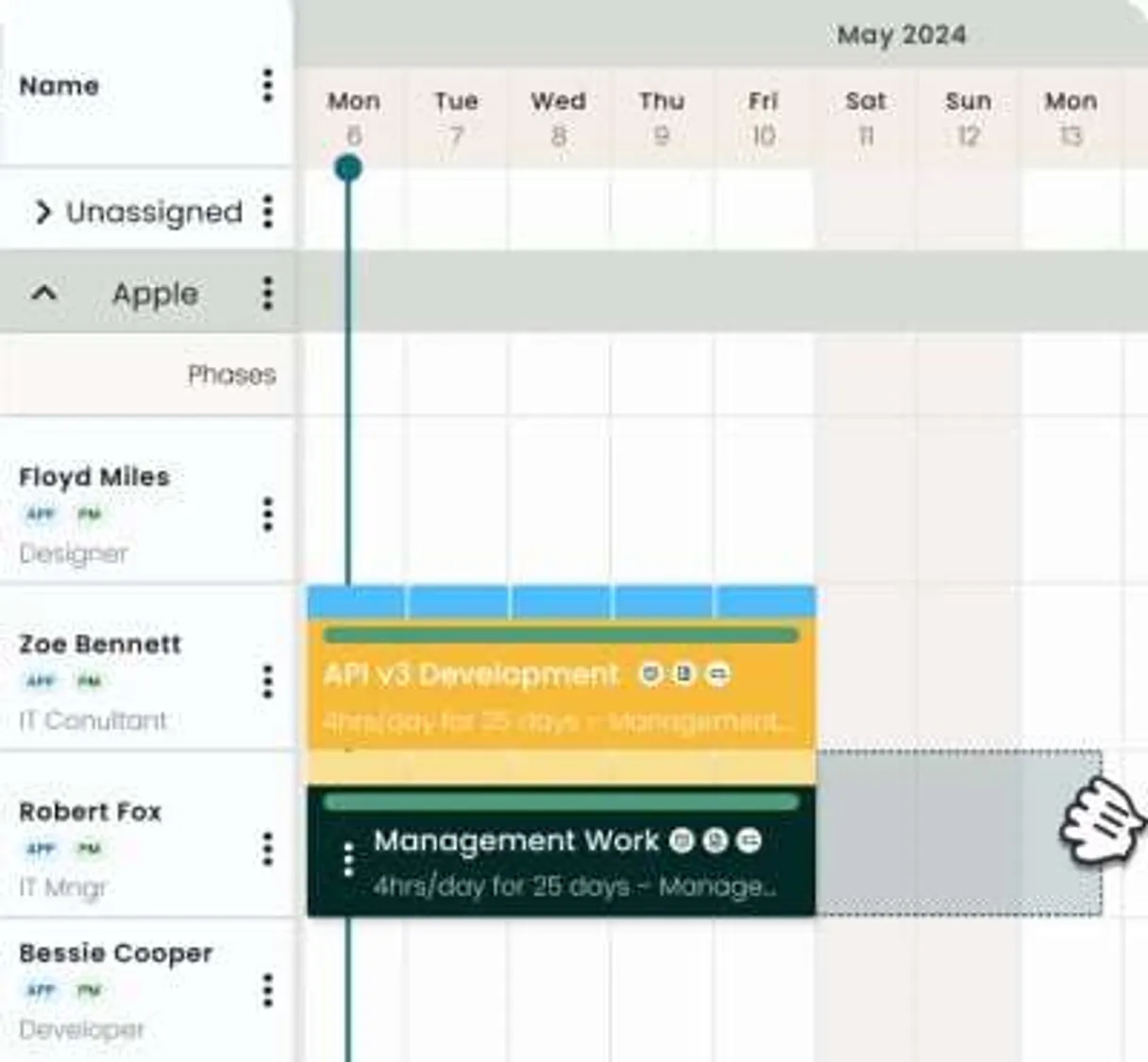
Independent Platform Disclaimer: Vinkius is an independent platform and is not affiliated with, endorsed by, sponsored by, verified by, or otherwise authorized by Hub Planner. All third-party trademarks, logos, and brand names are the property of their respective owners. Their use on this website is strictly for informational purposes to identify service compatibility and interoperability.
VINKIUS INFRASTRUCTURE
Cloud Hosted
Managed infra
V8 Isolated
Sandboxed per request
Zero-Trust Proxy
No stored credentials
DLP Enforced
Policy on every call
GDPR Compliant
EU data residency
Token Compression
~60% cost reduction
Works with Claude, ChatGPT, Cursor, and more
The Model Context Protocol standardizes how applications expose capabilities to LLMs. Instead of operating in isolation, your AI gains direct access to external platforms, live data, and real-world actions through secure, standardized connections.
This server provides 10 capabilities that interface natively with Claude, ChatGPT, Cursor, and any MCP client. No middleware. No custom integration required.
Available Capabilities
Juggling client data, project statuses, and resource calendars is a nightmare.
Right now, figuring out if a team can take on a new project means opening the project management tool to check `list_projects`, switching to the HR system to check `list_resources`, and finally opening the shared calendar to see `list_bookings`. You end up copy-pasting names and dates between three different dashboards just to answer one question.
With the Hub Planner MCP Server, you just ask the agent. It handles the data pulls from `list_projects`, `list_resources`, and `list_bookings` in the background. You get one clean answer that confirms capacity, without leaving your chat window.
Hub Planner MCP Server: Get resource assignments and bookings instantly.
You eliminate the manual steps of cross-referencing availability. Instead of manually checking if a resource is free, you simply ask the agent to compare `list_resources` against `list_events` and `list_bookings` for a specific date range.
The resource capacity data is finally unified. You don't just see a list of resources; you see their actual, actionable availability, which changes how fast you can plan.
Common Questions About Hub Planner MCP
How do I check resource availability using the `list_resources` tool? +
You don't call list_resources directly. You ask the agent to 'Check availability for [Resource Name] next week.' The agent uses list_resources and then cross-references it with list_bookings and list_events to give you the clean answer.
Does `list_clients` give me all project history? +
No. list_clients only gives a list of clients. To get project history, you must ask the agent to combine list_clients with list_projects and specify the client name.
What is the difference between `list_bookings` and `list_unassigned`? +
list_bookings shows all current, active assignments. list_unassigned specifically pulls records that have been created but haven't been assigned to a person or team yet.
Can I see all teams using the `list_teams` tool? +
Yes, list_teams fetches a complete list of all defined teams. You can then ask the agent to use this list to help filter resources for a specific project.
How does the agent use `list_projects`? +
You ask for project status or scope. The agent uses list_projects to get the project list and then may combine it with list_tags to give you a filtered list based on keywords.
How do I use `get_me` to check my current user permissions? +
The get_me tool returns the current authenticated user's details. This data confirms your user ID, name, and the permissions your AI client has to access the Hub Planner API.
What information does `list_events` provide about team time off? +
list_events shows all recorded time-off or events for resources. You get specific dates and the resource associated with that time, letting you plan around absences.
If I run `list_categories`, what data points do I receive about booking types? +
The list_categories tool provides a list of predefined booking categories. You receive the category name and its unique ID, which you can then use when managing bookings.
Where do I find my Hub Planner API Key? +
Log in as Administrator, go to Settings > Integrations > API, and enable the API to generate your key.
Should I use 'Bearer' in the Authorization header? +
No, Hub Planner requires the raw API key without any prefix in the Authorization header.
Can I see resource availability? +
Yes, the list_resources and list_bookings tools help you understand resource allocation and availability.
Use it with your favorite AI tools
Connect this server to Cursor, Claude, VS Code, and more.
More in this category
Infinity Work Manager
Manage work items, boards, comments, and folders via Infinity API.

Kintone
Manage custom business apps, records, and workflows via Kintone.

Vue.js Excellence Prover
AI agents produce legacy Vue 2 configurations, unstable reactivity loops, and untyped interfaces. This prover enforces Vue 3 Composition API excellence, strict reactivity limits, compile-time type-safety, and optimized browser execution. Zero tolerance for Options API and raw prop mutations.
You might also like

Magento (Adobe Commerce)
Manage e-commerce via Magento (Adobe Commerce) — search products, track orders, and audit customer data.

OwnerRez
Manage vacation rental bookings, properties, guests, calendars, financials, inquiries, and channel connections for your OwnerRez account through natural conversation.

Sefaria Torah Texts API
Access sacred texts — audit Torah, Talmud, and library via AI.