
Infinity Work Manager MCP. Manage boards, tasks, and folders from your chat client.
 Gemini
 Works with every AI agent you already use
…and any MCP-compatible client









Just plug in your AI agents and start using Vinkius.
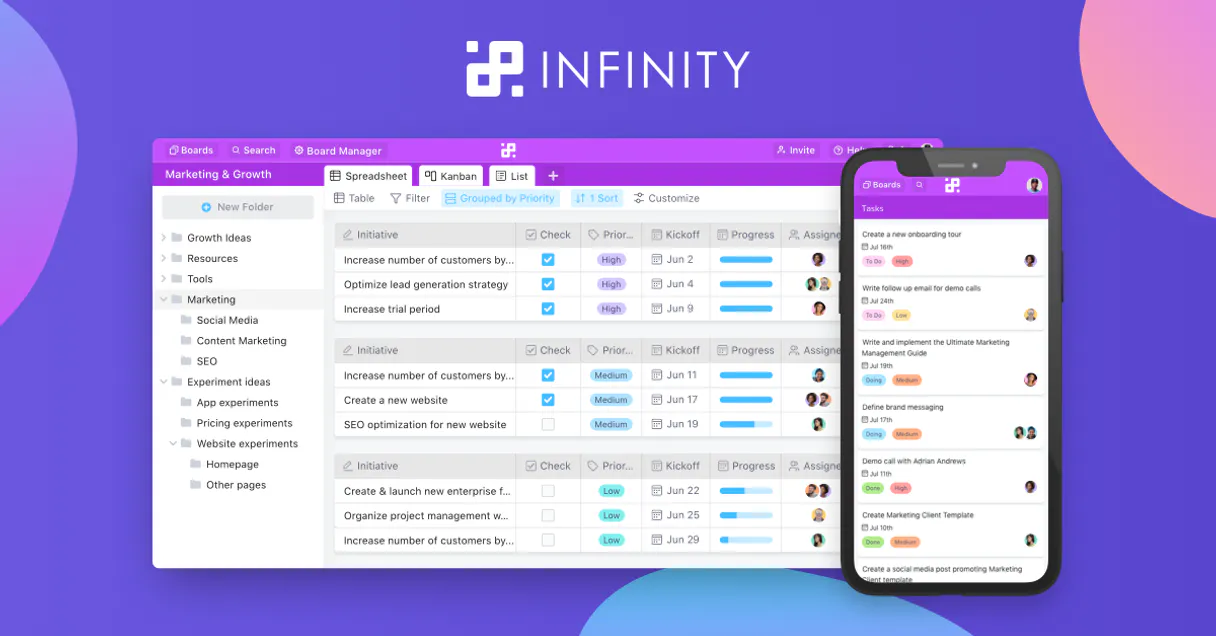
Infinity Work Manager. Use your AI client to manage tasks, boards, and projects inside Infinity directly. Create items, add comments, organize folders, and track progress without ever opening the web app.
This tool lets you interact with your work management platform using natural conversation, treating it like a command line interface for your entire project workflow.
What your AI agents can do
Create board
Builds a new board within an existing workspace.
Create comment
Adds a new comment to a specific work item.
Create folder
Creates a new folder structure inside a board.
Use tools like create_board, create_folder, and create_item to build, organize, and populate new work units in Infinity.
Pull details on any board, item, or workspace using get_board, get_item, and list_workspaces to verify status and contents.
Add and retrieve comments on specific items using create_comment and list_comments to keep project communication centralized.
Change existing item statuses or details using update_item or delete_item, ensuring the board data stays current.
List all items (list_items), folders (list_folders), and available custom attributes (list_attributes) within a board for a full overview.
Ask AI about this MCP
Supported MCP Clients
Gemini Waiting for input…
Infinity Work Manager MCP Server: 15 Tools for Project Management
These tools let your AI client read, write, and restructure data across your entire Infinity work management platform.
019d75b9create board
Builds a new board within an existing workspace.
019d75b9create comment
Adds a new comment to a specific work item.
019d75b9create folder
Creates a new folder structure inside a board.
019d75b9create item
Adds a new task or work item to a board.
019d75b9delete item
Removes a work item from a board.
019d75b9get board
Retrieves the full details for a specific board ID.
019d75b9get item
Fetches all details for a single work item ID.
019d75b9get profile
Gets the authenticated user's profile information for verification.
019d75b9list attributes
Retrieves a list of custom fields configured on a specific board.
019d75b9list boards
Lists all boards available within the connected workspace.
019d75b9list comments
Shows all comments left on a given work item.
019d75b9list folders
Lists all folders contained within a board.
019d75b9list items
Lists all work items within a board, supporting pagination.
019d75b9list workspaces
Retrieves a list of all workspaces the user has access to.
019d75b9update item
Changes the status or attributes of an existing work item.
Choose How to Get Started
Build a custom MCP for your own tools, or connect a ready-made integration from our catalog.
Build Your Own
Turn any API into an MCP. Import a spec, define Agent Skills, or deploy with MCPFusion.
- Import from OpenAPI, Swagger, or YAML specs
- Create Agent Skills with progressive disclosure
- Deploy to edge with MCPFusion framework
- Built in DLP, auth, and compliance on every call
- Real time usage dashboard and cost metering
- Publish to catalog or keep private
Make Your AI Do More
Start with Infinity Work Manager, then connect any of our 4,700+ other servers whenever your AI needs more. One click, no limits.
- Use this MCP plus 4,700+ others, all in one place
- Add new capabilities to your AI anytime you want
- Every connection is secured and compliant automatically
- Track usage and costs across all your servers
- Works with Claude, ChatGPT, Cursor, and more
- New servers added to the catalog every week
What you can do with this MCP connector
Yo, you can hook up your AI client to Infinity Work Manager and handle your whole project setup right from your chat. You'll use this server to manage tasks, boards, and projects inside Infinity without ever opening the web app. It lets your agent treat your whole work management platform like a command line interface for your projects.
Create and modify project structure: You can build, organize, and populate new work units. Use create_board to build a new board in an existing workspace. You'll also use create_folder to make a new folder structure inside a board, and create_item to drop a new task or work item onto a board.
List and manage board contents: Need to see what's going on? You can use list_boards to see every board in your connected workspace. You can also check out all the items in a board with list_items, and that list supports pagination. To get a full overview, use list_folders to see all the folders inside a board, and list_attributes to grab a list of custom fields set up on a board.
Track and retrieve specific data points: You can pull details on any board using get_board with a specific board ID. Want to check a single task? Use get_item with a single work item ID. You can also see all the workspaces your user account has access to by calling list_workspaces.
If you need to verify the user connected, use get_profile to fetch the authenticated user's profile info.
Update item details and attributes: Don't wanna mess with a task? You can change existing item statuses or details using update_item. You can also wipe out a work item completely with delete_item.
Manage team communication: Keep the conversation right where it belongs. You can add a new comment to a specific work item using create_comment, and you can see every comment left on a given work item by calling list_comments.
How Infinity Work Manager MCP Works
- 1 First, connect your AI client to the Infinity Work Manager server and provide the necessary access token.
- 2 Next, tell your agent the specific action you need (e.g., 'List all boards in the Marketing Workspace').
- 3 The agent calls the corresponding tool (
list_boards), and the server executes the API request, returning the structured data to your client.
The bottom line is, your agent acts as a remote interface, translating your natural language requests into precise API calls against your Infinity platform.
Who Is Infinity Work Manager MCP For?
Project Managers, Team Leads, and Operations Engineers who manage complex workflows but hate context switching. If your job involves constantly checking status updates, adding comments, or organizing work across multiple dashboards, this tool lets you do it all from a single chat window without leaving your AI agent.
Creates new boards and items, and uses list_items to track project progress without opening the web app.
Monitors board activity and uses create_comment to coordinate team efforts or uses get_board to check overall team status.
Manages large volumes of work items by using create_folder and delete_item to keep the board structure clean and organized.
What Changes When You Connect
- Control the entire workflow from chat. Instead of navigating through the web app's menus, you can tell your agent to
create_itemorupdate_itemdirectly. This cuts out multiple clicks and keeps your focus on the work, not the UI. - See all organizational boundaries. Use
list_workspacesandlist_boardsto get a high-level view of your entire company structure without logging into separate dashboards. It shows you where everything lives. - Maintain a perfect record of context. When a teammate asks a question, you can use
list_commentsandcreate_commentto add the answer directly to the item. The discussion stays attached to the task, not scattered across email chains. - Keep your data clean. Need to clean up old work? Use
delete_itemorcreate_folderto organize and prune items. You control the board structure without manual cleanup. - Audit and verify data. Before making changes, run
get_itemorget_boardto confirm the current status, attributes, or content. It's a fast, reliable way to get the data you need, right when you need it. - Handle complex data types. Use
list_attributesto see exactly what custom fields are available on a board. This lets you build accurate prompts when callingcreate_itemorupdate_item.
Real-World Use Cases
Need to onboard a new project board.
A Project Manager needs a new board for a client migration. Instead of opening the web app and clicking 'New Board,' they ask their agent to run create_board. The agent handles the setup, and they can immediately follow up by using create_item to populate the first few tasks.
Team needs to centralize discussion on a task.
A Team Lead is reviewing a bug report. Instead of forwarding emails or meeting to discuss it, they ask the agent to use create_comment on the specific item. All discussion—the diagnosis, the fix, the confirmation—is logged right there, keeping the single source of truth clean.
Cleaning up old, irrelevant work items.
An Operations Engineer needs to archive tasks from a finished quarter. They tell the agent to list_items in the old board, identify the completed ones, and then use delete_item to remove them in bulk, keeping the board actionable.
Getting a full status report across multiple teams.
A PM needs to know the status of three different projects (Marketing, Product, Operations). They use list_workspaces to confirm the scope, then run list_boards for each, and finally list_items to pull the current status of key tasks.
The Tradeoffs
Using a generic API for everything
Trying to write a single prompt that asks the agent to 'read the board, update the item, and then add a comment' without specifying the necessary IDs or order.
→
Break the task down. First, use get_item to retrieve the item ID. Then, use update_item with that ID. Finally, use create_comment to add the context. This sequential approach guarantees the agent has the required data for each step.
Over-relying on manual data entry
Manually copy-pasting status updates or descriptions from an email into the Infinity web app because the agent seemed too complicated.
→
Let the agent handle it. Use create_item and provide the attributes and name via natural language. The agent formats and sends the data correctly to the API, saving you from manual copy/paste.
Ignoring the folder structure
Creating a new item and then realizing it belongs under a different section, forcing you to manually restructure the board afterward.
→
Always use create_folder first to define the necessary grouping. Then, use create_item knowing the item will belong within that new folder structure.
When It Fits, When It Doesn't
Use this server if your core workflow involves managing structured, relationship-heavy data—specifically, if you treat your work items like records that need a defined lifecycle (status changes, comments, folder moves). Don't use it if your goal is simple content generation or general knowledge retrieval; for that, a general LLM or knowledge base tool is better. You must use this server when you need to execute commands that directly modify the state of the Infinity platform, such as calling update_item or delete_item. If you only need to read information, you can stick to list_items and get_item, but if you need to change anything, you need this full suite.
Independent Platform Disclaimer: Vinkius is an independent platform and is not affiliated with, endorsed by, sponsored by, verified by, or otherwise authorized by Infinity. All third-party trademarks, logos, and brand names are the property of their respective owners. Their use on this website is strictly for informational purposes to identify service compatibility and interoperability.
VINKIUS INFRASTRUCTURE
Cloud Hosted
Managed infra
V8 Isolated
Sandboxed per request
Zero-Trust Proxy
No stored credentials
DLP Enforced
Policy on every call
GDPR Compliant
EU data residency
Token Compression
~60% cost reduction
Works with Claude, ChatGPT, Cursor, and more
The Model Context Protocol standardizes how applications expose capabilities to LLMs. Instead of operating in isolation, your AI gains direct access to external platforms, live data, and real-world actions through secure, standardized connections.
This server provides 15 capabilities that interface natively with Claude, ChatGPT, Cursor, and any MCP client. No middleware. No custom integration required.
Available Capabilities
Managing complex boards means clicking through five different tabs.
Today, if you want to update a task status, you have to open the web app. You click the board, then click the item, then find the status dropdown. If you need to add a comment, you have to scroll to the bottom, find the comment box, and type. If you want to see what's in the folder, you click the folder tab, and then you filter the results. It's a lot of tabs and clicks just to move a task from 'To Do' to 'In Review'.
With the Infinity Work Manager MCP Server, you just tell your agent: 'Change item X to 'In Review' and add a comment about the next steps.' The agent handles the status update and the comment posting in a single, conversational turn. You get the task done without leaving your chat window.
Infinity Work Manager MCP Server: Update item status and details
Manually updating items requires you to open the board, find the item, click the status field, select the new status, and then save. If you miss a step, the item is stuck. You also have to copy the item ID somewhere else to reference it in a report.
Now, you just ask your agent to update the item. It runs the `update_item` tool, making sure the status changes and all the required attributes are correctly set in one API call. The process is clean, traceable, and requires zero clicks.
Common Questions About Infinity Work Manager MCP
How do I get my Infinity Access Token? +
Log in to Infinity, go to Profile > Developer Features, enable developer mode, and generate an Access Token in the Developer section.
Can I create items with custom attributes? +
Yes! Use the create_item action with a JSON body that includes the item name and attribute values matching your board configuration.
Can I add comments to items? +
Yes! Use the create_comment action with the workspace, board, and item IDs along with the comment content.
Can I manage multiple workspaces? +
Yes! You can list all your accessible workspaces and manage boards, folders, and items within each specific workspace.
How do I use the `list_workspaces` tool to find all available project areas? +
The list_workspaces tool retrieves all workspaces your account can access. You can use the resulting workspace IDs to query specific boards or items within those project areas.
What is the difference between `get_board` and `list_boards` when managing my project? +
Use get_board when you know the specific board ID and need its full details. list_boards provides a list of all boards within a given workspace ID.
Can I track changes to items using the `get_item` tool? +
The get_item tool retrieves the current details of a specific item. You should use list_comments to see the historical conversation and tracked changes associated with that item.
When I run `create_item`, how do I make sure the item has the correct custom attributes? +
When calling create_item, ensure your request body includes the specific attribute keys and values needed. The system uses these attributes to define the item's custom data.
Use it with your favorite AI tools
Connect this server to Cursor, Claude, VS Code, and more.
More in this category

B5 Arena
Automate Counter-Strike intelligence via B5 Arena — scan matchmaking leaderboards, track player ELO, and fetch competitive match logs natively from any AI agent.

Zotero
Manage your research library via Zotero — list collections, search items, and organize references directly from any AI agent.

CATS ATS
Manage recruitment workflows via CATS ATS — track candidates, job orders, and activities directly from any AI agent.
You might also like

Camunda (BPMN Engine)
Orchestrate business processes via Camunda — deploy BPMN models, start instances, and manage user tasks directly from any AI agent.

Browserless
Manage headless Chrome via Browserless — take screenshots, generate PDFs, and scrape web content directly from any AI agent.

Ghost (Publishing & Newsletter Platform API)
Manage your Ghost publication — browse public content, manage posts, and automate your newsletter workflow directly from your AI agent.