
SIDRA Data MCP. Pull specific economic and demographic metrics for Brazil.
 Gemini
 Works with every AI agent you already use
…and any MCP-compatible client









Just plug in your AI agents and start using Vinkius.
IBGE Censo & SIDRA — Dados Censitários accesses Brazil's official statistical data. It gives you immediate access to national, state, and municipal data on GDP, population, employment, and inflation (IPCA).
You can query thousands of aggregate tables from SIDRA using your AI agent, filtering by time period, geography, and variable.
This is the core source for Brazilian economic intelligence.
What your AI agents can do
Get agregado data
Gets census or survey data from a specific SIDRA aggregate table using defined filters.
Get agregado metadados
Fetches the schema and metadata for a specific SIDRA aggregate.
Get agregado periodos
Lists all available time periods for a given SIDRA aggregate table.
Runs a query against a specific SIDRA aggregate table to pull the requested data, filtered by geography, time, and variable.
Checks the metadata for a given SIDRA aggregate to confirm its variables, levels, and general structure.
Lists all available time periods for a specific SIDRA aggregate, preventing date range errors.
Lists all SIDRA aggregate tables, grouping them by the underlying survey or data domain.
Ask AI about this MCP
Supported MCP Clients
Gemini Waiting for input…
019d75b6get agregado data
Gets census or survey data from a specific SIDRA aggregate table using defined filters.
019d75b6get agregado metadados
Fetches the schema and metadata for a specific SIDRA aggregate.
019d75b6get agregado periodos
Lists all available time periods for a given SIDRA aggregate table.
019d75b6list agregados
Lists all SIDRA aggregate tables, grouped by the survey or data domain.
Choose How to Get Started
Build a custom MCP for your own tools, or connect a ready-made integration from our catalog.
Build Your Own
Turn any API into an MCP. Import a spec, define Agent Skills, or deploy with MCPFusion.
- Import from OpenAPI, Swagger, or YAML specs
- Create Agent Skills with progressive disclosure
- Deploy to edge with MCPFusion framework
- Built in DLP, auth, and compliance on every call
- Real time usage dashboard and cost metering
- Publish to catalog or keep private
Make Your AI Do More
Start with IBGE Censo & SIDRA — Dados Censitários, then connect any of our 4,700+ other servers whenever your AI needs more. One click, no limits.
- Use this MCP plus 4,700+ others, all in one place
- Add new capabilities to your AI anytime you want
- Every connection is secured and compliant automatically
- Track usage and costs across all your servers
- Works with Claude, ChatGPT, Cursor, and more
- New servers added to the catalog every week
What you can do with this MCP connector
You're hooking up your AI client to SIDRA, the go-to spot for Brazilian economic data from IBGE. This server gives you immediate access to massive stats covering everything from national GDP to local employment figures. You can run queries against thousands of aggregate tables, filtering by geography, time, and specific variables.
list_agregados lets you browse all the available SIDRA aggregate tables, grouping them by the underlying survey or data domain.
get_agregado_metadados pulls the schema and metadata for any specific SIDRA aggregate, letting you confirm its variables, levels, and overall structure.
get_agregado_periodos lists all available time periods for a given SIDRA aggregate table, so you don't run into date range errors.
get_agregado_data runs a query against a specific SIDRA aggregate table to pull the exact data you need, filtered by geography, time, and variable.
How SIDRA Data MCP Works
- 1 Start by using
list_agregadosto see which data tables exist. This maps out your available data scope. - 2 Next, call
get_agregado_metadadoson a specific table ID to confirm its schema and variable names. This validates your approach. - 3 Finally, use
get_agregado_datawith the confirmed ID, time period, and geographic filters to retrieve the actual numbers.
The bottom line is, you use the tools sequentially to map the data, validate the structure, and then pull the metrics.
Who Is SIDRA Data MCP For?
This is for analysts, researchers, and data scientists working with Brazilian economic data. If your job involves tracking GDP shifts, demographic changes, or inflation trends across different Brazilian states, you need this. It eliminates the manual work of navigating multiple government portals and ensures your AI agent uses the most authoritative source.
Uses the server to track national GDP trends and compare regional economic growth over decades.
Queries population census data (by age, sex, race) to model the impact of demographic shifts on social programs.
Retrieves IPCA inflation data and sectoral employment statistics to assess market risk in specific Brazilian sectors.
What Changes When You Connect
- Get accurate GDP numbers for any Brazilian state or municipality. Use
get_agregado_datato pull time series data, comparing São Paulo's economy against national averages. - Track demographic shifts directly. The census data lets you segment the population by age, sex, and education level using
get_agregado_data. - Model inflation risk using IPCA. The server provides monthly consumer price indices, allowing you to see product-level changes, not just the headline rate.
- Avoid manual data hunting. Run
list_agregadosto see every available dataset, grouping them by topic, so you don't miss a relevant data source. - Define your time window first. Before querying, use
get_agregado_periodosto ensure your agent knows the exact start and end dates for the data. - Validate schemas before querying. Running
get_agregado_metadadosconfirms the variables and structure, so your query doesn't fail halfway through.
Real-World Use Cases
Assessing Regional Economic Divergence
An economist needs to compare the 1990 GDP of the Northeast region versus the 2020 GDP of the South region. They use list_agregados to find the correct economic dataset. Then, they call get_agregado_metadados to confirm the required variables. Finally, they use get_agregado_data to pull the specific comparative metrics.
Analyzing Labor Market Changes Post-Pandemic
A policy researcher needs to see how employment rates changed by sector in São Paulo over the last five years. They run get_agregado_data using the PNAD survey data, filtering by the desired region and the full time range provided by get_agregado_periodos.
Building an Inflation Tracker
A financial analyst needs to understand if the current IPCA inflation rate is driven by food or transport. They use get_agregado_data with product-level decomposition, which gives granular data the standard reports miss. This allows them to pinpoint the exact inflationary source.
Population Modeling for Urban Planning
A city planner requires a breakdown of population density and educational attainment for a specific municipality. They use get_agregado_data, specifying the target municipality ID and leveraging the detailed census variables to model growth.
The Tradeoffs
Guessing the data ID
A developer hardcodes a dataset ID like gdp_2022_q1 because they saw it once. If the IBGE changes the underlying structure, the call fails, and the agent returns a cryptic error.
→
Always start with list_agregados to see the current, official list of data domains. Then, use get_agregado_metadados to confirm the schema for that specific dataset ID before calling get_agregado_data.
Ignoring time constraints
The agent is told to find data for 'last quarter,' but the user forgets to check the available date range, leading to incomplete or inaccurate results.
→
First, use get_agregado_periodos to confirm the valid start and end dates for the data you need. Then, pass those confirmed dates to get_agregado_data.
Missing the scope validation
The user calls get_agregado_data with a combination of a state and a variable that doesn't exist in that dataset, causing the query to silently fail or return partial data.
→
Before querying, run get_agregado_metadados on the dataset ID. This validates that the specific variables and geographic levels you plan to use actually exist together.
When It Fits, When It Doesn't
Use this server if your goal is to pull official, structured, historical, or current macroeconomic data from Brazil. You need numbers—GDP, CPI, population counts—not articles or summaries.
Don't use it if you just need a general overview or a simple trend graph. For that, you might use a general search tool or a dashboard API. This server is for deep, structured data extraction.
If you need to know what data is available, start with list_agregados. If you need to know how a specific dataset is structured, use get_agregado_metadados. If you have all the details, you hit get_agregado_data. The tools are sequential, not interchangeable.
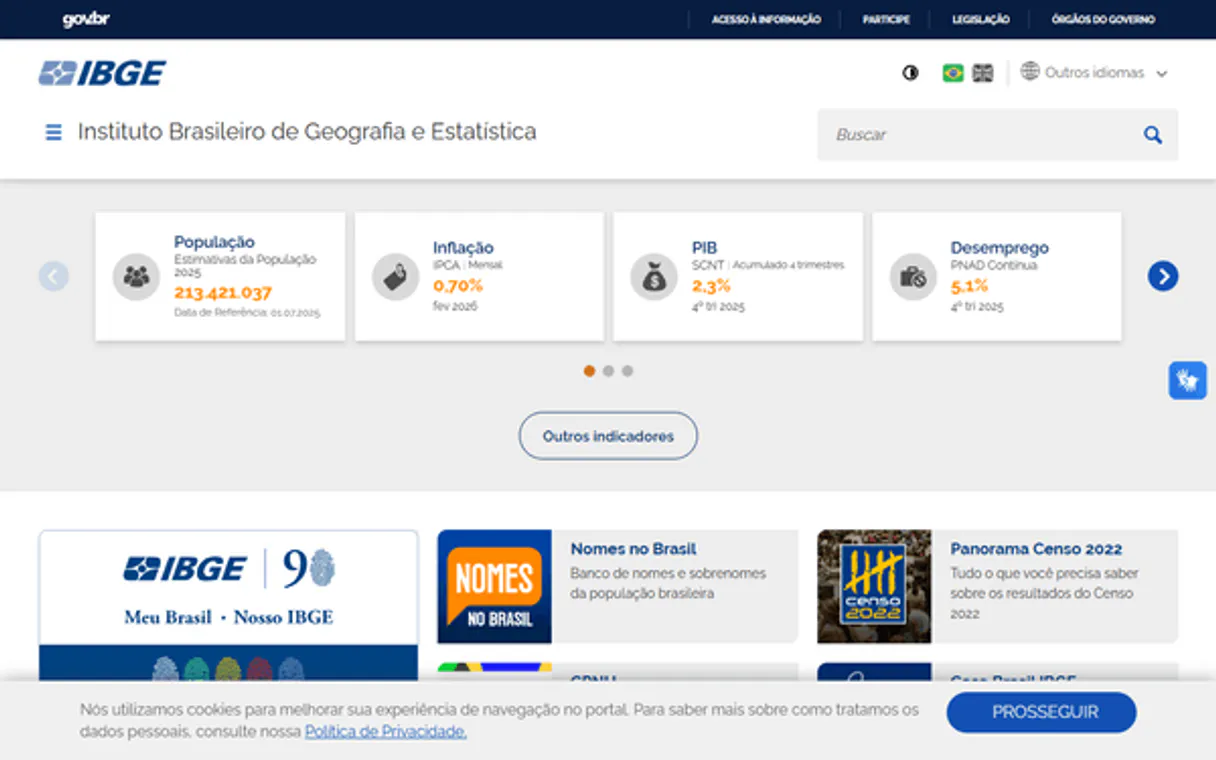
Independent Platform Disclaimer: Vinkius is an independent platform and is not affiliated with, endorsed by, sponsored by, verified by, or otherwise authorized by IBGE. All third-party trademarks, logos, and brand names are the property of their respective owners. Their use on this website is strictly for informational purposes to identify service compatibility and interoperability.
VINKIUS INFRASTRUCTURE
Cloud Hosted
Managed infra
V8 Isolated
Sandboxed per request
Zero-Trust Proxy
No stored credentials
DLP Enforced
Policy on every call
GDPR Compliant
EU data residency
Token Compression
~60% cost reduction
Works with Claude, ChatGPT, Cursor, and more
The Model Context Protocol standardizes how applications expose capabilities to LLMs. Instead of operating in isolation, your AI gains direct access to external platforms, live data, and real-world actions through secure, standardized connections.
This server provides 4 capabilities that interface natively with Claude, ChatGPT, Cursor, and any MCP client. No middleware. No custom integration required.
Available Capabilities
Getting Brazilian Economic Data used to be a nightmare of PDFs and logins.
Before this server, getting a simple comparison—say, the 2010 GDP of São Paulo versus the 2020 GDP of Rio—meant downloading PDFs from three different sites. You'd spend hours digging through tables, manually cross-referencing IDs, and hoping the data wasn't stale. You'd end up with a spreadsheet that needed heavy cleaning just to compare two numbers.
Now, your AI agent runs the necessary tools. It finds the dataset, validates the schema, and pulls the specific data points for both years and locations. You get a clean, structured JSON output ready for analysis. It's instant, and it's authoritative.
IBGE Censo & SIDRA — Dados Censitários MCP Server: Get structured metrics instantly.
You no longer have to manually switch between the census, the employment survey, and the inflation tracker. Your agent handles the complexity, using `list_agregados` to locate the right source and `get_agregado_metadados` to understand its structure.
The result is a single, unified stream of structured data. You analyze the full picture, not just the parts. Period.
Common Questions About SIDRA Data MCP
How do I use the get_agregado_data tool? +
You need three things: the correct dataset ID, the time period, and the geographic filter. Start by using list_agregados to find the ID. Then, use get_agregado_periodos and get_agregado_metadados to validate the inputs before calling get_agregado_data.
Is the data in get_agregado_metadados always up to date? +
Yes. The metadata reflects the current schema of the SIDRA aggregate. It shows you exactly which variables and levels are active for a given dataset.
What is the best way to check all available data? (list_agregados) +
Run list_agregados. This command gives you a master list of every available SIDRA aggregate table, grouped by the survey or data domain.
Can I check the date range before querying with get_agregado_data? +
Absolutely. Use get_agregado_periodos on the target aggregate ID. This prevents you from calling get_agregado_data with invalid or unsupported dates.
How do I use list_agregados to find data for a specific region? +
You must first call list_agregados to get the full list of available survey aggregates. Then, you use the specific aggregate ID you found to query the relevant data using get_agregado_data.
What should I use to check the available time periods for a specific dataset? (get_agregado_periodos) +
Use get_agregado_periodos. This tool pulls the exact time range—be it monthly, quarterly, or annual—that the chosen SIDRA aggregate table supports. This prevents you from requesting invalid dates.
If I run get_agregado_data and get an error, what might be the problem? +
The error usually means the combination of parameters is invalid. Check that the aggregate ID, the variable code, and the specified period all exist for each other. The tool requires all inputs to match the SIDRA schema.
Can I retrieve metadata for a dataset without knowing the aggregate ID? (get_agregado_metadados) +
No, you must use list_agregados first to get a preliminary list of IDs. Once you have a potential ID, you pass it to get_agregado_metadados to verify its existence and details.
How many aggregate tables are available? +
SIDRA contains over 10,000 aggregate tables spanning all IBGE surveys since the 1940s. Each table can be filtered by geographic level (Brazil, region, state, municipality), time period, and dozens of classification variables.
Use it with your favorite AI tools
Connect this server to Cursor, Claude, VS Code, and more.
More in this category

Zerion (DeFi Portfolio)
Track DeFi portfolios, NFT holdings, and transaction history across 500+ protocols and multiple chains via Zerion.

Exa
Semantic search engine built for AI — find conceptually relevant web content, not just keyword matches. Powered by neural search technology.
Howuku
Analyze user behavior via Howuku — track projects, recordings, and heatmaps.
You might also like

Global Wine Score
Access aggregated wine ratings from the world's top critics — normalized scores, vintage analysis, and top-rated wine discovery through natural conversation.

Patreon (Creator Subscriptions)
Manage your Patreon creator account—list campaigns, track members, and monitor posts directly from your AI agent.

BILL (Bill.com)
Manage financial operations via BILL — list vendors, customers, bills, and invoices directly from any AI agent.