
IBGE Pesquisas MCP. Analyze health, education, and economic metrics by Brazilian city.
 Gemini
 Works with every AI agent you already use
…and any MCP-compatible client









Just plug in your AI agents and start using Vinkius.
IBGE Pesquisas — Brasil Cidades MCP Server. Get indicators for any Brazilian city. Access data on health, education, income, and infrastructure from official IBGE surveys.
You can list surveys, get specific indicators for a municipality, rank cities by a metric, and retrieve full survey results using four specialized tools.
What your AI agents can do
Get indicadores
Retrieves specific health, education, or income metrics for a city using a known IBGE survey ID.
Get ranking indicador
Calculates and returns a rank for multiple Brazilian municipalities based on one specified indicator.
Get resultados
Fetches all available survey data for a specific municipality or region using its official code.
The list_pesquisas tool retrieves a catalog of all IBGE research programs, allowing you to identify the correct survey ID for your data query.
Use get_indicadores to retrieve targeted data points—like literacy rate or sanitation access—for a specific city based on a survey ID.
The get_resultados tool gathers all available data for a given Brazilian locality, regardless of the specific indicator you are looking for.
The get_ranking_indicador tool ranks multiple municipalities against a single indicator, showing which cities perform best or worst.
Ask AI about this MCP
Supported MCP Clients
Gemini Waiting for input…
IBGE Pesquisas — Brasil Cidades MCP Server: 4 Tools
Access the full suite of IBGE data tools: list surveys, get specific indicators, retrieve full results, and rank cities across Brazil.
019d75b6get indicadores
Retrieves specific health, education, or income metrics for a city using a known IBGE survey ID.
019d75b6get ranking indicador
Calculates and returns a rank for multiple Brazilian municipalities based on one specified indicator.
019d75b6get resultados
Fetches all available survey data for a specific municipality or region using its official code.
019d75b6list pesquisas
Provides a complete catalog of all IBGE research surveys and data programs available for querying.
Choose How to Get Started
Build a custom MCP for your own tools, or connect a ready-made integration from our catalog.
Build Your Own
Turn any API into an MCP. Import a spec, define Agent Skills, or deploy with MCPFusion.
- Import from OpenAPI, Swagger, or YAML specs
- Create Agent Skills with progressive disclosure
- Deploy to edge with MCPFusion framework
- Built in DLP, auth, and compliance on every call
- Real time usage dashboard and cost metering
- Publish to catalog or keep private
Make Your AI Do More
Start with IBGE Pesquisas — Brasil Cidades, then connect any of our 4,700+ other servers whenever your AI needs more. One click, no limits.
- Use this MCP plus 4,700+ others, all in one place
- Add new capabilities to your AI anytime you want
- Every connection is secured and compliant automatically
- Track usage and costs across all your servers
- Works with Claude, ChatGPT, Cursor, and more
- New servers added to the catalog every week
What you can do with this MCP connector
IBGE Pesquisas — Brasil Cidades MCP Server
This server taps into the IBGE's core database, giving you direct access to municipal indicators. You'll analyze health, education, income, and infrastructure metrics across Brazilian cities.
list_pesquisasgives you a full catalog of all IBGE research programs, so you can find the right survey ID for your data.get_indicadoresretrieves specific data points—like literacy rate or sanitation access—for a given city using a known survey ID.get_resultadosgathers all available survey data for a whole Brazilian locality, no matter what specific indicator you're after.get_ranking_indicadorranks multiple municipalities against a single metric, showing you which cities rank best or worst.
How IBGE Pesquisas MCP Works
- 1 First, use
list_pesquisasto find the official IBGE survey ID (e.g., 33 for Census) that contains the metrics you need. - 2 Next, use
get_indicadoresby passing the required survey ID and the target municipality's code. This pulls the specific data points. - 3 Finally, if you need to compare multiple cities, run
get_ranking_indicadorto see how they stack up against the chosen metric.
The bottom line is you get data directly from the IBGE's authoritative sources, structured for immediate comparison and policy analysis.
Who Is IBGE Pesquisas MCP For?
This is for urban planners, public policy researchers, ESG analysts, and data scientists. If your job involves analyzing regional disparities, tracking quality-of-life metrics, or building data-driven reports on Brazilian municipalities, this toolset is built for you. Stop compiling data from disparate government portals; use this server to query the source.
A planner uses get_indicadores to compare infrastructure access and sanitation rates between proposed development sites to determine feasibility.
A researcher uses get_ranking_indicador to determine which state regions need immediate federal intervention based on low educational outcomes.
An ESG analyst runs get_indicadores to gather social and environmental metrics (like pollution or income) for a company's operational region.
A data scientist uses list_pesquisas and then get_resultados to pull raw, comprehensive datasets for model training and deep statistical analysis.
What Changes When You Connect
- Compare regions directly. Use
get_ranking_indicadorto instantly rank any set of Brazilian municipalities against a single metric, like GDP per capita. You don't guess the best city—the tool tells you. - Access deep-dive metrics.
get_indicadoreslets you pull highly specific data points (e.g., infant mortality or primary school enrollment) without needing a full data dump, saving you time. - Know what data exists. Start with
list_pesquisas. This tool shows you the complete catalog of IBGE surveys, so you never waste time guessing which code holds the data you need. - Get a complete picture. If you need everything on one city,
get_resultadospulls the full scope of data for that municipality, regardless of which indicator you were initially looking for. - Stop cross-referencing dashboards. Instead of opening five different government websites, you send one request to the MCP Server, and it handles the query logic using the right combination of tools.
Real-World Use Cases
Comparing healthcare infrastructure across states
A public health official needs to know if state A or state B has better hospital beds per thousand people. They use get_indicadores to query the specific 'Hospital beds' metric for both states, getting a direct, quantifiable comparison immediately.
Identifying high-potential investment zones
An ESG analyst wants to find the top 10 cities with the highest GDP per capita. They call get_ranking_indicador, which returns a sorted list of municipalities, allowing them to narrow down their investment focus quickly.
Building a policy report on education gaps
A policy researcher first uses list_pesquisas to confirm the correct census ID. Then, they use get_indicadores to pull literacy rates and average schooling years for dozens of cities, building a structured dataset for their report.
Auditing a city's full social profile
A data scientist needs every data point available for Curitiba for a model. They use get_resultados with Curitiba’s code. This single call pulls the comprehensive data dump, letting them work with the raw source material.
The Tradeoffs
Trying to find data by keyword
A user searches Google for 'Brazilian city health data' and finds 17 different government portals, spending hours manually downloading CSVs and trying to match columns.
→
Start with list_pesquisas to identify the source code. Then, use get_indicadores to target the exact metric (e.g., 'Life Expectancy') for the specific city you need.
Using one tool for everything
Relying solely on get_resultados because it feels comprehensive. This tool can return too much data, making it hard to find the single metric you actually need.
→
If you only need the ranking, use get_ranking_indicador. If you need only specific metrics, use get_indicadores. Don't use get_resultados unless you need the full dump.
Ignoring the required survey ID
Calling get_indicadores without knowing the correct survey ID (e.g., 33). The request fails or returns outdated/irrelevant data, wasting time.
→
First, call list_pesquisas. This gives you the definitive list of surveys and their IDs. Use that ID in get_indicadores to ensure data accuracy.
When It Fits, When It Doesn't
Use this server if your primary need is quantitative comparison or indicator retrieval for Brazilian municipalities. You need to compare 'X' metric between 'City A' and 'City B'—use get_indicadores or get_ranking_indicador. If you need to know what metrics are available, start with list_pesquisas. Don't use this if you just need general knowledge about Brazilian demographics; you need the hard numbers. If you are building a historical time series, you must check the documentation for time period limitations. If you need to analyze non-IBGE data (like private market reports), this server won't help; it's strictly for IBGE data.
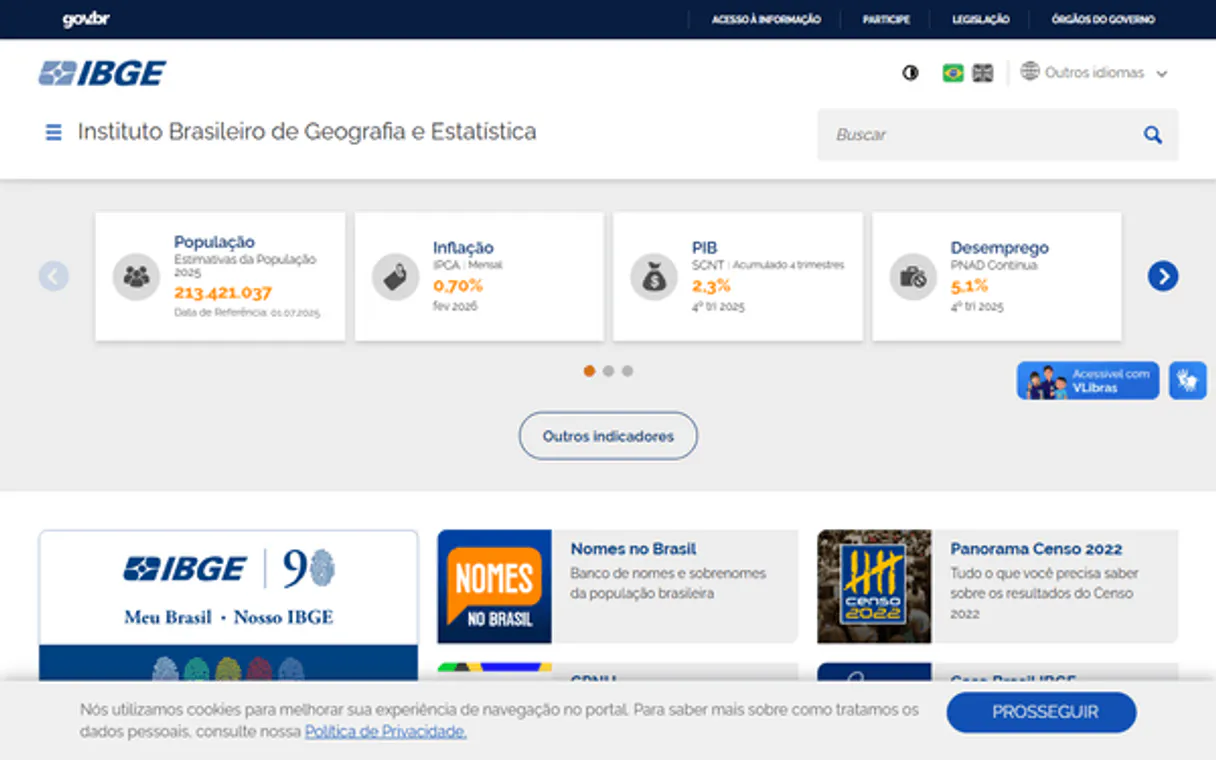
Independent Platform Disclaimer: Vinkius is an independent platform and is not affiliated with, endorsed by, sponsored by, verified by, or otherwise authorized by IBGE. All third-party trademarks, logos, and brand names are the property of their respective owners. Their use on this website is strictly for informational purposes to identify service compatibility and interoperability.
VINKIUS INFRASTRUCTURE
Cloud Hosted
Managed infra
V8 Isolated
Sandboxed per request
Zero-Trust Proxy
No stored credentials
DLP Enforced
Policy on every call
GDPR Compliant
EU data residency
Token Compression
~60% cost reduction
Works with Claude, ChatGPT, Cursor, and more
The Model Context Protocol standardizes how applications expose capabilities to LLMs. Instead of operating in isolation, your AI gains direct access to external platforms, live data, and real-world actions through secure, standardized connections.
This server provides 4 capabilities that interface natively with Claude, ChatGPT, Cursor, and any MCP client. No middleware. No custom integration required.
Available Capabilities
Pulling municipal data used to involve a dozen clicks across different government sites.
Today, if you want to compare education and health between two cities, you're looking at multiple government portals. You search for the education data on one site, the sanitation data on another, and the income data on a third. Then you spend hours downloading CSVs and manually matching the city codes and dates—it's a massive, error-prone chore.
With this MCP Server, you send one query. You tell your agent: 'Compare the education indicators for City X and City Y.' The agent handles the calls to `get_indicadores` and structures the results immediately. You get a clean, comparative data set without ever touching a browser's address bar.
Using the IBGE Pesquisas — Brasil Cidades MCP Server: Indicator Data Access
The manual process requires you to first guess which survey ID is correct, then run a search, then manually download the results, and finally, aggregate the data in a spreadsheet. This process is slow and brittle.
Now, you simply call `get_indicadores` with the known survey ID and the target city. The data appears structured and ready for analysis. It’s a fundamental shift from manual data wrangling to direct data querying.
Common Questions About IBGE Pesquisas MCP
What is the difference between `get_indicadores` and `get_resultados` using the IBGE Pesquisas — Brasil Cidades MCP Server? +
Use get_indicadores when you know the exact metric you want (like 'Literacy Rate'). Use get_resultados when you want a full, comprehensive data dump for a city, regardless of which specific metrics you are targeting.
How do I find out what data is available for Brazilian cities using the IBGE Pesquisas — Brasil Cidades MCP Server? +
You start by running list_pesquisas. This tool lists all the available IBGE research programs and gives you the necessary survey IDs to use with get_indicadores.
Can I compare multiple cities to see which has the highest GDP per capita using the IBGE Pesquisas — Brasil Cidades MCP Server? +
Yes. Use get_ranking_indicador. You specify the indicator and the group of cities, and the tool returns a ranked list, making the comparison immediate and clear.
What type of codes do I need for the IBGE Pesquisas — Brasil Cidades MCP Server? +
You can provide the full IBGE code, the state code (UF code), or the country code (BR), depending on the scope of the data you are pulling with get_resultados.
How do I check all available research programs using the `list_pesquisas` tool in the IBGE Pesquisas — Brasil Cidades MCP Server? +
You use list_pesquisas to get a complete catalog of data. This function lists all IBGE surveys and research programs, helping you identify the correct survey ID for your analysis.
What happens if I provide an invalid location code when calling `get_resultados` on the IBGE Pesquisas — Brasil Cidades MCP Server? +
If you use get_resultados with an invalid code, the tool will return a specific error message indicating the location is not recognized. You must ensure the location is a valid BR, UF code, or municipality IBGE code.
Can I rank cities across different types of indicators using the `get_ranking_indicador` tool? +
Yes, get_ranking_indicador ranks municipalities using a specific indicator. You just need to specify the indicator you want to rank by and the relevant survey ID.
Is there a limit on how many indicators I can pull using the `get_indicadores` tool? +
The get_indicadores tool allows you to get indicators from a specific IBGE survey. You should specify the survey ID, and the tool will pull all available indicators for that context.
Is this the same data as the Brasil Cidades portal? +
Yes! This server accesses the exact same API that powers the official Brasil Cidades portal — the IBGE's premier municipal indicator platform.
Use it with your favorite AI tools
Connect this server to Cursor, Claude, VS Code, and more.
More in this category

SteamSpy
Access Steam market data and game statistics — track owners, playtime, and trending titles directly from your AI agent.

RescueTime
Track productivity, manage Focus Sessions, and analyze time usage directly from your AI agent.

Eurostat Discovery — Dataset Catalog Explorer
Explore Eurostat's catalog of 7,000+ official datasets: search by keyword, inspect dataset dimensions and code lists, and query any dataset with flexible filters — the master key to all European Union statistics.
You might also like

Common Room
Enable your AI agent to manage community contacts, segments, and activities via the Common Room API.

Brasil.io
Access structured Brazilian public data — query COVID-19 stats, company records, and socio-economic datasets directly from your AI agent.

Findymail
Find and verify verified B2B emails and direct phone numbers using natural language agents.