

Brasil.io MCP Server with 3 Tools for Claude, Cursor, and AI Agents
 GDPR Free for Subscribers
Access structured Brazilian public data — query COVID-19 stats, company records, and socio-economic datasets directly from your AI agent. Vinkius routes your AI agents directly to Brasil.io through a governed connection. 3 tools ready to use with Claude, ChatGPT, Cursor, or any AI agent — no hosting, no setup, connect in 30 seconds.
Ask AI about this server
Compatible with every major AI agent and IDE
 Gemini
* Every MCP server runs on Vinkius-managed infrastructure inside AWS - a purpose-built runtime with per-request V8 isolates, Ed25519 signed audit chains, and sub-40ms cold starts optimized for native MCP execution. See our infrastructure
What is the Brasil.io MCP Server?
The Brasil.io MCP Server routes AI agents like Claude, ChatGPT, and Cursor directly to Brasil.io via 3 tools. Access structured Brazilian public data — query COVID-19 stats, company records, and socio-economic datasets directly from your AI agent. Powered by Vinkius — your credentials stay on your side of the connection, every request is auditable. Connect in under 2 minutes.
Built-in capabilities (3)
Tools for your AI Agents to operate Brasil.io
Ask your AI agent "List all available datasets on Brasil.io." and get the answer without opening a single dashboard. With 3 tools connected to real Brasil.io data, your agents reason over live information, cross-reference it with other MCP servers, and deliver insights you would spend hours assembling manually.
Works with Claude, ChatGPT, Cursor, and any MCP-compatible client. Powered by Vinkius — your credentials never touch the AI model, every request is auditable. Connect in under two minutes.
Why teams choose Vinkius
One subscription gives you the infrastructure to connect your AI agents to thousands of MCP servers — and deploy your own to the Vinkius Edge. Your credentials stay yours. Your data flows directly between your agent and the API. DLP blocks sensitive information from ever reaching the model, kill switch for instant shutdown, and up to 60% token savings. Enterprise-grade routing and governance, zero maintenance.
Build your own MCP Server with our secure development framework →The Brasil.io App Connector works with every AI agent you already use
…and any MCP-compatible client









Use all 3 Brasil.io tools with your AI agents right now
Vinkius routes your AI agents to Brasil.io through a governed proxy. Beyond a simple connection, you get full visibility into every action your agents perform, with enterprise-grade security and up to 60% savings on AI costs.
Get table metadata on Brasil.io
Get metadata for a specific table in a dataset
List datasets on Brasil.io
io platform. Supports pagination. List available datasets on Brasil.io
Query table data on Brasil.io
You can pass arbitrary filters as a JSON string to filter by column names (e.g., {"state": "PR"}). Query data records from a specific table
What the Brasil.io MCP Server unlocks
Connect to Brasil.io, the leading platform for accessible Brazilian public data, and empower your AI agent to analyze real-world datasets through natural conversation.
What you can do
- Dataset Discovery — List all available public datasets hosted on the platform, from health data to judicial salaries.
- Metadata Inspection — Fetch detailed schemas and metadata for specific tables to understand available columns and data types.
- Advanced Querying — Retrieve actual data records with powerful filtering capabilities (by state, city, date, etc.) using simple JSON filters.
- Pagination Support — Navigate through large datasets efficiently using built-in pagination controls.
How it works
1. Subscribe to this server
2. Enter your Brasil.io API Token
3. Start querying Brazilian public intelligence from Claude, Cursor, or any MCP client
No more manual CSV downloads or wrestling with government transparency portals. Your AI acts as a data scientist specialized in Brazilian public records.
Who is this for?
- Data Analysts & Journalists — quickly extract facts and figures for reports without writing complex scrapers.
- Researchers — access historical and current socio-economic data for academic or market studies.
- Developers — integrate real Brazilian administrative data into your workflows or applications via your IDE.
Frequently asked questions about the Brasil.io MCP Server
How can I filter data for a specific state or city?
Use the query_table_data tool and provide a JSON string in the filters parameter, such as {"state": "SP", "city": "São Paulo"}. The agent will apply these filters to the Brasil.io API request.
How do I find out what columns are available in a dataset?
First, use list_datasets to find the slug of the dataset. Then, use get_table_metadata with the dataset and table slugs to see the full list of available fields and their descriptions.
Can I navigate through large amounts of data?
Yes. Both list_datasets and query_table_data support page and page_size parameters, allowing you to iterate through results without overloading the response.
More in this category
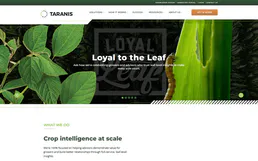
Taranis
12 toolsAccess AI-powered crop scouting via Taranis — detect weeds, diseases, pests, nutrient deficiencies, and get scouting recommendations from ultra-high-resolution imagery.
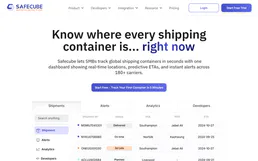
SafeCube Container Tracking
4 toolsTrack maritime containers — audit shipments and events via AI.

Steam Platform & Hype Intelligence
11 toolsThe definitive server for Steam platform insights — track trending games, player counts, and social connections via AI.

Bollinger Bands Engine
1 toolsCalculate moving standard deviation and Bollinger Bands for financial time-series deterministically.
You might also like
Daktela
12 toolsHandle customer interactions across phone, email, chat, and social media from one omnichannel contact center platform.

Fxiaoke
10 toolsLeading sales management and CRM platform in China — manage leads, opportunities, and approvals via AI.

Swiftfox
11 toolsGenerate product mockups and marketing visuals instantly with AI that places your designs on real-world backgrounds.
Flystack
5 toolsManage cloud infrastructure — audit deployments, clusters, and metrics via AI.
We built the connector to Brasil.io. Now put your agents to work. Fully governed.
Vinkius is the AI Gateway with managed hosting. Stop building connectors. Every connection runs inside eight layers of security.
Hosted, sandboxed, and live on AWS. You don't provision anything. You don't maintain anything. You connect.
Every tool call, every token, every response. Logged and auditable. Data flows direct from Brasil.io to your agent. Nothing is stored on our side. Ever.
Eight governance layers on every request. Sensitive data redacted before it reaches the model. Kill switch if anything goes sideways. Always on.