
JD Cloud / 京东云 MCP. Audit billing, list VMs, and manage cloud assets via chat.
 Gemini
 Works with every AI agent you already use
…and any MCP-compatible client









Just plug in your AI agents and start using Vinkius.
JD Cloud / 京东云 MCP Server connects your AI agent directly to JD.com's cloud infrastructure. You manage VMs, storage, and billing without touching the console.
Your agent can list all Object Storage Service (OSS) buckets, get detailed billing summaries, and audit VPC networks just by talking to it.
This is real-time cloud ops, hands-free.
What your AI agents can do
Get account profile
Retrieves the current IAM user account details and profile information.
Get billing summary
Generates a full billing overview for the account based on a specified time range.
Get vm detail
Retrieves specific metadata and operational details for a single virtual machine instance.
The agent pulls detailed billing summaries for any specified time range, letting you track where your money is going in JD Cloud.
You can list all active and inactive virtual machines and retrieve their specific metadata for deep resource checks.
The agent lists all Object Storage Service (OSS) buckets and tracks associated cloud disk resources across different regions.
Retrieve details for Virtual Private Clouds (VPC) and perform network audits to understand your connections.
Retrieve the current IAM account profile details, verifying project connectivity and active regions.
Ask AI about this MCP
Supported MCP Clients
Gemini Waiting for input…
JD Cloud / 京东云 MCP Server: 8 Tools for Cloud Management
These tools let your agent perform specific, deep reads across your cloud environment, from billing to compute, ensuring you have accurate data for every resource type.
019d844aget account profile
Retrieves the current IAM user account details and profile information.
019d844aget billing summary
Generates a full billing overview for the account based on a specified time range.
019d844aget vm detail
Retrieves specific metadata and operational details for a single virtual machine instance.
019d844alist cicd pipelines
Lists available DevOps CI/CD pipelines within the cloud account.
019d844alist cloud disks
Lists all available block storage disks managed by the account.
019d844alist oss buckets
Lists all Object Storage Service (OSS) buckets in the account.
019d844alist vm instances
Lists all virtual machine instances, including their current operational status.
019d844alist vpc networks
Lists all Virtual Private Cloud (VPC) networks and their basic configurations.
Choose How to Get Started
Build a custom MCP for your own tools, or connect a ready-made integration from our catalog.
Build Your Own
Turn any API into an MCP. Import a spec, define Agent Skills, or deploy with MCPFusion.
- Import from OpenAPI, Swagger, or YAML specs
- Create Agent Skills with progressive disclosure
- Deploy to edge with MCPFusion framework
- Built in DLP, auth, and compliance on every call
- Real time usage dashboard and cost metering
- Publish to catalog or keep private
Make Your AI Do More
Start with JD Cloud / 京东云, then connect any of our 4,700+ other servers whenever your AI needs more. One click, no limits.
- Use this MCP plus 4,700+ others, all in one place
- Add new capabilities to your AI anytime you want
- Every connection is secured and compliant automatically
- Track usage and costs across all your servers
- Works with Claude, ChatGPT, Cursor, and more
- New servers added to the catalog every week
What you can do with this MCP connector
JD Cloud / 京东云 MCP Server hooks your AI agent right into JD.com's cloud infrastructure. You manage VMs, storage, and billing without ever touching the console. Your agent pulls real-time data from JD Cloud, letting you run complex ops just by talking to it.
Audit Cloud Spending
Your agent pulls detailed billing summaries for any time range using get_billing_summary, letting you track exactly where your money's going in JD Cloud.
List All Compute Resources
It lists all virtual machine instances and their operational status using list_vm_instances, and you can check specific metadata for individual VMs with get_vm_detail.
Inventory Cloud Storage
The agent lists every Object Storage Service (OSS) bucket with list_oss_buckets, and you can track associated block storage disks across regions by running list_cloud_disks.
Map Network Topology
It shows all Virtual Private Cloud (VPC) networks and their basic setups using list_vpc_networks, and you can perform network audits to understand your connections.
Check Account Status
It retrieves the current IAM user account details and profile information using get_account_profile.
How JD Cloud / 京东云 MCP Works
- 1 Subscribe to the server and provide your JD Cloud Access Key, Secret Key, and Region.
- 2 Connect your preferred AI client (Claude, Cursor, etc.) to the MCP Server.
- 3 Ask your agent a question like, 'Show me the billing summary for last quarter,' and it executes the necessary tools.
The bottom line is, you talk to your agent, and it handles the API calls to JD Cloud, returning the data without you seeing any cloud console.
Who Is JD Cloud / 京东云 MCP For?
This is for the ops engineer who gets tired of clicking through separate dashboards just to get a full picture of system health. It’s for the financial manager who needs to audit spending without writing complex API scripts. It's for any developer who needs professional-grade cloud APIs integrated into their daily workflow.
Automates routine infrastructure audits, monitoring system health, and checking instance metadata using natural language.
Audits cloud spending, pulling billing summaries directly into their AI-powered workspace instead of exporting CSVs.
Integrates JD Cloud APIs into daily coding routines, making infrastructure checks part of the standard development workflow.
What Changes When You Connect
- See total cloud spending for a given period instantly. Running
get_billing_summarypulls complex financial data without needing to download reports and reconcile numbers manually. - Inventory your entire storage layer by running
list_oss_buckets. You get a full list of every bucket, including 'assets-prod' and 'backup-logs', without navigating the OSS console. - Get a real-time view of compute resources. Using
list_vm_instancesgives you the status (Running/Stopped) and count of every VM, making capacity planning immediate. - Audit your network setup using
list_vpc_networks. You pull all VPC details into your chat window, letting you confirm network boundaries and connections at a glance. - Track account health with
get_account_profile. This tool checks active regions and IAM permissions, confirming that your entire project is connected and ready to go. - Keep infrastructure pipelines organized.
list_cicd_pipelinesgives you a list of DevOps pipelines, so you know exactly what CI/CD workflows are running on your assets.
Real-World Use Cases
Quarterly Cost Review
The finance manager needs to know total spending for Q3. They ask their agent to run get_billing_summary for the date range. The agent returns a detailed expenditure report, showing that VM instances were the largest cost contributor, solving the manual spreadsheet reconciliation problem.
New Service Deployment Check
A developer is launching a new service. They ask their agent to run list_oss_buckets and list_vm_instances. The agent provides a list of existing buckets and instances, allowing the developer to confirm resource availability and naming conventions before writing a line of code.
Network Troubleshooting
The ops engineer notices connectivity issues. They ask the agent to run list_vpc_networks and get_vm_detail for the affected machine. The agent returns the VPC details and the VM metadata, letting the engineer confirm if the machine is correctly placed in the network segment.
Resource Cleanup Audit
The team needs to decommission old resources. They ask the agent to run list_cloud_disks and list_oss_buckets. The agent generates a full inventory of unused storage disks and buckets, giving the team a clean list of assets to remove.
The Tradeoffs
Trying to list everything manually
Going into the JD Cloud Console, clicking 'Compute', then 'Storage', then 'Networking' to gather resource counts. This takes 15-20 minutes and requires copying data into a spreadsheet.
→
Ask your agent to run the necessary tools in sequence. For instance, run list_vm_instances first, then list_oss_buckets for storage, and finally list_vpc_networks for connectivity. All data arrives in one conversation thread.
Guessing resource names
Remembering if a disk is a block disk or if a bucket is in the right region. You might miss critical dependencies or use the wrong tool.
→
Use list_cloud_disks and list_oss_buckets. These tools give you the definitive, authoritative list of every resource name and its current status, eliminating guesswork.
Missing billing context
Only looking at VM usage metrics without knowing the associated storage costs or network egress fees. You end up under-budgeting.
→
Always start by asking for the get_billing_summary. This single tool gives you the high-level financial view, showing you which resources (VMs, OSS, etc.) are driving the cost.
When It Fits, When It Doesn't
Use this if you need a single point of truth for your entire cloud environment. You're checking connectivity, auditing costs, or getting a complete inventory without leaving your chat window. You need to cross-reference billing data (get_billing_summary) with specific resource lists (list_vm_instances, list_oss_buckets).
Don't use this if you need to actually change the state of a resource (like deleting a bucket or scaling a VM). This server only reads data. If your task involves writing code or making configuration changes, you'll need a separate deployment tool.
If your goal is simply to check one metric, use the specific tool. If your goal is to understand the relationship between metrics (e.g., 'Show me the cost of this specific VM'), use the agent's conversational ability to chain multiple tools together.

Independent Platform Disclaimer: Vinkius is an independent platform and is not affiliated with, endorsed by, sponsored by, verified by, or otherwise authorized by JD Cloud / 京东云. All third-party trademarks, logos, and brand names are the property of their respective owners. Their use on this website is strictly for informational purposes to identify service compatibility and interoperability.
VINKIUS INFRASTRUCTURE
Cloud Hosted
Managed infra
V8 Isolated
Sandboxed per request
Zero-Trust Proxy
No stored credentials
DLP Enforced
Policy on every call
GDPR Compliant
EU data residency
Token Compression
~60% cost reduction
Works with Claude, ChatGPT, Cursor, and more
The Model Context Protocol standardizes how applications expose capabilities to LLMs. Instead of operating in isolation, your AI gains direct access to external platforms, live data, and real-world actions through secure, standardized connections.
This server provides 8 capabilities that interface natively with Claude, ChatGPT, Cursor, and any MCP client. No middleware. No custom integration required.
Available Capabilities
Auditing cloud infrastructure used to feel like a scavenger hunt.
Today, auditing means jumping between the billing dashboard, the compute console, and the storage management page. You copy VM counts, then switch tabs to check bucket counts, then go to the network section just for VPC details. It's a mess of tabs, clicks, and copy-pasting data into a single spreadsheet.
With the JD Cloud / 京东云 MCP Server, you just talk to your agent. Ask it to pull the resource list. It runs `list_vm_instances`, `list_oss_buckets`, and `list_vpc_networks` and compiles everything into a single, actionable response. You get the full picture without leaving the chat.
JD Cloud / 京东云 MCP Server: Full Cloud Visibility
You no longer have to manually pull billing reports and then cross-reference the resource IDs listed in the Compute console. The agent handles the cross-referencing, pulling data from `get_billing_summary` and `get_vm_detail` together.
It's one unified source. You ask a question, and the agent provides the accurate, combined answer. This isn't just a list; it's a complete operational snapshot.
Common Questions About JD Cloud / 京东云 MCP
How do I use the get_billing_summary tool with JD Cloud / 京东云 MCP Server? +
You ask your agent to run get_billing_summary and specify the start and end dates. The agent returns the total expenditure and breaks down the costs by category, letting you immediately see which services cost the most.
Can I list all my VMs using list_vm_instances with JD Cloud / 京东云 MCP Server? +
Yes, simply ask the agent to run list_vm_instances. It returns a list of all virtual machines, including their names, current status (Running, Stopped), and basic metadata.
What is the difference between list_oss_buckets and list_cloud_disks? +
These tools cover different storage types. list_oss_buckets lists object storage buckets (for files/objects), while list_cloud_disks lists persistent block storage disks (for attaching to VMs).
How does the get_account_profile tool help with JD Cloud / 京东云 MCP Server? +
The get_account_profile tool verifies your account's connectivity and provides IAM details. This confirms if the agent has the necessary permissions and if the project is active in the correct region.
Can I check my VPC networks using list_vpc_networks with JD Cloud / 京东云 MCP Server? +
Yes, ask the agent to run list_vpc_networks. It retrieves the names and configurations of all your Virtual Private Clouds, letting you map out your network boundaries.
How do I use list_cloud_disks to find all my block storage disks? +
This tool lists all block storage disks across your accounts. You can specify regions or filters to narrow down the results. This is useful for auditing data volumes that aren't attached to a running VM instance.
What is the purpose of list_vm_instances, and how does it differ from list_vpc_networks? +
list_vm_instances retrieves the metadata for individual virtual machines. list_vpc_networks maps out the overall network structure (VPCs). You use the former to check running servers, and the latter to check the boundaries and connections between those servers.
How can I use get_account_profile to verify my current credentials? +
Running get_account_profile confirms the IAM user details and access permissions associated with your connection. This is a quick way to verify your scope and ensure your agent has the correct level of access before running larger audits.
How do I find my JD Cloud Access Key and Secret Key? +
Log in to the JD Cloud Console, navigate to [Account Management] -> [Access Key Management] to find or create your unique credentials.
What regions are supported? +
JD Cloud supports multiple regions including cn-north-1 (Beijing), cn-east-1 (Suzhou), cn-east-2 (Shanghai), and cn-south-1 (Guangzhou). Ensure you specify the correct region where your resources are located.
Does this server handle JDCLOUD2-HMAC-SHA256 signatures? +
Yes! The server automatically calculates the required Signature v2 (JDCLOUD2-HMAC-SHA256) for every request using your provided Secret Key, ensuring high security for your cloud orchestration.
Use it with your favorite AI tools
Connect this server to Cursor, Claude, VS Code, and more.
More in this category

Boeing Developer Tools
Global aviation intelligence, Jeppesen aerodromes, and aircraft models.
OpnForm
Create beautiful open-source forms with conditional logic, file uploads, and integrations that rival premium form builders.
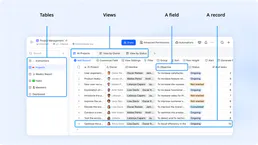
Feishu Bitable
Collaborative multi-dimensional table platform by Lark — manage bases, tables, and records via AI.
You might also like
Chaindesk
Build no-code AI agents trained on your own data that handle customer support, lead qualification, and FAQ resolution.

TextRazor
Advanced Natural Language Processing (NLP) to extract entities, topics, and relations from text or URLs.

Easelly
Design infographics and visual reports using templates and a drag-and-drop editor that makes data storytelling simple.