
JingDigital MCP. Manage WeChat data via conversation.
 Gemini
 Works with every AI agent you already use
…and any MCP-compatible client









Just plug in your AI agents and start using Vinkius.
JingDigital MCP Server gives your AI client control over your WeChat marketing data. You can manage contacts, track campaigns, and audit automation workflows without touching the web interface.
Use it to list CRM contacts, retrieve detailed performance stats, and even create new contacts directly through conversation. It’s your AI agent’s direct line to your entire WeChat marketing ecosystem.
What your AI agents can do
Create contact
Adds a brand new contact record into your CRM.
Get account info
Retrieves basic metadata about your entire JingDigital account.
Get campaign
Pulls specific, detailed information about a single marketing campaign.
The agent can list all CRM contacts using list_contacts, or pull deep details on a specific person using get_contact.
You can get details on any specific campaign using get_campaign, or list all active campaigns using list_campaigns to check performance metadata.
The agent lists and checks automation workflows via list_workflows, ensuring your marketing logic is operating correctly.
Run get_stats to get high-level account statistics, or use get_account_info for account metadata.
Use create_contact to add a new contact directly from your AI client.
List available marketing assets in your library using list_assets.
Ask AI about this MCP
Supported MCP Clients
Gemini Waiting for input…
JingDigital MCP Server: 10 Tools for WeChat Marketing
Use these tools to list contacts, track campaigns, audit workflows, and manage account data inside the WeChat ecosystem.
019d844bcreate contact
Adds a brand new contact record into your CRM.
019d844bget account info
Retrieves basic metadata about your entire JingDigital account.
019d844bget campaign
Pulls specific, detailed information about a single marketing campaign.
019d844bget contact
Gets the full profile details for one specific CRM contact.
019d844bget stats
Retrieves current, high-level statistics on your account performance.
019d844blist assets
Lists all digital assets available in your campaign library.
019d844blist campaigns
Lists all active marketing campaigns you run.
019d844blist contacts
Lists all the CRM contacts and followers you manage.
019d844blist events
Lists historical tracking events for auditing purposes.
019d844blist workflows
Lists all the automated marketing workflows currently set up.
Choose How to Get Started
Build a custom MCP for your own tools, or connect a ready-made integration from our catalog.
Build Your Own
Turn any API into an MCP. Import a spec, define Agent Skills, or deploy with MCPFusion.
- Import from OpenAPI, Swagger, or YAML specs
- Create Agent Skills with progressive disclosure
- Deploy to edge with MCPFusion framework
- Built in DLP, auth, and compliance on every call
- Real time usage dashboard and cost metering
- Publish to catalog or keep private
Make Your AI Do More
Start with JingDigital, then connect any of our 4,700+ other servers whenever your AI needs more. One click, no limits.
- Use this MCP plus 4,700+ others, all in one place
- Add new capabilities to your AI anytime you want
- Every connection is secured and compliant automatically
- Track usage and costs across all your servers
- Works with Claude, ChatGPT, Cursor, and more
- New servers added to the catalog every week
What you can do with this MCP connector
JingDigital gives your AI client direct control over your WeChat marketing data. You'll manage contacts, track campaign performance, and audit automation workflows without ever touching the web interface. Your agent becomes your real-time marketing assistant, keeping your data clean and your campaigns running. You'll use this server to list CRM contacts, pull detailed performance stats, and even create new contacts right from your chat window.
Managing Contacts and Followers
To see who you're talking to, your agent can use list_contacts to pull a full list of all your managed CRM contacts and followers. Need deep details on one specific person? Run get_contact to pull the full profile for any single CRM contact. You can also add a brand new person to your system using create_contact.
Tracking Campaigns
Want to check how a specific campaign did? get_campaign pulls detailed information on any single marketing campaign. You can check the overall performance metadata for all your active campaigns by running list_campaigns. When you need to see what digital materials you've got, list_assets shows you every available marketing asset in your library.
Auditing Automation and Account Health
Keep an eye on your backend processes. list_workflows shows you every automated marketing workflow you've set up, letting you check if your marketing logic is running right. For a high-level view of your account, get_stats pulls current, overall account statistics. You can also grab basic metadata about your entire JingDigital account by calling get_account_info.
Auditing Data and Lists
If you need to look back at historical activity, list_events pulls a list of all historical tracking events for auditing purposes. You can also see every single automated workflow using list_workflows.
How JingDigital MCP Works
- 1 Subscribe to the server and provide your JingDigital App ID and App Secret.
- 2 Connect your AI client (like Claude or Cursor) to the MCP Server endpoint.
- 3 Tell your agent what you need (e.g., 'What are the stats for the last quarter?'). The agent then calls the appropriate tool, like
get_stats, and gives you the result.
The bottom line is, you talk to your AI agent, and the agent handles the complex API calls to WeChat marketing systems for you.
Who Is JingDigital MCP For?
This is for Marketing Managers and Operations Leads who spend too much time clicking through multiple dashboards to get a single answer. If your job involves correlating contact data with campaign results or auditing complex automation flows, this tool saves you hours of manual dashboard navigation.
Checks campaign progress and audits customer segments by asking the agent natural language questions, instead of building complex queries.
Manages CRM contacts and pulls detailed interaction histories directly from the AI workspace, without leaving their main chat interface.
Oversees automation workflows and account statistics by running a single query against the AI-powered interface.
What Changes When You Connect
- Consolidate Data: Instead of jumping between separate dashboards to find performance data, you can run
get_statsand get a unified view of your account's health in one query. - Instant Contact Access: Need a person's full history? Use
get_contactto pull all their details instantly. You don't have to search through the CRM interface manually. - Audit Automation Easily: Don't guess if your workflows are running right. Run
list_workflowsto see every automation process and check its status right from your agent. - Campaign Deep Dives: Don't just see a campaign name. Use
get_campaignto pull detailed performance metadata, letting you know exactly what's working. - Build Contacts Programmatically: Need to add a new lead? Use
create_contactto add them directly via the agent, skipping the manual form entry. - Know Your Assets: Use
list_assetsto browse your digital library. This ensures your agent knows what resources are available before you start a campaign.
Real-World Use Cases
Identifying high-value segments after a major promotion
A Marketing Manager needs to know which followers responded best to the 'Summer-Promo-2026' campaign. They ask their agent to list_campaigns to identify the campaign, and then use list_contacts followed by get_contact on the resulting list to pull detailed engagement data for segmentation.
Checking compliance on automation rules
An Operations Lead suspects an automation workflow isn't firing correctly. Instead of manually checking logs, they ask the agent to list_workflows and then use list_events to audit the activity for the last week, confirming the logic failure.
Quickly onboarding a new high-profile client
A Customer Success Team member gets a new lead and needs to add them to the CRM immediately. They simply prompt the agent, and it uses the create_contact tool, ensuring the lead enters the system without any clicks or manual data entry.
Comparing current performance to last month's goals
A Marketing Manager needs a quick benchmark. They ask the agent to get_stats for the current period. The agent returns the metrics, allowing the manager to compare the output against historical goals in a single chat window.
The Tradeoffs
Treating the server like a simple search tool
Asking the agent, 'Tell me about WeChat marketing.' The agent will just list tools and give generic info because it doesn't know your account specifics.
→
You need to ask for specific, actionable data. Instead of general questions, ask: 'What are the top 5 contacts by activity?' or 'List the campaigns that ran last month.' This forces the agent to use tools like list_contacts or list_campaigns.
Trying to guess the right tool name
Saying, 'Get the customer data.' This is too vague and the agent might default to a basic list, missing the deep profile data you need.
→
Be specific. Use the tool names in your prompt: 'Use get_contact for the user ID 1234.' This ensures the agent calls the correct function and pulls the detailed profile data you're looking for.
Assuming the data is pre-filtered
Asking the agent, 'Show me the active leads from the last week.' The agent only knows the tool definitions, not your live, filtered data set.
→
Always specify the scope and parameters. Use tools like list_contacts and specify the date range or criteria in your prompt so the agent filters the results correctly.
When It Fits, When It Doesn't
Use this if you need to orchestrate complex marketing tasks using data locked in the WeChat ecosystem. You need to pull granular customer records (get_contact), audit business logic (list_workflows), or track performance across multiple campaigns (list_campaigns).
Don't use this if you just need to manage basic contacts outside of WeChat, or if your workflow requires real-time input from an external source that isn't WeChat-related. For simple, isolated tasks like general database management, use a standard database API tool instead. This server is built for WeChat-specific data correlation.
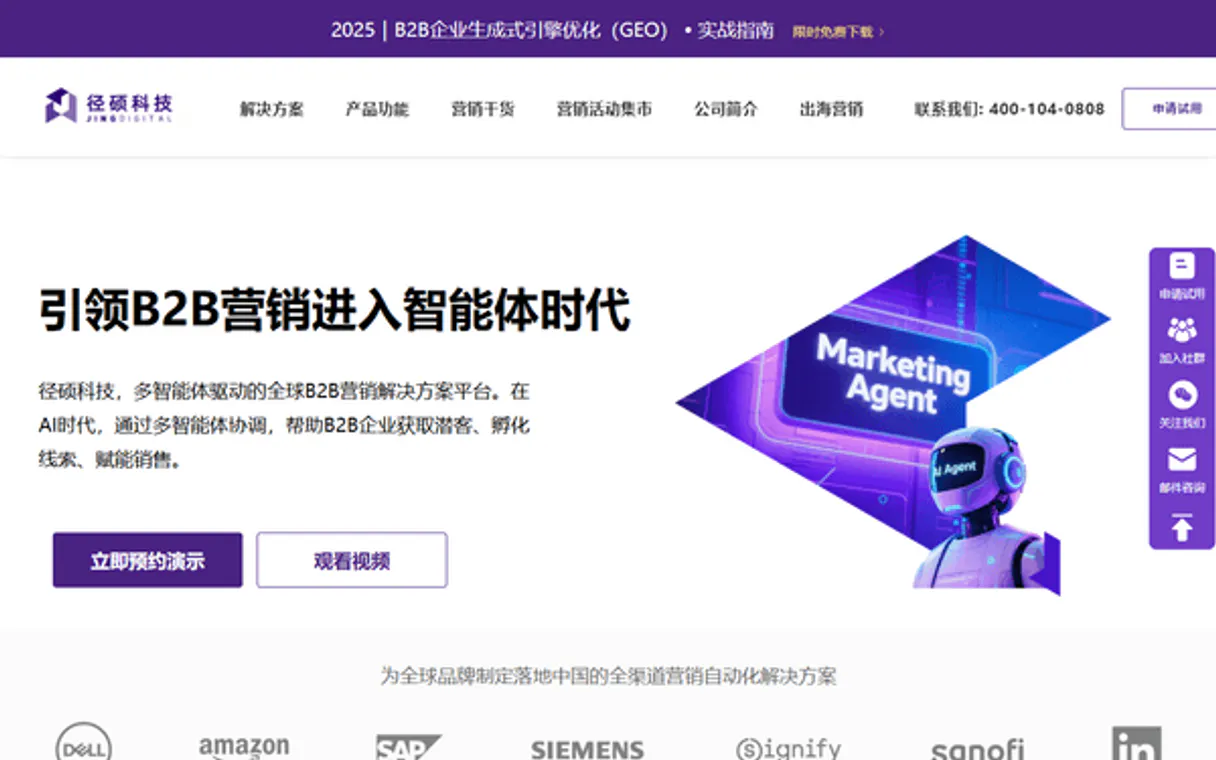
Independent Platform Disclaimer: Vinkius is an independent platform and is not affiliated with, endorsed by, sponsored by, verified by, or otherwise authorized by JingDigital. All third-party trademarks, logos, and brand names are the property of their respective owners. Their use on this website is strictly for informational purposes to identify service compatibility and interoperability.
VINKIUS INFRASTRUCTURE
Cloud Hosted
Managed infra
V8 Isolated
Sandboxed per request
Zero-Trust Proxy
No stored credentials
DLP Enforced
Policy on every call
GDPR Compliant
EU data residency
Token Compression
~60% cost reduction
Works with Claude, ChatGPT, Cursor, and more
The Model Context Protocol standardizes how applications expose capabilities to LLMs. Instead of operating in isolation, your AI gains direct access to external platforms, live data, and real-world actions through secure, standardized connections.
This server provides 10 capabilities that interface natively with Claude, ChatGPT, Cursor, and any MCP client. No middleware. No custom integration required.
Available Capabilities
Sifting through WeChat's web interface to get a simple contact list is a waste of time.
Right now, getting a clear picture of your contacts means logging into the JingDigital portal. You click through the dashboard, jump between the CRM tab and the campaign stats page, and manually copy/paste lists to stitch together a single report. It's slow, and you always lose context.
With JingDigital, your agent handles that whole process. You ask for a report—like 'Show me all contacts who opened Campaign X but haven't bought anything.' The agent runs the necessary tools (`list_contacts`, `get_campaign`, and others) and delivers the single, compiled answer directly in the chat.
JingDigital MCP Server: Manage all contacts and campaigns.
Manual steps that disappear: Logging in, navigating the dashboard, exporting CSVs for contacts, opening a second tab for campaign stats, and then running Excel to match the IDs. It's a three-step process done with five different clicks.
Now, you ask the agent to compile that report. It calls the tools, pulls the data, and presents the final, structured answer. It's instant, and it's accurate.
Common Questions About JingDigital MCP
How do I use the `list_contacts` tool with JingDigital MCP Server? +
You tell your agent to run list_contacts. The agent will then prompt you for any required filters (like date range or segment) and return a list of all matching CRM contacts.
Can I use `get_stats` to check performance for a custom period? +
Yes. You prompt the agent to get stats and specify the date range you need (e.g., 'Show stats for Q1'). The agent uses get_stats to pull the metrics for that specific timeframe.
What is the difference between `list_campaigns` and `get_campaign`? +
list_campaigns gives you a list of campaign names and statuses. get_campaign requires you to specify a campaign ID, and it returns the full, deep details and performance data for only that single campaign.
How do I add a new contact using `create_contact`? +
Just tell the agent you need to create a contact. The agent will then ask you for the required details—name, email, etc.—and runs the create_contact tool to save the record.
What tools can I use to track historical engagement using `list_events`? +
The list_events tool retrieves all historical tracking events. You can use this data to see exactly when a contact interacted with your content, which is key for deep analysis.
How do I list all available automation workflows using `list_workflows`? +
list_workflows shows every automation logic currently set up in your account. This lets you audit your marketing processes to ensure everything runs as expected.
Does the server handle rate limits when I call `list_contacts`? +
The MCP server manages standard rate limits, ensuring your agent doesn't hit API caps. If you exceed the limit, your AI client will receive a specific error code.
What information does `get_account_info` provide about my overall setup? +
get_account_info fetches metadata about your entire JingDigital account. This gives you high-level details needed for auditing and overall system checks.
How do I find my JingDigital App ID and Secret? +
Log in to your JingDigital administration portal, navigate to the [Developer Center] or [Application Management] section, and you will find your unique App ID and App Secret for API access.
Can I see interaction histories through this server? +
Yes. Use the list_events tool to retrieve historical behavioral and tracking data for your contacts. This is essential for auditing engagement and understanding the customer journey.
Is it possible to monitor automation workflows? +
Yes! You can use the list_workflows tool to see all your marketing automation flows and identify which ones are currently active or pending.
Use it with your favorite AI tools
Connect this server to Cursor, Claude, VS Code, and more.
More in this category

Demio
Equip your AI agent to manage webinar events, track registrants, and monitor sessions via the Demio API.

GAN.ai
Generate personalized videos at scale, track generation status, and oversee campaigns via AI agents with GAN.ai.
Goaffpro
Manage affiliates, track referral orders, and oversee commissions via AI agents with Goaffpro.
You might also like

AQICN
Access real-time Air Quality Index (AQI) data, pollutant levels, and weather conditions from over 30,000 stations worldwide.
Lancerkit
Connect Lancerkit to any AI agent via MCP.
Harmonic
Automate company and startup intelligence via Harmonic — enrich domains, track funding, and discover investors directly from any AI agent.