
Kava Explorer MCP. Query account balances and block history on Kava.
 Gemini
 Works with every AI agent you already use
…and any MCP-compatible client









Just plug in your AI agents and start using Vinkius.
Kava Explorer. Inspect the Kava blockchain directly through your AI agent. Use this server to pull account balances, track specific transactions (extrinsics), monitor network blocks, and audit validator performance.
It connects your AI client to Subscan's deep on-chain data, letting you query everything from simple balances to complex staking metrics without leaving your terminal.
What your AI agents can do
Get account info
Retrieves basic profile information for a specified Kava account address.
Get account reward slash
Fetches all staking rewards and slash events recorded for a Kava account.
Get account token
Gets the current token balances for a given Kava account address.
You can retrieve a kava address's basic info, token balances, and its history of staking rewards or slashes.
You can query specific transaction records (extrinsics) or list all recent network events and transactions.
You can fetch real-time block data, list recent blocks by height or hash, and inspect system-level events.
You can get a list of validators and pull performance metrics for any specific validator address.
You can list all blocks, all extrinsics, or all emitted events to survey the network's raw activity.
Ask AI about this MCP
Supported MCP Clients
Gemini Waiting for input…
Kava Explorer MCP Server: 10 Tools for Blockchain Data
Use these tools to query Kava mainnet data, checking account states, transaction history, and validator performance through your AI agent.
019e5d2aget account info
Retrieves basic profile information for a specified Kava account address.
019e5d2aget account reward slash
Fetches all staking rewards and slash events recorded for a Kava account.
019e5d2aget account token
Gets the current token balances for a given Kava account address.
019e5d2aget block
Retrieves detailed data for a block using its height or hash.
019e5d2aget extrinsic
Gets specific transaction details using a hash or an index.
019e5d2aget validator
Retrieves detailed metrics and status for a single validator address.
019e5d2alist blocks
Gets a list of recently processed blocks on the network.
019e5d2alist events
Retrieves a filtered list of system events emitted by the blockchain.
019e5d2alist extrinsics
Gets a paginated list of all recent transaction records.
019e5d2alist validators
Retrieves a list of all active validator addresses.
Choose How to Get Started
Build a custom MCP for your own tools, or connect a ready-made integration from our catalog.
Build Your Own
Turn any API into an MCP. Import a spec, define Agent Skills, or deploy with MCPFusion.
- Import from OpenAPI, Swagger, or YAML specs
- Create Agent Skills with progressive disclosure
- Deploy to edge with MCPFusion framework
- Built in DLP, auth, and compliance on every call
- Real time usage dashboard and cost metering
- Publish to catalog or keep private
Make Your AI Do More
Start with Kava Explorer, then connect any of our 4,700+ other servers whenever your AI needs more. One click, no limits.
- Use this MCP plus 4,700+ others, all in one place
- Add new capabilities to your AI anytime you want
- Every connection is secured and compliant automatically
- Track usage and costs across all your servers
- Works with Claude, ChatGPT, Cursor, and more
- New servers added to the catalog every week
What you can do with this MCP connector
You'll connect your AI client right to the Kava Network, giving it deep access to on-chain data. You can query everything, from simple account balances to complex validator metrics.
To audit an account's state, use get_account_info to grab basic profile details, get_account_token to check current token balances, and get_account_reward_slash to pull all staking rewards and slash events for any Kava address.
Need to track transactions? Use get_extrinsic to get specific transaction details with a hash or index. You can also list all recent transaction records using list_extrinsics, or survey all system-level events with list_events.
For network monitoring, grab detailed data for a block using get_block by its height or hash, or get a list of recently processed blocks with list_blocks. You can also see all emitted system events with list_events.
To handle validator data, use list_validators to get a list of every active validator address, then use get_validator to pull performance metrics and status for any specific validator address.
Finally, you can look at the whole network's activity by calling list_blocks to get a list of all recent blocks, list_extrinsics to get all recent transactions, or list_events to see all emitted events.
How Kava Explorer MCP Works
- 1 1. Subscribe to the Kava Explorer server.
- 2 2. Provide your Subscan API Key.
- 3 3. Your AI client runs the tool calls directly against the Kava mainnet data.
The bottom line is, you use your AI client to run structured queries against live, deep blockchain data.
Who Is Kava Explorer MCP For?
This is for the Web3 Developer who needs to debug extrinsics without leaving their IDE. It's for the Crypto Analyst who needs to automate account balance checks for reporting. And it's for the Node Operator who needs to monitor validator health through natural language queries.
Debugging transaction extrinsics and monitoring on-chain events directly within the terminal or code editor.
Extracting historical account balances and reward/slash data for automated financial reporting.
Monitoring validator status and overall network health by querying block and event logs.
What Changes When You Connect
- Audit account history and balances. Use
get_account_tokenandget_account_reward_slashto track token holdings and specific staking rewards/slashes for any Kava address. - Deep transaction visibility. Running
get_extrinsiclets you check the details of a specific transaction by its hash or index, which is critical for debugging. - Real-time network monitoring.
list_blocksandlist_eventsprovide immediate access to the latest block data and system-emitted events. - Validator performance tracking. You can list all validators using
list_validatorsand then drill down into specific metrics usingget_validatorto assess network health. - Historical data retrieval. Need to know what happened?
list_extrinsicslets you pull a list of all past transactions, andget_blockprovides the full context for any given block. - Comprehensive auditing. You don't just get a balance; you get the full picture. Combine
get_account_infowithget_account_tokento build a complete account profile.
Real-World Use Cases
Tracking a user's staking payout
A Node Operator notices a user's staking reward is missing. They ask their agent to run get_account_info first, then use get_account_reward_slash to confirm the exact reward history. This pinpoints if the reward was missed or if the user simply hasn't claimed it.
Debugging a failed smart contract call
A Web3 Developer runs into an unexpected transaction failure. They use get_extrinsic with the transaction hash. This pulls the raw data needed to determine if the failure was due to a bad call or a network issue, saving hours of manual debugging.
Analyzing network activity spikes
A Crypto Analyst wants to know what happened during a specific period. They run list_blocks to find the range of block heights, then use list_events to filter all system actions within that timeframe. This creates a clear audit trail.
Checking validator health across the network
A Node Operator needs to verify the status of a major validator. They start by calling list_validators to confirm the address, then use get_validator to pull current performance metrics and ensure the node is active.
The Tradeoffs
Asking for a full history dump.
The agent attempts to call list_extrinsics and then list_events sequentially without filtering, resulting in a massive, unusable data dump that exceeds rate limits and takes minutes to process.
→
Instead, use list_extrinsics with specific module and call filters. If you need events, use list_events with defined start/end block heights. Never call the list tools without parameters.
Assuming state from a list call.
The developer runs list_blocks and assumes the latest block's state is fully captured. This is wrong because the list only gives metadata, not the full state of every account.
→
Always run get_block with the height or hash returned by list_blocks to get the full, confirmed block details. Use get_account_info to get the current account state, not just the list.
Checking balances in isolation.
The developer calls get_account_token for a balance, then calls get_account_info for the nonce, missing the full picture.
→
For a complete view, combine get_account_info and get_account_token in one query flow. This provides the basic metadata alongside the specific token amounts.
When It Fits, When It Doesn't
Use this server if your workflow requires deep, verifiable details about the Kava blockchain state—things like specific extrinsics, reward history, or validator performance. If your goal is simply to check the balance of a known wallet, you only need get_account_token. Don't use it if you are building a simple 'read-only' dashboard that only needs a single number. If you only need a basic list of addresses, a simpler index tool might suffice. However, because you need to correlate time (blocks) with state (accounts) and history (events), this comprehensive set of 10 tools is necessary. If your problem is just 'what's the current block number,' use list_blocks and then get_block for confirmation. Don't try to guess the data structure; use the specific tool for the data type.

Independent Platform Disclaimer: Vinkius is an independent platform and is not affiliated with, endorsed by, sponsored by, verified by, or otherwise authorized by Kava Explorer. All third-party trademarks, logos, and brand names are the property of their respective owners. Their use on this website is strictly for informational purposes to identify service compatibility and interoperability.
VINKIUS INFRASTRUCTURE
Cloud Hosted
Managed infra
V8 Isolated
Sandboxed per request
Zero-Trust Proxy
No stored credentials
DLP Enforced
Policy on every call
GDPR Compliant
EU data residency
Token Compression
~60% cost reduction
Works with Claude, ChatGPT, Cursor, and more
The Model Context Protocol standardizes how applications expose capabilities to LLMs. Instead of operating in isolation, your AI gains direct access to external platforms, live data, and real-world actions through secure, standardized connections.
This server provides 10 capabilities that interface natively with Claude, ChatGPT, Cursor, and any MCP client. No middleware. No custom integration required.
Available Capabilities
Manually tracking on-chain activity is a nightmare of tabs and API calls.
Today, checking a single account's history means jumping between the main explorer page, the transaction tab, and the staking dashboard. You copy the hash, paste it into a secondary tool, wait for rate limits, and then manually cross-reference the token amounts against the ledger data. It’s a multi-step, error-prone chore.
With the Kava Explorer MCP Server, your AI agent handles the whole chain. You tell it the address, and it runs the sequence: check `get_account_info` for the nonce, then `get_account_token` for balances, and finally `get_account_reward_slash` for history. You get the complete, structured data set in one conversational turn.
Kava Explorer MCP Server: Get the full picture of network activity.
Before, getting a list of recent transactions required multiple endpoints: one for the block list, one for the event list, and another for the raw extrinsic data. You had to manually stitch together the timeline. It was slow, and often incomplete.
Now, your agent runs `list_blocks` to establish the time frame, then uses `list_events` and `list_extrinsics` to pull all related history. The data arrives correlated and structured. You just write the query.
Common Questions About Kava Explorer MCP
How do I check a balance and account details using get_account_info and get_account_token? +
You must call get_account_info first to get the basic metadata (like nonce). Then, run get_account_token with the same address to get the current token balances. These two calls provide the complete profile you need.
Which tool should I use to find all transactions for a specific hash? +
Use get_extrinsic. This tool is designed to fetch detailed transaction records specifically by hash or index, giving you the raw data you need.
Can I check a validator's status without listing all of them first? +
No. First, use list_validators to get the full list of active addresses. Then, pass the target address to get_validator to pull its specific performance metrics.
What is the best way to track all rewards and slashes for an account? +
Use get_account_reward_slash. This tool specifically queries the staking history, returning all reward and slash events tied to that account address.
How do I list and filter recent transactions using list_extrinsics? +
You use list_extrinsics to get a filtered list of transactions. You can specify the module and call parameters to narrow down your search, making sure you only see the data you need.
What if I need to check block details by hash, not by height? Which tool should I use? +
Use get_block. This tool accepts both a block height and a block hash as input. Just provide the hash instead of the height, and the system returns the block details you're looking for.
Can I get a list of all active validators using list_validators, and what details does it provide? +
list_validators returns a comprehensive list of all validators. For each one, you get key details including their current staking status and performance metrics.
How do I find system events or system-emitted data using list_events? +
Use list_events. This tool allows you to query system-emitted events, which is crucial for monitoring blockchain activity. You can also apply filtering options to limit the results.
Can I check the token balances for a specific Kava address? +
Yes! Use the get_account_token tool with the target Kava address to retrieve all token balances associated with that account.
How do I find details about a specific transaction or extrinsic? +
You can use the get_extrinsic tool by providing either the transaction hash or the extrinsic index (e.g., '123456-2').
Is it possible to monitor validator performance and staking status? +
Absolutely. Use list_validators to see the network-wide list, and get_validator with a specific address to see detailed performance and staking metrics.
Use it with your favorite AI tools
Connect this server to Cursor, Claude, VS Code, and more.
More in this category

Vultr
Manage Vultr cloud infrastructure, bare metal instances, and backups directly from your AI agent.

ScreenshotAPI
Capture full-page website screenshots programmatically with custom viewport sizes, delays, and rendering options via a simple API.

Spec Prover
Catch broken formulas before they reach your codebase. Spec Prover forces AI agents to prove every specification works with real inputs — one trace exposes bugs that abstract review never finds.
You might also like
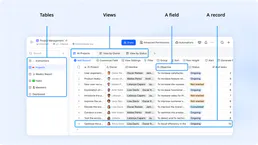
Feishu Bitable
Collaborative multi-dimensional table platform by Lark — manage bases, tables, and records via AI.

Cooper Hewitt
Access the Cooper Hewitt Smithsonian Design Museum collection — search objects, explore exhibitions, and retrieve detailed metadata about design history.

Jobvite
Manage your recruitment pipeline via Jobvite — list candidates, track job requisitions, and update application statuses directly from any AI agent.