
Lexware Office MCP. Audit invoices, contacts, and vouchers with chat.
 Gemini
 Works with every AI agent you already use
…and any MCP-compatible client









Just plug in your AI agents and start using Vinkius.
Lexware Office provides full control over cloud-based accounting in Germany. Your AI agent uses this server to manage contacts, audit vouchers, track invoices, and process sales documentation like quotes and delivery notes—all through natural conversation.
What your AI agents can do
Create contact
Creates a new customer or vendor record in Lexoffice, handling standardized formatting and role assignment.
Get contact
Retrieves all detailed contact information for a specified customer or supplier.
Get credit note
Queries the exact amount and positions of a specific credit note for detailed auditing.
The agent can create new customer or vendor records, ensuring standardized formatting and proper role assignments.
Retrieve specific invoices to get line items, calculate VAT breakdowns, and check if they're paid, open, or overdue.
The agent gathers a unified view of every voucher type (expenses, income, credit notes) recorded in your system.
You can list and review documents across the entire sales flow: quotes, order confirmations, and delivery notes.
Query system data to confirm global payment conditions and define posting categories for accurate accounting mapping.
Ask AI about this MCP
Supported MCP Clients
Gemini Waiting for input…
Lexware Office MCP Server: 14 Tools for Finance & Accounting
Use these tools to manage everything from creating new contacts and listing invoices to auditing specific vouchers and tracking the entire sales pipeline.
019d75c6create contact
Creates a new customer or vendor record in Lexoffice, handling standardized formatting and role assignment.
019d75c6get contact
Retrieves all detailed contact information for a specified customer or supplier.
019d75c6get credit note
Queries the exact amount and positions of a specific credit note for detailed auditing.
019d75c6get invoice
Retrieves detailed information, line items, VAT breakdowns, and payment status for a single invoice.
019d75c6get quotation
Views the full details—including amounts and positions—for one specific sales quotation.
019d75c6list contacts
Lists all customer and vendor contacts in Lexoffice, useful for managing your master data.
019d75c6list credit notes
Displays a history of all recorded credit notes, structured by date descendingly, for financial review.
019d75c6list delivery notes
Retrieves a collection of issued delivery notes (shipping documents).
019d75c6list invoices
Lists all billed invoices, sorted chronologically and using standard pagination.
019d75c6list order confirmations
Retrieves a structured register of all past order confirmations.
019d75c6list payment conditions
Fetches the core data for globally defined payment terms (like discount periods or due dates).
019d75c6list posting categories
Shows the configured accounting categories and account ranges used for revenue and expenses.
019d75c6list quotations
Lists both open and completed sales quotes in one place.
019d75c6list vouchers
Provides a comprehensive overview of all logged documents, including expenses and revenues.
Choose How to Get Started
Build a custom MCP for your own tools, or connect a ready-made integration from our catalog.
Build Your Own
Turn any API into an MCP. Import a spec, define Agent Skills, or deploy with MCPFusion.
- Import from OpenAPI, Swagger, or YAML specs
- Create Agent Skills with progressive disclosure
- Deploy to edge with MCPFusion framework
- Built in DLP, auth, and compliance on every call
- Real time usage dashboard and cost metering
- Publish to catalog or keep private
Make Your AI Do More
Start with Lexware Office (Accounting & Invoicing), then connect any of our 4,700+ other servers whenever your AI needs more. One click, no limits.
- Use this MCP plus 4,700+ others, all in one place
- Add new capabilities to your AI anytime you want
- Every connection is secured and compliant automatically
- Track usage and costs across all your servers
- Works with Claude, ChatGPT, Cursor, and more
- New servers added to the catalog every week
What you can do with this MCP connector
Lexware Office gives you full control over cloud-based accounting in Germany. Your AI agent uses this server to manage contacts, audit vouchers, track invoices, and process sales documentation like quotes and delivery notes—all through simple conversation.
Contact Management
When you need to work with a business partner, your agent handles the heavy lifting. It can create new customer or vendor records using create_contact, making sure everything is formatted right and assigned the proper role. If you just need to see who's in the book, it'll list all existing contacts for you via list_contacts.
When you know exactly who you're dealing with, running get_contact pulls up every single detail about a specified customer or supplier.
Invoice and Credit Note Auditing
Checking on money owed is what this thing does best. If you need details on an invoice, get_invoice gives you the full picture: line items, how the VAT broke down, and whether it's paid, open, or overdue. For a deeper audit, running get_credit_note pulls up the precise amount and position of any specific credit note.
If you need a historical view of credits, list_credit_notes displays every recorded credit note, sorted so you see the newest stuff first. You can also list all billed invoices using list_invoices, which shows everything chronologically with standard pagination for easy review.
The Full Accounting Picture (Vouchers)
Your agent doesn't just look at bills; it looks at the whole ledger. To get a unified view of every piece of paper logged, use list_vouchers. This tool provides a comprehensive overview of all logged documents, covering expenses and revenues alike. You can also see what accounting categories you're using for revenue and expenses by checking list_posting_categories, or check the core data for globally defined payment terms—things like discount periods or due dates—by calling list_payment_conditions.
Managing the Sales Flow
From initial idea to final shipment, your agent tracks it all. You can list both open and completed sales quotes in one go using list_quotations. If you need to review a specific quote's details—including amounts and positions—you run get_quotation. When an order is confirmed, list_order_confirmations pulls up a structured register of every past confirmation.
After the sale is locked down, running list_delivery_notes retrieves all issued delivery notes, which are your shipping documents. You can also get a list of all available quotes using list_quotations, and finally, you'll see all recorded documents including expenses and revenues through list_vouchers.
How Lexware Office MCP Works
- 1 Subscribe to the server and provide your Lexware Office API Key.
- 2 Connect the MCP Server to your preferred AI client (Claude, Cursor, etc.).
- 3 Ask your agent a direct question—for example: 'List my last 5 unpaid invoices.' The agent runs the tool, gets the data, and responds with actionable insights.
The bottom line is that you use natural language to interact with structured accounting data without ever leaving your chat environment.
Who Is Lexware Office MCP For?
Small business owners, freelancers, and operations staff who spend too much time switching between an accounting portal, spreadsheet software, and email. You need one place where your AI agent can audit vouchers, manage contacts, and track payments without manual data extraction.
Tracks invoices and expenses by asking the agent to list all financial records or retrieve specific billing details.
Monitors outstanding payments, checks customer master data via list_contacts, and audits voucher categories for compliance.
Uses the server to audit complex financial flows by listing credit notes (list_credit_notes) or verifying posting categories (list_posting_categories).
What Changes When You Connect
- Stop hunting for payment history. With
list_invoicesandget_invoice, your agent pulls the status (Paid, Open, Overdue) and line items instantly. You get a clear picture of cash flow without opening the portal. - Maintain compliance by auditing vouchers. Instead of digging through multiple tabs, use
list_vouchersto see every expense or revenue type logged in one place. This is crucial for accurate bookkeeping audits. - Simplify sales tracking end-to-end. The agent links your process flow: You check quotes with
get_quotation, then follow the path usinglist_order_confirmations, and finally verify payments withlist_invoices. - Keep client data clean. Use
create_contactorlist_contactsto manage customer master data directly through chat, ensuring roles and details are standardized every time you add a vendor. - Audit financial corrections fast. Need to know about canceled items? The agent uses
get_credit_noteto pull the exact amount and line item positions for any specific credit note instantly.
Real-World Use Cases
The Quarterly Audit Check
An accountant needs to verify all financial entries made last quarter. Instead of running multiple reports, they ask the agent to list_vouchers. The agent compiles a single stream showing expenses, revenues, and credit notes together, allowing the user to spot discrepancies immediately.
Tracking an Overdue Payment
A small business owner notices a payment is late. They ask the agent for outstanding invoices. The server runs list_invoices, flags the overdue amounts, and lets them check the specific line items by calling get_invoice on the problematic ID.
Onboarding a New Client
A sales rep signs a new client. Instead of manually entering data, they ask the agent to use create_contact. The system handles formatting and assigns roles automatically, keeping the contact list clean from day one.
Reviewing Sales History
A manager wants to know if a deal is worth pursuing. They tell the agent to check the sales pipeline. The server pulls records by listing list_quotations and then verifying which ones progressed past the order phase using list_order_confirmations.
The Tradeoffs
Trying to find an invoice payment status
Logging into the portal, finding the customer ID, searching through invoices by date range, and then manually clicking each one to check if the 'Paid' flag is set.
→
Just ask your agent: 'Show me all unpaid invoices for last month.' The server runs list_invoices and provides the status directly. You don't touch the UI.
Updating contact info manually
Having to copy a client's name or address from an email into the accounting system, risking formatting errors or missing role assignments.
→
Use create_contact or get_contact. Your agent handles all standardization and ensures the correct roles (Customer/Vendor) are assigned when you add records.
Auditing a complex financial correction
Trying to find details on an old credit note that was part of a large refund, requiring multiple searches by date or amount.
→
Run list_credit_notes first to see the history. Then use get_credit_note with the specific ID to pull up all exact amounts and line items immediately.
When It Fits, When It Doesn't
Use this MCP Server if your core need is managing financial records, auditing vouchers, or tracking sales documentation (quotes -> invoices). The server's strength lies in its comprehensive coverage of German bookkeeping standards. However, don't use it if you only need basic CRM functionality—if you just need to store names and phone numbers without linking them to an invoice cycle, a simpler contact management tool will work fine. If your process requires tracking anything outside of core financial documents (like inventory levels or HR payroll), this server won't help; stick to dedicated systems for those tasks.
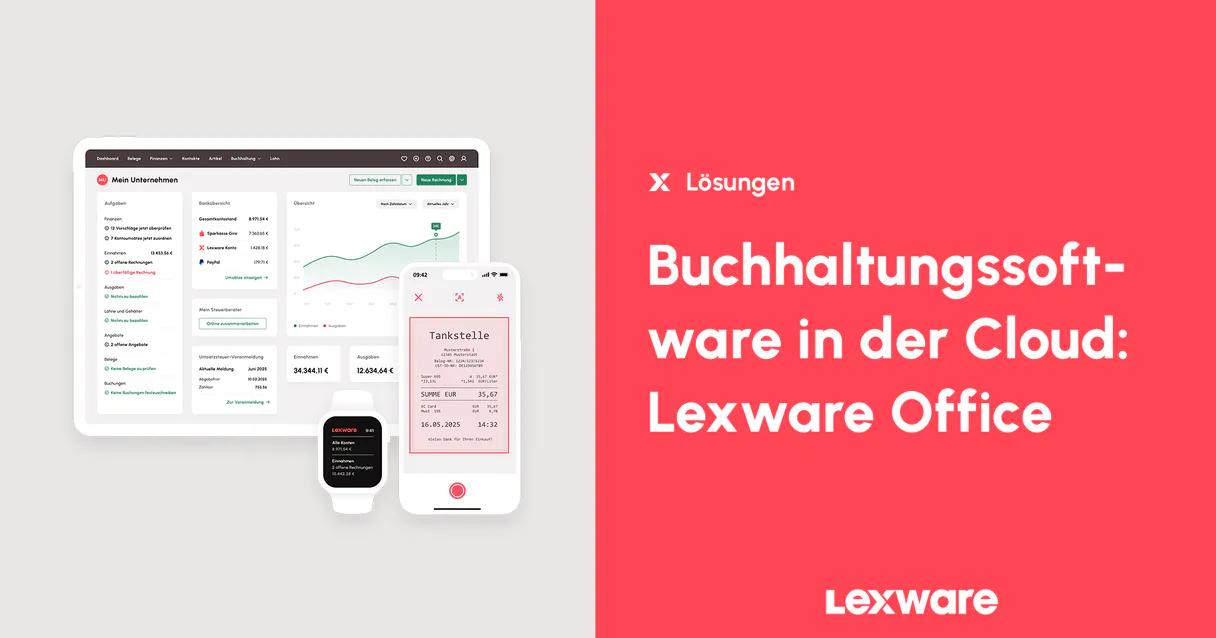
Independent Platform Disclaimer: Vinkius is an independent platform and is not affiliated with, endorsed by, sponsored by, verified by, or otherwise authorized by Lexware Office. All third-party trademarks, logos, and brand names are the property of their respective owners. Their use on this website is strictly for informational purposes to identify service compatibility and interoperability.
VINKIUS INFRASTRUCTURE
Cloud Hosted
Managed infra
V8 Isolated
Sandboxed per request
Zero-Trust Proxy
No stored credentials
DLP Enforced
Policy on every call
GDPR Compliant
EU data residency
Token Compression
~60% cost reduction
Works with Claude, ChatGPT, Cursor, and more
The Model Context Protocol standardizes how applications expose capabilities to LLMs. Instead of operating in isolation, your AI gains direct access to external platforms, live data, and real-world actions through secure, standardized connections.
This server provides 14 capabilities that interface natively with Claude, ChatGPT, Cursor, and any MCP client. No middleware. No custom integration required.
Available Capabilities
Tracking sales and payments means jumping between 4+ screens.
Today, tracking a single client transaction is messy. You start by checking the quote status in one tab, then jump to order confirmations in another system. When you finally find an invoice, you have to navigate deep into line items and check payment statuses manually. It's clicking through tabs just to answer: 'Is this paid?'
With this MCP server, you skip all that UI friction. You tell your agent what you need—say, the status of a specific order—and it runs the necessary tools (`list_quotations` then `get_invoice`). It gives you the final answer without ever showing you a dashboard.
Lexware Office MCP Server: Audit your entire bookkeeping flow.
The biggest time sink is auditing. You have to reconcile invoices, credit notes, and general expenses across different ledgers. Manually cross-referencing `list_invoices` against `list_credit_notes` is slow, prone to error, and takes hours.
Now, your agent treats it like one continuous process. By utilizing the unified view of all records via tools like `list_vouchers`, you get an immediate, comprehensive audit trail—all from a single conversation.
Common Questions About Lexware Office MCP
How do I list my outstanding invoices using list_invoices? +
You ask your agent to 'List all unpaid invoices for the last quarter.' The server uses list_invoices and filters results by status, giving you a clean summary of open items.
Can I find the details of a specific credit note with get_credit_note? +
Yes. You provide the ID to your agent, and it calls get_credit_note to pull up the exact amount, position by position, for compliance auditing.
What is the difference between list_quotations and get_quotation? +
list_quotations gives you a summary view of all your quotes (open or closed). get_quotation lets you drill down into one specific quote ID to see every detail, including line items.
How do I add a new customer using create_contact? +
Simply tell your agent: 'Create a new contact for Acme Corp.' The tool handles the required formatting and assigns the proper Customer role in Lexoffice.
How do I check all available payment terms for invoicing using list_payment_conditions? +
The list_payment_conditions tool pulls every global payment term configured, like 'Immediate' or '30 Days Net'. This helps your agent correctly map due dates and tax compliance when creating new records.
What data does list_vouchers provide for a full audit? +
list_vouchers gives you one comprehensive stream of all recorded documents—expenses, revenue, and invoices. This single view is essential for audits because it centralizes every type of booked item.
If I have an ID, how do I retrieve a specific vendor's full profile using get_contact? +
get_contact pulls the complete record for that single entity. It gives you all associated addresses, roles, and contact history immediately, whether they are a customer or vendor.
How do I track physical shipments to clients using list_delivery_notes? +
list_delivery_notes shows all issued shipping slips. This lets you verify the actual goods sent out by comparing logistics records against your formal sales invoices.
Can I create a new customer record through my agent? +
Yes. Use the create_contact tool by providing the company name, contact person, and email. Your agent will format the data according to Lexware Office standards and assign the correct role ('customer' or 'vendor') instantly.
How do I check the payment status of an invoice? +
The get_invoice tool retrieves the complete document structure, including the current status (e.g., 'paid', 'open', or 'overdue'). Your agent can summarize these details for you directly in the conversation.
Can my agent list all accounting categories available in my account? +
Absolutely. Use the list_posting_categories tool to retrieve the defined chart of accounts. This is essential for understanding how revenues and expenses are mapped to your financial reports and DATEV exports.
Use it with your favorite AI tools
Connect this server to Cursor, Claude, VS Code, and more.
More in this category

FinLegal
Manage litigation funding cases, track claim progress, and coordinate legal finance workflows for law firms and funders.
Scoro
Bring your Scoro end-to-end work management platform into your AI workflows — query projects, invoices, and time logs seamlessly.

Odoo Purchase
Create purchase orders, manage RFQs, search vendors, and track procurement — Odoo Purchasing through natural conversation.
You might also like
Product Hunt
Discover the latest tech products, submit your startup launch, and engage with early adopters on the leading product discovery platform.
AskNicely
Manage customer experience and NPS surveys with AskNicely — track responses and audit sentiment via AI.

Spoonacular
The most comprehensive recipe API — search recipes, plan meals, find dishes by ingredients, and get full nutritional analysis for everything you cook.