
Weatherbit MCP. Get accurate forecasts from current conditions to 30-year climate data.
 Gemini
 Works with every AI agent you already use
…and any MCP-compatible client









Just plug in your AI agents and start using Vinkius.
Weatherbit MCP Server gets you global weather data on demand. Check real-time conditions, generate multi-day or hourly forecasts, and pull historical climate records spanning 30 years.
It also gives detailed air quality readings (AQI, PM2.5) for any location worldwide.
What your AI agents can do
Get air quality
Retrieves the AQI score and concentration levels for key pollutants (PM2.5, O3, etc.) at given coordinates.
Get current weather
Returns real-time weather details including temperature, humidity, wind, and UV index using geographical coordinates.
Get current weather by city
Provides current weather conditions (temp, wind, cloud cover) for a specified city name.
The agent fetches current temperature, wind speed, and humidity for a specified location.
You get daily high/low temperatures, precipitation probability, and UV indexes for up to 16 days ahead.
The system returns temperature, wind, and cloud cover details for every hour over the next ten days.
You retrieve detailed metrics like precipitation and wind speed for any date within the last 30 years.
The agent returns a full suite of air quality indices, including PM2.5, O3, and CO readings.
You query recent reports on major weather activity like tornadoes or floods in a specific area.
Ask AI about this MCP
Supported MCP Clients
Gemini Waiting for input…
Weatherbit MCP Server: 10 Tools for Comprehensive Weather Data Access
These tools let your agent access every type of weather data—from current conditions and multi-day forecasts to deep historical records and air quality reports.
019d849bget air quality
Retrieves the AQI score and concentration levels for key pollutants (PM2.5, O3, etc.) at given coordinates.
019d849bget current weather
Returns real-time weather details including temperature, humidity, wind, and UV index using geographical coordinates.
019d849bget current weather by city
Provides current weather conditions (temp, wind, cloud cover) for a specified city name.
019d849bget forecast daily
Returns daily high/low temperatures, precipitation probability, and general forecast details using geographical coordinates.
019d849bget forecast daily by city
Generates a multi-day weather outlook (up to 16 days) based on the city name.
019d849bget forecast hourly
Returns detailed hourly temperature, wind, and precipitation probability using geographical coordinates.
019d849bget forecast hourly by city
Provides an hour-by-hour weather forecast for a specified city name.
019d849bget historical weather
Pulls historical metrics—like temperature and wind—for any date within the past 30 years using coordinates.
019d849bget severe weather
Queries recent severe weather reports, helping track activity like floods or high winds in an area.
019d849bget weather alerts
Retrieves active and upcoming severe weather warnings, including their type, severity, and affected zones.
Choose How to Get Started
Build a custom MCP for your own tools, or connect a ready-made integration from our catalog.
Build Your Own
Turn any API into an MCP. Import a spec, define Agent Skills, or deploy with MCPFusion.
- Import from OpenAPI, Swagger, or YAML specs
- Create Agent Skills with progressive disclosure
- Deploy to edge with MCPFusion framework
- Built in DLP, auth, and compliance on every call
- Real time usage dashboard and cost metering
- Publish to catalog or keep private
Make Your AI Do More
Start with Weatherbit, then connect any of our 4,700+ other servers whenever your AI needs more. One click, no limits.
- Use this MCP plus 4,700+ others, all in one place
- Add new capabilities to your AI anytime you want
- Every connection is secured and compliant automatically
- Track usage and costs across all your servers
- Works with Claude, ChatGPT, Cursor, and more
- New servers added to the catalog every week
What you can do with this MCP connector
You're hooking your agent up with Weatherbit, and suddenly you've got global weather data on demand. It handles everything from checking if it's going to rain tomorrow to digging into climate records from thirty years ago. You don't need to mess with multiple APIs; you just let your AI client call the right function.
Getting Real-Time Conditions
When you need to know what's happening outside right now, you use get_current_weather or get_current_weather_by_city. If you pass coordinates, get_current_weather gives you immediate details: the temperature, humidity level, wind speed, and UV index for that exact spot. Need to check a place by name instead? Use get_current_weather_by_city; it pulls current temp, wind, and cloud cover for any major city.
Forecasting Out
The server lets you plan ahead with multiple forecast depths. For a general look at the week's weather, call get_forecast_daily_by_city. This tool generates a multi-day outlook—you get daily high and low temperatures, plus the probability of precipitation for up to 16 days out. If you prefer coordinates, get_forecast_daily gives you that same high/low temperature range and general forecast details based on latitude and longitude.
For pinpoint accuracy, check the hourly projections. Use get_forecast_hourly_by_city if you're working with a city name; it spits out an hour-by-hour weather breakdown for the next ten days. If coordinates are your thing, get_forecast_hourly does the same thing, giving you detailed temperature shifts, wind changes, and precipitation probability every single hour.
Climate Deep Dives & Safety
For serious research, forget simple predictions. You can access historical data using get_historical_weather. Just give it coordinates and a date within the last 30 years, and you get metrics like temperature readings and wind speed for that exact time. When bad weather hits, you don't have to guess what's coming; run get_weather_alerts to pull active or upcoming severe warnings.
This tool tells you the warning type, its severity level, and exactly which zones are affected. For immediate threat tracking, use get_severe_weather, which queries recent reports on major activity like floods or high winds in a specific area.
Air Quality Monitoring
Tracking air pollution is straightforward with get_air_quality. Just passing coordinates lets the agent retrieve the full Air Quality Index (AQI) score and concentration levels for key pollutants. You get readings for particulate matter like PM2.5, ozone (O3), and more, letting you know if the air's clean enough to breathe.
Here’s what that means in practice: If your user asks for current conditions by city name, your agent calls get_current_weather_by_city. If they ask about a specific pollutant reading, it hits get_air_quality. If the user needs to know if they should pack rain gear for next Tuesday, you send them to get_forecast_daily_by_city or maybe get_forecast_hourly if they're worried about timing.
You can pull historical wind data from 1993 using get_historical_weather, and check for active tornado warnings with get_weather_alerts. It’s a comprehensive kit that handles everything you need, from the moment-to-moment temperature to multi-decade climate reports.
How Weatherbit MCP Works
- 1 Subscribe to the Weatherbit server and input your API key.
- 2 Your AI client sends a natural language request, specifying location (city/coords) and time scale (current/daily/historical).
- 3 The agent routes the request through the appropriate tool (e.g.,
get_forecast_hourly_by_city) and receives structured weather data.
The bottom line is, you just ask for the weather in plain English; the server handles the API calls to get the precise metrics.
Who Is Weatherbit MCP For?
Anyone who relies on physical environment data—from field ops managers needing safety alerts to researchers studying climate change. If your job involves planning logistics or assessing risk based on location, this is for you.
Uses get_severe_weather and get_forecast_daily_by_city to reschedule crews around predicted storms or extreme heat.
Runs get_historical_weather repeatedly across decades of data to model climate shifts for reports.
Checks the 16-day forecast using get_forecast_daily_by_city to anticipate delays due to predicted poor weather.
What Changes When You Connect
- Check immediate status and future planning with
get_current_weatherorget_forecast_daily_by_city. You get everything—humidity, UV index, wind—in one call. No more juggling multiple weather sites. - Run deep climate analysis using
get_historical_weather. This tool gives you metrics from 30+ years in the past, letting you compare current conditions against decades of data for research. - Avoid guesswork on trip planning. Use
get_forecast_hourly_by_cityto see exactly when rain or high winds are expected, down to the hour, so your agent can plan precise routes. - Improve safety protocols by monitoring alerts. The
get_weather_alertstool pulls active warnings and watches instantly, letting your client know about immediate dangers before you leave home. - Assess environmental impact with air quality data. Running
get_air_qualitygives you the full pollution picture (PM2.5, O3) right alongside the temperature reading—critical for health planning.
Real-World Use Cases
Planning a cross-country logistics run
A supply chain manager needs to know if a shipment across three states will face adverse conditions. They instruct their agent: 'Check the 16-day forecast for Chicago, Dallas, and Denver.' The agent uses get_forecast_daily_by_city three times, compiling all high/low temps and precipitation probabilities into one report, allowing the planner to adjust trucking routes days in advance.
Analyzing long-term farming risk
An agronomist needs proof of drought severity. They ask their agent to compare current conditions with past data: 'Show me average rainfall vs. 1980s levels for this coordinates.' The agent executes get_historical_weather and cross-references it with the current reading from get_current_weather, providing hard evidence for a climate report.
Preparing for an outdoor construction project
The site foreman needs to know exactly when workers can safely operate. He asks: 'What's the hourly forecast near coordinates X, Y?' The agent runs get_forecast_hourly, identifying that high winds are predicted between 10 AM and noon, so he schedules heavy lifting for the afternoon.
Evaluating a city move due to pollution
A potential resident wants to know about local air quality. They ask: 'What's the current AQI in this neighborhood?' The agent uses get_air_quality, providing not just the score (e.g., 65) but also detailed readings for PM2.5 and O3, allowing a precise comparison against their previous city.
The Tradeoffs
Only asking for 'the weather'
Asking the agent, 'What's going to happen with the weather in New York?' This is too vague and gives no actionable data.
→
Be specific. Instead of that, tell it: 'Give me the 16-day daily forecast for New York City.' Use get_forecast_daily_by_city to get a concrete timeline.
Confusing current vs. future data
Asking, 'What was the weather like last week?' This is ambiguous and might return random historical points.
→
If you need past metrics, specify the date range: 'Use get_historical_weather for coordinates X, Y on 2023-10-15.' If you need today's status, use get_current_weather_by_city.
Ignoring pollution metrics
Getting a temperature reading but assuming the air is clean. This ignores health risks.
→
Always pair weather checks with air quality data by calling get_air_quality immediately after getting current conditions. This gives you both temp and PM2.5.
When It Fits, When It Doesn't
Use this server if your request requires any location-based environmental data: temperature, wind, precipitation, or pollution levels (AQI). For immediate planning, use get_current_weather for coordinates or get_forecast_daily_by_city for city names. If you need maximum detail and time precision, always opt for the hourly tools (get_forecast_hourly). Don't use this if your request is purely conceptual (e.g., 'Write a poem about rain'). Also, don't rely on general search; if you are comparing years, run get_historical_weather directly. If you just need to know if it's raining right now, get_current_weather is enough; running the full 16-day forecast is overkill.
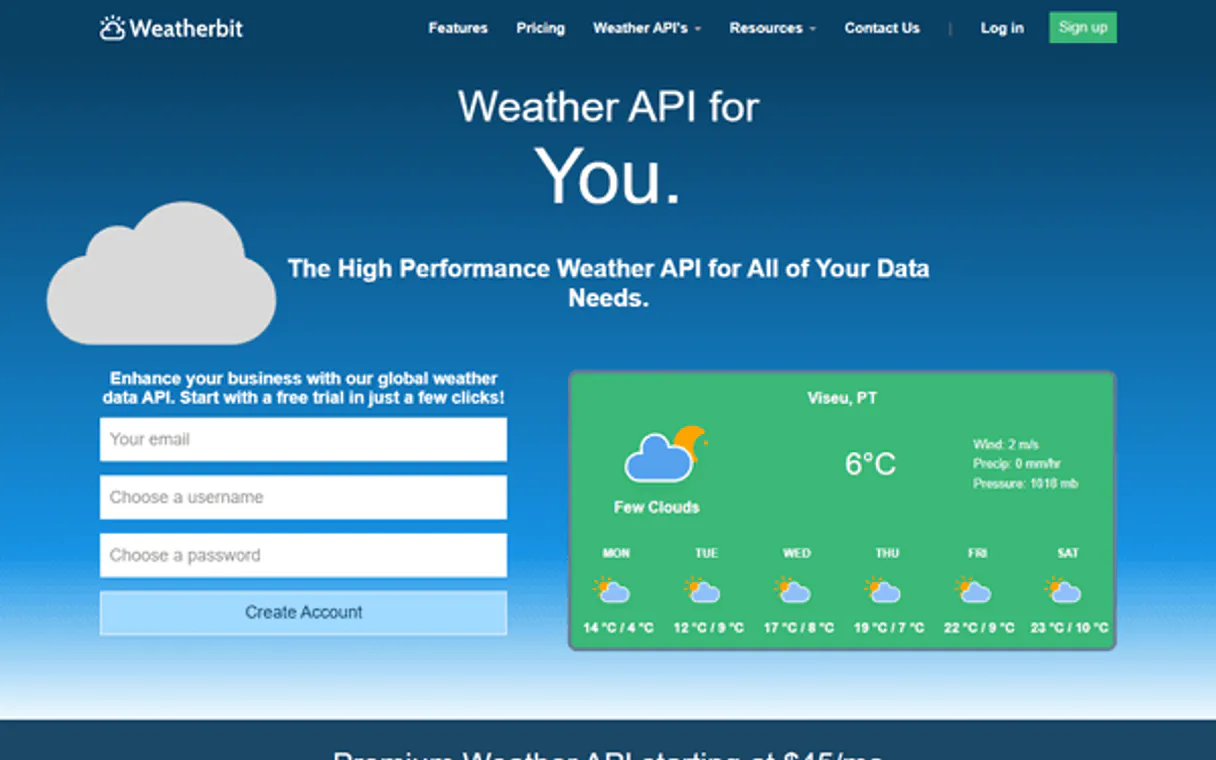
Independent Platform Disclaimer: Vinkius is an independent platform and is not affiliated with, endorsed by, sponsored by, verified by, or otherwise authorized by Weatherbit. All third-party trademarks, logos, and brand names are the property of their respective owners. Their use on this website is strictly for informational purposes to identify service compatibility and interoperability.
VINKIUS INFRASTRUCTURE
Cloud Hosted
Managed infra
V8 Isolated
Sandboxed per request
Zero-Trust Proxy
No stored credentials
DLP Enforced
Policy on every call
GDPR Compliant
EU data residency
Token Compression
~60% cost reduction
Works with Claude, ChatGPT, Cursor, and more
The Model Context Protocol standardizes how applications expose capabilities to LLMs. Instead of operating in isolation, your AI gains direct access to external platforms, live data, and real-world actions through secure, standardized connections.
This server provides 10 capabilities that interface natively with Claude, ChatGPT, Cursor, and any MCP client. No middleware. No custom integration required.
Available Capabilities
Manually checking weather across multiple systems wastes time and data points.
Right now, you have to hop between a general search for today's temperature, then click into a separate 'forecast' tab for the next week, and maybe open another window just to check if there are any severe warnings. It’s fragmented, time-consuming, and forces you to piece together an incomplete picture.
With Weatherbit MCP Server, your agent handles it all in one conversational thread. Ask for a 16-day outlook, and the agent uses `get_forecast_daily_by_city` to return temperatures, wind speed, precipitation probability, and UV index—all structured and ready to use.
Weatherbit MCP Server: Get air quality data alongside temp readings.
Today, you get the weather report (temp/rain) from one source, but then have to copy-paste those coordinates into a separate government site to check the AQI. This split process means your planning lacks critical health context—you know it's cold, but not if the smog makes that cold dangerous.
Now, you run `get_air_quality` and get PM2.5, O3, and NO2 metrics alongside the temperature data. You get a single, comprehensive picture: not just what the weather *is*, but how safe it is to be outside.
Common Questions About Weatherbit MCP
How do I get a Weatherbit API key? +
Sign up for free at weatherbit.io. Free tier includes 500 API calls/day.
Can I search by city name? +
Yes! Use get_current_weather_by_city or get_forecast_daily_by_city with city name and optional country code (e.g. city='London', country='GB').
How far ahead can I forecast? +
Daily forecast supports up to 16 days ahead. Hourly forecast supports up to 240 hours (10 days). Historical data goes back 30+ years.
Does it include air quality data? +
Yes! Use get_air_quality with coordinates to get AQI, PM2.5, PM10, O3, NO2, SO2 and CO concentrations with health recommendations.
What metrics does the get_historical_weather tool provide for past records? +
The tool returns temperature, precipitation, wind, and humidity. This lets researchers build climate models using data spanning over 30 years.
What information does the get_weather_alerts tool return about active warnings? +
It provides the alert type, severity level, a description, and precise effective/expiry times. Your agent knows exactly when a warning is active for an area.
When using get_current_weather, should I provide coordinates or a city name? +
Providing coordinates is the most accurate method because it ensures pinpoint precision regardless of the location's naming conventions. Use latitude and longitude for best results.
What level of detail does get_forecast_hourly give me? +
It returns temperature, precipitation probability, wind speed/direction, and humidity for every single hour. This granularity is perfect for detailed logistical planning.
Use it with your favorite AI tools
Connect this server to Cursor, Claude, VS Code, and more.
More in this category

Betterfly
Automate ESG and HR Wellness data via Betterfly — track global corporate steps, extract social donations, and orchestrate health engagement via agents.

BLS Public Data API
Access labor statistics — audit economic series and trends via AI.
NavAPI
Manage maritime navigation — audit ports, routes, and traffic via AI.
You might also like

Printify
Automate your print-on-demand business — manage shops, create products, and track orders directly from any AI agent.

Zammad
Automate helpdesk workflows via Zammad — manage tickets, users, and organizations directly from any AI agent.

Fig Finance
Connect Fig Finance to automate embedded lending — manage customers, query loan offers, and handle disbursements directly from your AI agent.