
Manatal MCP. Manage candidates, applications, and job data in chat.
 Gemini
 Works with every AI agent you already use
…and any MCP-compatible client









Just plug in your AI agents and start using Vinkius.
Manatal gives your AI agent full access to your recruitment pipeline. Your client can now list candidates, pull job details, and track application progress directly from the Manatal ATS without needing manual logins or API calls.
It puts your entire talent pool into natural conversation.
What your AI agents can do
Get application
Retrieves all details for a single application using its ID.
Get candidate
Pulls the full profile information and history for one specific candidate.
Get job
Gets the complete job description and metadata for a single role ID.
Your agent retrieves a list of every candidate stored in Manatal.
The agent fetches the full profile and history for one named candidate.
Your agent queries and retrieves a list of all currently posted jobs.
The agent pulls the full description and metadata for one specific job ID.
Your agent compiles a list of every application record in your system.
The agent gets the full status and details for one specific application ID.
Your agent lists or inspects client organizations associated with your firm.
Ask AI about this MCP
Supported MCP Clients
Gemini Waiting for input…
Manatal MCP Server: 10 Tools for Recruitment Data Ops
These tools let your agent read every piece of structured data in your ATS—from candidate profiles to job listings.
019d75ceget application
Retrieves all details for a single application using its ID.
019d75ceget candidate
Pulls the full profile information and history for one specific candidate.
019d75ceget job
Gets the complete job description and metadata for a single role ID.
019d75ceget organization
Fetches details about a specific client or organization in your network.
019d75celist applications
Retrieves an overview of all applications currently stored in the system.
019d75celist candidates
Lists basic information for every candidate record available.
019d75celist career pages
Gets a list of all career pages set up within Manatal.
019d75celist departments
Lists every department defined in your recruitment structure.
019d75celist jobs
Retrieves an overview and list of all active job postings.
019d75celist organizations
Lists all organizations or client companies associated with your account.
Choose How to Get Started
Build a custom MCP for your own tools, or connect a ready-made integration from our catalog.
Build Your Own
Turn any API into an MCP. Import a spec, define Agent Skills, or deploy with MCPFusion.
- Import from OpenAPI, Swagger, or YAML specs
- Create Agent Skills with progressive disclosure
- Deploy to edge with MCPFusion framework
- Built in DLP, auth, and compliance on every call
- Real time usage dashboard and cost metering
- Publish to catalog or keep private
Make Your AI Do More
Start with Manatal, then connect any of our 4,700+ other servers whenever your AI needs more. One click, no limits.
- Use this MCP plus 4,700+ others, all in one place
- Add new capabilities to your AI anytime you want
- Every connection is secured and compliant automatically
- Track usage and costs across all your servers
- Works with Claude, ChatGPT, Cursor, and more
- New servers added to the catalog every week
What you can do with this MCP connector
Your AI agent gives you full access to your entire recruitment pipeline within Manatal. You don't need manual logins or API calls anymore—your agent just talks directly to the system. It puts your whole talent pool and job data into natural conversation.
Managing Candidates
The agent can list every single candidate record in your system using list_candidates. If you need more than a basic rundown, it pulls the full profile information and complete history for any specific person with get_candidate. You'll get all the details on one named candidate.
Tracking Job Openings and Roles
You can ask your agent to list every active job opening using list_jobs. To see what's available, you also have access to list_career_pages, which gets a list of every career page set up in Manatal. If you want the specifics on one particular role—like the full description and metadata for a specific ID—it uses get_job.
Handling Applications and Pipelines
When you're checking status, your agent can pull an overview of all applications currently stored using list_applications. For deep dives into a single applicant, it retrieves every detail about one application record using its ID via get_application. It tells you exactly where that person stands in the hiring process.
Client and Organizational Data
Need to know who your clients are? Your agent can list all organizations or client companies associated with your account by running list_organizations, and it fetches specific details about a single client using get_organization. The system also keeps track of internal structure; you can ask it to list every department defined in your recruitment setup using list_departments.
How It Works for You
Your agent handles all this stuff. When you talk to it, it executes these functions: retrieving a general overview of candidates, getting the full history on one specific candidate, listing all jobs and pulling details for one job ID, compiling an overview list of every application record, inspecting the full status of one application by its ID, checking out client organizational records, and seeing what departments you've got structured.
It’s direct access to data ops that cuts out all the middleman steps. You just ask it to get the info, and your agent pulls it straight from Manatal.
How Manatal MCP Works
- 1 First, you subscribe to the Manatal server and provide your unique API Token.
- 2 Next, your AI client uses natural conversation (e.g., 'List all candidates in Finance').
- 3 The agent executes the correct tool call (
list_candidates) and returns structured data for immediate use.
The bottom line is you get to talk to your ATS like a teammate who already has admin access, without writing any code.
Who Is Manatal MCP For?
This server is built for Talent Acquisition Specialists and HR Tech Engineers. It targets the pain of context switching—the endless cycle of logging into dashboards, exporting data to spreadsheets, and manually cross-referencing candidates against open roles. If you spend more time managing your tools than actually recruiting, this saves you hours.
Uses the agent to quickly pull candidate profiles or check application status for specific leads without leaving their chat window.
Runs bulk queries, like listing all candidates in a certain department or finding out how many jobs are active across different client organizations.
Integrates the tools into custom workflows to build automated reporting scripts that pull data from Manatal and format it for stakeholders.
What Changes When You Connect
- Stop searching spreadsheets. Instead of manually compiling candidate lists into Excel, simply ask your agent to
list_candidatesor uselist_applications. The data comes straight back for you to review. - Context switching ends. You don't have to jump between the ATS dashboard and a separate reporting tool. Your agent pulls job details (
get_job), candidate profiles (get_candidate), and department structures all in one flow. - Visibility into your pipeline is instant. Instead of clicking through multiple tabs, ask for
list_applicationsto see the status overview. It's immediate data retrieval. - Control client records easily. Need to know which organizations are active? Use
list_organizations. You get a full list without navigating complex menus. - Speeding up sourcing. Quickly find all potential talent by asking the agent to
list_candidatesand then use their ID withget_candidatefor deep dives—all in one conversation session.
Real-World Use Cases
Audit a candidate's full history
A recruiter needs to see everything John Doe has applied for. They ask the agent, 'Show me all applications for John Doe.' The agent uses get_candidate first, then calls list_applications, and finally pulls specific data using get_application. Result: A single, comprehensive view of his entire history.
Identify departments needing hiring
The HR manager wants to know which business units are growing. They ask the agent for a list of all departments (list_departments), then check list_jobs to see how many open roles exist in each one, identifying resource gaps instantly.
Track an organization's hiring volume
A sales team member wants to understand a client's recruitment scale. They ask the agent for list_organizations and then use get_organization on the target ID, instantly seeing how many active job openings they have.
Build an immediate report of open roles
A hiring manager needs a quick snapshot of current openings. They just ask, 'What jobs are currently open?' The agent runs list_jobs, giving them the titles and counts they need to share immediately.
The Tradeoffs
Manual data gathering
The user manually logs into Manatal, clicks 'Candidates,' copies 50 names, pastes them into a spreadsheet, and then uses Google Search to find job titles for each person.
→
Instead, tell your agent: 'List the top 10 candidates.' The agent runs list_candidates and gives you the structured data directly. If you need more detail later, just ask it to use get_candidate on specific IDs.
Over-relying on dashboard filters
The user spends 15 minutes clicking through department dropdowns and filtering by job status to find a small set of data points.
→
Don't filter. Just ask your agent: 'List all jobs in the Engineering department.' The agent runs list_departments then uses list_jobs, delivering exactly what you need instantly.
Assuming one view is enough
The user only checks job listings (list_jobs) but forgets to check if the associated client organization has been updated, leading to outdated roles.
→
Always cross-reference. First, call get_organization for the client ID. Then, run list_jobs. This ensures you're seeing jobs tied to current and accurate company data.
When It Fits, When It Doesn't
Use this server if your core workflow involves querying structured HR data—candidates, job roles, or application statuses—from Manatal frequently. The agent approach is perfect for analysts who need to synthesize information from multiple sources (e.g., 'Show me candidates in Finance who applied to a Product Manager role').
Don't use this if your primary task is creating complex documents or managing highly unstructured data that lives outside the ATS. For simple CRM lookups, an existing integration might be faster. If you only need to know if a single record exists without fetching details (a boolean check), direct API calls might suffice, but the agent abstraction makes it much easier for non-technical users.
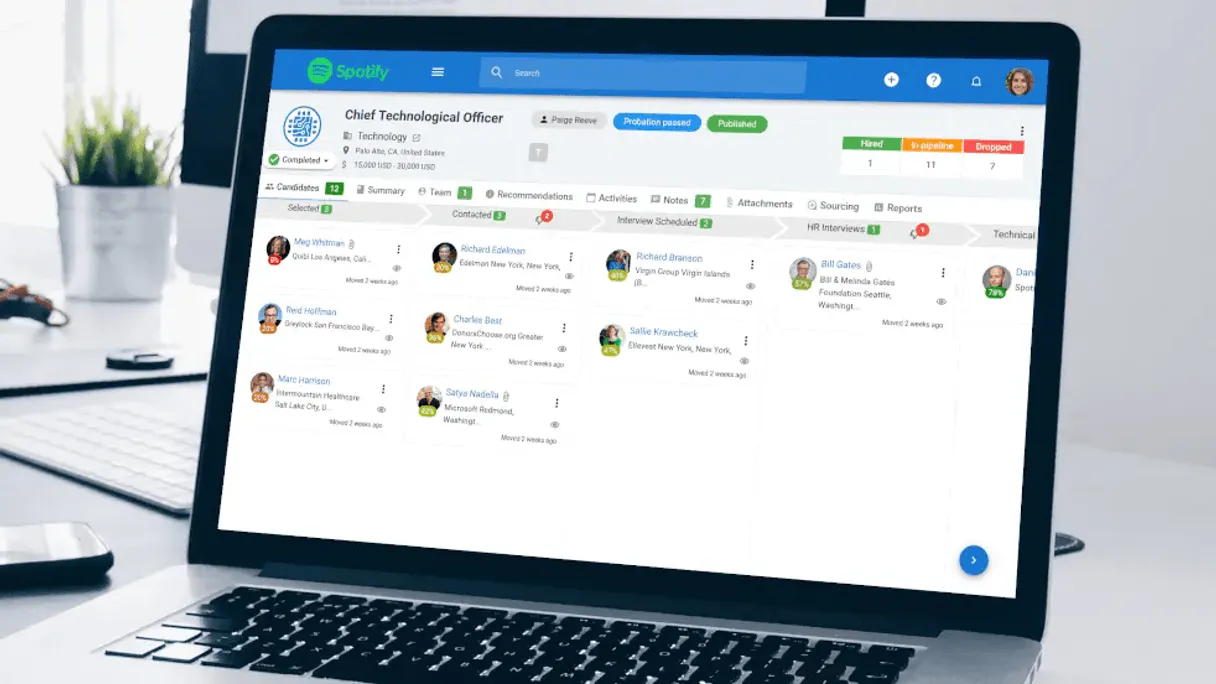
Independent Platform Disclaimer: Vinkius is an independent platform and is not affiliated with, endorsed by, sponsored by, verified by, or otherwise authorized by Manatal. All third-party trademarks, logos, and brand names are the property of their respective owners. Their use on this website is strictly for informational purposes to identify service compatibility and interoperability.
VINKIUS INFRASTRUCTURE
Cloud Hosted
Managed infra
V8 Isolated
Sandboxed per request
Zero-Trust Proxy
No stored credentials
DLP Enforced
Policy on every call
GDPR Compliant
EU data residency
Token Compression
~60% cost reduction
Works with Claude, ChatGPT, Cursor, and more
The Model Context Protocol standardizes how applications expose capabilities to LLMs. Instead of operating in isolation, your AI gains direct access to external platforms, live data, and real-world actions through secure, standardized connections.
This server provides 10 capabilities that interface natively with Claude, ChatGPT, Cursor, and any MCP client. No middleware. No custom integration required.
Available Capabilities
Searching your ATS feels like navigating a corporate maze.
Today, finding basic information—like checking if a candidate has applied to a job last year—requires clicking through at least five different dashboards. You pull up the 'Candidates' tab, then click 'Applications,' filter by date range, and finally use the search bar. It takes minutes just to gather context.
With this Manatal MCP server, you stop navigating. You ask your agent: 'Show me all applications for candidates in Marketing.' The tool runs `list_candidates` and `list_applications`, pulling only the relevant data into a clean response. You get the answer without touching a single filter.
Manatal MCP Server gives you complete Applicant Tracking System control.
The manual process of checking client relationships involves jumping to the 'Client' section, finding the organization ID, and then manually cross-referencing that ID with the department structure. It’s slow and error-prone.
Now you can ask your agent: 'What departments work for TechCorp Inc?' The tool executes `list_organizations` and `get_organization`, immediately mapping out the internal structure of a client organization in seconds. That's how fast.
Common Questions About Manatal MCP
How do I list candidates using Manatal MCP Server? +
You ask your agent to run list_candidates. It will return an overview of all candidates, giving you their names and basic IDs. You can then follow up by asking the agent to use get_candidate for specific details.
Can I see job openings from Manatal using get_job? +
No. Use list_jobs first to get a list of all current job roles. Then, if you want deep info on one role, ask the agent to use get_job with the specific ID.
What is the difference between listing applications and getting an application? +
Use list_applications when you need a general count or list of all records. Use get_application only when you know the exact ID and need to pull every single detail for that one record.
Does Manatal MCP Server help me check client departments? +
Yes. The agent can first run list_organizations to find the right client, then use list_departments to get a breakdown of all internal business units within that organization.
What credentials does the Manatal MCP Server require to run tools like `get_organization`? +
You must provide a valid Manatal API Token. This token authorizes your agent to access and manipulate data across all associated organizations in your system.
How can I use the `list_organizations` function to view my client base? +
The tool pulls a list of every organization tied to your account. This lets you confirm which clients are connected and gives you their unique IDs for later lookups.
If I need to check multiple job sources, how does `list_career_pages` help? +
This tool retrieves a full list of all your configured career pages. You use this to manage where candidates can view and submit applications for open jobs.
When I run `get_candidate`, what detailed profile information does it return? +
It pulls comprehensive data on a candidate, including their work history, education records, and full contact details. This gives your agent everything needed for deep talent analysis.
Where can I find my Manatal API Token? +
Log in to Manatal, go to Administration > Integration > API, and you will find your API Token there.
Can I list candidates by page? +
Yes, use the list_candidates tool and provide the page parameter to navigate through your results.
Is my data secure? +
Absolutely. Your token is encrypted at rest and injected securely at runtime.
Use it with your favorite AI tools
Connect this server to Cursor, Claude, VS Code, and more.
More in this category

BrightHR
Simplify people management with holiday tracking, shift scheduling, and absence management built for UK and ANZ businesses.
Gem
Manage recruitment CRM pipelines, track candidates, and oversee outreach via AI agents with Gem.

Didacte
Equip your AI agent to manage LMS courses, track learner progress, and monitor enrollments via the Didacte (Workleap) API.
You might also like

Order Desk
Route and manage orders from multiple sales channels to fulfillment providers with automation rules that handle the complexity.

Thinkific Alternative
Manage Thinkific groups and webhooks — delete specific student groups and monitor site events directly from your AI agent.

Landing
Create high-converting landing pages in minutes with AI-powered templates and drag-and-drop editing built for marketers.