
Megaphone MCP. Manage ad campaigns and podcast content flow.
 Gemini
 Works with every AI agent you already use
…and any MCP-compatible client









Just plug in your AI agents and start using Vinkius.
Megaphone handles all your podcast publishing and advertising workflows. Use this server to manage networks, list podcasts, track episodes across a library, and handle full ad campaign placement details via natural conversation.
What your AI agents can do
Get episode
Retrieves detailed information about a single podcast episode.
Get network details
Fetches specific metadata and details for an entire podcast network.
Get podcast
Gets detailed information about a single podcast show within a network.
List all associated podcast networks and retrieve detailed metadata for any single network.
Enumerate podcasts within a network, then list and search specific episodes across the entire library using tools like list_episodes or search_episodes.
List active ad campaigns for a network and check available ad locations for any given episode.
Retrieve records of existing advertisement orders placed within the network.
Ask AI about this MCP
Supported MCP Clients
Gemini Waiting for input…
Megaphone MCP Server: 10 Tools for Content Ops
Use these tools to programmatically manage every aspect of your podcast publishing workflow—from listing networks to tracking specific ad orders.
019d75d1get episode
Retrieves detailed information about a single podcast episode.
019d75d1get network details
Fetches specific metadata and details for an entire podcast network.
019d75d1get podcast
Gets detailed information about a single podcast show within a network.
019d75d1list ad locations
Lists the available ad spots and locations for a specific episode.
019d75d1list campaigns
Retrieves all currently active or past ad campaigns associated with a network.
019d75d1list episodes
Lists every available episode for a given podcast show.
019d75d1list networks
Returns a list of all connected podcast networks under your account.
019d75d1list orders
Retrieves records and details for ad orders that have been placed in the network.
019d75d1list podcasts
Lists all individual podcasts belonging to a specific network.
019d75d1search episodes
Searches across your entire podcast library for episodes matching keywords or criteria.
Choose How to Get Started
Build a custom MCP for your own tools, or connect a ready-made integration from our catalog.
Build Your Own
Turn any API into an MCP. Import a spec, define Agent Skills, or deploy with MCPFusion.
- Import from OpenAPI, Swagger, or YAML specs
- Create Agent Skills with progressive disclosure
- Deploy to edge with MCPFusion framework
- Built in DLP, auth, and compliance on every call
- Real time usage dashboard and cost metering
- Publish to catalog or keep private
Make Your AI Do More
Start with Megaphone, then connect any of our 4,700+ other servers whenever your AI needs more. One click, no limits.
- Use this MCP plus 4,700+ others, all in one place
- Add new capabilities to your AI anytime you want
- Every connection is secured and compliant automatically
- Track usage and costs across all your servers
- Works with Claude, ChatGPT, Cursor, and more
- New servers added to the catalog every week
What you can do with this MCP connector
Look, forget those clunky dashboards and half-baked API calls. This Megaphone MCP Server hooks your AI client up right to your podcast publishing and ad management workflow. You're gonna manage everything—from the network structure all the way down to specific ad spots—just by chatting with your agent.
Network Overview
When you wanna map out your whole operation, start by calling list_networks. That'll give you a clean list of every podcast network attached under your account. If you need deep metadata on just one of those networks, you use get_network_details to pull all the specifics for that single entity.
Tracking Content Inventory
Once you know which networks you're working with, you gotta find the content inside. You can list every individual podcast belonging to a network using list_podcasts. For any specific show you pick out, you run get_podcast to grab all its detailed setup info. To see what episodes are actually available for that show, use list_episodes, which enumerates everything in the library.
If you're hunting down something specific—maybe a keyword or a date range—you don't have to list 'em one by one; just hit up search_episodes and it crawls your entire catalog. Need the full data on one particular episode? You call get_episode, and that gives you all the deep details for that single piece of content.
Managing Ad Placement and Campaigns
Running ads is half the job, right? To manage ad revenue, first, check out what campaigns are active or were run by calling list_campaigns. You can then figure out exactly where an ad needs to go on a specific episode using list_ad_locations; this shows all the available spots and locations for that one piece of content.
When you need to track down existing placements, you use list_orders to retrieve records and details on every ad order placed in the network.
Putting It All Together
This setup means your agent doesn't just pull data; it lets you build a full workflow. You can tell it to list all networks, then find all podcasts within Network A, get the episode count for Show B, and immediately check which ad spots are open on Episode 145. It processes that whole chain of commands conversationally.
You're basically telling your agent: 'Check these ads, pull this data, cross-reference those episodes.' You don't have to juggle a dozen tabs; you just talk to your client and it handles the backend calls using all ten tools: list_networks, get_network_details, list_podcasts, get_podcast, list_episodes, search_episodes, get_episode, list_campaigns, list_ad_locations, list_orders. You'll get the whole picture of your publishing and ad revenue in one go.
How Megaphone MCP Works
- 1 Subscribe to the Megaphone MCP Server and provide your API Token.
- 2 Your AI client uses specific tools (like
list_networksorget_podcast) to gather data. - 3 The agent processes that raw data—say, identifying all episodes matching 'AI'—and gives you a clean, conversational summary.
The bottom line is your AI client turns complex dashboard clicks into simple chat queries, pulling structured data from Megaphone automatically.
Who Is Megaphone MCP For?
This is for the Content Ops Manager who spends half their day clicking through dashboards just to check publication status. It’s for the Ad Sales Rep who needs instant access to ad inventory across multiple client networks. If you manage published media and paid placements, this server handles it.
Manages entire portfolios of shows, needing to run list_networks to audit all associated podcasts.
Needs to quickly check ad campaign status or available ad locations using list_campaigns and list_ad_locations for clients.
Requires the ability to search massive episode libraries (search_episodes) and verify publishing statuses across hundreds of shows.
What Changes When You Connect
- Check episode status fast. Instead of manually checking a dashboard, use
get_episodeorsearch_episodesto instantly verify if an episode is published or needs attention. - Track every ad placement detail. Need to know where ads run? Run
list_ad_locationson any given episode to see the exact spots available for monetization. - Audit your entire portfolio. Use
list_networksandget_network_detailstogether to get a full, structured view of all connected client accounts in one go. - Manage ad sales campaigns. The tool
list_campaignslets you see every active campaign running against the network without having to jump between tabs. - Get complete content oversight. By combining
list_podcastsandlist_episodes, your agent builds a full map of what shows exist and how many episodes they have.
Real-World Use Cases
Checking for Competitor Content
The content manager needs to know if any client network published an episode about 'Quantum Computing' last week. They ask their agent to run search_episodes across all networks, instantly receiving a list of matching episodes instead of running manual keyword searches in five different dashboards.
Auditing Ad Placements
The ad sales rep needs to confirm what ads are scheduled for a new client launch. They use list_orders and then follow up with list_ad_locations on the target episode, getting precise details about inventory without leaving their chat window.
Onboarding a New Client
A network director needs to see everything associated with a new client. They ask the agent to first use get_network_details then run list_podcasts, getting both high-level metadata and a list of every show name in two simple steps.
Identifying Content Gaps
The editor wants to see if any podcast within the 'Tech' network has published more than 50 episodes. They ask their agent to run list_podcasts and then iterate through the results, checking each one with list_episodes.
The Tradeoffs
Calling tools sequentially
The user manually calls get_network_details, gets a list of IDs, then has to call list_podcasts for each ID, and finally runs get_podcast on every result. This is tedious.
→
Let your agent handle the flow. Instead of calling three tools one by one, you ask: 'Give me all podcast names for network XYZ.' The agent knows it needs to run list_podcasts internally and only presents the final list.
Over-relying on keywords
The user just searches 'ad management' hoping everything comes back. They miss specific campaign details or ad order IDs.
→
Be precise. Ask for a specific action, like: 'What are the active campaigns in network ID 123?' This forces the agent to use list_campaigns, giving you actionable data instead of general text.
Assuming full episode visibility
The user assumes that just listing a podcast shows all episodes. They might miss archived or unlisted content.
→
If the search is broad, always use search_episodes first. It searches across the entire library, which is better than relying only on the limited view from list_episodes.
When It Fits, When It Doesn't
Use this server if your job involves managing content and monetization for multiple podcast networks. You need to know about campaigns (list_campaigns), episode status (get_episode), and ad inventory (list_ad_locations).
Don't use it if you only care about raw analytics (like total downloads over time) or simple message passing—you might need a pure metrics API. If your goal is just listing things, list_networks or list_podcasts are enough, but for full operational control, this is the one.
The key difference: This server connects the content side (the podcast show) directly to the money side (ad campaigns). It’s built for workflow management, not just reading data.

Independent Platform Disclaimer: Vinkius is an independent platform and is not affiliated with, endorsed by, sponsored by, verified by, or otherwise authorized by Megaphone. All third-party trademarks, logos, and brand names are the property of their respective owners. Their use on this website is strictly for informational purposes to identify service compatibility and interoperability.
VINKIUS INFRASTRUCTURE
Cloud Hosted
Managed infra
V8 Isolated
Sandboxed per request
Zero-Trust Proxy
No stored credentials
DLP Enforced
Policy on every call
GDPR Compliant
EU data residency
Token Compression
~60% cost reduction
Works with Claude, ChatGPT, Cursor, and more
The Model Context Protocol standardizes how applications expose capabilities to LLMs. Instead of operating in isolation, your AI gains direct access to external platforms, live data, and real-world actions through secure, standardized connections.
This server provides 10 capabilities that interface natively with Claude, ChatGPT, Cursor, and any MCP client. No middleware. No custom integration required.
Available Capabilities
Checking episode status across 50 networks shouldn't take an hour of clicking.
Right now, checking content status means logging into the dashboard. You select Network A, then filter by Podcast B, then scroll through fifty episodes to see if they were published yesterday. If you have 50 networks and need to check 20 shows, that’s an entire afternoon of clicking and copy-pasting.
With this MCP server, your AI agent handles it all in one go. You ask: 'Show me the publish status for all episodes containing 'AI' across my top five client networks.' The agent runs `search_episodes` and delivers a clean report—no dashboards, no clicking.
Megaphone MCP Server: Track ad campaigns and episode inventory.
The manual process for ad placement is brutal. You have to check the campaign dashboard (`list_campaigns`), then separately look up an episode's available slots (`list_ad_locations`), and finally manually cross-reference if an order was placed (`list_orders`). It's three different systems just to confirm one thing.
Now, you ask your agent: 'What ad locations are open for the new episode?' The server runs `get_episode` data, checks against available slots with `list_ad_locations`, and gives you a single payload. You stop jumping between dashboards.
Common Questions About Megaphone MCP
How do I find all my client networks using Megaphone MCP Server? +
You use the list_networks tool. This quickly returns a list of every network connected to your account, giving you a full overview before you dive into specific content.
Can I search episodes by keyword with Megaphone MCP Server? +
Yes, use the search_episodes tool. This function searches across your entire library and lets you find all relevant content using natural language queries, which is much better than manually listing everything.
What tools do I need to check ad placement on an episode? +
You'll use list_ad_locations after getting the specific details of the show with get_episode. This pairing lets you see exactly where ads can run for that content.
How do I check if a podcast is part of a larger network? +
First, use list_networks to get the master list. Then, use list_podcasts and specify the network ID to see which shows belong under that umbrella.
How do I set up my Megaphone API Token before running `list_networks` using the Megaphone MCP Server? +
You must input your valid Megaphone API Token when subscribing to this server. Once authenticated, your AI client can run list_networks immediately, confirming full read access across all connected networks.
When running `list_episodes`, does the Megaphone MCP Server handle large numbers of results or require pagination? +
The server automatically supports pagination for extensive episode libraries. Your AI client manages fetching subsequent data pages until it confirms all available episodes have been successfully retrieved.
If I want to see a full history, how does `list_campaigns` show me ad campaigns in a network? +
The tool retrieves both active and historical campaign records for the specified network. You can tell your agent to filter these results by status or date range to narrow down what you're looking for.
Before running `get_episode`, how do I ensure I have the correct Network ID and Podcast ID needed by the Megaphone MCP Server? +
You must first use list_networks to obtain the main network identifier. Then, run list_podcasts using that result to pinpoint the exact podcast identifier you need for any specific episode query.
How do I find my Megaphone API Token? +
Log in to Megaphone, go to your Organization settings, and look for the API section to generate or copy your token.
What podcast data can I access? +
You can access metadata for networks, podcasts, episodes, ad campaigns, and ad locations.
Is my data secure? +
Absolutely. Your token is encrypted at rest and injected securely at runtime.
Use it with your favorite AI tools
Connect this server to Cursor, Claude, VS Code, and more.
More in this category

CaptionHub
Manage video localization via CaptionHub — track projects, automate transcription, and approve captions directly from any AI agent.

Calibre-Web
Browse and manage your Calibre-Web library via OPDS and Kobo sync — access catalogs, specific shelves, and device metadata directly.

DEV.to
Manage your DEV.to presence — publish articles, fetch latest posts, and update content directly from your AI agent.
You might also like
RocketLaunch.Live
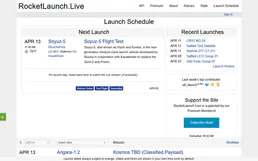
Track rocket launches worldwide — search upcoming launches, vehicles, companies, locations and missions.
Custify
Predict and prevent customer churn with health scores, lifecycle tracking, and automated playbooks for your CS team.

Sonarr (TV)
Automate TV library management via Sonarr — list series, track episodes, and monitor download queues directly from any AI agent.