
Meld MCP. Track Assets, Wallets, and Rates from One Chat.
 Gemini
 Works with every AI agent you already use
…and any MCP-compatible client









Just plug in your AI agents and start using Vinkius.
Meld gives your AI client full control over digital asset intelligence and blockchain operations. It's a unified API that lets you track connected crypto wallets, list all supported networks, retrieve real-time exchange rates, and analyze detailed metadata for any digital token.
What your AI agents can do
Get account info
Retrieves general connection details about your registered Meld account.
Get asset
Fetches detailed metadata and current pricing for a single specified digital asset.
Get exchange rates
Calculates real-time exchange rates between two different currencies (fiat or crypto).
Checks the overall account connection status using get_account_info.
Lists all linked crypto wallets and retrieves detailed balance information for any specific wallet via list_wallets and get_wallet_details.
Finds digital assets by name or symbol using search_assets, then pulls deep metadata, pricing, and details for a specific token via get_asset.
Retrieves up-to-the-minute exchange rates between fiat currencies (like USD) and various digital assets using get_exchange_rates.
Fetches a list of recent transactions for your connected wallets using list_transactions.
Ask AI about this MCP
Supported MCP Clients
Gemini Waiting for input…
Meld MCP Server: 10 Tools for Asset Intelligence
These tools give your agent direct access to all key financial data points, allowing it to audit accounts, track rates, and search across entire blockchain ecosystems.
019d75d1get account info
Retrieves general connection details about your registered Meld account.
019d75d1get asset
Fetches detailed metadata and current pricing for a single specified digital asset.
019d75d1get exchange rates
Calculates real-time exchange rates between two different currencies (fiat or crypto).
019d75d1get network
Retrieves specific information about one supported blockchain network.
019d75d1get wallet details
Gets the current balance and ownership details for a linked wallet.
019d75d1list assets
Provides a comprehensive list of all digital assets connected to your account.
019d75d1list networks
Lists every supported blockchain network that Meld tracks data for.
019d75d1list transactions
Retrieves the history and details of recent transactions from linked wallets.
019d75d1list wallets
Shows a list of all crypto wallets you have connected to the server.
019d75d1search assets
Searches for digital assets across the catalog using name or symbol, returning potential matches.
Choose How to Get Started
Build a custom MCP for your own tools, or connect a ready-made integration from our catalog.
Build Your Own
Turn any API into an MCP. Import a spec, define Agent Skills, or deploy with MCPFusion.
- Import from OpenAPI, Swagger, or YAML specs
- Create Agent Skills with progressive disclosure
- Deploy to edge with MCPFusion framework
- Built in DLP, auth, and compliance on every call
- Real time usage dashboard and cost metering
- Publish to catalog or keep private
Make Your AI Do More
Start with Meld, then connect any of our 4,700+ other servers whenever your AI needs more. One click, no limits.
- Use this MCP plus 4,700+ others, all in one place
- Add new capabilities to your AI anytime you want
- Every connection is secured and compliant automatically
- Track usage and costs across all your servers
- Works with Claude, ChatGPT, Cursor, and more
- New servers added to the catalog every week
What you can do with this MCP connector
Meld MCP Server: Crypto Assets & Rates
Connect your AI agent—Claude, Cursor, whatever y'all got running—to Meld. This isn't just some read-only API; it gives your client full control over digital asset intelligence and blockchain operations. You can track connected crypto wallets, list every supported network out there, grab real-time exchange rates, and dig into detailed metadata for any token you wanna look at.
Your Digital Command Center
When you hook this server up, your agent handles the heavy lifting. It lets you manage complex financial questions using plain conversation. You ain't just asking a question; you're orchestrating multi-source data from across the crypto sphere.
Audit Account Status: Your client runs get_account_info to check the overall status of your registered Meld account connection, so you always know if everything's green or if somethin' broke.
Wallet Management & History: You can use list_wallets to get a comprehensive list of every single crypto wallet y'all got linked up. Once you see those wallets, you run get_wallet_details for any specific one; that shows the current balance and all the ownership details tied to it. To keep tabs on what happened in the past, your agent calls list_transactions, pulling back a full history of recent transactions from any linked wallet.
Finding Assets & Pricing: Need info on a token? Your client first runs search_assets if you only know the name or symbol; that spits out potential matches across the whole catalog. When you've nailed down the asset, running get_asset pulls deep metadata and current pricing for that specific digital asset.
If y'all wanna see everything connected to your main account, list_assets provides a big list of every digital asset already attached. For hyper-specific lookups on assets, get_asset is the tool you use.
Tracking Rates & Networks: When the dollar moves against Bitcoin, or when you gotta figure out how much Ethereum is worth in USD right now, your client runs get_exchange_rates. This calculates real-time exchange rates between any two currencies—whether they're fiat like USD or another crypto.
For blockchain coverage, running list_networks gives you a full manifest of every supported chain that Meld tracks data for. If you wanna drill down on just one specific chain—say, checking out the rules and specs for Polygon—your client runs get_network, pulling all the detailed info about that single supported network.
How It Works
- You subscribe to the Meld server right here on Vinkius.
- You drop your unique Meld API Key and Secret into your AI client's settings.
- Suddenly, you can talk to your agent about your crypto portfolio, and it uses these tools under the hood to give you concrete numbers—it doesn't guess, it reports what the data says.
How Meld MCP Works
- 1 First, subscribe to the Meld server and provide your API credentials. Your AI agent needs these keys to access your account.
- 2 Next, prompt your agent with a request—for example, 'What is the current USD value of my ETH balance?'
- 3 The agent runs multiple tools (
get_wallet_details,get_exchange_rates) in sequence and returns a single, natural language answer to you.
The bottom line is that your AI client acts as an orchestrator, running the necessary Meld API calls behind the scenes so you don't have to worry about complex JSON payloads or multiple endpoints.
Who Is Meld MCP For?
This tool is for quantitative developers and financial analysts who are tired of bouncing between dashboards, manual APIs, and spreadsheets just to get a holistic view of their digital assets. If you need your agent to handle complex data chaining—like 'What was the average USD value of my portfolio last quarter?'—this is what you're missing.
Uses Meld to build scripts that pull real-time asset rates and historical transaction data, automating complex financial reports.
Tests the full scope of blockchain interactions—from listing networks (list_networks) to validating specific assets (get_asset)—to define product boundaries for a new crypto feature.
Asks the agent to cross-reference multiple data points, like checking wallet balances and then immediately fetching the exchange rate for comparison.
What Changes When You Connect
- See your entire portfolio status at a glance. Running
list_walletsgives you an immediate overview of all linked accounts without needing to log into multiple exchanges. - Stop guessing asset values. Use
get_exchange_ratesto get the current, real-time rate for any pair (e.g., BTC/USD) and instantly calculate its worth against your holdings. - Deep dive into specific tokens. Instead of just a price, use
get_assetto pull full metadata—like contract addresses or total supply—for thorough research on an asset. - Track activity without logging in.
list_transactionspulls recent movement history directly through the agent, letting you audit your spending and income instantly. - Understand the infrastructure. You can run
list_networksto see which blockchains are supported, verifying if a token exists on Polygon before checking its price.
Real-World Use Cases
Auditing Cross-Chain Activity
A developer needs to know if an asset they listed in their database (list_assets) is actually supported by the network. They ask the agent, and it runs get_network first, then cross-references that data with the available assets, confirming connectivity before proceeding.
Calculating Current Net Worth
A crypto analyst wants to know their total net worth in USD. They tell the agent: 'What is my balance?' The agent runs list_wallets and then loops through every wallet, running get_wallet_details for balances, followed by get_exchange_rates for the fiat conversion.
Investigating a Suspicious Transaction
A user spots an unfamiliar transaction. They prompt the agent to run list_transactions. The agent shows them the details and then uses that asset's symbol in get_asset to verify the token type, solving the mystery instantly.
Checking Asset Availability
A product manager wants to ensure a new token is tracked. They use search_assets by name. If found, they proceed to run get_asset to confirm all necessary metadata fields are present for implementation.
The Tradeoffs
Hardcoding API Calls
Writing a Python script that requires 5 separate calls (one for every piece of data: wallet A balance, network B status, rate C, etc.). This code gets complex fast and breaks if any endpoint changes.
→
Don't write the plumbing. Let your agent handle it. Ask the prompt, 'Show me my total assets in USD.' The agent will automatically chain list_wallets -> get_wallet_details -> get_exchange_rates, keeping the code clean and reliable.
Ignoring Network Context
Calling get_asset for an asset without knowing if the underlying network is active. The call fails or returns stale data because you didn't check connectivity first.
→
Always start with list_networks and confirm the desired chain status using get_network. This validates your entire operation before fetching specific assets.
Using General Search Only
Searching for an asset by a vague name that brings up multiple potential results, forcing you to manually check each one's metadata.
→
Use search_assets first to narrow down the list. If you still need more detail on a specific result, use get_asset with its precise ID for guaranteed data.
When It Fits, When It Doesn't
You should use Meld if your task requires combining multiple types of financial data points—specifically assets, wallets, networks, and rates—into one coherent answer. If you need to know: 'What is the value of my XYZ token on Ethereum right now?' Meld handles that chain of calls for you.
Don't use this server if your task is simple web scraping (get data from a non-blockchain website) or if you only need one single, isolated piece of information (e.g., just listing all transactions). For those cases, a basic HTTP client tool will be simpler and more direct than invoking the entire Meld framework.
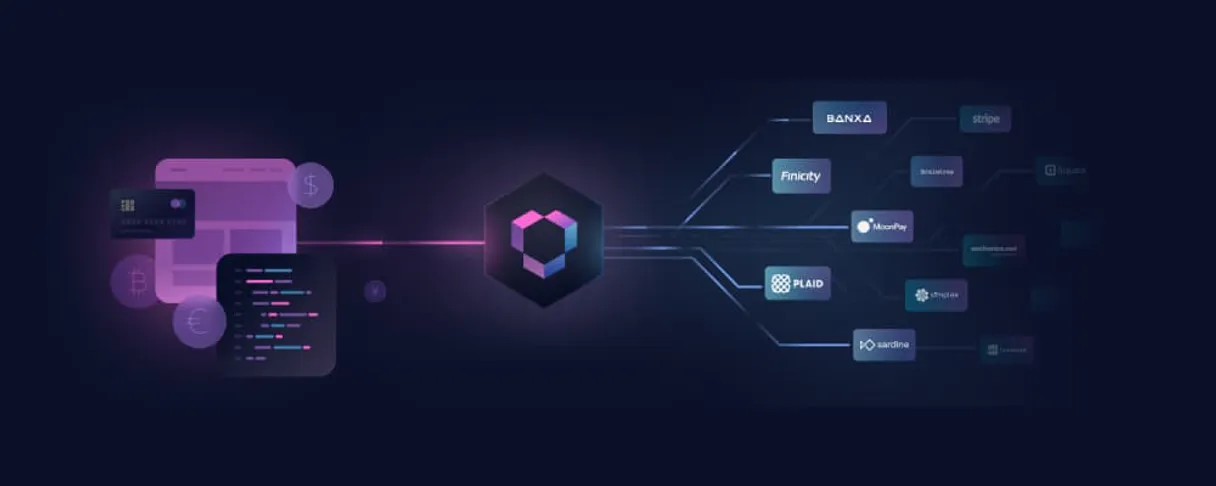
Independent Platform Disclaimer: Vinkius is an independent platform and is not affiliated with, endorsed by, sponsored by, verified by, or otherwise authorized by Meld. All third-party trademarks, logos, and brand names are the property of their respective owners. Their use on this website is strictly for informational purposes to identify service compatibility and interoperability.
VINKIUS INFRASTRUCTURE
Cloud Hosted
Managed infra
V8 Isolated
Sandboxed per request
Zero-Trust Proxy
No stored credentials
DLP Enforced
Policy on every call
GDPR Compliant
EU data residency
Token Compression
~60% cost reduction
Works with Claude, ChatGPT, Cursor, and more
The Model Context Protocol standardizes how applications expose capabilities to LLMs. Instead of operating in isolation, your AI gains direct access to external platforms, live data, and real-world actions through secure, standardized connections.
This server provides 10 capabilities that interface natively with Claude, ChatGPT, Cursor, and any MCP client. No middleware. No custom integration required.
Available Capabilities
Manually compiling a net worth statement shouldn't take 20 clicks.
Right now, figuring out your total crypto balance means opening three different dashboards: one for your wallet balances, another to check the current exchange rate (BTC/USD), and maybe a third just to confirm which blockchain network you're even talking about. You copy-paste numbers, cross-reference rates manually, and spend half an hour fighting with API keys.
With Meld MCP Server, you ask your agent one question: 'What is my total net worth?' It runs the necessary sequence—calling `list_wallets`, fetching balances via `get_wallet_details`, and running `get_exchange_rates`—and hands you a single, accurate number. Period.
Meld MCP Server: Get comprehensive data on digital assets.
Previously, tracking asset movement meant checking transaction logs (`list_transactions`) and then separately looking up the specific token's metadata (`get_asset`). This two-step process was tedious; you had to manually ensure the transaction matched the asset definition. Now, your agent links these calls together automatically. It processes the transaction history, validates the asset data using `get_asset`, and tells you everything—no manual cross-referencing needed.
Common Questions About Meld MCP
How do I list all supported blockchain networks in Meld? +
Run the list_networks tool. This gives you an immediate overview of every major chain (like Ethereum or Polygon) that the server is currently tracking data for.
What should I use to find a specific digital asset's price? +
First, run search_assets with a name or symbol. Once you get the correct result ID, use get_asset to pull the full details and current pricing for that token.
Can Meld track my wallet balances? +
Yes. Run list_wallets to see all linked accounts, then use get_wallet_details on a specific wallet name to fetch the balance and current holdings.
How do I get real-time exchange rates using Meld? +
Simply call the get_exchange_rates tool. You just need to provide the two currencies you want to compare, like BTC/USD, and it returns the current rate.
How do I use the `list_transactions` tool in Meld to see my recent activity? +
You run list_transactions to fetch a record of your account's spending and deposits. This shows everything from all linked wallets, including dates, amounts, and transaction types.
What credentials do I need to set up my Meld server? +
You must provide your unique Meld API Key and API Secret during the initial setup process. These keys authenticate your agent and authorize access to all digital asset data via the MCP standard.
How do I use the `list_assets` tool in Meld to see every supported digital token? +
Running list_assets provides a comprehensive inventory of all digital tokens compatible with your connected accounts. This list includes names, symbols, and initial metadata for each asset type.
If I need to check my overall connection status, how do I use the `get_account_info` tool in Meld? +
Call get_account_info to verify your agent's current authorization and account metrics. This confirms that all connected services are active and accessible through your AI client.
How do I find my Meld API Key and Secret? +
Log in to Meld, go to your Dashboard settings, and navigate to the API section to generate your key and secret.
What networks are supported by Meld? +
Meld supports a wide range of blockchain and traditional financial networks. Use the list_networks tool to see the current list.
Is my asset data secure? +
Absolutely. Your credentials are encrypted at rest and injected securely at runtime.
Use it with your favorite AI tools
Connect this server to Cursor, Claude, VS Code, and more.
More in this category
IBAN.com
Validate and audit banking codes — identify IBAN and SWIFT via AI.

Asaas
Manage payments, customers, and subscriptions with Asaas — the complete digital account for Brazilian businesses via AI.

OpenCost (K8s Cost)
Monitor and analyze Kubernetes infrastructure costs — query workload allocations, backing assets, and cloud billing directly from your AI agent.
You might also like

Pixabay Alternative
Search and retrieve millions of royalty-free images and videos directly from Pixabay's massive creative library.

PingCode
Agile project management and R&D collaboration platform — manage work items, sprints, and wiki pages via AI.

Lingyi Wanwu
Orchestrate Lingyi Wanwu AI models — manage chat completions, embeddings, and monitor Yi model performance directly from any AI agent.