
PingCode MCP. Manage Projects and Docs via Conversation.
 Gemini
 Works with every AI agent you already use
…and any MCP-compatible client









Just plug in your AI agents and start using Vinkius.
PingCode lets your AI agent manage entire software development lifecycles right from your chat client. It connects to your agile project management platform, letting you list projects, track sprints, create bugs, and pull documentation instantly via natural conversation.
You don't need to click through dashboards; just ask for the info.
What your AI agents can do
Create work item
Generates a new task (bug, story, etc.) and adds it to an existing project in PingCode.
Get project
Retrieves detailed information about a specific agile development project by its name or ID.
Get wiki page
Fetches the full, current content of a specific wiki page for immediate reference.
List all active agile projects in the organization, giving you a quick overview of every development workspace.
Generate structured tasks—like bugs or stories—in specific projects using the create_work_item tool.
List sprints and releases to understand current development phases and upcoming delivery deadlines.
Retrieve the full text from a specific wiki page using get_wiki_page or list available pages via list_wiki_pages.
List organization teams and members to see who works where, helping you manage collaboration boundaries.
Ask AI about this MCP
Supported MCP Clients
Gemini Waiting for input…
PingCode MCP Server: 10 Tools for R&D Workflow
These ten tools give your AI agent complete control over project discovery, task creation, sprint tracking, and documentation retrieval within PingCode.
019d846ccreate work item
Generates a new task (bug, story, etc.) and adds it to an existing project in PingCode.
019d846cget project
Retrieves detailed information about a specific agile development project by its name or ID.
019d846cget wiki page
Fetches the full, current content of a specific wiki page for immediate reference.
019d846clist members
Returns an organized list of all individuals who belong to the organization.
019d846clist projects
Lists every active agile project available within your PingCode account scope.
019d846clist releases
Provides a list of planned and completed product releases for any given project.
019d846clist sprints
Retrieves details about active, upcoming, or historical sprints within a specified project.
019d846clist teams
Lists all defined organizational teams (e.g., Frontend Team, QA Squad) in PingCode.
019d846clist wiki pages
Returns a list of titles and links for all available wiki pages across the organization's documentation repository.
019d846clist work items
Lists all existing tasks, stories, or bugs within a specified project scope.
Choose How to Get Started
Build a custom MCP for your own tools, or connect a ready-made integration from our catalog.
Build Your Own
Turn any API into an MCP. Import a spec, define Agent Skills, or deploy with MCPFusion.
- Import from OpenAPI, Swagger, or YAML specs
- Create Agent Skills with progressive disclosure
- Deploy to edge with MCPFusion framework
- Built in DLP, auth, and compliance on every call
- Real time usage dashboard and cost metering
- Publish to catalog or keep private
Make Your AI Do More
Start with PingCode, then connect any of our 4,700+ other servers whenever your AI needs more. One click, no limits.
- Use this MCP plus 4,700+ others, all in one place
- Add new capabilities to your AI anytime you want
- Every connection is secured and compliant automatically
- Track usage and costs across all your servers
- Works with Claude, ChatGPT, Cursor, and more
- New servers added to the catalog every week
What you can do with this MCP connector
Listen, forget clicking through a dozen dashboards just to find one piece of info. PingCode lets your AI agent handle the whole development life cycle right from your chat client. It connects straight into your agile project management setup—you don't need to navigate anything; you just ask for it.
When you use this, your agent first shows you everything that’s going on in the company. You can list every active project available in your PingCode account scope using list_projects, giving you a quick rundown of all development workspaces. Need deep details on one specific workspace? Just ask for it, and the agent pulls up the full info via get_project.
It handles all your timeline tracking too. To understand where development stands, it'll pull up lists of sprints—whether they're active, upcoming, or historical—by running list_sprints. You can also see what's coming down the pipe by checking out planned and completed product releases using list_releases.
For task management, the agent is your real-time pair programmer. If you need to get started on a new bug or feature story, it generates that structured work item for an existing project using create_work_item. You can also review all the junk currently in the queue by listing every existing task, story, and bug within a specific scope via list_work_items.
When you're done with tasks, you gotta figure out who did what. It lists all defined organizational teams—like the QA Squad or Frontend Team—using list_teams, and it’ll also give you an organized roster of every person belonging to the organization via list_members. This helps you manage collaboration boundaries without pulling up a directory.
For documentation, it's just as easy. You can get a list of titles and links for every wiki page across the whole repo using list_wiki_pages. If you know exactly which document you need, asking for that specific page content brings in the full, current text instantly via get_wiki_page. It’s like having your notes pulled up on demand.
Basically, it takes all those complicated project management tasks—listing projects, getting detailed status reports, tracking sprints and releases, generating new bugs, listing existing tasks, finding who's on the team, and pulling wiki docs—and makes them simple conversations for your AI client. You get the info you need without touching a single button.
How PingCode MCP Works
- 1 First, subscribe to the PingCode server and provide your Client ID and Secret.
- 2 Next, point your AI client (Claude, Cursor, etc.) at the MCP endpoint. Your agent can now see all available tools.
- 3 Finally, simply ask your agent a natural language question—like 'List all projects in the finance department'—and it runs the necessary tool calls for you.
The bottom line is: You talk to your AI client, and it handles the complex API calls against PingCode in the background.
Who Is PingCode MCP For?
Product Owners who hate manually refreshing Jira dashboards. Software Developers tired of switching between their IDE and a project board just to update status. Agile Coaches needing a unified view across multiple team boards. Anyone whose day involves translating 'what needs to be done' into concrete tasks.
Uses the tool to audit backlogs, list work items in a project, and monitor sprint velocity via natural language queries.
Calls create_work_item directly from their agent environment when they find a bug or need to log completed code stories.
Uses the tool to list all projects and teams, giving them a high-level overview of organizational workflow health across multiple departments.
What Changes When You Connect
- Saves time listing projects. Instead of navigating through menus, your agent runs
list_projectsinstantly, giving you a list of every development workspace in seconds. - Instant documentation access. Need to know the system architecture? Use
get_wiki_pageto pull the full content—no more digging through nested folders. - Structured task creation. Don't remember an important bug? Your agent can call
create_work_item, ensuring you capture all necessary metadata (type, priority) immediately. - Full visibility on timelines. You get a clear picture of development status by running
list_sprintsand tracking upcoming releases withlist_releases, keeping your team ahead of deadlines. - Better collaboration planning. Use
list_teamsandlist_membersto see who is assigned to what, making it easy for Product Owners to reassign tasks without manual searching.
Real-World Use Cases
Auditing a stalled feature.
A PM needs to know why the 'Payment Gateway' project hasn't moved. They ask their agent, which runs get_project for that specific ID. The response shows the last recorded sprint dates via list_sprints, revealing the team is blocked on a dependency issue logged in the work items.
Onboarding a new engineer.
A new developer asks their agent, 'What's the core system architecture?' The agent runs get_wiki_page for 'System Architecture,' delivering the latest diagrams and component descriptions immediately. This replaces hours of reading internal wikis.
Responding to a bug report.
A QA tester finds an issue but doesn't know where it belongs. They prompt their agent, 'Create a new high-priority bug in the Checkout Flow project.' The agent uses create_work_item and correctly tags the item type and priority level.
Planning a major release.
A Product Owner asks for the scope of Q3. The agent runs list_projects, then list_releases on the relevant projects, compiling a timeline showing all required sprints and deliverables into one readable summary.
The Tradeoffs
Asking for everything at once.
I'll just ask my agent to 'Show me project status, team members, and documentation.' The agent gets overwhelmed or only returns partial data because the request is too vague.
→
Break it down. First, use list_projects to narrow the scope. Then, specifically ask: 'For the Core Engine Refactor project, list all sprints and retrieve the wiki page for API guidelines.' Focus on sequence.
Assuming data is current.
I just call list_work_items without checking who owns them first. I get a huge list of stale tasks that nobody has touched since last month.
→
Always check scope and ownership first. Use list_teams or filter by owner when running list_work_items to ensure you only see active, relevant assignments.
Ignoring project context.
I ask the agent to 'Create a new bug.' It asks for nothing because I didn't specify which project. I waste time giving it generic details that get rejected.
→
Always provide the target scope first. Start by asking get_project details, then follow up with: 'Now create a work item in this project to log this bug.'
When It Fits, When It Doesn't
Use PingCode if your workflow is already structured around an agile board (Scrum/Kanban) and documentation lives in a central wiki. It works best when you need to perform multi-step tasks: 'List the projects' $\rightarrow$ 'Get details on Project X' $\rightarrow$ 'Create task Y in Project X.' Don't use this if your project management is highly decentralized or uses non-standard tooling (e.g., email threads for tracking). If you only need general organizational directory data without tying it to a specific sprint, simple people/team directories might suffice. But if the core of your job involves coordinating development cycles and referencing internal specs, PingCode connects those dots automatically.
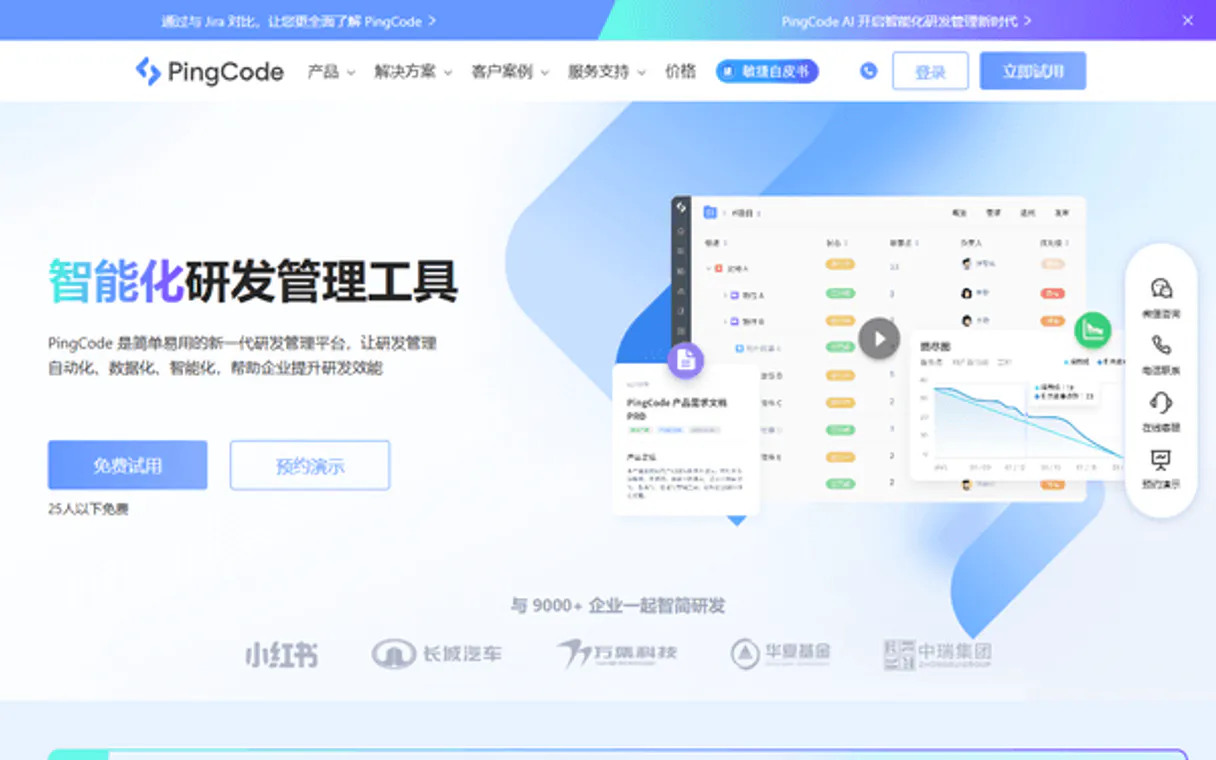
Independent Platform Disclaimer: Vinkius is an independent platform and is not affiliated with, endorsed by, sponsored by, verified by, or otherwise authorized by PingCode. All third-party trademarks, logos, and brand names are the property of their respective owners. Their use on this website is strictly for informational purposes to identify service compatibility and interoperability.
VINKIUS INFRASTRUCTURE
Cloud Hosted
Managed infra
V8 Isolated
Sandboxed per request
Zero-Trust Proxy
No stored credentials
DLP Enforced
Policy on every call
GDPR Compliant
EU data residency
Token Compression
~60% cost reduction
Works with Claude, ChatGPT, Cursor, and more
The Model Context Protocol standardizes how applications expose capabilities to LLMs. Instead of operating in isolation, your AI gains direct access to external platforms, live data, and real-world actions through secure, standardized connections.
This server provides 10 capabilities that interface natively with Claude, ChatGPT, Cursor, and any MCP client. No middleware. No custom integration required.
Available Capabilities
Managing project status usually means opening three different tabs.
Today, checking a single feature's status is a manual chore. You open the main dashboard to see if it’s in a sprint. Then you click into the 'Tasks' tab to see if the work item exists, and finally, you open the Wiki section to verify the technical specs. This copy-paste cycle kills focus.
With PingCode, your agent handles this chain of actions. You tell it: 'What is the status of the Payment Gateway feature?' It runs `list_sprints`, pulls task data via `list_work_items`, and grabs context from the wiki page—all in one response.
PingCode MCP Server helps you with Project & Wiki Tools.
No more switching between Jira, Confluence, and your local terminal just to plan a sprint. Your agent handles the cross-reference: it pulls team lists (`list_members`), checks which projects are available (`list_projects`), and confirms if the required documentation exists (`list_wiki_pages`).
It's one unified interface for everything R&D touches. You stay in your chat client, and your agent executes the entire project lifecycle flow.
Common Questions About PingCode MCP
How do I use list_projects to see all my work? +
You just ask your agent to run list_projects. It will return a full manifest of every active agile project you have in the organization, letting you pick the right workspace.
Can I use create_work_item for bugs only? +
No. The create_work_item tool lets you generate any type of item—bugs, stories, or tasks—and supports metadata like priority and description when you ask.
What is the difference between list_sprints and list_releases? +
Sprints are short, focused periods (typically 1-2 weeks) for immediate work. list_sprints gives that detail. Releases are larger milestones or versions of the product; use list_releases to track those bigger delivery dates.
How does get_wiki_page know which page I mean? +
You must provide a specific wiki page title or identifier. The agent uses this context when calling the get_wiki_page tool to retrieve the correct content from the repository.
What credentials do I need to run the get_project tool? +
You must subscribe and provide a Client ID and Client Secret. These credentials authenticate your AI client, granting it permission to access your PingCode workspace data.
How can I filter my results when using list_work_items? +
You pass optional parameters directly into the function call. You can specify filters like a project ID or even narrow down tasks by due date for precise item lists.
If I use create_work_item, do I need to run get_project first? +
No, you don't have to. You just provide the target Project ID in the call. The system handles context and returns an error if that project doesn't exist.
What types of metadata does the get_project tool retrieve? +
It pulls core details beyond just the name. You can get scope information, owner IDs, status flags, and key dates like planned start or end dates for the project.
How do I find my PingCode Client ID and Secret? +
Log in to the PingCode Enterprise Backend, navigate to [Credential Management] (凭据管理), and create a new application. Your Client ID and Client Secret will be generated there.
Can I create different types of work items like bugs or stories? +
Yes. When using create_work_item, you can specify the type parameter (e.g., 'task', 'story', 'bug') to ensure the item is correctly categorized in your agile project.
Does this server support wiki documentation? +
Yes. You can use list_wiki_pages to browse through your documentation repositories and get_wiki_page to retrieve the content of specific pages for your AI agent to read.
Use it with your favorite AI tools
Connect this server to Cursor, Claude, VS Code, and more.
More in this category

Unkey API Management
Manage and verify your user API keys via Unkey — create, revoke, and track usage directly from any AI agent.

Pinata Cloud
Automate IPFS pinning and decentralized storage via Pinata — manage files, JSON, and groups directly with AI.
Genderize
Predict the gender of a person based on their first name via AI agents with Genderize.io.
You might also like

Appcues
Guide users through your product with in-app onboarding flows, feature announcements, and usage analytics without code.

Okendo Reviews
Manage customer reviews and social proof via Okendo — track ratings, questions, and product feedback directly from your AI agent.

Japan e-Stat
Query official Japanese government statistics — population, GDP, industry, trade, employment, and more — from the e-Stat national database.