
Midjourney MCP. Generate, blend, and refine complex visuals directly from your agent.
 Gemini
 Works with every AI agent you already use
…and any MCP-compatible client









Just plug in your AI agents and start using Vinkius.
Midjourney MCP Server connects your AI agent to Midjourney's Imagine API, giving you direct control over visual output. Use it to generate images from text prompts, upscale low-resolution assets, create variations of concepts, or blend multiple source images into a single composition using the `blend` tool.
It also lets you reverse-engineer prompts (`describe`) and edit specific areas in generated art with masking (`inpaint`).
What your AI agents can do
Blend
Takes multiple image URLs and optionally a text prompt to combine them into a single new composition.
Describe
Analyzes an uploaded image and returns the structured text prompt used to create it, useful for reverse-engineering styles.
Get task status
Checks if an ongoing generation task is finished and provides the resulting image URLs and available actions (upscale/variation).
Run the imagine tool to create new images based on specific text descriptions and style modifiers.
Use upscale to take any of the initial four generated thumbnails and return a full, high-resolution image file.
The inpaint tool allows you to edit only masked regions of an existing image without changing the rest of the composition.
Execute the blend tool by providing multiple source images and optionally a text prompt to guide their combination into one new picture.
The describe tool analyzes an uploaded image and returns the detailed text prompt needed to recreate its style or composition.
Ask AI about this MCP
Supported MCP Clients
Gemini Waiting for input…
Midjourney MCP Server: 9 Tools for Visual Generation
Use these tools to run the complete image generation lifecycle: prompting, status checks, blending, upscaling, and detailed editing.
019d8458blend
Takes multiple image URLs and optionally a text prompt to combine them into a single new composition.
019d8458describe
Analyzes an uploaded image and returns the structured text prompt used to create it, useful for reverse-engineering styles.
019d8458get task status
Checks if an ongoing generation task is finished and provides the resulting image URLs and available actions (upscale/variation).
019d8458get tasks
Lists recent image generation tasks, allowing you to find specific IDs for subsequent upscale or variation calls.
019d8458imagine
Generates a new set of images from scratch based on your text prompt and returns an immediate task ID.
019d8458inpaint
Edits only specific, masked regions within an existing generated image while keeping the rest of the art untouched.
019d8458reroll
Regenerates four brand new images using the exact same initial prompt if none of the first set were satisfactory.
019d8458upscale
Takes a specific thumbnail from a generation and increases its resolution to a high-quality file.
019d8458variation
Creates alternative versions of an existing generated image, exploring different interpretations of that concept.
Choose How to Get Started
Build a custom MCP for your own tools, or connect a ready-made integration from our catalog.
Build Your Own
Turn any API into an MCP. Import a spec, define Agent Skills, or deploy with MCPFusion.
- Import from OpenAPI, Swagger, or YAML specs
- Create Agent Skills with progressive disclosure
- Deploy to edge with MCPFusion framework
- Built in DLP, auth, and compliance on every call
- Real time usage dashboard and cost metering
- Publish to catalog or keep private
Make Your AI Do More
Start with Midjourney, then connect any of our 4,700+ other servers whenever your AI needs more. One click, no limits.
- Use this MCP plus 4,700+ others, all in one place
- Add new capabilities to your AI anytime you want
- Every connection is secured and compliant automatically
- Track usage and costs across all your servers
- Works with Claude, ChatGPT, Cursor, and more
- New servers added to the catalog every week
What you can do with this MCP connector
You connect your AI agent straight into Midjourney's Imagine API via this server. That means you get direct, hands-on control over every single visual asset you create. Forget sending prompts out to a separate web interface; your agent handles the whole pipeline right here.
Generating Images from Text
To start something new, you run imagine. You feed it a text prompt and style modifiers, and it immediately spits back a task ID while kicking off the generation. It doesn't give you the image yet; it gives you the green light to check on it later.
Managing Tasks and Iterations
Once that job is running, you use get_task_status. This tool checks if the background task finished and tells you exactly what happened. When it's done, it hands you the resulting image URLs and any actions available next—like upscaling or making variations. If you need to see a list of everything your agent has generated recently, use get_tasks; this lets you find specific IDs needed for later upscale or variation calls.
If the first batch of four images isn't hitting the mark, don't panic. You can run reroll. This tool takes your exact original prompt and generates another set of four brand new pictures. It’s like getting a second take on the same shot until you nail it.
Refining and Enhancing Artworks
If one of those initial images looks close but not perfect, you've got options for refinement. You can use variation to generate alternative versions of an existing image, exploring different artistic interpretations of that concept. If the resolution is too low for printing or high-detail work, run upscale.
This takes any of the initial four thumbnails and blows it up into a full, high-quality file.
For more granular control, you use inpaint. You don't change the whole picture; you mask off just one small area—say, someone’s hand or a piece of clothing—and then edit only that specific region. The rest of the art stays exactly where it is.
Advanced Composition and Analysis
Sometimes you need to combine multiple sources into one composition. You execute blend by providing several source image URLs, and optionally giving your agent a text prompt to guide how those images should mix together into a single new picture. For maximum creative control, you might also use the variation tool in conjunction with get_task_status, letting your agent cycle through options until it finds the perfect balance.
If you're looking at an image and think, 'How did they even make this?', you run describe. This analyzes the uploaded picture and returns the structured text prompt—the actual words—that were used to create its style or composition. It’s total reverse-engineering power for your agent.
You've got a full creative lifecycle here: from initial generation via imagine, through iterative refinement with variation and reroll, to high-fidelity adjustments using upscale and targeted edits with inpaint. You can even take disparate pieces of art and fuse them together using the blend tool, all while keeping track of everything via get_tasks and checking the status with get_task_status.
It's one end-to-end system for your agent to build visuals from scratch, refine what exists, or reconstruct lost prompts.
How Midjourney MCP Works
- 1 First, subscribe to this server and input your Midjourney API key via Ace Data Cloud.
- 2 Second, issue a command (e.g., 'Generate an image of...') through your AI client, which calls the
imaginetool. - 3 Third, wait for the task ID; use
get_task_statusto check progress and retrieve the final high-resolution URL.
The bottom line is: you talk to your agent, and the server handles all the API calls, status checks, and asset retrieval, giving you a finished image file in return.
Who Is Midjourney MCP For?
Designers who need rapid concept prototyping; Content Creators running social media campaigns; or Developers building apps that require visual assets. You're the person who gets annoyed when an AI can generate text but needs a way to make it look good.
Using variation and reroll, you quickly prototype multiple looks for a character or scene, refining the concept until it's perfect.
You need custom visuals for blog headers or social media campaigns; you use describe on reference images to pull out effective prompt structures.
You integrate image generation into a user flow, using the task ID returned by imagine and checking status with get_task_status before displaying the final asset.
What Changes When You Connect
- Rapid Prototyping: Don't manually adjust prompts. Use the
variationtool to instantly explore multiple takes on a concept without rewriting text. You get immediate visual alternatives for every initial idea. - Advanced Composition: Need something complex? The
blendtool lets you combine 2-5 source images, guiding the outcome with an optional prompt. This goes way beyond simple side-by-side collages. - Image Quality Control: Generating a thumbnail isn't enough. Use
upscaleimmediately after generation to boost resolution on key assets before they leave your workflow. - Iterative Workflow Management: The system doesn't just generate and vanish. Use
get_tasksto monitor all running jobs, ensuring you never lose track of a background image or asset ID. - Smart Editing: Forget Photoshop masks. With the
inpainttool, your agent edits specific sections—say, changing the color of a character's jacket—without touching anything else in the picture.
Real-World Use Cases
Developing Character Concept Art
A developer needs 10 different looks for a villain. They run imagine with the base prompt. The initial four images are okay, but not right. Instead of restarting, they use variation on image #3 to explore that specific angle, and then repeat the process until they nail the look.
Creating a Composite Scene
A marketing team has three reference photos: a background landscape, a character portrait, and an object. They run blend, providing all three URLs plus a prompt like 'dramatic lighting, cinematic shot.' The agent stitches them into one cohesive piece.
Improving Source Material
A designer finds a low-res sketch for a product mockup. They upload it and use describe to pull out the style keywords ('steampunk, brass accents'). Then they feed those keywords back into imagine to generate high-quality versions.
Fixing Background Elements
An agent generates a perfect portrait, but there's an unwanted power line in the background. Instead of regenerating the whole image, they use inpaint, masking just the wires and letting the AI fill in the missing detail naturally.
The Tradeoffs
Assuming instant results
Running a complex prompt via imagine and then immediately calling for upscale. The system will fail because you need to wait for the job to finish first.
→
Always check status. Run imagine -> Use the returned Task ID in get_task_status repeatedly until it reports 'complete' -> THEN call upscale. This ensures reliable data flow.
Trying to recreate a prompt manually
Looking at an image and guessing keywords like 'epic, cool, forest.' The resulting images will be vague because the style context is missing.
→
Use describe first. This tool analyzes the image's composition and returns the specific, detailed text prompt—like 'cinematic watercolor painting of a lone wolf...'—which you can then use with imagine.
Forgetting about multiple sources
Attempting to combine three images but only providing two URLs to the blending tool. The blend will fail or ignore the missing component.
→
The blend tool requires all source image URLs up front. Make sure you collect and provide every image URL needed for a complete composition.
When It Fits, When It Doesn't
Use this server if your core problem is generating, iterating on, or compositing visual assets based on natural language instructions. You need the output to be high-fidelity artwork, not just raw data.
Don't use it if you only need simple image resizing (use a dedicated library for that) or if your process requires structured metadata extraction (use an OCR service instead). If your goal is merely text generation or code completion, this server does nothing. It is purely a visual asset pipeline; its strength lies in the interdependency of imagine -> get_task_status -> (upscale/variation) and using describe to inform subsequent prompts.
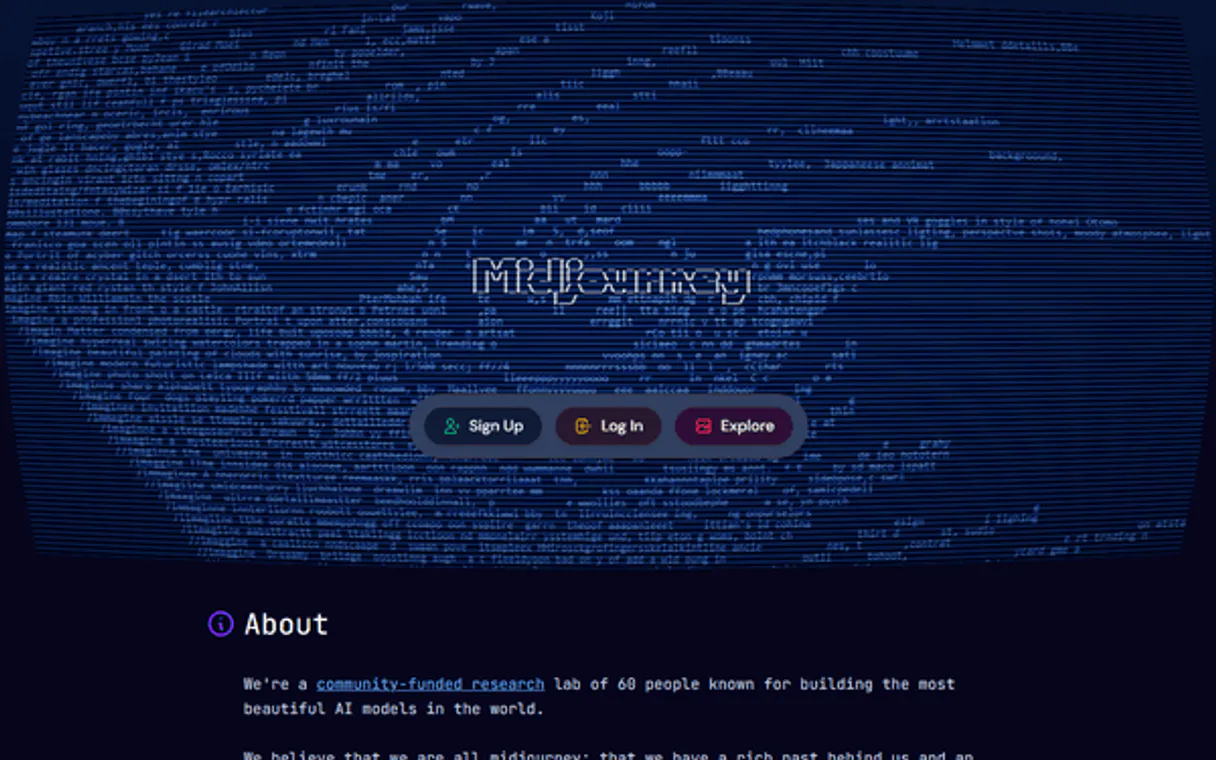
Independent Platform Disclaimer: Vinkius is an independent platform and is not affiliated with, endorsed by, sponsored by, verified by, or otherwise authorized by Midjourney. All third-party trademarks, logos, and brand names are the property of their respective owners. Their use on this website is strictly for informational purposes to identify service compatibility and interoperability.
VINKIUS INFRASTRUCTURE
Cloud Hosted
Managed infra
V8 Isolated
Sandboxed per request
Zero-Trust Proxy
No stored credentials
DLP Enforced
Policy on every call
GDPR Compliant
EU data residency
Token Compression
~60% cost reduction
Works with Claude, ChatGPT, Cursor, and more
The Model Context Protocol standardizes how applications expose capabilities to LLMs. Instead of operating in isolation, your AI gains direct access to external platforms, live data, and real-world actions through secure, standardized connections.
This server provides 9 capabilities that interface natively with Claude, ChatGPT, Cursor, and any MCP client. No middleware. No custom integration required.
Available Capabilities
Visual concepting shouldn't feel like managing five different art apps.
Right now, getting a consistent visual style for a project means hopping between tools: you prompt in one place, download the result, upload it to another tool just to change the color palette, and then manually re-upload that edited asset back into your main workflow. It's tedious; it involves dozens of clicks and constant file management.
With Midjourney MCP, the entire sequence stays inside your agent conversation. You prompt for a look, and if you need a variation or an upscale, you just ask for it. The server handles the asset passing between tools—it's one continuous process, not five separate stops.
Midjourney MCP Server: Control your image assets from chat.
The manual steps of checking task status, downloading the full-res image, and then finding the right variation prompt are completely eliminated. You simply ask for 'the best version,' and the agent handles the `get_task_status` check, the `upscale` call, and returns the final file.
What's different now is that you own the whole pipeline. Your AI client manages the state of generation—you don't have to.
Common Questions About Midjourney MCP
How do I know when my image generation task is ready using get_task_status? +
The get_task_status tool reports the progress percentage and, critically, provides the final image URLs once the job is complete. If it's not finished, it gives you the current status instead.
Can I use blend to combine real-life photos with generated art? +
Yes. The blend tool takes URLs of any images—whether they came from a photo library or were just created by Midjourney—and combines them using your guidance prompt.
What is the difference between reroll and variation in Midjourney MCP Server? +
They serve different purposes. Use reroll when you want 4 completely new ideas based on a prompt. Use variation when you like one specific image but want to explore slightly different interpretations of just that concept.
What do I do if my generated art is low quality and needs fixing? Do I use inpaint or upscale? +
If the whole image is too small, use upscale. If the overall resolution is fine but a specific part (like a hand or a background object) is wrong, mask that area and run inpaint.
If I need to track multiple ongoing generations, should I use get_tasks or check status with get_task_status? +
Use get_tasks to list recent generation activity. This shows IDs and overall progress for everything you've run recently. You only use get_task_status if you know the specific task ID and need a precise, real-time update on its current percentage.
When using blend, are there restrictions on the source images I can provide? +
The system allows blending between 2 to 5 image URLs. While you can mix different sources, remember that providing a guiding text prompt helps the AI know how to combine them into one cohesive composition.
What happens if I run `imagine` with an overly complex or ambiguous prompt? +
The server will generate a task ID and thumbnail regardless, but the resulting image quality might be unpredictable. If you hit generation limits or receive an error, always check your API key credentials first.
How do I use describe to improve my prompt writing for future generations? +
After using describe on a cool piece of art, the output gives you a text prompt. You copy that generated text and feed it directly into imagine. This is the fastest way to recreate a specific style or composition.
How do I get a Midjourney API key? +
Sign up at Ace Data Cloud and subscribe to the Midjourney Imagine API service. You'll receive an API key that works with this MCP server.
What's the difference between upscale and variation? +
Upscale increases resolution of a specific grid image (1-4) to full quality. Variation creates 4 new creative alternatives based on that image's style and composition. Use upscale for final output, variation for exploration.
How long does image generation take? +
Typically 30-60 seconds. Use get_task_status to check progress. The API returns a task ID immediately, and you can poll for completion or set a callback URL for async notification.
Use it with your favorite AI tools
Connect this server to Cursor, Claude, VS Code, and more.
More in this category

Runway ML
Empower your AI with Runway ML's advanced video generation capabilities to seamlessly create, animate, and interpolate high-quality clips using Gen-3 and Gen-4 Turbo models directly from chat.
fal.ai 3D
Generate 3D models via fal.ai — convert images and text to 3D assets using Rodin, TripoSR, Trellis, and 9+ AI models from any AI agent.
Spellbook Legal AI
AI-powered contract drafting and review — analyze contracts, draft clauses, detect risks, and compare against 2,000+ market precedents via Spellbook.
You might also like
Mailify (Sarbacane)
Manage email and SMS marketing campaigns, address books, and contacts via the Mailify API.

Namely
Manage HRIS data via Namely — track employee profiles, job info, and organization groups directly from your AI agent.
Pipedream
Manage Pipedream serverless workflows, sources, webhooks, and raw event data natively via AI agents.