
MindsDB MCP. Run ML Predictions and Audit Models via SQL.
 Gemini
 Works with every AI agent you already use
…and any MCP-compatible client









Just plug in your AI agents and start using Vinkius.
MindsDB (AI Database & Predictors) connects your AI client directly to a full-featured machine learning database engine via SQL. You run predictions, audit models, and query external data sources—all using natural language conversation.
It lets you execute complex ML commands like SELECT ... PREDICT or CREATE MODEL without needing manual CLI access.
What your AI agents can do
Execute sql query
Runs any arbitrary SQL statement against the MindsDB elements, supporting commands like CREATE MODEL or SELECT ... PREDICT.
Get model
Retrieves details and access for a specific, already trained AI prediction engine (model).
Get status
Pings the cluster to return current version and diagnostic health specs.
Execute any standard or predictive SQL statement, including creating new models and fetching predicted data points.
List all deployed AI prediction engines (models) in your project to see what algorithms are ready for querying.
Retrieve the active cluster status and version statistics to verify that the MindsDB environment is running correctly.
List all external databases (like Snowflake or PostgreSQL) linked through MindsDB, helping you understand your data boundaries.
List virtual views that represent complex data transformation logic, acting as proxy tables for clean queries.
Ask AI about this MCP
Supported MCP Clients
Gemini Waiting for input…
MindsDB (AI Database & Predictors) MCP Server: 6 Tools for Data Ops
Use these six tools to manage your machine learning workflow. Execute queries, list models, check status, and audit all connected data sources.
019d75d4execute sql query
Runs any arbitrary SQL statement against the MindsDB elements, supporting commands like CREATE MODEL or SELECT ... PREDICT.
019d75d4get model
Retrieves details and access for a specific, already trained AI prediction engine (model).
019d75d4get status
Pings the cluster to return current version and diagnostic health specs.
019d75d4list databases
Lists all external databases currently connected through your MindsDB instance.
019d75d4list models
Provides an inventory of trained AI tables (models) available within the current project.
019d75d4list views
Lists all virtual data views that represent complex, pre-defined structural mappings inside your target project.
Choose How to Get Started
Build a custom MCP for your own tools, or connect a ready-made integration from our catalog.
Build Your Own
Turn any API into an MCP. Import a spec, define Agent Skills, or deploy with MCPFusion.
- Import from OpenAPI, Swagger, or YAML specs
- Create Agent Skills with progressive disclosure
- Deploy to edge with MCPFusion framework
- Built in DLP, auth, and compliance on every call
- Real time usage dashboard and cost metering
- Publish to catalog or keep private
Make Your AI Do More
Start with MindsDB (AI Database & Predictors), then connect any of our 4,700+ other servers whenever your AI needs more. One click, no limits.
- Use this MCP plus 4,700+ others, all in one place
- Add new capabilities to your AI anytime you want
- Every connection is secured and compliant automatically
- Track usage and costs across all your servers
- Works with Claude, ChatGPT, Cursor, and more
- New servers added to the catalog every week
What you can do with this MCP connector
Listen up. This MindsDB MCP Server connects your AI client straight into a full ML database engine using standard SQL. You're not just running queries; you’re executing predictions, auditing models, and checking data sources—all from one conversation window. It lets you run complex commands like SELECT ... PREDICT or CREATE MODEL without ever touching the command line itself.
Running ML-Enabled Queries
You use execute_sql_query to run any SQL statement against MindsDB's elements. This tool handles more than just standard data retrieval; you can execute entire machine learning workflows, whether that means setting up a new predictive model using CREATE MODEL or immediately fetching predicted data points with SELECT ... PREDICT. If you need the system to perform a computation that involves both historical data and a future forecast, this is your endpoint.
It allows you to run the full lifecycle of an ML model right through your agent's command.
Understanding Your Data Landscape
Knowing what data feeds into your predictions is crucial. You use list_databases to get a list of every external database connected to your MindsDB instance, showing you exactly where your data boundaries are—stuff like Snowflake or PostgreSQL. To understand the complex transformation logic applied to raw data, check out list_views.
This tool lists virtual views, which aren't raw tables; they’re mapped structural layers that let you query complicated transformations as if they were simple proxy tables.
Managing and Auditing Models
Before you predict anything, you gotta know what predictors you've trained. list_models gives you an inventory of all the deployed AI prediction engines (the models) available in your current project. It lets you see which algorithms are ready for querying right out of the gate. If you need deep details on one specific predictor—like its training parameters or status—you call get_model.
This retrieves detailed information and access points for an already trained AI model. You can also check the overall system health by using get_status, which pings the cluster to return current version numbers and diagnostic specifications, confirming that the entire MindsDB environment is running properly.
By combining these tools, you don't just query data; you manage the entire predictive pipeline. You list available models with list_models then execute a prediction using execute_sql_query, all while keeping track of your connected sources via list_databases and verifying system health with get_status. It’s how you run enterprise-grade ML logic without ever leaving your chat client.
How MindsDB MCP Works
- 1 Subscribe to the server and provide your MindsDB API URL and API Key (if using Cloud).
- 2 Your AI client connects this service to its existing knowledge base.
- 3 You ask a natural language question, like 'What will next quarter's sales be for region X?' Your agent translates that into the correct SQL call.
The bottom line is you get full control over ML workflows—from prediction execution to model auditing—all through simple conversational prompts.
Who Is MindsDB MCP For?
This server is for data professionals who are tired of switching context between their IDE, a database console, and a dashboard. If you spend time manually writing SQL just to check if your ML model finished training or if the inputs are correct, this is for you.
Testing predictor accuracy and monitoring the full lifecycle of an ML model (CREATE MODEL) without leaving their chat interface.
Integrating predictive data into applications; they use this to verify external database connections or run test queries against a schema before deployment.
Running complex SQL that combines historical reports with future predictions, generating rapid insights without needing manual ETL pipelines.
What Changes When You Connect
- Predict outcomes directly. You can use
execute_sql_queryto run sophisticated queries that combine current scalar data with future predictions, pulling literal insights across any schema entity. - Audit your entire stack easily. Use
list_databasesto see every external source (Snowflake, Postgres, etc.) connected to MindsDB, giving you full visibility into the data boundaries of your work. - Manage model versions without CLI tools. Run
list_modelsto check which algorithms are ready for querying and monitor their training status directly from your agent conversation. - Verify system health on demand. Running
get_statusgives you immediate, accurate cluster diagnostic information, letting you know if the environment is stable before running mission-critical predictions. - Map complex data logic. The
list_viewstool lets you see the virtual tables that handle complicated data transformations, so you don't have to worry about the underlying ETL code.
Real-World Use Cases
Forecasting Sales Trends for Q3
A BI Analyst needs a Q3 sales projection. Instead of building a dedicated dashboard and waiting for the data team, they ask their agent: 'What's the predicted revenue using the sales_forecaster model?' The agent runs execute_sql_query, fetches the prediction, and gives the answer immediately.
Checking Model Readiness
A Data Scientist finishes training a new customer churn predictor. They use list_models to confirm the model exists and then run get_model to pull its specific connection details, ensuring it's ready for integration.
Troubleshooting Data Source Access
A Software Developer can’t query a table. They ask their agent to use list_databases. The agent responds with 'production_pg' and 'snowflake_warehouse', confirming the correct external source needs credentials updated.
Running Complex Audits
An analyst wants to know if a specific field was included in a complex data join. They run list_views to see the virtual table structure, verifying that the necessary data mapping logic is in place.
The Tradeoffs
Running huge, unconstrained queries
The user types: 'SELECT * FROM sales WHERE date > 2023-01-01'. This query could return millions of rows and crash the context or timeout.
→
Always remember to limit your output. For big reads, use execute_sql_query but explicitly wrap every query in a LIMIT N clause (e.g., SELECT * FROM table LIMIT 10). This prevents resource exhaustion.
Bypassing model abstraction
The user ignores structured tools and tries to write complex, multi-step JOINs manually that might fail because they don't account for the ML prediction logic.
→
For business decisions, start with get_model. This ensures you are querying through the correct, validated abstraction layer instead of raw tables. Use execute_sql_query only when necessary.
Assuming data source connectivity
The user assumes a new database (like a departmental Postgres) is connected because they know it exists outside the system.
→
Always run list_databases first. This confirms that MindsDB has successfully linked and audited the connection before you write any query against it.
When It Fits, When It Doesn't
Use this server if your job requires combining standard SQL data retrieval with predictive machine learning outcomes. It's perfect for Data Scientists and BI Analysts who need to test hypotheses fast—running SELECT ... PREDICT in a chat is a massive win.
* Do use the structured tools (get_model, list_models) when you are making a core business decision or running an audit. These tools ensure your query uses validated, pre-trained logic and respect data governance boundaries.
* Reserve execute_sql_query for specialized tasks: initial setup, ETL testing, or deep diagnostics where you must see the raw database structure. If a query only needs to read existing facts without ML intervention, consider if list_views provides enough abstraction first.
Don't use this if your primary need is just document retrieval; stick with vector search tools instead.
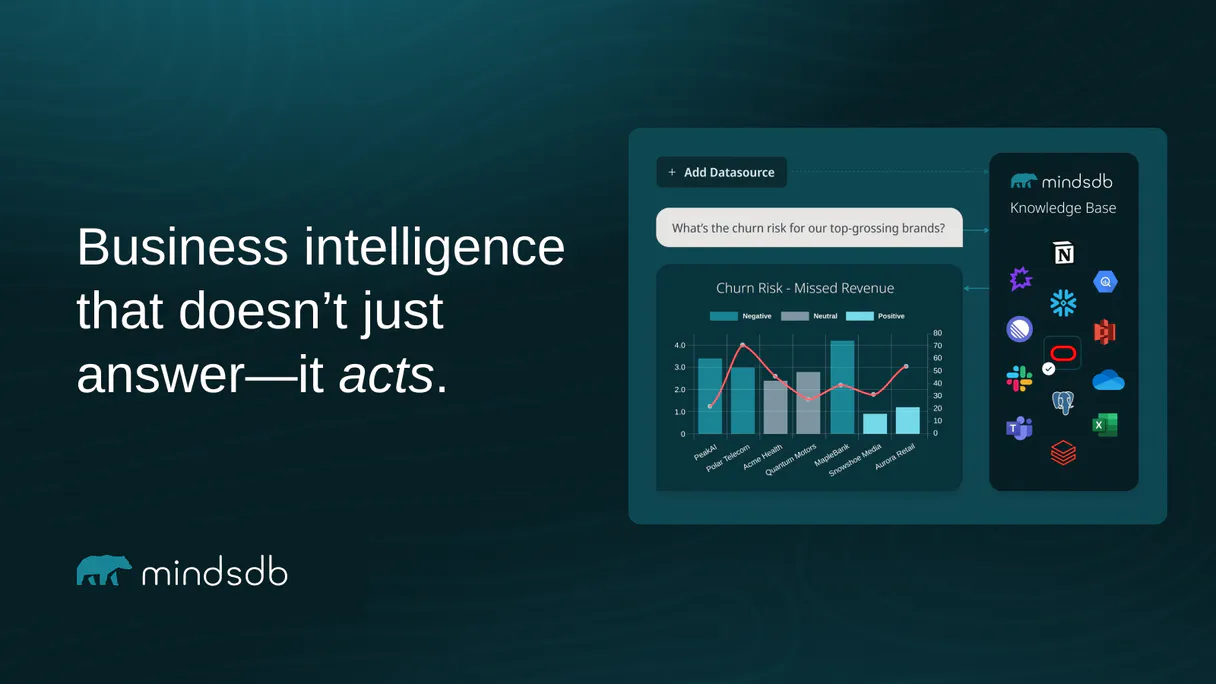
Independent Platform Disclaimer: Vinkius is an independent platform and is not affiliated with, endorsed by, sponsored by, verified by, or otherwise authorized by MindsDB. All third-party trademarks, logos, and brand names are the property of their respective owners. Their use on this website is strictly for informational purposes to identify service compatibility and interoperability.
VINKIUS INFRASTRUCTURE
Cloud Hosted
Managed infra
V8 Isolated
Sandboxed per request
Zero-Trust Proxy
No stored credentials
DLP Enforced
Policy on every call
GDPR Compliant
EU data residency
Token Compression
~60% cost reduction
Works with Claude, ChatGPT, Cursor, and more
The Model Context Protocol standardizes how applications expose capabilities to LLMs. Instead of operating in isolation, your AI gains direct access to external platforms, live data, and real-world actions through secure, standardized connections.
This server provides 6 capabilities that interface natively with Claude, ChatGPT, Cursor, and any MCP client. No middleware. No custom integration required.
Available Capabilities
Dealing with ML Predictions used to feel like a science project—manual and isolated.
Today, running a simple prediction means opening the BI tool, exporting data to Excel, finding the correct model endpoint, manually querying it via an API key, and then pasting the result back into your report. It's slow, high-friction, and requires jumping between three different screens just for one number.
With this MCP server, that entire sequence vanishes. You simply ask your agent: 'What will our Q3 churn rate be?' Your agent handles the complex `execute_sql_query` behind the scenes—calling the model, handling the data source connections, and returning a clean answer in chat. It's instant.
MindsDB (AI Database & Predictors) MCP Server: Run predictions from your chat.
You no longer need to write complex, multi-part Python scripts just to validate a data join or check model performance. The `list_views` and `get_model` tools allow you to see the entire logical flow—from raw source to final predicted metric—using only SQL syntax.
It’s a single pane of glass for ML operations. You write code like an analyst, not an infrastructure engineer.
Common Questions About MindsDB MCP
How do I check if my AI model is trained correctly using the execute_sql_query tool? +
You first run list_models to confirm the model exists. Then, use execute_sql_query with a SELECT ... PREDICT statement. This executes the prediction and returns both the result and an explanation of which data points mattered.
What is the difference between list_views and list_databases? +
list_databases tells you what external systems (Snowflake, etc.) are connected. list_views shows you the specific virtual tables that exist inside MindsDB; these views represent pre-mapped business logic on top of those sources.
Can I check the health before running a query using get_status? +
Yes, absolutely. Before running any prediction or complex query, run get_status. This gives you immediate cluster diagnostic data and version numbers, making sure the environment is stable.
Does execute_sql_query handle CREATE MODEL statements? +
Yes. execute_sql_query supports full ML lifecycle commands, including CREATE MODEL. This lets you programmatically define and train new predictive algorithms directly from your agent.
What credentials are required to use the execute_sql_query tool? +
You need your MindsDB API URL and an API Key. You pass these details into the server setup, which lets your AI client safely connect and run the queries.
How do I avoid context overflow when using execute_sql_query? +
If you expect a large result set, you must include an explicit LIMIT statement in your SQL query. This prevents the agent from hitting memory limits with too many rows.
What information does list_databases provide about my connected sources? +
The tool lists the names of external databases MindsDB is attached to (like PostgreSQL or Snowflake). It audits your data pipeline boundaries but doesn't show table schemas.
Can I combine standard SELECT statements with ML predictions using execute_sql_query? +
Yes, you can. The tool runs complex queries that fetch literal insights by combining structured scalar data alongside the results of an AI model prediction.
Can I train a machine learning model using SQL through my agent? +
Yes. Use the execute_sql_query tool with the 'CREATE MODEL' statement. Your agent will dispatch the command to MindsDB, which will automatically handle the data processing and training of your predictor asynchronously.
How do I connect an external database like PostgreSQL to MindsDB using the agent? +
The execute_sql_query tool supports the 'CREATE DATABASE' syntax. You can command your agent to link a new data source by providing the connection parameters, allowing MindsDB to query your existing data natively.
Can my agent retrieve the status of an ongoing model training? +
Absolutely. Use the get_model tool by providing the model name and project. Your agent will report the current training state, accuracy metrics, and any errors encountered during the AI generation process.
Use it with your favorite AI tools
Connect this server to Cursor, Claude, VS Code, and more.
More in this category

YAML Parser Engine
Convert YAML to JSON and JSON to YAML with absolute precision — including anchors, aliases, and multi-document support. The engine behind Kubernetes, GitHub Actions, and Docker Compose config processing. 30M+ weekly downloads.

Infracost
Cloud cost estimates for Terraform — manage cost guardrails, tagging policies, and custom enterprise price books directly through your AI agent.

Vercel
Bring your Vercel deployment infrastructure into chat. Control project domains, trigger manual builds, and inspect deployment status natively.
You might also like

AfterLogic Aurora
Email and webmail management — manage folders, messages, and accounts via AI.
Codacy
Manage code quality and automated reviews via Codacy — track grades, monitor issues, and audit repository analysis directly from any AI agent.

OpenWeather
Get weather data worldwide — current conditions, forecasts, air quality, alerts and historical data from any AI agent.