
Momence MCP. Manage every booking, member, and class schedule.
 Gemini
 Works with every AI agent you already use
…and any MCP-compatible client









Just plug in your AI agents and start using Vinkius.
Momence MCP Server manages every part of your fitness studio operations. Use natural conversation to view class schedules with `list_sessions`, search member records using `search_members`, manage membership plans via `list_memberships`, and track facility details with `list_locations`.
It connects your AI client directly to core studio data.
What your AI agents can do
Get member
Pulls the full profile details for a single, specific member ID.
Get session
Retrieves all detailed information for one scheduled class session by ID.
List bookings
Lists every single booking made across multiple sessions, showing who booked what and the current check-in status.
You ask the agent about a specific date, and it uses list_sessions to return real-time capacity, waitlist counts, and streaming links.
The agent runs search_members to pull a full profile for any client, including their current membership status, remaining credits, and visit logs.
It uses list_locations to provide a centralized view of every branch the business operates, detailing room setup and local time zones.
The agent calls list_memberships to display all available pricing tiers—class packs, unlimited memberships, or intro offers.
You provide an ID, and the tool executes get_member, immediately delivering that person’s current details without searching the whole database.
Ask AI about this MCP
Supported MCP Clients
Gemini Waiting for input…
Momence MCP Server: 10 Tools for Studio Operations
These tools give your AI agent direct access to every core function of the studio: from checking out members with `get_member` to listing all available classes via `list_sessions`.
019d75d7get member
Pulls the full profile details for a single, specific member ID.
019d75d7get session
Retrieves all detailed information for one scheduled class session by ID.
019d75d7list bookings
Lists every single booking made across multiple sessions, showing who booked what and the current check-in status.
019d75d7list locations
Provides a list of all studio branches managed by Momence, including location details and time zones.
019d75d7list memberships
Retrieves the catalog of current membership plans offered (e.g., Unlimited, Intro Offer, Class Pack).
019d75d7list products
Displays the inventory list for retail items and digital goods sold at the studio.
019d75d7list session types
Lists every class type offered by the studio, along with its default duration and assigned teacher.
019d75d7list sessions
Shows a comprehensive list of all scheduled classes within a specified date range.
019d75d7list teachers
Provides a directory of all instructors, including their specialties and the classes they are assigned to teach.
019d75d7search members
Performs an advanced search on the member database, returning profile data, active memberships, credits, and visit history for matching records.
Choose How to Get Started
Build a custom MCP for your own tools, or connect a ready-made integration from our catalog.
Build Your Own
Turn any API into an MCP. Import a spec, define Agent Skills, or deploy with MCPFusion.
- Import from OpenAPI, Swagger, or YAML specs
- Create Agent Skills with progressive disclosure
- Deploy to edge with MCPFusion framework
- Built in DLP, auth, and compliance on every call
- Real time usage dashboard and cost metering
- Publish to catalog or keep private
Make Your AI Do More
Start with Momence, then connect any of our 4,700+ other servers whenever your AI needs more. One click, no limits.
- Use this MCP plus 4,700+ others, all in one place
- Add new capabilities to your AI anytime you want
- Every connection is secured and compliant automatically
- Track usage and costs across all your servers
- Works with Claude, ChatGPT, Cursor, and more
- New servers added to the catalog every week
What you can do with this MCP connector
Momence MCP Server handles everything for your studio operations. You connect your agent to this server and you can manage client accounts, check class schedules, and track inventory using natural conversation. It's a direct line to your core business data.
Managing Your Clients (Members & Staff)
You need deep info on any person in the system? The search_members tool lets you run an advanced query against the member database. You pull up profiles, checking active memberships, remaining credits, and full visit history for matching records. If you've got a specific ID, use get_member to immediately grab that individual’s current details without running a whole search.
Need staff info? The list_teachers tool provides a directory of every instructor. You see their specialties and which classes they teach.
Scheduling & Availability (Classes)
Checking class availability is simple. Ask your agent for a date, and it uses the list_sessions tool to return real-time capacity numbers, waitlist counts, and streaming links for that day's lineup. For a specific session, run get_session and you get all detailed information about one scheduled class by its unique ID.
You can also check out every class type offered using list_session_types, which shows the default duration and the assigned teacher for each offering.
For booking tracking, use list_bookings. It lists every single reservation made across multiple sessions; you see who booked what and if they're currently checked in. You can review all scheduled classes within a date range by calling list_sessions to build your master schedule view.
Operations & Administration (The Business Stuff)
When it comes to the physical space, use list_locations. This tool gives you a central list of every branch Momence manages. You get location details and local time zones for all sites. Want to know what plans you're selling? The agent calls list_memberships to display your catalog of available pricing tiers—that includes class packs, unlimited memberships, or intro offers.
Need to see what gear you sell? list_products shows the inventory list for both physical retail items and digital goods sold at the studio.
To keep track of staff, run list_teachers to get specialties and assigned classes. If your business is multi-site, use list_locations to detail room setups across all branches. You can also check class availability by asking for a specific date; the agent uses list_sessions to return real-time capacity counts, waitlist numbers, and streaming links.
Core Data Access Summary
- Get Specific People: Use
get_memberwhen you have an ID. Usesearch_membersfor deep profile dives that include membership status, remaining credits, and visit logs. - Manage Locations & Plans: Check every branch with
list_locations. Review pricing options by callinglist_memberships. - View Inventory: Pull the retail stock list using
list_products. - Track Schedules: Get a comprehensive view of all classes in a date range via
list_sessions. For specific booking status, runlist_bookings.
How Momence MCP Works
- 1 First, you ask your agent a question—for example, 'What's happening at the downtown location next week?'
- 2 Your AI client maps that request to Momence and calls relevant tools like
list_locations(to narrow down the place) and thenlist_sessions(to get the dates). - 3 The agent processes the returned data, compiling a clean answer—like showing you the schedule for next week's classes at your chosen location.
The bottom line is: it turns complex studio database queries into natural, conversational questions.
Who Is Momence MCP For?
This server serves Studio Owners and Operations Managers who are tired of manually checking multiple dashboards just to plan a single week. It's for the person who needs instant answers on everything from staffing levels to retail inventory, without leaving their primary workflow.
Uses this to get an immediate overview of revenue health by comparing active list_memberships against class attendance data pulled via search_members.
Handles daily scheduling and capacity issues, using list_sessions to check for overbooking or low enrollment in specific classes.
Responds quickly to member inquiries by running get_member or search_members to verify status and credit usage without navigating multiple tabs.
What Changes When You Connect
- Instant Staffing Clarity: Use
list_teachersto quickly list all instructors. You'll see their bios, specialties, and exactly which classes they are scheduled for this month. - Master Member Data: Instead of checking separate tabs, run
search_members. This single tool pulls a profile, active memberships, credits count, and visit history all at once. - See Studio Capacity At-a-Glance: Asking about tomorrow's schedule triggers
list_sessions, which returns real-time fill rates, waitlists, and streaming links for every class. - Location Management Simplified: If you run multiple studios, use
list_locations. It gives a consolidated view of all branches and correctly handles different time zones. - Inventory Visibility: Need to reorder supplies or update the website? Run
list_productsto get an immediate catalog of all retail items and digital content. - Membership Oversight: Quickly compare your available plans by running
list_memberships. This tells you if you need a new trial offer or just want to adjust class pack pricing.
Real-World Use Cases
A member asks about their booking status.
The front desk staff doesn't know if the client is on the waitlist or if they are already checked in. They ask the agent, and the agent executes list_bookings. The result tells them exactly which session the member booked and whether a spot is confirmed.
The owner needs to check class profitability.
The owner wants to see if their new 'Unlimited' membership plan is actually working. They ask the agent, who runs list_memberships combined with search_members. The resulting data shows how many active members are on that specific tier.
A client needs a full history review.
A member is questioning their credit balance. Instead of having to fill out a form, they ask the agent to run get_member. The tool delivers their profile instantly, showing all credits and past attendance records.
Scheduling conflicts across locations.
The operations manager needs to know if two classes are scheduled at the same time in different parts of the city. They use list_locations first to confirm zones, then run list_sessions, which aggregates data from all branches for a conflict check.
The Tradeoffs
Checking every tab manually
The admin opens the 'Members' dashboard, clicks to 'Bookings', then has to open a separate sheet to compare attendance counts across multiple locations. This takes 15 minutes.
→
Use search_members and list_bookings. You ask the agent for 'Today's attendance report.' The system runs both tools and gives you one consolidated answer, eliminating manual cross-referencing.
Guessing which class is full
A staff member sees a class scheduled but doesn't know if it has spots. They might call the teacher directly or check an outdated sheet.
→
Run list_sessions. This tool provides real-time capacity, waitlist count, and streaming links for every single session, so you know instantly if people can join.
Forgetting which plan a member is on
A client calls asking about rates. The staff must check the pricing page, then cross-reference with the billing system to see what they actually purchased.
→
Run search_members and list_memberships. You can ask the agent: 'What plans are available, and which plan is John currently on?' It gives you both answers in one go.
When It Fits, When It Doesn't
Use this server if your studio's operations require constant cross-referencing between member data (credits, history), class schedules (availability, capacity), and physical assets (locations, products).
Don't use it if you just need a simple calendar view. If all you need is to see when classes are running next month without caring about who booked them or how many spots are left, then basic scheduling software might suffice. However, if your goal is actionable insights—like identifying underperforming locations (via list_locations vs. search_members) or finding out which membership tier is most popular (list_memberships)—this MCP Server connects the dots for you.
It's best when your workflow involves querying multiple datasets: e.g., 'Show me all members at the North location who haven't visited in 30 days, and what class they should book.'
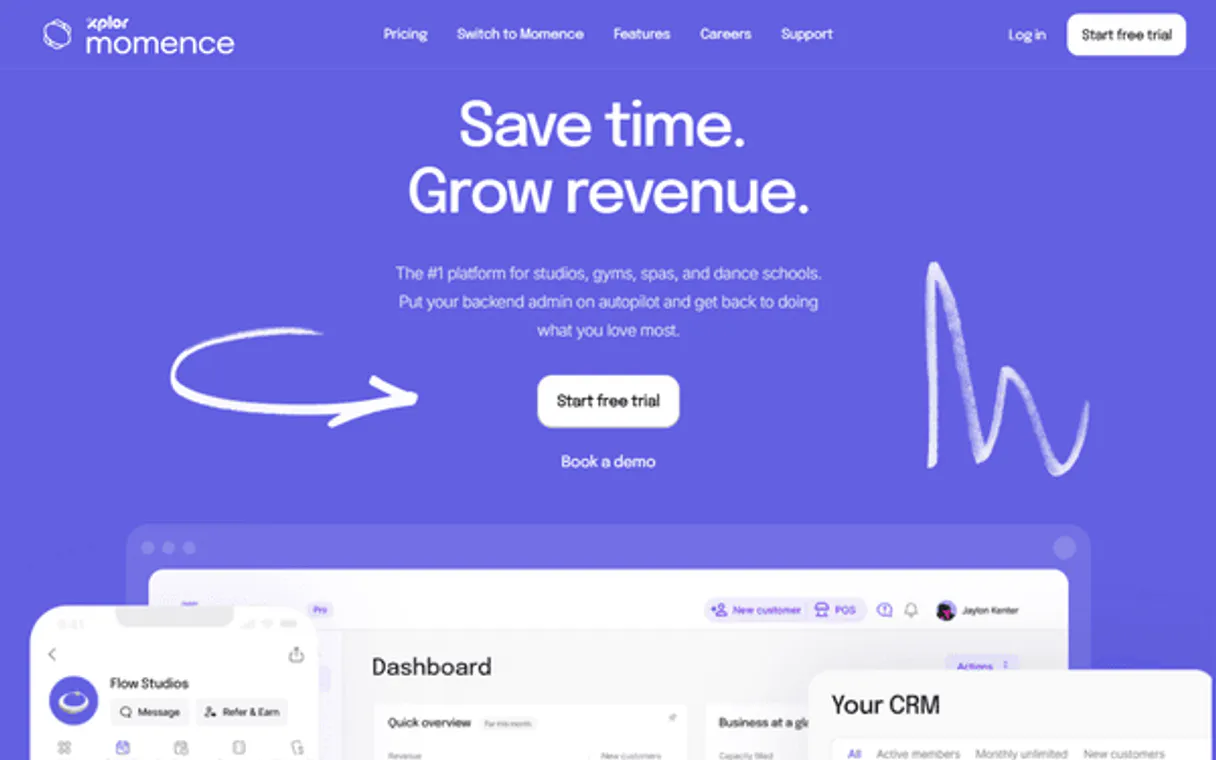
Independent Platform Disclaimer: Vinkius is an independent platform and is not affiliated with, endorsed by, sponsored by, verified by, or otherwise authorized by Momence. All third-party trademarks, logos, and brand names are the property of their respective owners. Their use on this website is strictly for informational purposes to identify service compatibility and interoperability.
VINKIUS INFRASTRUCTURE
Cloud Hosted
Managed infra
V8 Isolated
Sandboxed per request
Zero-Trust Proxy
No stored credentials
DLP Enforced
Policy on every call
GDPR Compliant
EU data residency
Token Compression
~60% cost reduction
Works with Claude, ChatGPT, Cursor, and more
The Model Context Protocol standardizes how applications expose capabilities to LLMs. Instead of operating in isolation, your AI gains direct access to external platforms, live data, and real-world actions through secure, standardized connections.
This server provides 10 capabilities that interface natively with Claude, ChatGPT, Cursor, and any MCP client. No middleware. No custom integration required.
Available Capabilities
Checking member status shouldn't require clicking through four different tabs.
Today, checking a client's status is a nightmare. You start at the 'Members' dashboard to find their profile. Then you click over to the 'Bookings' tab to see if they signed up for class next week. If that's okay, you still have to open another sheet just to verify their current membership plan and available credits. It’s three different systems talking to each other.
With Momence MCP Server, your agent handles all the jumps. You ask: 'What can Sarah do tomorrow?' The system automatically uses `get_member` for Sarah's details, then runs `list_sessions` to check her schedule and capacity, giving you a single, clean answer.
List_teachers MCP Server: Know your staff roster instantly.
Before this server, if the owner wanted to know who was teaching Pilates next week, they had to pull up the 'Teachers' directory and then manually check every single class schedule for that instructor. If a teacher changed specialties, updating it meant touching multiple forms.
Now, just ask the agent to list all available instructors using `list_teachers`. You get their full bio and current assignments instantly. The data is centralized, making scheduling changes fast and reliable.
Common Questions About Momence MCP
How do I use the list_bookings tool? +
You ask the agent to 'list all bookings.' It runs list_bookings and gives you a report showing every single person who booked a class, their name, and if they are currently checked in or waiting for a spot.
Is get_member better than search_members? +
get_member is faster when you already have the member's unique ID. Use search_members when you only know their name, email, or phone number and need to find them first.
What does list_locations show? +
list_locations gives you a map-like view of every single physical studio branch. It lists key details like room names and the correct time zone for that specific location.
Can I check class availability with list_sessions? +
Yes, running list_sessions allows you to filter by date range. The output shows real-time capacity alongside the teacher's name and streaming link for every scheduled session.
How does search_members help with membership issues? +
search_members pulls the member's profile, which includes their active memberships and remaining credits. This lets you confirm their status without calling billing department.
What happens if I use the get_member tool for a member who doesn't exist? +
It returns a specific error code and an empty payload. Your AI client can then handle the failure gracefully instead of crashing, which is key for reliable automation.
Are there rate limits when I use list_sessions to cover a very large date range? +
The API supports batch querying but high-volume requests may trigger throttling. We recommend checking the documentation for optimal date chunking and request pacing.
How do I find out about class formats using the list_session_types tool? +
This tool returns definitions (like default duration or teacher) for every possible class format. It shows what's available, regardless of whether a specific session is currently scheduled.
What is Momence? +
Momence is a next-generation studio management platform used by thousands of yoga, pilates, barre, and boutique fitness studios worldwide. It's known for its modern UX, powerful API, and rapid innovation — many studios are migrating from Mindbody to Momence.
Does it support the Host API and Member API? +
This server uses the Host API, which provides access to all business management functions: sessions, members, bookings, memberships, teachers, and products. The Host API is the recommended choice for AI agents managing studio operations.
Can it process payments for memberships? +
While it can query membership details and pricing, actual payment processing and checkout must be handled through Momence's secure payment gateway for compliance reasons.
Use it with your favorite AI tools
Connect this server to Cursor, Claude, VS Code, and more.
More in this category
ClassPass
Manage your ClassPass schedule, reservations, inventory, and performance analytics for your fitness venue through natural conversation.
idloom
Manage events, attendees, and invoices via idloom.events API.

Microsoft Teams Events
Organize webinars and virtual events through Microsoft Teams with registration, attendee tracking, and engagement features.
You might also like

Adobe Analytics
Customer journey insights — retrieve reports, manage segments, and audit metrics via AI.

Cockpit (Self-hosted Headless CMS API)
Manage your self-hosted Cockpit CMS content, assets, and menus directly from any AI agent.

Bridge Data Output
Access standardized real estate data via the Bridge API — browse MLS listings, property details, and agent info directly from any AI agent.