
idloom MCP. Track event data, attendees, and invoices via AI.
 Gemini
 Works with every AI agent you already use
…and any MCP-compatible client









Just plug in your AI agents and start using Vinkius.
idloom MCP Server. Manage your entire event lifecycle—from initial registration to final invoice. Your AI client can list all events, check attendee details, track every transaction, and manage invoices without opening the idloom dashboard.
This server handles event logistics and financial records, letting your agent automate complex workflows like 'find all unpaid invoices for Event X.'
What your AI agents can do
Get attendee
Retrieves specific details for a single attendee based on their unique ID.
Get event
Fetches all relevant data points for one specific event.
List attendees
Generates a full list of all attendees associated with your account.
Retrieves all metadata for a specific event, including dates and associated settings.
Retrieves the full list of people who registered for an event or are associated with the account.
Lists all generated invoices, letting you filter and see which ones are unpaid or pending payment.
Lists every financial transaction recorded, providing a full log of revenue movements.
Lists available registration forms and the categories they belong to.
Gets the email or contact details for a single attendee or contact record.
Lists all active webhooks set up in your idloom account for system integrations.
Ask AI about this MCP
Supported MCP Clients
Gemini Waiting for input…
idloom MCP Server: 10 Tools for Event & Finance Mgmt
Use these 10 tools to let your AI client read and structure data from your idloom account, covering everything from attendee lists to financial transactions.
019d75b7get attendee
Retrieves specific details for a single attendee based on their unique ID.
019d75b7get event
Fetches all relevant data points for one specific event.
019d75b7list attendees
Generates a full list of all attendees associated with your account.
019d75b7list categories
Lists all predefined categories used for grouping attendees or events.
019d75b7list emails
Returns a list of all contact email records in your idloom account.
019d75b7list events
Provides a list of all events managed through the idloom platform.
019d75b7list invoices
Lists all invoices created, allowing you to check payment status and amounts owed.
019d75b7list registration forms
Displays all registration forms you have set up in the system.
019d75b7list transactions
Lists every financial transaction, giving a detailed history of revenue flow.
019d75b7list webhooks
Retrieves a list of all active webhooks configured for external system communication.
Choose How to Get Started
Build a custom MCP for your own tools, or connect a ready-made integration from our catalog.
Build Your Own
Turn any API into an MCP. Import a spec, define Agent Skills, or deploy with MCPFusion.
- Import from OpenAPI, Swagger, or YAML specs
- Create Agent Skills with progressive disclosure
- Deploy to edge with MCPFusion framework
- Built in DLP, auth, and compliance on every call
- Real time usage dashboard and cost metering
- Publish to catalog or keep private
Make Your AI Do More
Start with idloom, then connect any of our 4,700+ other servers whenever your AI needs more. One click, no limits.
- Use this MCP plus 4,700+ others, all in one place
- Add new capabilities to your AI anytime you want
- Every connection is secured and compliant automatically
- Track usage and costs across all your servers
- Works with Claude, ChatGPT, Cursor, and more
- New servers added to the catalog every week
What you can do with this MCP connector
Your AI client handles your whole event lifecycle through the idloom MCP Server. It lets your agent list events, pull attendee records, track invoices, and manage transactions without you having to open the idloom dashboard. This server handles everything from event setup to financial reconciliation, letting your agent automate complex workflows, like finding all unpaid invoices for a specific event.
Your agent uses these tools to pull data directly from your idloom account:
list_eventsgives you a full list of every event managed in the system.get_eventfetches all the data points for one specific event, including dates and associated settings.list_attendeesgenerates a complete list of every person who registered for an event or is tied to the account.get_attendeeretrieves specific details for one person using their unique ID.list_emailsreturns every contact email record in your idloom account.list_categoriesshows all the predefined categories you use for grouping attendees or events.list_registration_formsdisplays every registration form you've set up.list_invoiceslists all generated invoices, so your agent can check payment status and amounts owed.list_transactionslists every financial transaction, giving a detailed history of your revenue flow.list_webhooksretrieves a list of all active webhooks set up for external system communication.
Your agent pulls this info by calling a tool, which routes the call to the idloom API, executes the request, and sends back the raw data payload. Your agent then interprets that data to complete the job, whether it's summarizing payments or flagging overdue accounts.
How idloom MCP Works
- 1 Tell your agent what you need. For example: 'Check for unpaid invoices for the Q3 Conference.'
- 2 The agent calls the
list_invoicestool, passing the required event ID or date range. - 3 The MCP server executes the call against idloom and returns a list of invoice records, which your agent then summarizes.
The bottom line is that your AI client handles the API calls; you just tell it what data you need.
Who Is idloom MCP For?
The Director of Operations, the Event Coordinator, or the Finance Manager who spends hours manually cross-referencing spreadsheets. If your job involves linking registration lists to billing reports, this server is for you. You're tired of clicking through five different tabs just to answer one simple question about a client’s payment status.
Uses the server to list attendees (list_attendees) and verify that all registered participants are correctly linked to the right event ID.
Calls list_invoices and list_transactions to pull comprehensive financial data, identifying which payments are missing or overdue.
Uses list_events and list_categories to audit which types of events have been run and what categories of attendees were present.
What Changes When You Connect
- Audit Financial Health: Use
list_invoicesandlist_transactionsto pull a clean, consolidated view of all money movement. Stop guessing where revenue gaps are. - Deep Dive on Attendees: Need to know everything about a specific person? Use
get_attendeeto pull full profiles, or runlist_attendeesto get a master list you can analyze instantly. - Streamline Event Prep: Get an overview of all past and future events using
list_events. You can check event IDs and confirm dates before building reports. - Automate Contact Lookups: Don't search for emails manually.
list_emailsgives you a direct list of all contact records, letting your agent pull the necessary addresses for mass communication. - Manage Registration Flow: Use
list_registration_formsto see what forms are active. This lets your agent know which forms need updates or retirement. - Track System Connections: Need to know what external systems are talking to idloom? Run
list_webhooksto get a full inventory of your active integrations.
Real-World Use Cases
Problem: Identifying outstanding payments.
The Finance Manager needs to know which attendees are registered but haven't paid. They ask their agent to 'Show me all unpaid invoices.' The agent runs list_invoices, filters for pending status, and immediately reports the overdue account IDs, saving hours of spreadsheet work.
Problem: Updating an attendee's contact info.
The Event Coordinator learns an attendee changed their primary email. Instead of finding the person in the GUI and updating it, they ask the agent to 'Get the contact email for John Doe.' The agent uses get_attendee and list_emails to retrieve the old record and confirm the correct contact details.
Problem: Comparing attendance vs. event capacity.
The Ops Specialist wants to know if a specific event was too small. They ask the agent to 'List all attendees for Event ABC.' The agent runs list_attendees and counts the total records, comparing that number against the event's capacity recorded by get_event.
Problem: Auditing system integrations.
The IT Director suspects a payment issue. They ask the agent to 'List all webhooks.' The agent runs list_webhooks and provides a list of all active endpoints, allowing the Director to check if a critical payment webhook is still firing correctly.
The Tradeoffs
Guessing the right ID.
A user manually tries to find the correct Event ID or Attendee ID from a long list of reports, leading to errors and wasted time.
→
Don't guess. First, run list_events to get a list of all event IDs. Then, use get_event with the ID you found. Finally, use list_attendees to get the associated records. This sequence ensures you use the correct, current identifiers.
Mixing up financial data.
A user tries to determine revenue by looking only at the invoice list, ignoring smaller, non-invoiced transactions.
→
To get the full picture, run both list_invoices and list_transactions. The agent will pull data from both endpoints, ensuring you capture every single payment event, not just the billed ones.
Treating data as static.
A user assumes an attendee's email address hasn't changed since the last report, and relies on outdated data.
→
Always run list_emails first. This confirms the current, live contact data. Then, use get_attendee to attach the most recent contact record to the person's full profile.
When It Fits, When It Doesn't
Use this server if your workflow requires cross-referencing data across three domains: People (attendees/contacts), Events (logistics), and Money (invoices/transactions). For example, 'Find all unpaid invoices for attendees who attended Event X.'
Don't use this if your goal is simple data entry or single-record viewing. If you only need to read a single event name, you can probably do that without the server. But if you need to connect that event name to a list of attendees and check the corresponding invoices, this is the only place to go. It's built for complex, multi-step data analysis, not quick lookups.
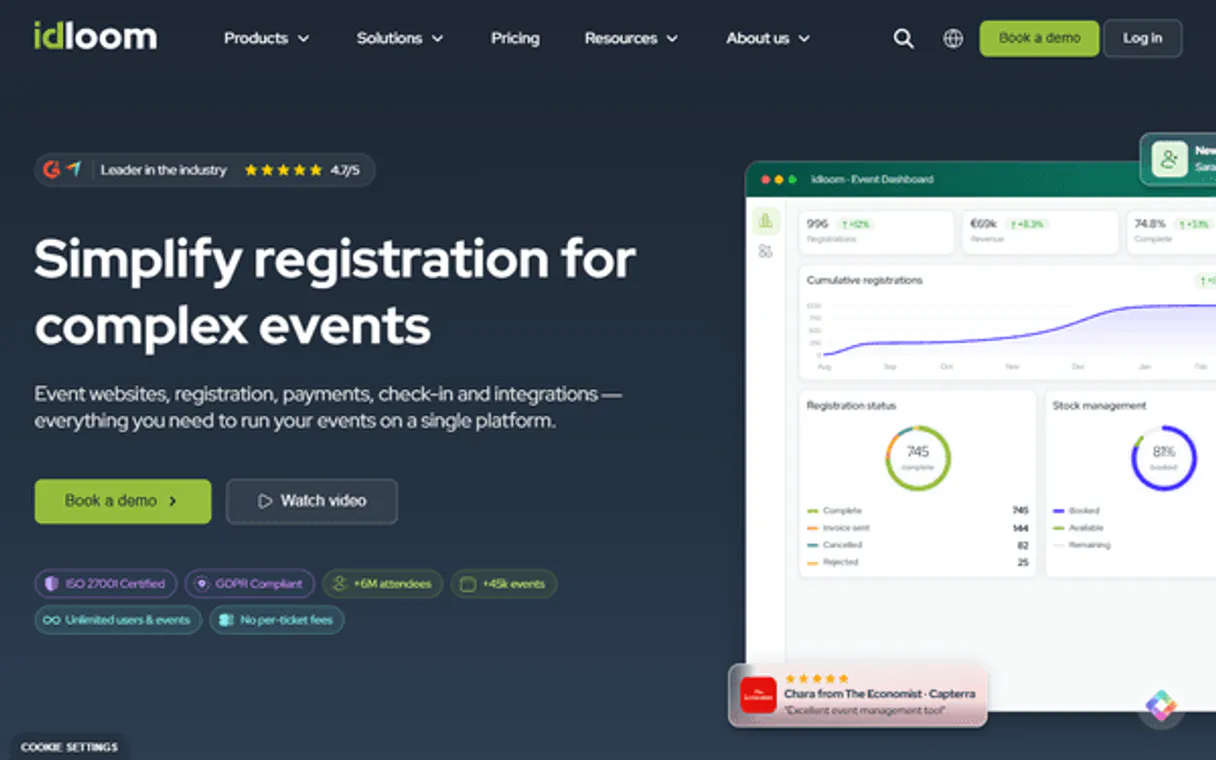
Independent Platform Disclaimer: Vinkius is an independent platform and is not affiliated with, endorsed by, sponsored by, verified by, or otherwise authorized by idloom. All third-party trademarks, logos, and brand names are the property of their respective owners. Their use on this website is strictly for informational purposes to identify service compatibility and interoperability.
VINKIUS INFRASTRUCTURE
Cloud Hosted
Managed infra
V8 Isolated
Sandboxed per request
Zero-Trust Proxy
No stored credentials
DLP Enforced
Policy on every call
GDPR Compliant
EU data residency
Token Compression
~60% cost reduction
Works with Claude, ChatGPT, Cursor, and more
The Model Context Protocol standardizes how applications expose capabilities to LLMs. Instead of operating in isolation, your AI gains direct access to external platforms, live data, and real-world actions through secure, standardized connections.
This server provides 10 capabilities that interface natively with Claude, ChatGPT, Cursor, and any MCP client. No middleware. No custom integration required.
Available Capabilities
Manually tracking event payments is a nightmare.
Every time you run an event, you face the same manual mess. You export the attendee list from the registration tab. Then, you copy those names into a separate spreadsheet. You cross-reference that list against your billing system to see who paid. If you miss one tab, or if a person changes their name, you're stuck with inaccurate data and wasted hours of reconciliation.
With the idloom MCP Server, your agent handles the messy parts. You just ask: 'Show me all attendees for the Tech Summit who have outstanding invoices.' The agent runs `list_attendees` and then checks `list_invoices`—all in one go. You get a clean, filtered list of exactly who needs a reminder, every time.
Manage event data with the idloom MCP Server.
No more jumping between the event calendar, the contact list, and the finance dashboard. The server makes the event ID, the attendee list, and the invoice status all available in a single data context.
Your AI client now treats your entire event ecosystem as one source of truth. You stop managing data; you just ask questions, and the system gives you the precise answer.
Common Questions About idloom MCP
How do I check if an attendee paid for an event using the idloom MCP Server? +
You must run list_invoices first. This tool provides the payment status and associated invoice ID. You can then use the attendee ID with get_attendee to confirm the person's details.
What is the difference between `list_attendees` and `get_attendee`? +
list_attendees gives you a list of every person. get_attendee requires a specific ID and returns the full, detailed profile for only that one person.
Can I list all events and see who attended each one? +
Yes. First, use list_events to get the event ID. Then, pass that ID to list_attendees to get the full roster for that specific event.
Do I need a specific ID to run `list_transactions`? +
No. list_transactions pulls all financial activity from the account, regardless of a specific event ID. It gives you a comprehensive history.
How do I use `list_invoices` to find unpaid billing records? +
The list_invoices tool retrieves all invoices. You'll need to filter the results by payment status (e.g., 'pending' or 'unpaid') in your prompt to isolate those records.
If I want to check attendee details, should I use `get_attendee` or `list_attendees`? +
get_attendee fetches the details for one specific person, requiring an attendee ID. Use list_attendees when you need a full list of attendees, perhaps to find the ID first.
Can I see all the events that have been managed using `list_events`? +
Yes, list_events pulls a full list of all events managed by idloom. This is useful for getting an overview or finding the specific event ID you need for other tools.
What kind of data does `list_transactions` handle? +
list_transactions gives you a record of all financial activity. This data includes details about payments, refunds, and other financial movements related to your events.
How do I get idloom API credentials? +
Log in to your idloom.events backend, navigate to Integrations, create a Custom Integration, and enable API access to generate your unique Bearer Token.
Which version of the API is used? +
This MCP uses idloom API v4, the latest stable version for event and attendee management.
Can I see attendee check-ins? +
Yes, the list_attendees tool provides access to attendee details including their registration and status information.
Use it with your favorite AI tools
Connect this server to Cursor, Claude, VS Code, and more.
More in this category

Kitsu
Search and manage your anime and manga collections via Kitsu — browse titles, check user profiles, and update your library directly from any AI agent.

YesNo
Get instant yes, no, or maybe decisions accompanied by fun GIFs to help your AI agent make choices or break ties.
Retable
Organize data in smart spreadsheets with relational views, team collaboration, and workflow automation that goes beyond basic tables.
You might also like

Correios (Brazil)
Orchestrate Correios logistics — track objects, calculate shipping prices, and validate Brazilian addresses directly from any AI agent.

NVIDIA Audio
Transcribe speech, generate voices, translate audio, and clone voices via NVIDIA Audio APIs.

Deterministic Math Expression Evaluator
Equip your AI with flawless algebraic parsing. Safely evaluate complex mathematical string expressions without using vulnerable `eval()` execution.