
NOAA Tides & Currents MCP. Predict and audit coastal water movements instantly.
 Gemini
 Works with every AI agent you already use
…and any MCP-compatible client









Just plug in your AI agents and start using Vinkius.
NOAA Tides & Currents API provides authoritative access to US coastal data, letting you monitor real-time water levels and predict tides via your AI agent.
It gives you structured tools to check water levels (`get_water_levels`), audit high/low tide predictions (`get_tide_predictions`), and retrieve both air and water temperature metadata for any specific NOAA station ID.
What your AI agents can do
Check api status
Confirms the NOAA Tides & Currents API is currently running and available for use.
Get air temperature
Retrieves real-time air temperature data from a specific NOAA station ID.
Get tide predictions
Gets scheduled high and low tide predictions for a specific date and station.
Runs check_api_status to confirm the NOAA Tides & Currents service is currently operational.
Calls get_water_levels to retrieve real-time water depth measurements for a given station ID.
Uses get_tide_predictions to pull scheduled high and low tide data for specific dates.
Executes get_water_temperature to get the current temperature of the water column at a station.
Retrieves get_air_temperature data for a specified NOAA station's air environment.
Ask AI about this MCP
Supported MCP Clients
Gemini Waiting for input…
NOAA Tides & Currents API: 5 Tools for Coastal Data
Use these tools to get specific metrics like current water depth, temperature readings (air/water), or future tide schedules from NOAA.
019d8460check api status
Confirms the NOAA Tides & Currents API is currently running and available for use.
019d8460get air temperature
Retrieves real-time air temperature data from a specific NOAA station ID.
019d8460get tide predictions
Gets scheduled high and low tide predictions for a specific date and station.
019d8460get water levels
Retrieves the current, real-time water level measurement (depth) at a specified NOAA station.
019d8460get water temperature
Gets the actual water temperature reading from a specific NOAA monitoring station.
Choose How to Get Started
Build a custom MCP for your own tools, or connect a ready-made integration from our catalog.
Build Your Own
Turn any API into an MCP. Import a spec, define Agent Skills, or deploy with MCPFusion.
- Import from OpenAPI, Swagger, or YAML specs
- Create Agent Skills with progressive disclosure
- Deploy to edge with MCPFusion framework
- Built in DLP, auth, and compliance on every call
- Real time usage dashboard and cost metering
- Publish to catalog or keep private
Make Your AI Do More
Start with NOAA Tides & Currents API, then connect any of our 4,700+ other servers whenever your AI needs more. One click, no limits.
- Use this MCP plus 4,700+ others, all in one place
- Add new capabilities to your AI anytime you want
- Every connection is secured and compliant automatically
- Track usage and costs across all your servers
- Works with Claude, ChatGPT, Cursor, and more
- New servers added to the catalog every week
What you can do with this MCP connector
Listen up. This isn't another glorified data dashboard; it’s your direct pipe to NOAA Tides & Currents. Your AI client connects straight into the official U.S. coastal data sources, meaning you get verified numbers for anything that moves or changes depth along the coast. You won't waste time hopping between complicated government websites just to check if a dock is flooded—your agent handles all of it.
Before you run any critical job, you can check the API status using check_api_status to confirm the whole NOAA service is actually up and running. It’s smart to verify that first; otherwise, your whole workflow stalls out for no reason.
When you need to know how deep the water really is, use get_water_levels. This calls for real-time measurements of the current water depth at any specific NOAA station ID. You get those accurate readings instantly—it’s essential if you're coordinating port logistics or just trying to figure out if your boat can make it through the harbor entrance today.
For a deeper read on the environment, there are two other core metrics. First, get_water_temperature pulls the actual water temperature reading from that monitoring station. Knowing this helps you plan anything involving marine life or equipment deployment. You'll also want to grab real-time air context by calling get_air_temperature, which gives you the current atmospheric temp for the same NOAA station ID.
When you're planning ahead, not just reacting to what’s happening right now, use get_tide_predictions. This tool pulls a schedule of high and low tide predictions for specific dates and stations. You get the full cycle data so you know exactly when the water will peak and when it drops—critical info for everything from construction timing to fishing charters.
All these capabilities work together. If you're doing environmental research, your agent can pull the current water levels with get_water_levels, grab the corresponding air temperature using get_air_temperature, then check out the full tide schedule with get_tide_predictions—all in one go. You don't need to write five different scripts; you just tell your agent what you want, and it handles the complexity of pulling all that structured oceanographic data.
How NOAA Tides & Currents MCP Works
- 1 Start by connecting your AI agent to the server; no API key is required because NOAA CO-OPS uses an open service model.
- 2 Tell your agent exactly what you need—for example, 'Get tide predictions for Station X on Date Y' or 'What are the real-time water levels at Station Z.'
- 3 The agent selects and executes the correct tool (
get_tide_predictions,get_water_levels, etc.), returning structured, usable data directly to your chat interface.
The bottom line is that you use natural language prompts to trigger specific, verified calls to NOAA's established oceanographic databases.
Who Is NOAA Tides & Currents MCP For?
This server is for anyone whose job depends on accurate coastal data. Think of the Harbor Master who needs to know if a vessel can dock at low tide; or the Marine Planner who has to audit port conditions quickly before committing resources. If your workflow involves water depth, temperature readings, or tidal schedules, this tool saves you hours spent navigating complex government websites.
Uses get_water_levels and get_tide_predictions to verify current depth and predict safe docking times for incoming vessels.
Runs multiple tools—like checking both get_water_temperature and get_air_temperature—to build a comprehensive environmental profile of an area.
Automates audits by querying water levels across several different ports using natural language, avoiding manual web form submissions.
What Changes When You Connect
- Real-time depth checks. Need to know the current depth at a dock? Running
get_water_levelsgives you an immediate reading, eliminating manual dashboard refreshes. - Full environmental picture. You can run both
get_air_temperatureandget_water_temperaturein one sequence to compare surface air conditions against water column data. - Tide scheduling is automated. Instead of cross-referencing tide tables, just call
get_tide_predictionswith a date, and you get the full high/low cycle breakdown. - Operational reliability check. Always run
check_api_statusfirst. It ensures your entire maritime workflow doesn't break because the underlying API is down. - Deep station data access. Use the server to pull specialized metadata for a specific NOAA ID, getting more context than general searches allow.
Real-World Use Cases
Planning an offshore construction lift
A project manager needs to know if a large crane can operate safely. They ask their agent: 'What are the water levels at Station X on Friday?' The agent runs get_water_levels and compares it against historical data, confirming the predicted minimum depth is acceptable for the lift.
Assessing environmental impact
A research team needs to understand if a spill has affected the local ecosystem. They prompt their agent: 'What are the current water temperature and air temperature at Station Y?' The agent executes both get_water_temperature and get_air_temperature, giving the researchers immediate metrics for their report.
Vessel arrival coordination
A port operations lead needs to schedule a large freighter. They ask: 'What are the high tide predictions for Port Z over the next three days?' The agent runs get_tide_predictions, showing the optimal windows when water depth will be highest, allowing them to reschedule docking.
Quick audit of a coastal zone
A field scientist needs an immediate overview. They ask for 'the status and current water levels at Station A.' The agent first runs check_api_status (for assurance) and then executes get_water_levels, providing the most critical data point immediately.
The Tradeoffs
Checking Tides vs. Current Levels
A user only calls get_tide_predictions but forgets to check the actual, real-time depth. They assume the predicted high tide is current reality.
→
Always pair predictions with live data. Run get_tide_predictions first for the schedule; then, immediately call get_water_levels to see the precise reading happening right now.
Ignoring API health
Running a full audit of water levels and temperatures without checking if the NOAA service is down. The entire process fails silently or returns vague errors.
→
Begin every session by running check_api_status. If that tool reports an issue, don't proceed until it confirms the server is operational.
Confusing air vs. water temps
A user sees a temperature reading and doesn't know if it’s from the air or the water, leading to incorrect analysis.
→
Be specific in your prompt. You need to call get_water_temperature for liquid metrics, and get_air_temperature for atmospheric readings.
When It Fits, When It Doesn't
Use this server if your application requires authoritative data on water depth, tidal cycles, or coastal environmental conditions. The key is the combination of tools: you need both time-based predictions (get_tide_predictions) and instant measurements (get_water_levels). Don't use it if you only need general local weather reports (use a dedicated meteorological API instead). If your needs are purely focused on high-frequency, non-coastal traffic tracking, this isn't the right fit. It’s built for oceanography first; watercraft logistics second.
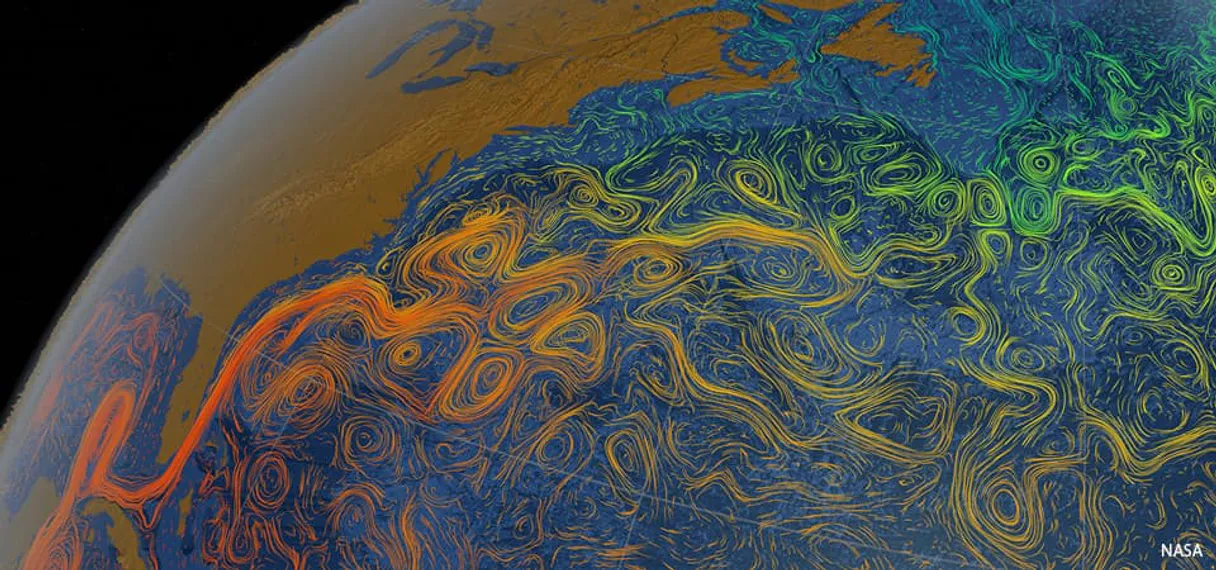
Independent Platform Disclaimer: Vinkius is an independent platform and is not affiliated with, endorsed by, sponsored by, verified by, or otherwise authorized by NOAA Tides & Currents. All third-party trademarks, logos, and brand names are the property of their respective owners. Their use on this website is strictly for informational purposes to identify service compatibility and interoperability.
VINKIUS INFRASTRUCTURE
Cloud Hosted
Managed infra
V8 Isolated
Sandboxed per request
Zero-Trust Proxy
No stored credentials
DLP Enforced
Policy on every call
GDPR Compliant
EU data residency
Token Compression
~60% cost reduction
Works with Claude, ChatGPT, Cursor, and more
The Model Context Protocol standardizes how applications expose capabilities to LLMs. Instead of operating in isolation, your AI gains direct access to external platforms, live data, and real-world actions through secure, standardized connections.
This server provides 5 capabilities that interface natively with Claude, ChatGPT, Cursor, and any MCP client. No middleware. No custom integration required.
Available Capabilities
Checking coastal conditions shouldn't involve 5 different web tabs and a dozen clicks.
Today, figuring out if your vessel can safely pass through a port means opening the NOAA site for tide predictions, then opening another tab to check real-time water levels, maybe checking air temp in a third. It’s slow, and you're always fighting stale data or confusing metrics.
With this MCP server, you ask your agent: 'Give me the current status of Port X.' The agent runs `get_water_levels` and `check_api_status` instantly, compiling all necessary, verified data into a single response. It’s immediate.
NOAA Tides & Currents API MCP Server: Get real-time water levels.
Manual audits require you to find the specific NOAA station ID, then manually input a date and select 'water level' from a dropdown. This process fails if any single data point is missing or if the website changes its UI.
Now, your agent runs `get_water_levels` using just natural language. It finds the correct data stream, pulls the current value (e.g., 3.2 ft above MLLW), and gives you actionable metadata right away.
Common Questions About NOAA Tides & Currents MCP
How do I check real-time water levels using get_water_levels? +
You ask your agent to use get_water_levels for a specific station ID. It returns the current depth reading, usually measured relative to MLLW (Mean Lower Low Water).
Does get_tide_predictions give me real-time data? +
No; get_tide_predictions provides scheduled high and low tide times for a specific date. For current depth, you must use get_water_levels.
Can I compare air and water temperatures at one station? +
Yes. You run both get_air_temperature and get_water_temperature, providing the same station ID for both calls to get a side-by-side comparison.
What is the first thing I should run when starting work? +
You should always use check_api_status first. This confirms the connection and data service are online before you waste time running other, more complex queries.
Do I need an API key when using `get_water_levels`? +
No, you don't. NOAA CO-OPS is a free and open service that doesn't require user authentication or an API key to run the tools.
How do I get tide predictions for multiple stations using `get_tide_predictions`? +
Your AI client handles this by iterating over station IDs. You can pass a list of NOAA station IDs, and the agent will run the prediction tool for each one automatically.
If I use `get_water_temperature` and get an error response, what does that mean? +
It usually means the sensor at that specific NOAA station is currently offline or hasn't logged temperature data for the time requested. Check the API status first.
What type of metadata can I retrieve using `get_air_temperature`? +
Beyond just the current reading, this tool provides air and water temperature metadata that helps you identify regional environmental trends for planning purposes.
Is an API Key required for NOAA Tides API? +
No. The NOAA CO-OPS API is a free and open service provided by the United States government. This server works out of the box without any static credentials required.
Can the agent show air temperature at stations? +
Yes. Use the get_air_temperature tool providing a station ID. Your agent will return real-time temperature metadata alongside the timestamp.
What data datum is used for predictions? +
This server uses the Mean Lower Low Water (MLLW) datum for all water level and tide prediction requests to maintain consistency with nautical charts.
Use it with your favorite AI tools
Connect this server to Cursor, Claude, VS Code, and more.
More in this category
USPTO API
Search US patents and trademarks — audit intellectual property via AI.

Apple Search Ads
Manage and optimize your Apple Search Ads campaigns — track performance, keywords, and search terms via AI.
Salesforce Chatter
Read your Chatter feed, post messages, search groups, comment on posts, and collaborate across your Salesforce org through natural conversation.
You might also like

YesNo
Get instant yes, no, or maybe decisions accompanied by fun GIFs to help your AI agent make choices or break ties.
Meme Generator
Universal meme engine — generate custom memes using popular templates via AI.

TurfHop
Manage your lawn care and landscaping business with route planning, job scheduling, and customer billing in one app.