
USPTO API MCP. Audit IP, Search Patents & Trademarks in Chat.
 Gemini
 Works with every AI agent you already use
…and any MCP-compatible client









Just plug in your AI agents and start using Vinkius.
USPTO API connects your AI agent directly to official United States Patent and Trademark Office data. Use this server to audit intellectual property, search for active patents by keyword using `search_patents`, check brand registrations with `search_trademarks`, or pull full metadata via `get_patent_details`.
It automates complex legal research into simple AI queries.
What your AI agents can do
Check api status
Confirms if the USPTO Open Data API is currently operational and available for queries.
Get patent details
Retrieves comprehensive, full metadata and abstract data for a single specified patent number.
Get trademark details
Fetches all available records, status changes, and descriptions for one specific trademark serial number.
Your AI client searches for US patents by keyword, retrieving detailed metadata like abstracts and filing dates.
The agent checks active or pending trademark registrations across the US using keywords or IDs.
You get full technical details for a specific patent number using get_patent_details.
The system fetches complete records and status history for any given trademark serial number.
You get a list of all available patent classification codes, helping you pinpoint the technological area of an invention.
Ask AI about this MCP
Supported MCP Clients
Gemini Waiting for input…
USPTO API MCP Server: 6 Tools for IP Data Access
Use these specialized tools to automate every step of your intellectual property research workflow. Search patents, audit trademarks, and map technical classifications.
019d8497check api status
Confirms if the USPTO Open Data API is currently operational and available for queries.
019d8497get patent details
Retrieves comprehensive, full metadata and abstract data for a single specified patent number.
019d8497get trademark details
Fetches all available records, status changes, and descriptions for one specific trademark serial number.
019d8497list patent classes
Provides a comprehensive list of every existing patent classification code used by the USPTO.
019d8497search patents
Searches and returns multiple US patents that match specific keywords or technical phrases.
019d8497search trademarks
Searches for multiple US trademarks matching specific brand names or keyword criteria.
Choose How to Get Started
Build a custom MCP for your own tools, or connect a ready-made integration from our catalog.
Build Your Own
Turn any API into an MCP. Import a spec, define Agent Skills, or deploy with MCPFusion.
- Import from OpenAPI, Swagger, or YAML specs
- Create Agent Skills with progressive disclosure
- Deploy to edge with MCPFusion framework
- Built in DLP, auth, and compliance on every call
- Real time usage dashboard and cost metering
- Publish to catalog or keep private
Make Your AI Do More
Start with USPTO API, then connect any of our 4,700+ other servers whenever your AI needs more. One click, no limits.
- Use this MCP plus 4,700+ others, all in one place
- Add new capabilities to your AI anytime you want
- Every connection is secured and compliant automatically
- Track usage and costs across all your servers
- Works with Claude, ChatGPT, Cursor, and more
- New servers added to the catalog every week
What you can do with this MCP connector
Your AI client connects straight to the official United States Patent and Trademark Office data. Forget wrestling with government portals; we wrapped thousands of pages of complex legal records into a set of actionable tools. This whole setup lets your agent handle tough intellectual property research—from finding prior art to auditing brand conflicts—all through natural chat queries.
The results you get are always grounded in official, verified federal records.
When you use this server, your AI client uses specific functions for precise data retrieval. You'll find tools that let you deep-dive into patents and trademarks simultaneously.
Searching for Patents:
To conduct a prior art search, run search_patents to locate multiple US patents based on keywords or technical phrases. This tool returns detailed metadata, including abstracts and filing dates, so you know exactly what's out there in the public record. If you nail down a specific patent number, get_patent_details pulls all the full technical data and abstract information for that single patent.
Need to understand the tech category? Use list_patent_classes; it gives you a complete list of every existing classification code used by the USPTO, helping you pinpoint an invention's technological area.
Auditing Trademarks:
When you need to audit brand registrations or check for potential conflicts, start with search_trademarks. You run this tool against keywords or specific brand names to find multiple active or pending US trademarks. If you know the serial number, get_trademark_details fetches every record and status change associated with that single trademark.
It gives you a complete history of its protection.
System Checks:
You can check if your research pipeline is running smoothly by calling check_api_status, which confirms the USPTO Open Data API is operational for queries. This setup lets your agent execute these complex legal searches—whether it's tracking down a patent or vetting a brand name—and returns structured results right in your chat window.
You don't write code; you just ask your agent, and it handles the rest.
How USPTO API MCP Works
- 1 Connect your AI client to the USPTO API server.
- 2 Reference a specific tool name (e.g.,
search_patents) and provide required parameters like keywords or IDs. - 3 The agent executes the query, pulling structured IP data from official government records into your working environment.
The bottom line is: you tell your AI client what kind of IP research you need; it handles the complex API calls to get verifiable answers.
Who Is USPTO API MCP For?
Patent Attorneys, Brand Managers, and R&D Scientists. If you spend time manually clicking through government databases or copying data from PDFs, this is for you. It turns slow, frustrating research into a quick conversation with your AI agent.
Uses search_patents and get_patent_details to quickly find prior art references or verify patent scope for clients.
Runs search_trademarks across competitor names to proactively check for potential brand conflicts before a launch.
Uses list_patent_classes and search_patents to map the technological landscape around a new invention, ensuring novelty.
What Changes When You Connect
- Find prior art instantly. Running
search_patentslets your agent scan thousands of US patents by keyword without you touching a database interface. - Maintain brand protection. Use
search_trademarksto audit active and pending trademarks, quickly identifying potential conflicts before they become problems. - Deep data retrieval. Need the full history on one patent? Just call
get_patent_details; it pulls all the abstract metadata you need into your chat window. - Understand tech sectors. The
list_patent_classestool gives you a complete map of the technological hierarchy, helping categorize new ideas accurately. - Saves time and clicks. Instead of opening five different government tabs to research one IP asset, your agent runs all necessary checks in a single conversation.
Real-World Use Cases
Checking for Competitive Conflicts
A Brand Manager needs to launch a new product name. Instead of calling three different lawyers and cross-referencing public records, they ask their agent to run search_trademarks with the proposed name. The agent instantly returns all active or pending registrations, showing if there's an immediate conflict.
Validating Invention Novelty
An R&D Scientist has a new battery technology. They use search_patents to run multiple keyword searches against the USPTO database. By analyzing the results and using list_patent_classes, they can pinpoint exactly where their invention fits in the existing technological map.
Onboarding New Legal Team Members
A Patent Attorney needs to review a client's entire IP portfolio. They use the agent to run get_trademark_details for dozens of serial numbers, compiling all filing history and status into one easily readable report without manual data entry.
Automating Due Diligence
An Ops Lead needs to quickly verify the IP standing of a target company. They instruct the agent to run both search_patents (for technical claims) and get_patent_details for key patents, creating an immediate, data-backed due diligence summary.
The Tradeoffs
Treating IP search like general Google search
Asking the agent to 'search for everything related to AI in patents.' This is too vague and will return unusable noise.
→
Be specific. Use search_patents with defined keywords, like 'neural network machine learning' or use list_patent_classes first to narrow down the technological scope.
Assuming one tool covers everything
Using get_trademark_details when you actually need to find a similar brand name. The detail retrieval is useless if you don't know the ID.
→
Always start with a search first. Run search_trademarks with keywords, then use the returned serial number IDs in get_trademark_details.
Ignoring status checks
Building an automated workflow and having it fail silently because the underlying API is down.
→
Always run check_api_status first. Confirming the server is operational prevents wasted cycles and failed workflows.
When It Fits, When It Doesn't
Use this server if your task requires verifying specific, verifiable intellectual property claims—patents or trademarks—against official US government records. If you need to know if a competitor owns a mark, run search_trademarks. If you're checking technical novelty, use search_patents and then verify the scope with get_patent_details.
Don't use this server if you are looking for legal advice (you need an attorney) or general market sentiment (use news aggregators). This tool is purely a data retrieval mechanism. If your query can be answered by anecdotal evidence, don't run it through the API.
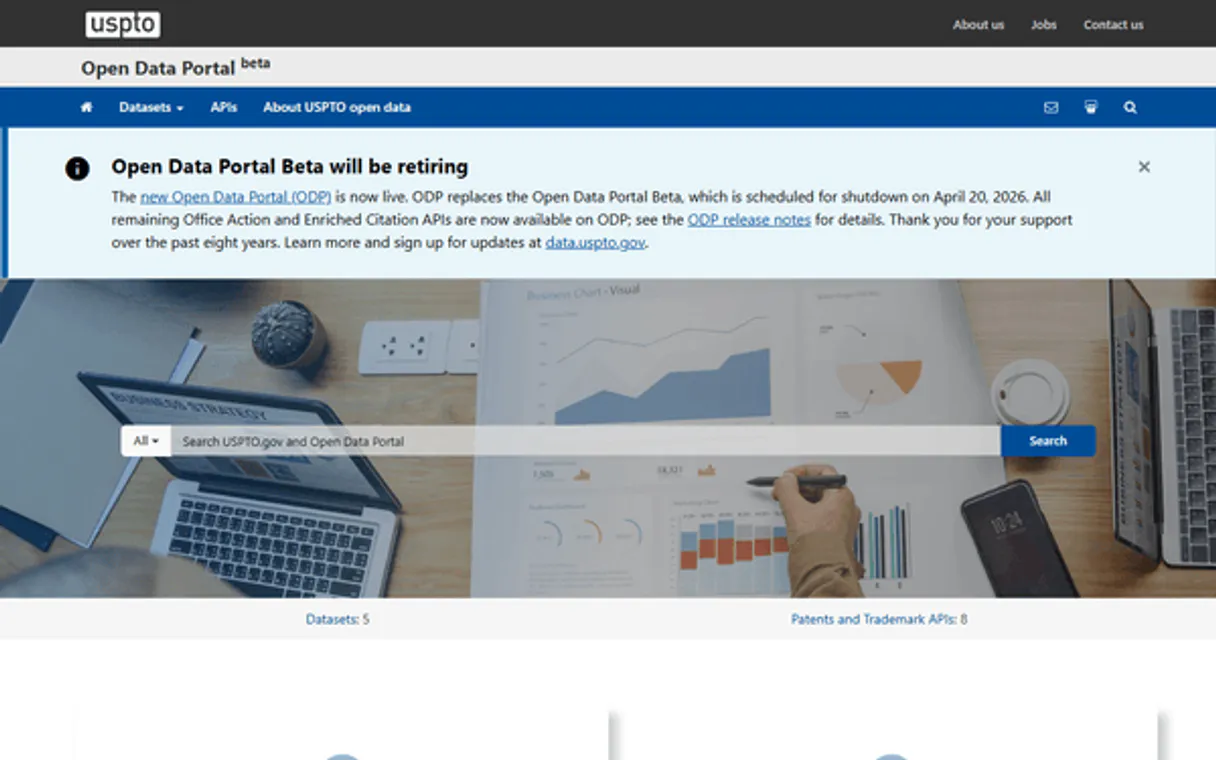
Independent Platform Disclaimer: Vinkius is an independent platform and is not affiliated with, endorsed by, sponsored by, verified by, or otherwise authorized by USPTO API. All third-party trademarks, logos, and brand names are the property of their respective owners. Their use on this website is strictly for informational purposes to identify service compatibility and interoperability.
VINKIUS INFRASTRUCTURE
Cloud Hosted
Managed infra
V8 Isolated
Sandboxed per request
Zero-Trust Proxy
No stored credentials
DLP Enforced
Policy on every call
GDPR Compliant
EU data residency
Token Compression
~60% cost reduction
Works with Claude, ChatGPT, Cursor, and more
The Model Context Protocol standardizes how applications expose capabilities to LLMs. Instead of operating in isolation, your AI gains direct access to external platforms, live data, and real-world actions through secure, standardized connections.
This server provides 6 capabilities that interface natively with Claude, ChatGPT, Cursor, and any MCP client. No middleware. No custom integration required.
Available Capabilities
IP research shouldn't involve navigating 20 years of government PDFs.
Today, finding prior art means opening the USPTO website, figuring out which search form to use, entering keywords into a complex query builder, and then downloading massive zip files full of metadata. You spend more time wrestling with the interface than actually analyzing the patents.
With this MCP server, you simply ask your agent: 'Show me all US patents in biotechnology related to CRISPR gene editing.' The agent runs `search_patents`, filters the results for you, and presents the abstract details directly—no portal needed.
USPTO API MCP Server gives you verifiable data with `get_patent_details`.
Manually gathering patent information means copying the number, finding it on a different page, then clicking through multiple links just to get the abstract and filing date. It's time-consuming, error-prone work that slows down due diligence.
Now, you run `get_patent_details` with only the ID. Your AI client gets all the necessary metadata—abstracts, dates, classification codes—in one clean JSON response. It’s immediate and actionable.
Common Questions About USPTO API MCP
How do I start searching for patents using `search_patents`? +
You simply tell your agent to use the search_patents tool and provide keywords. For example: 'Search US patents for high-efficiency solar cells.' The agent handles the rest.
What is the difference between `search_trademarks` and `get_trademark_details`? +
search_trademarks finds multiple marks based on keywords. Use it first to find a list of candidates, then feed those resulting serial numbers into get_trademark_details for the full audit.
Do I need an API key to use the USPTO API? +
No. The server uses the public and free USPTO Open Data APIs, so you don't have to worry about managing keys or paying fees for basic research.
Which tool should I use to categorize my invention? Is it `list_patent_classes`? +
Yes. If you need to know the technical area an invention belongs to, run list_patent_classes. This gives you the full catalog of codes before you search for specific patents.
If I run into issues, how can I check if the USPTO Open Data API is operational using `check_api_status`? +
You should use check_api_status first. This tool immediately confirms whether the entire endpoint is up and running before you start complex searches. It tells you right away if there’s a system-wide issue, saving you time.
When I have a specific patent number, how do I retrieve all available metadata using `get_patent_details`? +
Running get_patent_details retrieves the complete record for that single patent ID. You get everything—abstracts, filing dates, and full claims—in one dedicated call without needing multiple endpoints.
When I use `search_patents`, what parameters should I pass to narrow down the search results effectively? +
You must specify filters like date ranges or classification codes in your call. Don't just rely on keywords; adding structured parameters drastically improves precision and keeps the data payload small.
How can I use `search_trademarks` to check for potential conflicts with existing brands? +
The tool searches against active and pending registrations in the US database. You feed it your brand name, and it returns relevant matches that might conflict or overlap, helping you audit your intellectual property.
Is an API Key required for USPTO API? +
No. The USPTO Open Data API is a public and free service. This server works out of the box without any static credentials required.
What types of patents can be audited? +
You can search for utility, design, and plant patents registered in the United States, as well as patent applications and publications.
Is trademark image data included? +
The API primarily returns text-based metadata. For visual trademark records, your agent will retrieve the official USPTO link to the record where visual data can be viewed.
Use it with your favorite AI tools
Connect this server to Cursor, Claude, VS Code, and more.
More in this category
Amazon Redshift
Equip your AI to directly query, analyze, and manage your petabyte-scale data warehouse via the serverless AWS Redshift Data API.

Trimble
Equip your AI agent with enterprise-grade truck routing, commercial geocoding, and advanced toll cost logistics algorithms.

Meituan Waimai
Essential food delivery gig API — manage orders, track delivery, handle refunds, and control restaurant menus via Meituan Waimai.
You might also like
Node-RED
Manage Node-RED flows, nodes, and system diagnostics directly from your AI agent.

Mercado Livre Interactions
Answer buyer questions, check reputation, and view metrics on Mercado Livre.
H2O.ai
Manage AI models via H2O.ai — track data frames, monitor machine learning models and training jobs, and audit cloud cluster status directly from any AI agent.