
Omie ERP MCP. Access client records, inventory, and financials instantly.
 Gemini
 Works with every AI agent you already use
…and any MCP-compatible client









Just plug in your AI agents and start using Vinkius.
Omie ERP connects your AI client to your entire business backend. You can list, create, or update clients, products, and sales orders directly from conversation.
Access financial reports, monitor inventory levels, and check bank balances without opening the Omie dashboard.
What your AI agents can do
Create client
Creates a new customer or supplier record, requiring the business name and tax ID (CNPJ/CPF).
Create product
Adds a brand-new item to your catalog, specifying required details like product code and description.
Create sales order
Generates an entire sales order, needing the client's ID and at least one line item with quantity and price.
Create, retrieve details for, and update information on all clients (customers and suppliers) in the system.
List entire product catalogs, create new items, check stock summaries (get_stock_summary), or view detailed inventory levels across warehouses.
Generate entirely new sales orders with line items and pricing. You can also retrieve the full details of any existing order for verification.
Get a clear overview of all outstanding bills owed to you (list_accounts_payable) or money owed by your clients (list_accounts_receivable).
List and confirm details on configured bank accounts, or retrieve the full list of non-physical services offered.
Ask AI about this MCP
Supported MCP Clients
Gemini Waiting for input…
Omie ERP MCP Server: 16 Tools for Business Management
Use these 16 specialized tools to perform every CRUD operation—from creating a new client record to listing bank balances—directly through your AI agent.
019d75e4create client
Creates a new customer or supplier record, requiring the business name and tax ID (CNPJ/CPF).
019d75e4create product
Adds a brand-new item to your catalog, specifying required details like product code and description.
019d75e4create sales order
Generates an entire sales order, needing the client's ID and at least one line item with quantity and price.
019d75e4get client
Retrieves all detailed information for a specific client using their unique client code.
019d75e4get product
Fetches full product details, which is useful for checking specifications before making an order.
019d75e4get sales order
Gets the complete record of a specific sales order by its unique ID number.
019d75e4get stock summary
Provides a quick stock summary for any product code, helping determine immediate availability or reorder needs.
019d75e4list accounts payable
Lists all outgoing payments (bills) owed to suppliers, showing who is due and if the payment is overdue.
019d75e4list accounts receivable
Lists all incoming money due from clients, identifying open invoices or outstanding amounts that need follow-up.
019d75e4list bank accounts
Shows a list of all bank accounts configured in Omie ERP and their current balances.
019d75e4list clients
Displays a paginated list of every client, including business name, contact details, and tax ID.
019d75e4list products
Lists all products and services in the catalog, allowing browsing by code or description.
019d75e4list sales orders
Provides a summary list of sales orders to quickly check the current sales pipeline status.
019d75e4list services
Lists non-physical services, like consulting or maintenance packages, for sale to clients.
019d75e4list stock
Displays a comprehensive inventory list showing product code, quantity on hand, and minimum stock levels across locations.
019d75e4update client
Changes specific information (like address or payment terms) for an existing client using their ID.
Choose How to Get Started
Build a custom MCP for your own tools, or connect a ready-made integration from our catalog.
Build Your Own
Turn any API into an MCP. Import a spec, define Agent Skills, or deploy with MCPFusion.
- Import from OpenAPI, Swagger, or YAML specs
- Create Agent Skills with progressive disclosure
- Deploy to edge with MCPFusion framework
- Built in DLP, auth, and compliance on every call
- Real time usage dashboard and cost metering
- Publish to catalog or keep private
Make Your AI Do More
Start with Omie ERP, then connect any of our 4,700+ other servers whenever your AI needs more. One click, no limits.
- Use this MCP plus 4,700+ others, all in one place
- Add new capabilities to your AI anytime you want
- Every connection is secured and compliant automatically
- Track usage and costs across all your servers
- Works with Claude, ChatGPT, Cursor, and more
- New servers added to the catalog every week
What you can do with this MCP connector
You'll connect your AI client straight into Omie ERP, letting you handle every major operation without ever having to open a dashboard. This server exposes tools that let you manage clients, track inventory, run sales orders, and check out financial reports—all from simple conversation.
Managing Client Records: You can keep all your contacts current. To start, use list_clients and get a paginated rundown of every client, showing their business name, contact info, and tax ID. Need to make a new customer or supplier? Use create_client, giving it the required business name and tax ID (CNPJ/CPF).
If you need deep details on an existing account, use get_client with that unique client code. And if things change—say, the address shifts or payment terms adjust—you can update them using update_client just by providing their ID.
Handling Products and Inventory: You've got tools for everything in your catalog. Use list_products to see every product and service you offer right now, letting you browse by code or description. If you need the full spec sheet on an item, run get_product. To add a brand-new thing to your inventory, use create_product, making sure you specify the required details like the product code and description.
For quick checks, list_stock gives you a comprehensive view of every item, showing the product code, quantity on hand, and minimum stock levels across all your locations. If you just need to know if something's available right now, use get_stock_summary, which provides that immediate count for any given product code.
You also can run list_services when you're tracking non-physical goods, like maintenance packages or consulting hours.
Running Sales Orders: Need to process a sale? Use create_sales_order to generate an entire order instantly; you just need the client's ID and at least one line item specifying quantity and price. To verify what's going on with existing sales, use list_sales_orders for a quick summary of your current sales pipeline status.
If you need all the deep details for a specific order—maybe to check billing or payment notes—you run get_sales_order using its unique ID number.
Tracking Money and Finance: You can see exactly where your money is going and coming from. To get an overview of outgoing payments, use list_accounts_payable, which lists all the bills you owe to suppliers, letting you know who's due and if the payment's overdue. For incoming cash flow, run list_accounts_receivable to see money owed by your clients, identifying any open invoices or outstanding amounts that need follow-up.
To verify assets, you can use list_bank_accounts, which shows a list of every bank account configured in Omie ERP and what their current balances are. You also get access to the full details on all configurable services when you call list_services.
Putting It Together: This setup lets you do way more than just look things up. You can manage your entire business backend, from creating a new client record and generating a sales order, right down to checking if there's enough stock in the warehouse or seeing how much cash is sitting in the bank account.
Everything flows through these tools.
How Omie ERP MCP Works
- 1 Subscribe to this server and provide your Omie App Key and Secret.
- 2 Connect your preferred AI client (Claude, Cursor, etc.) to the MCP endpoint.
- 3 Tell your agent what you need: 'List all overdue accounts payable' or 'Create a sales order for TechCorp with 5 units of Product X'.
The bottom line is that instead of navigating Omie's web portal, you talk to your AI client and it executes the necessary calls in the background.
Who Is Omie ERP MCP For?
This is for operations teams and managers who spend too much time switching between dashboards. It’s for the sales rep who needs accurate stock levels before sending a quote, or the finance manager who wants to know which invoices are overdue without logging into accounting software.
Using get_product and list_stock, they verify pricing and current inventory availability before creating a quote or using create_sales_order.
They use list_accounts_receivable to quickly identify top clients with overdue invoices, or check bank balances via list_bank_accounts for reconciliation.
They manage the product lifecycle by using create_product and monitor supply chain health using list_stock to flag low inventory items.
What Changes When You Connect
- Track cash flow immediately. Use
list_accounts_receivableto see which clients have overdue invoices, or checklist_accounts_payableto manage payments due to suppliers. No need to run reports in a separate finance tool. - Build sales orders faster than ever. With
create_sales_order, you pass the client ID and line items directly, generating an order code without manually navigating multiple forms. - Know your inventory status before quoting. Use
get_stock_summaryorlist_stockto verify product availability instantly, preventing sales reps from promising stock that doesn't exist. - Maintain clean data records. Instead of guessing which client ID is correct, use
get_clientfirst. Then, if needed, runupdate_clientto fix their address in one conversation turn. - Verify financial standing on demand. Need to know the available funds? Run
list_bank_accounts. This gives you a real-time snapshot of configured bank balances for reconciliation.
Real-World Use Cases
Sales Rep needs to quote an emergency order.
A rep learns the client 'Alpha Corp' needs 50 units of Product X. Instead of checking the website, they ask their agent: 'What is the stock level for Product X?' The agent runs get_stock_summary, confirms availability, and then uses that data to generate a draft order via create_sales_order.
Finance team needs to prioritize collections.
The financial manager asks: 'Show me the top 5 clients with overdue money.' The agent runs list_accounts_receivable, aggregates the data, and presents a clean list of client names, outstanding amounts, and due dates, directing follow-up efforts.
Ops team needs to onboard a new supplier.
The operations manager doesn't know the correct tax ID for 'Beta Supplies.' They ask the agent to look up the client first using list_clients. Once they have the verified details, the agent uses those inputs to run create_client.
A key product is suddenly low on stock.
The inventory manager runs a general check: 'What's our current total stock?' The agent executes list_stock, identifying that Product Y has fallen below the minimum threshold, triggering an immediate reorder process.
The Tradeoffs
Manual data cross-referencing
A user checks client details in one tab, then switches to a spreadsheet to check product codes, and finally jumps back to the ERP dashboard to create an order. This involves copy/pasting three times.
→
Keep all steps within your AI agent. First, use get_client to pull necessary identifiers. Then, pass that ID and the required line items directly into create_sales_order. The process is one continuous conversation.
Mixing up product vs service data
A user tries to list a consulting package (a service) using the list_products tool, which only returns physical goods and inventory metrics.
→
Always use dedicated tools. For tangible items, use list_products or list_stock. For services like maintenance plans, specifically run list_services.
Ignoring existing data
A user assumes a client's address is correct and proceeds to create an order without verifying the current information first.
→
Always verify before action. Before creating or updating, run get_client to confirm the latest tax ID and physical address are accurate.
When It Fits, When It Doesn't
Use this MCP Server if your primary bottleneck is context switching across multiple core business systems (CRM, Inventory, Accounting) and you need an agent to orchestrate data flow between them. This server covers the full lifecycle: client identification (get_client), inventory validation (list_stock), sales creation (create_sales_order), and financial reconciliation (list_accounts_receivable).
Don't use it if your problem is highly specialized (e.g., payroll processing, detailed tax filing) or if you only need to read a single type of data—in that case, just using the native Omie dashboard might be faster. If you only need simple lookups, list_products works fine. But when you need to act on data (create/update orders or records), this server is necessary.
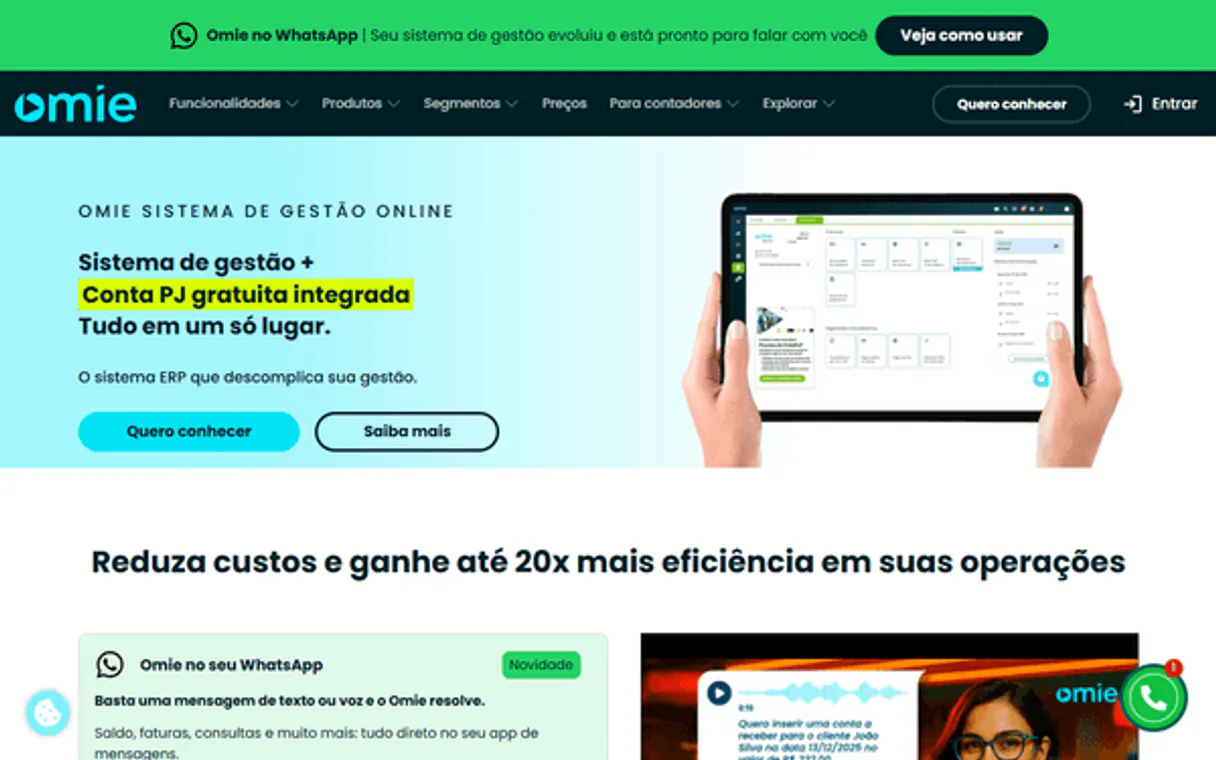
Independent Platform Disclaimer: Vinkius is an independent platform and is not affiliated with, endorsed by, sponsored by, verified by, or otherwise authorized by Omie ERP. All third-party trademarks, logos, and brand names are the property of their respective owners. Their use on this website is strictly for informational purposes to identify service compatibility and interoperability.
VINKIUS INFRASTRUCTURE
Cloud Hosted
Managed infra
V8 Isolated
Sandboxed per request
Zero-Trust Proxy
No stored credentials
DLP Enforced
Policy on every call
GDPR Compliant
EU data residency
Token Compression
~60% cost reduction
Works with Claude, ChatGPT, Cursor, and more
The Model Context Protocol standardizes how applications expose capabilities to LLMs. Instead of operating in isolation, your AI gains direct access to external platforms, live data, and real-world actions through secure, standardized connections.
This server provides 16 capabilities that interface natively with Claude, ChatGPT, Cursor, and any MCP client. No middleware. No custom integration required.
Available Capabilities
Tracking down basic client and order information shouldn't require five different dashboard tabs.
Right now, figuring out if a client has paid requires navigating to the billing section. If you need to know their current address for an invoice, you jump to the CRM tab. Then, if Sales needs to see what products they are even capable of selling, they have to pull up the catalog—and all three tabs don't talk to each other.
With this MCP server, your AI client handles it all. You just ask: 'What is TechCorp’s current balance and their address?' The agent runs `get_client` and simultaneously checks `list_accounts_receivable`. It gives you one comprehensive answer without you ever leaving the chat window.
Omie ERP MCP Server: Build your entire sales workflow with `create_sales_order`.
Manual order creation involves gathering a client ID, verifying product codes against stock levels, confirming pricing, and then manually entering the discount/tax details—all before you can hit 'Submit.'
Now, tell your agent: 'Create an order for Client ABC with 10 units of Product Z at $5 each.' The server runs `get_stock_summary`, validates availability, calculates totals, and executes `create_sales_order` in one go. It's done.
Common Questions About Omie ERP MCP
How do I get Omie API credentials (App Key and App Secret)? +
Log in to your Omie ERP account, go to Configurações > Aplicativos (Settings > Applications), and create a new application. Omie will automatically generate an App Key and App Secret for you. Copy both values immediately — the App Secret is shown only once. Paste them into the respective fields below. These credentials are used to authenticate all API requests.
Can I create new clients and products through this integration? +
Yes! Use the create_client tool to add new clients (customers/suppliers) and create_product to add new products to your Omie catalog. You'll need to provide the data as JSON objects matching Omie's schema. The AI agent can help you structure the data correctly. After creation, you'll receive the new client or product code for future reference.
How can I monitor overdue invoices and payments? +
Use list_accounts_receivable to see all money owed to your company, and list_accounts_payable to see all money you owe. Each entry includes the due date, amount, and status. You can filter and identify overdue items by comparing the due date with today's date. The AI agent can help you analyze the results and highlight which invoices need immediate attention.
What ERP modules are accessible through this API? +
This integration covers the core Omie modules: Clients (customers, suppliers, transporters), Products & Services (catalog management), Sales Orders (pedidos de venda), Accounts Receivable (contas a receber), Accounts Payable (contas a pagar), Bank Accounts (contas correntes), and Inventory/Stock (estoque). Additional modules like NF-e, NFS-e, CRM, and purchases are available through Omie's full API but may be added in future updates.
If I need to change a client's address, how do I use the `update_client` tool? +
You must provide both the existing client ID and the specific fields you want to modify. Only send data for the fields that are changing; otherwise, the update fails or overwrites incorrect information.
Before running `create_sales_order`, how do I verify product availability? +
Run get_stock_summary first, using the specific product code. This call returns current inventory levels and tells you if the item is available to sell or needs reordering before you finalize an order.
Can `list_clients` find a customer using only their trade name? +
Yes, you can filter the client list results by trade name (nome_fantasia) or CNPJ. The tool returns all matching records so your agent can grab the unique client code needed for ordering.
After running `list_accounts_payable`, how do I check my bank balance? +
Use the dedicated list_bank_accounts tool. This provides a real-time view of current balances across all configured banks, allowing you to reconcile outgoing payments against your available cash.
Use it with your favorite AI tools
Connect this server to Cursor, Claude, VS Code, and more.
More in this category

EasyPost
Equip your AI agent to manage shipments, track packages, and monitor carrier accounts via the EasyPost API.

NCR Voyix
Manage commerce and retail operations via NCR Voyix — track orders, sites, products, and inventory directly from your AI agent.

DoorDash Drive
Equip your AI agent to manage deliveries, track dashers, and monitor order status via the DoorDash Drive API.
You might also like

Stripe
Manage payments, customers, subscriptions, invoices, and account balance via Stripe — all from any AI agent.
Float
Manage team scheduling, project allocations, and time off via AI agents with Float.

Shipmondo
Ship packages across Scandinavia and Europe with multi-carrier label printing, tracking, and return management from one platform.