
Float MCP. Manage time, schedule, and capacity in natural conversation.
 Gemini
 Works with every AI agent you already use
…and any MCP-compatible client









Just plug in your AI agents and start using Vinkius.
Float MCP Server. Manage team scheduling, project allocations, and time off directly through your AI client. This server lets your agent check team availability, assign hours to projects, and monitor capacity without opening the Float app.
It handles everything from listing team members to calculating actual logged hours.
What your AI agents can do
Create allocation
Schedules a new task assignment for a team member.
Get logged time
Retrieves the actual hours worked by a person.
Get person
Fetches specific profile and availability details for a single team member.
The agent creates a new project allocation for a team member for specific dates and hours.
The agent retrieves the actual number of hours a user worked on a project.
The agent fetches specific profile information for any team member.
The agent retrieves detailed information about a specific project.
The agent lists all current or past project assignments for team members.
The agent fetches a list of all clients in your organization.
The agent provides a list of all internal departments.
Ask AI about this MCP
Supported MCP Clients
Gemini Waiting for input…
Float MCP Server: 12 Tools for Resource Planning
Use these 12 tools to schedule tasks, track time, retrieve personnel data, and list project details, all through your AI agent.
019d759bcreate allocation
Schedules a new task assignment for a team member.
019d759bget logged time
Retrieves the actual hours worked by a person.
019d759bget person
Fetches specific profile and availability details for a single team member.
019d759bget project
Gets detailed information about a specific project.
019d759blist allocations
Lists all current and past project assignments for the team.
019d759blist clients
Returns a list of all clients managed in the organization.
019d759blist departments
Returns a list of all departments within the company.
019d759blist people
Retrieves a comprehensive list of all team members in the organization.
019d759blist project task names
Lists available task labels (like Design or Development) for projects.
019d759blist projects
Retrieves a list of all active projects.
019d759blist time offs
Lists all scheduled vacation time, sick leave, and holidays.
019d759blist user accounts
Retrieves a list of all user accounts associated with the organization.
Choose How to Get Started
Build a custom MCP for your own tools, or connect a ready-made integration from our catalog.
Build Your Own
Turn any API into an MCP. Import a spec, define Agent Skills, or deploy with MCPFusion.
- Import from OpenAPI, Swagger, or YAML specs
- Create Agent Skills with progressive disclosure
- Deploy to edge with MCPFusion framework
- Built in DLP, auth, and compliance on every call
- Real time usage dashboard and cost metering
- Publish to catalog or keep private
Make Your AI Do More
Start with Float, then connect any of our 4,700+ other servers whenever your AI needs more. One click, no limits.
- Use this MCP plus 4,700+ others, all in one place
- Add new capabilities to your AI anytime you want
- Every connection is secured and compliant automatically
- Track usage and costs across all your servers
- Works with Claude, ChatGPT, Cursor, and more
- New servers added to the catalog every week
What you can do with this MCP connector
You'll connect your Float account to any AI agent and manage team scheduling and capacity right from your client. Your agent handles everything—checking availability, assigning hours, and tracking usage—without you ever having to open the Float app. It's built to let you talk to your agent and get stuff done.
To get started, your agent can list all people in the organization using list_people, and it can also pull a list of all user accounts with list_user_accounts. You can see all the departments in the company by running list_departments, and you can get a roster of all clients managed by the organization using list_clients.
It also knows about all the active projects, giving you a list via list_projects, and it can fetch the full details for any specific project using get_project. When you need to schedule a team member, your agent can create a new task assignment using create_allocation, or it can show you all current and past project assignments by running list_allocations.
To figure out who's available, your agent can pull specific profile and availability details for any single team member with get_person, and it can get a list of all available task labels—like 'Design' or 'Development'—using list_project_task_names.
For tracking time, your agent can get a full list of scheduled vacation time, sick leave, and holidays by calling list_time_offs. It can also retrieve the actual hours a person worked on a project using get_logged_time. You can see every project assignment the team has ever had by running list_allocations.
If you need to see who's working where, your agent can list all people in the organization using list_people, and it can also pull a list of all user accounts with list_user_accounts.
How Float MCP Works
- 1 1. Subscribe to this server on the Vinkius Marketplace.
- 2 2. Enter your Float Personal Access Token (find it in Account Settings > Integrations).
- 3 3. Use your AI client (Claude, Cursor, etc.) to ask the agent to perform a scheduling task, like 'Check John's availability next week'.
The bottom line is, your AI client talks to Float using the MCP standard, giving it the data it needs to manage your team's resources.
Who Is Float MCP For?
Project Managers, Resource Planners, and Agency Directors use this. If you spend time manually cross-referencing spreadsheets to see who is free next week or what hours were logged last month, this is for you. Stop guessing about capacity.
Checks if a developer is available for a new sprint task or updates a project's timeline without logging into the Float dashboard.
Gets a real-time overview of team capacity and time off by simply asking the agent, eliminating the need for weekly status meetings.
Automates the retrieval of logged time reports and client lists across multiple projects for operational visibility.
What Changes When You Connect
- Need to know if a developer is free next week? Instead of clicking through calendars, ask the agent. It uses the
list_time_offsandget_persontools to give you real-time availability checks. No dashboards required. - Tracking time is simple. The
get_logged_timetool pulls the actual hours worked, so you don't have to wait for manual timesheet submissions. It gives you immediate visibility into project progress. - Setting up work isn't painful anymore. Use
create_allocationto schedule tasks for John Doe on the 'Q3 Marketing' project. The agent handles the update and confirms availability in one go. - Stop guessing about team size. By running
list_peopleandlist_departments, you get a full structure of your team and organization, letting you understand who reports to whom. - Capacity planning is instant. The agent can pull high-level data using
list_project_task_namesandlist_allocationsto show you team utilization across different skill types (e.g., Design vs. Development). - Client visibility is immediate. Need to see all active projects for Acme Corp? Run
list_clientsandlist_projectsto scope out every active engagement and its history.
Real-World Use Cases
Finding a developer for a new feature
A Project Manager needs a backend developer for a new feature. Instead of checking 10 different calendars, they ask the agent to list people and check availability. The agent runs list_people and get_person to confirm John Doe is free for 20 hours next month. They then use create_allocation to schedule it.
Handling end-of-quarter reporting
The Agency Director needs to audit team usage. They ask the agent to compile all logged hours and client lists. The agent runs get_logged_time and list_clients, giving an immediate, comprehensive report on who worked where and when.
Checking team availability for a crunch period
The Resource Planner realizes the design team is booked solid next month. They ask the agent to check time off and capacity. The agent runs list_time_offs and list_allocations, showing the exact dates and people who are already booked or out.
Launching a new initiative
The team needs to scope a new project. Instead of manually creating a project record, they ask the agent to list all active projects and get project details. The agent runs list_projects and get_project, giving the team a baseline for scope and resources.
The Tradeoffs
Manual Spreadsheet Merging
Exporting logs, pulling project lists, and merging them in Excel. This process takes hours, and the data is always a week old.
→
Let the agent pull all necessary data in sequence. First, run list_projects to get all project IDs. Then, feed those IDs to list_allocations to get the assignments. Finally, run list_people to get names. It builds the report instantly.
Forgetting Time Off
Assigning work to someone without checking their calendar. This leads to double-booking and project delays.
→
Always check capacity first. Use list_time_offs and get_person to verify the team member's true availability before running create_allocation. This prevents conflicts.
Over-relying on one tool
Just running list_people and thinking you know everything. You don't know if they're booked or what their current projects are.
→
Combine data calls. Start by listing projects (list_projects), then get the details of the specific project (get_project), and finally, list the team members assigned to it.
When It Fits, When It Doesn't
Use this if you need to manage resource capacity or project timelines. Specifically, if you need to schedule tasks, check availability, or pull logged time data, this is your tool. Don't use it if you just need a simple list of contacts; use a dedicated directory tool instead. If you need to build a complex, multi-step report that requires data from multiple domains (e.g., finance records combined with time logs), you'll need a different system. This is for operational resource tracking, period.
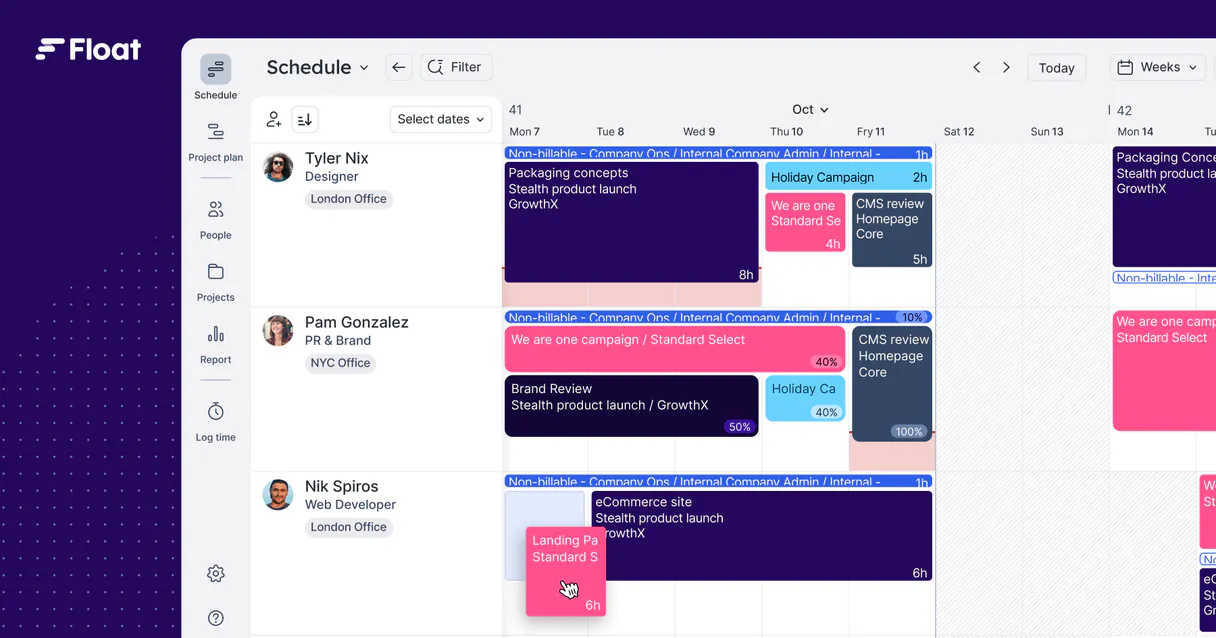
Independent Platform Disclaimer: Vinkius is an independent platform and is not affiliated with, endorsed by, sponsored by, verified by, or otherwise authorized by Float. All third-party trademarks, logos, and brand names are the property of their respective owners. Their use on this website is strictly for informational purposes to identify service compatibility and interoperability.
VINKIUS INFRASTRUCTURE
Cloud Hosted
Managed infra
V8 Isolated
Sandboxed per request
Zero-Trust Proxy
No stored credentials
DLP Enforced
Policy on every call
GDPR Compliant
EU data residency
Token Compression
~60% cost reduction
Works with Claude, ChatGPT, Cursor, and more
The Model Context Protocol standardizes how applications expose capabilities to LLMs. Instead of operating in isolation, your AI gains direct access to external platforms, live data, and real-world actions through secure, standardized connections.
This server provides 12 capabilities that interface natively with Claude, ChatGPT, Cursor, and any MCP client. No middleware. No custom integration required.
Available Capabilities
Tracking team capacity shouldn't require opening 5 different tabs.
Today, checking who's free next week means opening the project management dashboard, cross-referencing the team directory, then opening the time off calendar, and finally, manually checking the project schedule. You spend twenty minutes just collecting the data before you even know if the developer is available.
With the Float MCP Server, you just ask your agent. It runs the necessary checks—like `list_time_offs` and `list_people`—and tells you who's available and why. You get the answer, not a pile of links.
Float MCP Server: Schedule tasks, time & resources
The manual steps that vanish are the constant copy-pasting of IDs, the manual calculations of remaining hours, and the emailing of 'Please check this spreadsheet' to the PM team. These steps are pure overhead.
Now, you tell your agent to schedule the task. It uses `create_allocation` and updates the record instantly, confirming the assignment and adjusting the team member's capacity. The work is done in the chat.
Common Questions About Float MCP
How do I use the `list_time_offs` tool with Float? +
The list_time_offs tool fetches all scheduled time off (vacations, sick days, etc.). You ask the agent to check 'Who is out next month?' and it runs this tool to give you a consolidated view of absences.
Can I use `get_logged_time` to see who worked on a specific project? +
Yes. You ask the agent for the actual hours worked. It runs get_logged_time and provides the recorded hours, which is different from the planned hours.
What's the difference between `list_people` and `get_person` using Float? +
The list_people tool gives you a list of everyone. The get_person tool lets you drill down and get specific, detailed profile metadata for one person.
How do I schedule an allocation using the `create_allocation` tool? +
You instruct the agent to schedule it. You give the project name, person name, and dates. The agent runs create_allocation to create the record and update availability.
Does the Float MCP Server handle client data? +
Yes. You can use list_clients to get a full list of your clients, and list_projects to see what projects are active for those clients.
How do I check available team capacity using the `list_people` and `list_projects` tools? +
You combine these tools to get a full picture of team capacity. First, list_people pulls all team members. Then, list_projects gives you active projects. You can then compare these two lists to identify resource gaps or over-allocations.
What details can I get for a specific project using the `get_project` tool? +
The get_project tool provides comprehensive details on a project. This includes the project's status, budget, and a list of all team members currently assigned to it. This helps you assess the scope and current staffing of any project.
Can I see all available account users and departments using `list_user_accounts` and `list_departments`? +
Yes, you can use these tools to map your organization's structure. list_user_accounts retrieves every user account in the system. list_departments lists every department, letting you understand the full corporate hierarchy for resource planning.
How do I check if a team member is available for a specific date range? +
You can use the 'list_allocations' tool to see current schedules. By asking the agent, 'Is John available next week?', it will scan existing task allocations and time off to provide a clear answer.
Can I assign a person to a project directly through the agent? +
Yes! The 'create_allocation' tool allows you to schedule a person to a project by providing their ID, the project ID, start/end dates, and the number of hours per day.
How do I see who is currently on vacation? +
Use the 'list_time_offs' tool. It retrieves all scheduled vacations, sick leave, and holidays, giving you an immediate view of who is away from the office.
Use it with your favorite AI tools
Connect this server to Cursor, Claude, VS Code, and more.
More in this category

Baidu Translate / 百度翻译
China's leading machine translation service — translate text and detect languages via AI.

Slack
Manage channels, users, and send messages on Slack with AI agents.
Vibrato
Manage secrets and environment variables securely across your development and deployment pipeline with encrypted vaults.
You might also like

Caddy Server
Manage your Caddy web server via API — update configurations, monitor upstreams, and handle PKI certificates directly from your AI agent.

SambaNova (AI Inference)
High-speed AI inference for Llama 3, DeepSeek, and MiniMax models via SambaNova's ultra-fast SN40L chips.

Loggly (Cloud Log Management API)
Manage cloud logs via Loggly — send events, execute Lucene searches, and analyze infrastructure metrics directly from your AI agent.