
OnPay MCP. Audit employee records and payroll cycles with one prompt.
 Gemini
 Works with every AI agent you already use
…and any MCP-compatible client









Just plug in your AI agents and start using Vinkius.
OnPay MCP Server handles all payroll and HR data for your agents. It gives programmatic access to employee profiles, payment records, and pay schedules via the OnPay API.
You can list employees, check transactions, track subscriptions, and pull accounting item codes—everything needed to automate workforce operations.
What your AI agents can do
Get company info
Fetches general information about your company setup and core settings.
Get employee
Retrieves all detailed records for a specific employee by their unique ID.
Get transaction
Gets the full details of one payment transaction, including amounts and dates.
Gets general company information, including setting identifiers needed for other tools.
Pulls specific details for a single employee using their ID.
Retrieves the detailed records and statuses of specific payment transactions.
Returns a paginated list containing basic information for every employee record.
Lists all available item codes and settings required for financial accounting reconciliation.
Retrieves scheduled payroll cycles, allowing you to monitor upcoming pay dates.
Lists all associated subscriptions, showing their current status and renewal details.
Ask AI about this MCP
Supported MCP Clients
Gemini Waiting for input…
OnPay MCP Server: 8 Tools for HR & Payroll Management
This server gives your agent direct access to all OnPay API functions, letting you manage everything from employee profiles and transactions to pay schedules.
019d75e6get company info
Fetches general information about your company setup and core settings.
019d75e6get employee
Retrieves all detailed records for a specific employee by their unique ID.
019d75e6get transaction
Gets the full details of one payment transaction, including amounts and dates.
019d75e6list employees
Returns a paginated list of basic information for every active employee in your system.
019d75e6list item codes
Lists all item codes used by the company, crucial for accurate financial reporting.
019d75e6list pay schedules
Provides a list of scheduled payroll cycles and their expected start dates.
019d75e6list subscriptions
Shows all subscriptions linked to the account, detailing their current status and renewal dates.
019d75e6list transactions
Lists multiple payment transactions, allowing you to filter by date range or status.
Choose How to Get Started
Build a custom MCP for your own tools, or connect a ready-made integration from our catalog.
Build Your Own
Turn any API into an MCP. Import a spec, define Agent Skills, or deploy with MCPFusion.
- Import from OpenAPI, Swagger, or YAML specs
- Create Agent Skills with progressive disclosure
- Deploy to edge with MCPFusion framework
- Built in DLP, auth, and compliance on every call
- Real time usage dashboard and cost metering
- Publish to catalog or keep private
Make Your AI Do More
Start with OnPay, then connect any of our 4,700+ other servers whenever your AI needs more. One click, no limits.
- Use this MCP plus 4,700+ others, all in one place
- Add new capabilities to your AI anytime you want
- Every connection is secured and compliant automatically
- Track usage and costs across all your servers
- Works with Claude, ChatGPT, Cursor, and more
- New servers added to the catalog every week
What you can do with this MCP connector
This server connects your AI client directly to OnPay's full API suite. You run payroll and HR tasks using plain language queries—no more jumping between tabs or building custom scripts. It gives you programmatic access to everything related to employee data, payments, schedules, and accounting codes.
Getting Started with Company Data
Use the get_company_info tool to grab general setup details about your company. This pull provides core settings identifiers you'll need before running any other reports or processes. You can then use list_item_codes to audit every item code and setting required for proper financial accounting reconciliation.
Managing Your Workforce Data
You've got a few ways to handle your employee roster. First, run list_employees to get a paginated list of basic info for every active worker in the system. If you need deep dive details on just one person, use get_employee and pass their unique ID to pull all their specific records.
Tracking Paychecks and Schedules
Monitoring pay is straightforward. You'll first run list_pay_schedules to see a rundown of scheduled payroll cycles and when they're expected to kick off. For transaction history, you can use list_transactions, letting you filter by specific date ranges or payment statuses for an overview. When you need the granular truth about one check—the exact amounts, dates, and full details—use get_transaction with a single transaction ID.
Handling Subscriptions and Revenue
You can keep tabs on recurring revenue using list_subscriptions. This tool shows all linked subscriptions, giving you clear status updates and renewal dates for every account.
The Bottom Line: Payroll Operations
Everything needed to automate workforce operations lives here. You check company settings with get_company_info, pull the full employee roster using list_employees or deep profiles via get_employee, verify pay cycles with list_pay_schedules, monitor all payments by date range using list_transactions, and finally, confirm every detail on a single payment record using get_transaction.
You'll also use list_item_codes for accounting compliance and list_subscriptions to manage recurring revenue.
How OnPay MCP Works
- 1 Subscribe to the OnPay MCP Server on Vinkius. You'll need your API Token from the OnPay management panel.
- 2 Provide the token to your AI client (Claude, Cursor, etc.). Your agent now has access to all HR and payroll tools.
- 3 Use natural language prompts, like 'List employees in department X' or 'What was the last transaction for employee Y?' The agent runs the appropriate tool and gives you the structured data.
The bottom line is: your AI client talks to OnPay directly, so you don't have to jump between dashboards.
Who Is OnPay MCP For?
HR Ops Managers and Payroll Analysts. If you spend time manually cross-referencing employee status against payment schedules or auditing transaction logs across multiple sheets, this is for you. It lets your agents handle the heavy lifting so you can actually focus on policy work.
Uses list_employees and get_employee to verify personnel changes against active records, ensuring payroll data is always current.
Runs checks using list_pay_schedules and list_transactions to reconcile expected pay dates with actual payment statuses before month-end closing.
Calls list_item_codes and get_company_info to verify the correct financial parameters are used for payroll accounting entries.
What Changes When You Connect
- Checks your transaction history instantly. Instead of logging into the payment portal and scrolling through months of data, you just ask for
list_transactionsand get filtered results immediately. - Keeps HR compliant by giving a full picture of personnel. You can use
list_employeesto quickly see if every necessary employee record exists without manually running reports. - Reduces accounting errors. By calling
list_item_codes, your agent has the current, verified item codes needed to properly reconcile payroll entries with your general ledger. - Automates pay tracking. Never wonder when payday is again. Use
list_pay_schedulesto get a clear overview of all upcoming company payment cycles at a glance. - Manages recurring costs better. You can use the
list_subscriptionstool to audit if any dormant or forgotten services are still being billed monthly, saving money.
Real-World Use Cases
Employee status check after termination
A manager needs to confirm an ex-employee's final payment details. They ask the agent, 'What were the last three transactions for employee 123?' The agent runs get_transaction and provides the full history, confirming the final paycheck was delivered correctly.
Quarterly payroll audit
The finance team needs to verify that all current pay schedules are accounted for. They prompt: 'Show me the next three scheduled pay cycles.' The agent runs list_pay_schedules, ensuring no gaps exist in the company's payment planning.
Verifying required financial data
A new payroll feature requires updated accounting codes. Instead of checking the internal wiki, the analyst asks: 'What are our current item codes?' The agent runs list_item_codes and gives the precise list needed for the report.
Auditing inactive accounts
An ops engineer needs to clean up old billing data. They ask the agent, 'List all subscriptions that haven't renewed in 6 months.' The agent calls list_subscriptions, giving a clear list of services ripe for cancellation.
The Tradeoffs
Checking payroll manually
Jumping to the OnPay website, finding the 'Payments' tab, and then clicking through every single year's transaction history just to find one record.
→
Don't click. Just tell your agent: 'Use list_transactions to filter payments for Q2 2024.' It runs the tool directly and gives you the summary data in seconds.
Asking vague employee questions
Saying, 'Can I see some info on that person?' The agent doesn't know who you mean and just throws an error.
→
Be specific. Use the get_employee tool and provide the ID: 'Use get_employee for employee 456.' It gets the exact record data.
Mixing up pay periods
Trying to calculate next month's payroll date by looking at random historical transaction dates, which is inaccurate.
→
Always use list_pay_schedules. This tool gives the authoritative list of planned company payment cycles. It prevents manual calculation mistakes.
When It Fits, When It Doesn't
Use this server if your core pain point involves cross-referencing structured data: payroll, employee status, and financial transactions. You need to know if a transaction happened, who was paid, and when it should have been scheduled. Don't use it if you just need general HR documentation or policy articles—those are for knowledge bases, not APIs. If your only goal is checking company contact info, get_company_info is enough; don't run the whole payroll suite. You must use multiple tools together (e.g., running list_employees then using those IDs in a query against list_transactions) to solve complex problems.

Independent Platform Disclaimer: Vinkius is an independent platform and is not affiliated with, endorsed by, sponsored by, verified by, or otherwise authorized by OnPay. All third-party trademarks, logos, and brand names are the property of their respective owners. Their use on this website is strictly for informational purposes to identify service compatibility and interoperability.
VINKIUS INFRASTRUCTURE
Cloud Hosted
Managed infra
V8 Isolated
Sandboxed per request
Zero-Trust Proxy
No stored credentials
DLP Enforced
Policy on every call
GDPR Compliant
EU data residency
Token Compression
~60% cost reduction
Works with Claude, ChatGPT, Cursor, and more
The Model Context Protocol standardizes how applications expose capabilities to LLMs. Instead of operating in isolation, your AI gains direct access to external platforms, live data, and real-world actions through secure, standardized connections.
This server provides 8 capabilities that interface natively with Claude, ChatGPT, Cursor, and any MCP client. No middleware. No custom integration required.
Available Capabilities
Tracking employee and payment data used to take hours of clicking through dashboards.
Today, figuring out payroll status means logging into three different portals: the HR dashboard for names, the payments page for transactions, and the scheduling view for pay dates. You copy-paste IDs, switch tabs, and spend ages confirming if a payment was processed correctly.
With this MCP server, you just ask your agent to 'Verify employee 789's final paycheck details.' The agent runs `get_employee` and `get_transaction`, pulling all the necessary data points into one response. You get the answer instantly.
OnPay MCP Server: Use list_item_codes to nail your financial reconciliation.
Before running a payroll report, finance teams traditionally have to consult multiple internal spreadsheets just to make sure the correct accounting item codes are used for every payment type. This is slow and prone to human error.
Now, you simply prompt your agent: 'What are our active accounting item codes?' The tool runs `list_item_codes` and gives you a clean list of valid codes right in the chat window. It's locked down.
Common Questions About OnPay MCP
How do I check if an employee is active using the OnPay MCP Server? +
You can use list_employees to pull a list of all staff members and filter by status. This tool returns paginated records, so you'll see every entry available in your system.
Is the OnPay MCP Server better than just using the API directly? +
The agent interface is easier because you don't need to write code. Instead of making multiple HTTP calls, you tell your agent: 'List all transactions for employee X.' The agent handles which tool (get_transaction or list_transactions) needs to run.
What if I only want a payment from last week? +
You should use the list_transactions tool and specify the date range in your prompt. This allows you to filter out noise, getting exactly the records you need for auditing.
Can I list all payroll schedules with OnPay MCP Server? +
Yes, use list_pay_schedules. It provides a clear overview of your company's planned pay cycles and when they are expected to start next.
When I use the OnPay MCP Server, what authentication details are needed for tools like `get_employee`? +
You need an active OnPay API Token. This token grants your AI client programmatic access to employee data, ensuring secure connection and authorization before running any calls.
If I run both `list_employees` and `list_subscriptions`, how does the OnPay MCP Server merge or structure that output? +
The server provides separate JSON objects for each tool call. Your agent receives distinct, organized data streams—one for employee profiles and one for active subscriptions—so you can cross-reference them easily.
What specific error messages should I look out for if `list_item_codes` fails? +
The server returns a structured error code, detailing the failure reason (e.g., invalid scope or expired credentials). Always check this response first before assuming a data issue.
When I use `get_company_info`, what financial parameters does it pull for accounting reconciliation? +
This tool retrieves core company settings, including required item codes and general tax configuration details. This gives your agent the baseline context needed to reconcile accounts.
How do I get an OnPay API Token? +
Log in to your OnPay management panel, and navigate to Settings > API to generate a static API token.
Use it with your favorite AI tools
Connect this server to Cursor, Claude, VS Code, and more.
More in this category
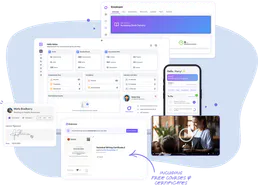
Cloud Assess
Manage vocational training and assessments via Cloud Assess — track students, monitor enrolments, and audit assessment records directly from any AI agent.

WebHR
Manage employees, attendance, and recruitment on WebHR with AI agents.

SignOnSite
Track who enters and exits your construction sites with digital sign-in, safety inductions, and compliance documentation.
You might also like

PagePixels
Capture website screenshots and generate visual previews programmatically with an API that handles rendering at any resolution.
Kippy
Track GPS locations of pets and loved ones in real time with wearable devices that send alerts when they leave safe zones.

Klarna
Manage payment sessions, orders, and fulfillment via the Klarna REST API.